
DOWNLOAD THE APP


Customer Services
Copyright © 2025 Desertcart Holdings Limited
DOWNLOAD THE APP


💼 Power your enterprise with storage that never quits.
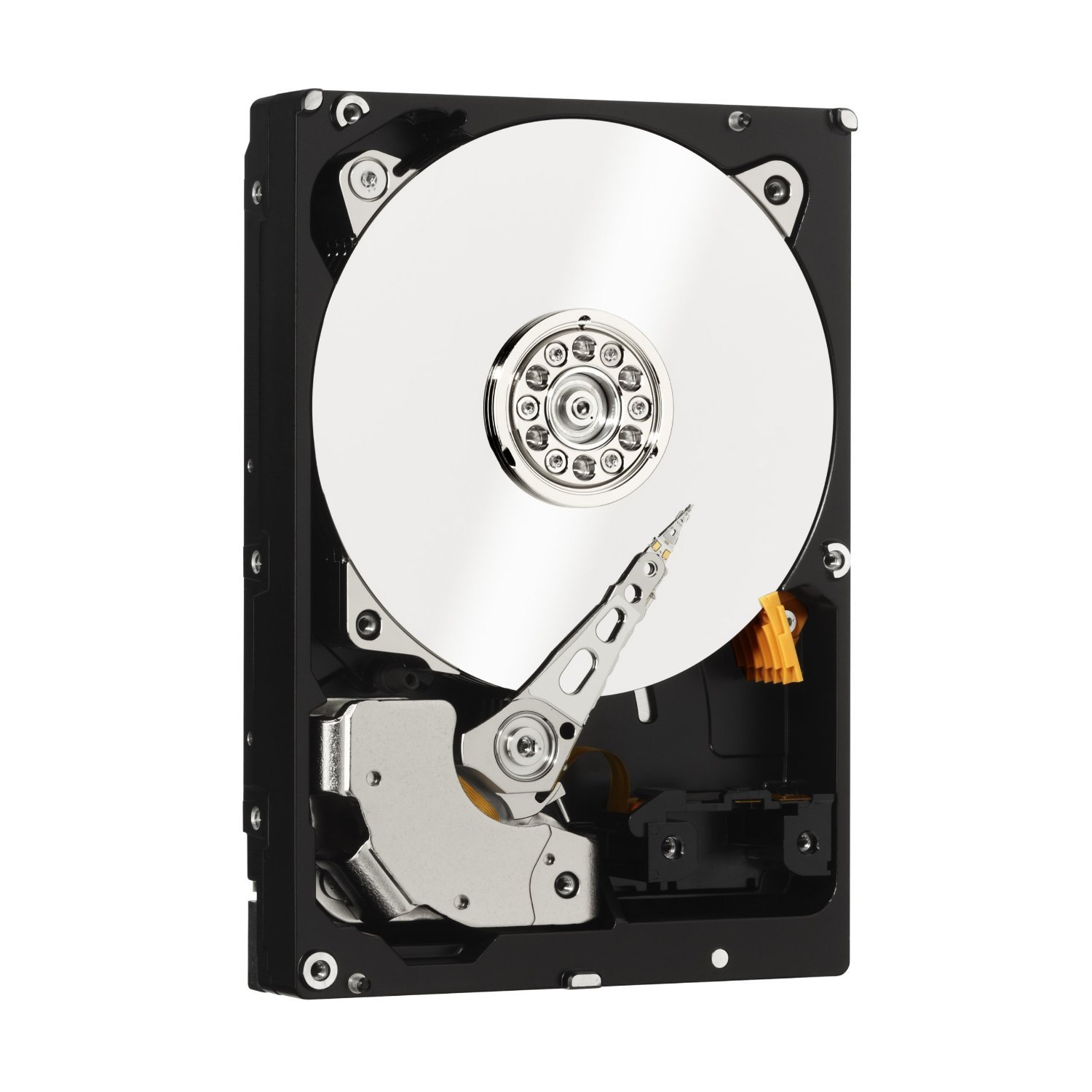
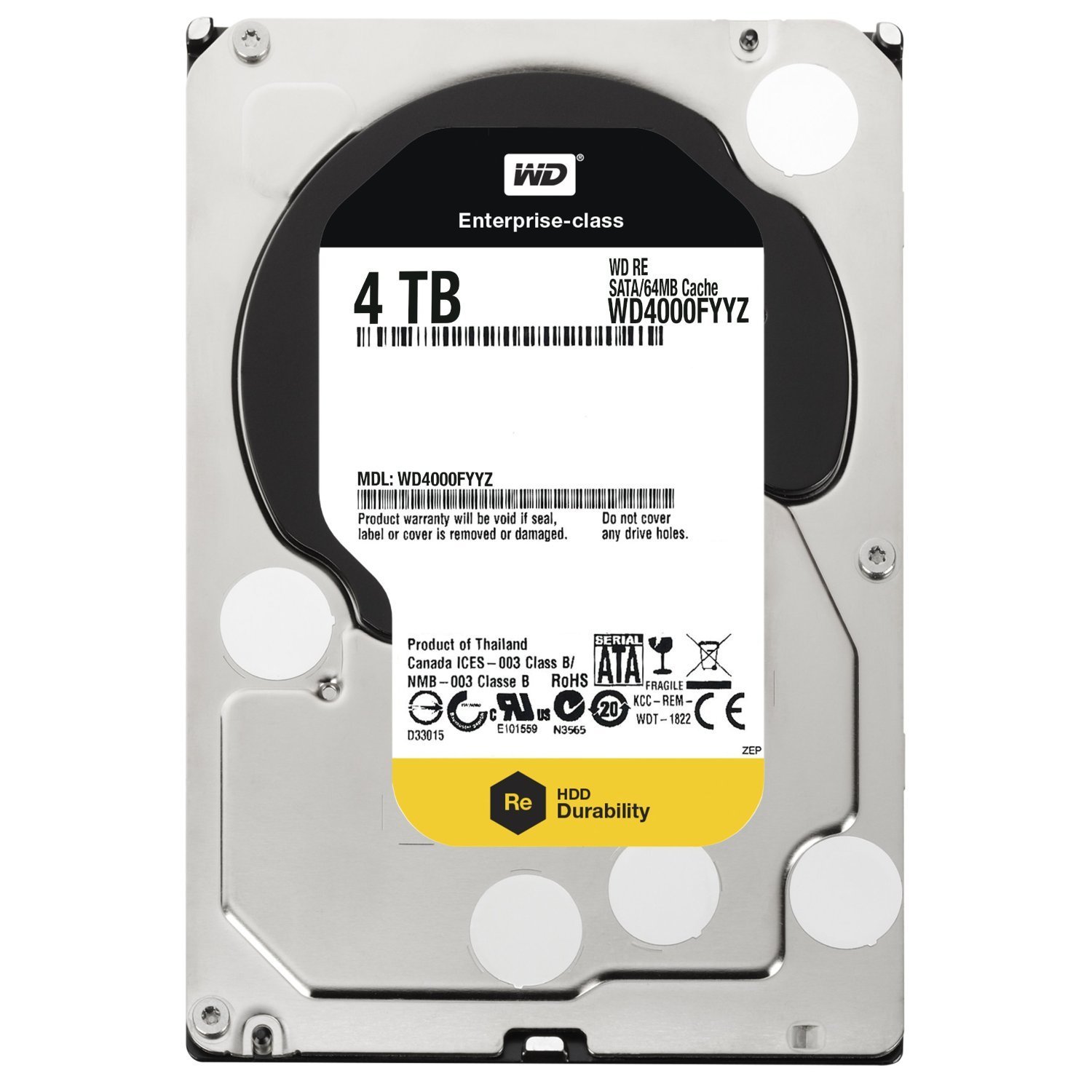
The Western Digital 4TB 3.5-inch SATA III Enterprise Hard Drive (WD4000FYYZ) delivers industry-leading nearline capacity with 7200 RPM speed and 64 MB cache. Designed for business-critical workloads, it features advanced vibration protection and a robust 1.2 million hour MTBF for reliable 24/7 operation. Ideal for servers, surveillance, and write-intensive applications, it supports fast 6 Gb/s transfer rates and comes with a 5-year limited warranty.


| ASIN | B0090UEQ8I |
| Additional Features | Internal^Mac compatibility^Native Command Queuing (NCQ)^Operating temperature range:5 - 55 °C^Yes^eSATA |
| Best Sellers Rank | #417 in Internal Hard Drives |
| Brand | Western Digital |
| Built-In Media | Hard Drive & User Guide |
| Cache Memory Installed Size | 64 |
| Color | Silver |
| Compatible Devices | Desktop |
| Connectivity Technology | SATA |
| Customer Package Type | Traditional |
| Customer Reviews | 3.9 out of 5 stars 805 Reviews |
| Data Transfer Rate | 6 Gigabits Per Second |
| Digital Storage Capacity | 4 TB |
| Enclosure Material | Aluminum, Glass, Ceramic |
| Form Factor | 3.5-inch |
| Global Trade Identification Number | 00718037786810, 05711045509858 |
| Hard Disk Description | Mechanical Hard Disk |
| Hard Disk Form Factor | 3.5 Inches |
| Hard Disk Interface | Serial ATA-600 |
| Hard Disk Rotational Speed | 7200 RPM |
| Hard-Drive Size | 4 TB |
| Hardware Connectivity | SATA 6.0 Gb/s |
| Installation Type | Dashboard Mount |
| Item Weight | 1.66 Pounds |
| Manufacturer | Western Digital |
| Media Speed | 16 |
| Model Name | RE |
| Model Number | WD4000FYYZ |
| Number of Items | 1 |
| Read Speed | 190 Megabytes Per Second |
| Special Feature | Internal^Mac compatibility^Native Command Queuing (NCQ)^Operating temperature range:5 - 55 °C^Yes^eSATA Special Feature Internal^Mac compatibility^Native Command Queuing (NCQ)^Operating temperature range:5 - 55 °C^Yes^eSATA See more |
| Specific Uses For Product | Business |
| UPC | 804066792882 163120556748 718037786810 803983022270 |
| Unit Count | 1.0 Count |
R**G
Works great
I must say that I love the packaging this HDD came in that's very securely protected from damage. This drive is new as it was never used that is evident by the packaging. However, it is not recently manufactured though because the manufactured date shows 2015 on the label. Nevertheless, it is still new as it has not been used before. In using it, on the other hand, at first I didn't know or understood loading it in Linux that HDDs over 2TB is not supported in Linux where partitioning is concerned. I am using Linux Mint 19 Cinnamon and it apparently doesn't seem to have support for using drives greater in storage size than 2TB so no GPT partition style support except MBR partition style. So when I saw that the drive was somehow automatically divided into 4 preset partitions that could not be removed, resized or addition ones able to be created I thought that something was wrong with the drive itself. But when I decided to see what would happen when using it in Windows Disk Management Console a prompt came up asking what partition style that I would like to initialize the disk with either MBR or GPT. Not too familiar with the difference or benefits of one vs the other I decided to do a little research on the difference and benefits of using MBR vs GPT partition styles. As it turns out once you are using HDDs with a storage capacity greater than 2TB you must use GPT partition style to initialize the drive and great your partitions. MBR only supports less than 2TB and up to 4 partitions on the drive so that is why when I connected the drive in Linux and it showed only 4 preset partitions and prevented me from editing, deleting or creating additional partitions then I understood what was the problem. It wasn't the drive that was the problem but Linux OS doesn't support GPT except MBR. Whether or not this can be mitigated to switch to GPT to initialize a HDD with storage capacity greater than 2TB is not necessary for me right now. However, once I used Windows to setup the drive with GPT partition style I was able to create the partitions I wanted with no problems and everything now works great now.
D**K
Great replacement drive
These are a smaller drive that are not in great demand anymore due to there size of 2TB. I am using 12 of these in a Synology rack station and this was a replacement drive. These drives are no louder than any other drives, Western Digital makes a great hard drive now that is reliable, and they stand by their warranty.
S**E
Failed hard at 2yr 10mo
Update Feb 2016 - I received a new RMA replacement drive from WD today. I plan to use it to store downloaded video and other junk - I would not trust it with anything important. Update Jan 2016 - this drive has had a sudden and total failure - it no longer undetectable by any PC. The drive reported no SMART errors and provided no other indication of a pending failure. I was better off with the Green drives, at least they gave an indication of failure and I was able to copy the data to another drive. With this drive my data is gone, gone, gone, never to be seen again. WD lists it as still under warranty so with any luck I'll get it replaced with a similar low quality piece of hardware. -- original review -- I purchased 2 WD Green drives thinking they'd be great for my network-attached photo collection which needs to be available but has relatively infrequent read/write activity. Within 2 years both began reporting SMART errors. So 20 months ago I replaced both with these WD RE drives - one 1TB and one 2TB. So far there has not been one issue and now I plan to purchase two more of these drives. It is difficult or impossible to get a true measurement of hard drive reliability. The URE rate is a useful, although non-holistic representation of drive reliability. WD rates their Green and Black drives the same at 10^14, yet Amazon.com review comments suggest Green drives are less reliable than Black. Amazon reviews are some of the best data we have, given due scrutiny. Since WD indicates the reliability of the Black drive is just as bad as that of the Green (WD would have phrased this differently), I decided to steer away from the consumer line all together. This WD RE drive has a URE rate at 10^16, two orders of magnitude better than the Black. At first glance these numbers seem too large to be meaningful, but analysis can be found online using real-world models to illustrate the significant difference of even going up one level of magnitude in URE.
T**6
Appears as NEW old OEM Stock Manufactured March 2015... Who will provide the 5 Year Warranty ?????
CAUTION: I purchased this drive to do a full image backup of my system before updating it to the latest Linux OS. It is a WD Black 7200 RPM Drive with a MANUFACTURE DATE OF MARCH 2, 2015. The drive is advertised as being NEW and the ad also claims the drive has a 5 YEAR WARRANTY. I'm not sure who will be providing the warranty, but as long as it works for a week or two I'll be satisfied with it. The drive arrived in what appeared to be a factory static bag that was sealed with a big sticker warning about static discharge and potentially damaging the drive. The bag also had a 2nd sticker designed to be applied to a computer that shows the drive Part Number, Description and Serial Number as well as a bar code. The drive and static bag were placed into a blown plastic shock absorbing molded plastic packing material and installed at each end of the drive, then placed into a really heavy duty cardboard box with a label on the end showing the Part number, serial number and the word NEW in all Caps. The shipping label was affixed to this really heavy duty box and sent to me. The box arrived in great shape, and the drive also appeared new. I placed it into an external enclosure and connected it to my Linux system via USB 3 connector and was able to put a partition on it, format it and copy about 100GB of data to it a few times without any issues. The drive is super quiet and clean. For the price, it appears to be a bargain at this point and as long as it makes it through the first 30-90 days past the infant mortality range of time, I think it will be a long lasting drive. My only question is who is providing the warranty on the drive since it is already 8 years old and probably just old NEW OEM stock. Time will tell , but for the moment I 'm satisfied with my purchase.
T**A
WD4000FYYZ -- BEWARE Of Defective Units
I ordered this drive a couple of weeks ago. Windows (64-bit) was able to partition and format the drive. So far, so good. But after copying a large amount of data to the drive (it is a 4TB drive, after all), it mysteriously wiped out its own master file table -- destroying all of the data on the drive in the process. So I figured my system may have glitched out for some reason, and tried it again. Same scenario: the drive was able to be partitioned and formatted, but once I restored the lost data to the drive, it once again "committed suicide" all by itself and lost all of its data. I also noticed that when idling (not being written to or read from), it made a "click-clack" noise over and over again, as if it had bricked up. Obviously, I received a drive that is defective and I am currently trying to return it for a replacement. I am just posting this as a heads-up to anyone else looking to purchase this drive: test it thoroughly upon receipt, because I found out that I am not the only person who has experienced this sort of problem with the WD4000FYYZ model. If the drive is replaced promptly and without any further hassles, then I'll be more than happy to edit my review and bump it up a couple of stars. But for now, I am very disappointed, as this is supposedly an enterprise class drive... with a high price tag to match. So let's hope that this situation is resolved in a relatively painless manner. EDIT to add: I am happy to report that the seller replaced the defective unit with a brand new unit in OEM packaging. The replacement drive is working perfectly, therefore I have bumped up my rating accordingly. It is unfortunate that I initially received a defective unit... but all's well that ends well. I'm still cautioning others to beware of defective units, because if it happened to me and others, then it can happen to you, too. But after everything was straightened out, it's a great hard drive and well worth its cost. It's fast, it's dead quiet and it has an obscene amount of storage space.
W**N
If you can stomach the price...
I had enough scares with consumer grade drives... Had failures of green drives... in testing... complete junk... only put on a green drive stuff your ok losing !!! I opted for this drive WD4000FYYZ actually quite a few of them... in a RAID they are very very quick... if you use raid 5 (minimum 3 drives) You will lose only one drives capacity to parity (3 X 4Tb drive will ONLY = 8Tb of RAID 5 storage actually less after formatting) BUT the loss of capacity is in exchange for the safety and security of SINGLE DRIVE FAILURE fault tolerance... meaning one drive can fail and the integrity of your information is maintained... at $300 per drive that is a hefty price to pay... but so is the price of data recovery service... and its expensive to have a hospital to restart your heart when you think all your data is lost... forever... with that in mind these drives look more and more attractive... also if you RAID "consider" if you have a controller card failure or power supply failure that's also an issue... for maximum safety... you need redundancy of those items as well to limit your overall exposure from potential data loss emanating from failures of these sources as well... Can your data ever be 100% safe... NO... but you can limit the possibility of loss to a very low acceptable level... burn your most critical information to optical disk or buy another HDD and put in a safety deposit box just in case your house burns down or floods... also a great enclosure like the QNAP Pro Series or equivalent since that is just as important as the quality of the drives... themselves Green Drives - are junk, take my word... spin the wheel and take your chances Red Drives - I have no experience with so I offer no opinion Black Caviar Drives - I have had many and can not recall a failure... EVER... better Price per MB of storage than Enterprise Class with excellent reliability... it would be far safer IMO to Mirror 2 of these drives then have 1 Enterprise Class Drive that's something to consider in your pockets are not bottomless !!! Enterprise Class - when only the best is good enough Background former Senior Systems Engineer with EMC Corporation so I am probably dispensing reasonable information... I hope I helped someone from losing information that's not easy to replace... Good Luck...
A**.
Works!
I have bought this hard drive as a replacement for identical one that failed after almost exactly five years of continuous work. The drive was a part of three-drive RAID5 array with a hot spare, so I have ordered a replacement after it failed, and replaced the failed drive once it arrived. Spare drive was in use for three days and went back to its spare state after the controller copied the data to the new drive. That was the only failure among those four drives in five years. Update: Some people reported getting old drives instead of new ones. I have just checked, and the drive was not in use before I got it. This is what SMART reports now, after four days of runtime: Vendor Specific SMART Attributes with Thresholds: ID# ATTRIBUTE_NAME FLAG VALUE WORST THRESH TYPE UPDATED WHEN_FAILED RAW_VALUE 1 Raw_Read_Error_Rate 0x002f 200 200 051 Pre-fail Always - 0 3 Spin_Up_Time 0x0027 100 253 021 Pre-fail Always - 0 4 Start_Stop_Count 0x0032 100 100 000 Old_age Always - 2 5 Reallocated_Sector_Ct 0x0033 200 200 140 Pre-fail Always - 0 7 Seek_Error_Rate 0x002e 100 253 000 Old_age Always - 0 9 Power_On_Hours 0x0032 100 100 000 Old_age Always - 105 10 Spin_Retry_Count 0x0032 100 253 000 Old_age Always - 0 11 Calibration_Retry_Count 0x0032 100 253 000 Old_age Always - 0 12 Power_Cycle_Count 0x0032 100 100 000 Old_age Always - 2 183 Runtime_Bad_Block 0x0032 100 100 000 Old_age Always - 0 192 Power-Off_Retract_Count 0x0032 200 200 000 Old_age Always - 1 193 Load_Cycle_Count 0x0032 200 200 000 Old_age Always - 0 194 Temperature_Celsius 0x0022 112 104 000 Old_age Always - 40 196 Reallocated_Event_Count 0x0032 200 200 000 Old_age Always - 0 197 Current_Pending_Sector 0x0032 200 200 000 Old_age Always - 0 198 Offline_Uncorrectable 0x0030 100 253 000 Old_age Offline - 0 199 UDMA_CRC_Error_Count 0x0032 200 200 000 Old_age Always - 0 200 Multi_Zone_Error_Rate 0x0008 100 253 000 Old_age Offline - 0
E**Y
No warranty, old drives, likely to get clearly used ones
Save yourself the effort and do not buy these. You will either get well packaged seemingly new drives or poorly packaged clearly used drives, but in both cases they are old and not longer under warranty. I ordered 2 drives twice now. The first time I got what appeared to be new drives. I used one, and held the other as a spare. The first one started to fail after just over a year. I used the spare to replace it, which started to fail within a week. I ordered another set to hold me over while I dealt with the warranty for the firs two. The second set were both obviously used drives. None show as having a warranty according to WD support. Should have known better, but hopefully you can at least learn from my mistake.
Trustpilot
2 months ago
2 months ago