We remain fully operational. Our teams are working around the clock to ensure your deliveries continue safely.

DOWNLOAD THE APP


Copyright © 2025 Desertcart Holdings Limited
DOWNLOAD THE APP


Buy anything from 5,000+ international stores. One checkout price. No surprise fees. Join 2M+ shoppers on Desertcart.
Desertcart purchases this item on your behalf and handles shipping, customs, and support to South Korea.
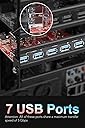
🚀 Unlock 7x USB 3.0 ports and turbocharge your desktop connectivity!
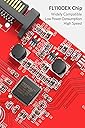
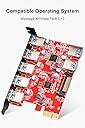
The Inateck PCIe to USB 3.0 Expansion Card (KT5002) transforms your desktop with 7 SuperSpeed USB 3.0 ports, delivering up to 5Gbps transfer rates. Designed for easy installation, it supports hot-plugging and low power consumption, powered via a 15-pin SATA connector for reliable device operation. Compatible across Windows XP to 10 and Mac OS 10.8.2+, this card is ideal for professionals needing fast, stable connections for multiple USB devices simultaneously.
| ASIN | B00FPIMICA |
| Best Sellers Rank | #407 in Internal USB Port Cards |
| Brand | Inateck |
| Built-In Media | 1x 15pin to 2x 15pin SATA Y-cable, 1x CD Driver, 1x Mounting Screw, 1x SATA to 4 Pin Molex Power Converter, 1x USB3.0 PCI-E expansion card, 1x User's Manual |
| Compatible Devices | Windows XP, Vista, 7, 8, 10 and Mac 10.8.2 and above |
| Customer Reviews | 4.2 out of 5 stars 2,231 Reviews |
| Global Trade Identification Number | 06957599307598 |
| Hardware Interface | PCI Express x4 |
| Item Type Name | Inateck Superspeed 7 Ports PCI-E to USB 3.0 Expansion Card - 5 USB 3.0 Ports and 2 Rear USB 3.0 Ports Express Card Desktop with 15 Pin SATA Power Connector, Including Two Power Cables (KT5002) |
| Item Weight | 2.08 ounces |
| Manufacturer | Inateck |
| Model Number | KTU3FR-5O2U |
| Operating System | Windows XP, Vista and Windows 7/8/10 |
| Style | 7 USB Type-A Ports |
| Style Name | 7 USB Type-A Ports |
| Warranty Description | 1 year warranty |
A**E
Works great and works in Multi-Card setup. Beware of newer drivers though (update)
I managed to get two of these cards installed on my ASUS Z-97 Pro motherboard. Both work well and now I have 10 external USB 3.0 ports and 4 internal USB 3.0 ports. I use the internal ports for things such as USB Bluetooth dongle, Logitech USB receiver (mouse, keyboard), a small hard drive mounted inside my PC case. The external ports work flawlessly and I've had no problems with them. If you have a motherboard similar to the ASUS Z-97 Pro and have a SATA drive plugged into the internal SATA Express port, then note that one of your PCIe slots will not function and you will not be able to use that PCIe slot as the SATA Express drive is taking up the data lane for that PCIe slot. This can be very frustrating if you aren't aware of this situation . To install one card it is straight forward and pretty much self explanatory. To install multiple cards you will need an open PCIe (and functioning) slot for each additional card and a power supply. I suggest a multi-SATA power cable. Before installing the second card, if you haven't already installed the first card do so and install the drivers and make sure it is working, then turn off the computer and slot in the second card and turn on the computer. You do not need to install the drivers again. The original drivers for the first card should recognize and configure the second card as well. You might receive a minor error while the computer is configuring the drivers for the second card. It shouldn't affect the functioning of the card. During the installation of the second card, once I turned on my computer, my computer automatically recognized the card and installed drivers for it automatically (which were the same drivers already installed and hence the error). Once you have the second card working, verify both cards are functioning properly. I don't think the drivers were really designed for multiple cards in mind, but they seem to work under Windows 7 64-bit no problem. As for Windows 10 I don't know. I deducted a star from my review because the drivers haven't been updated since 2014 and are likely out of date, especially for Windows 10. So, that is my experience with multi-card installation and my two cards are identical cards with identical chipsets. Using different cards with differing chipsets might yield differing results. I hope this helps anyone trying to get two or more cards working. ---------------update--------------------------- As of yesterday (1/27/17) after updating the drivers ( to 3.6.9.0 8/2/16), the external ports (all 5 ports on both cards) no longer work. The internal ports (2 on each card) still work fine, but no external ports work at all. Trying to diagnose the issue. I will update when and if I find a fix. --------------update ----------------------------- After some tinkering with the cards (installing and uninstalling and restarting the computer a few dozen times) I was able to determine the cause of the problem. It appears that when I updated the drivers to version 3.6.9.0 8/2/16 that the old drivers were left behind and still active. I imagine some sort of conflict was being caused with the old drivers and new drivers trying to control the same cards at the same time. Anyhow, the solution I found was to user Driver Boost 4 to uninstall all the drivers (old and new) (while removing the drivers you will find about 7 per card and they all contain the name 'Frisco' in their description). Once all the drivers were removed I removed both cards from my PCI slots and started my computer absent of the cards. Then registry cleaned my registry to get rid of any lingering registry entries. I then shut down the computer, and installed only one card then turned on the computer. Once the desktop appeared the card was present but no drivers could be found for it. That was a positive sign. So I installed the newest drivers again (3.6.9.0). I removed all the USB cables from the external ports and reconnected them one by one and they came back to life and all my devices worked. For the second card, I then shut down the computer and installed the second card (connecting power and placing in a seperate PCI slot). Then I restarted the computer. Once the desktop came up the computer automatically installed the drivers for the second card as it recognized that it uses the identical drivers to the first card. I connected my USB cables to the second card and everything worked as expected. So, the cards are very good, however, for some reason the new drivers did not uninstall the old drivers properly and that is what caused my problems.
T**T
A great card at a great price at $21.99 lightning deal
I edit a lot of videos so having file transfer speed over 100MB/sec is important to me. I don't know why I didn't do this sooner but I finally woke up and look to purchase a USB 3.0 card to connect my many hard drives. This Inateck card appeared on Amazon Lightning Deal at a good price and with good reviews. I hesitated a little since I have never heard of this brand. But eventually I clicked "submit" and order it. I am happy to say that this is a great USB 3.0 card. I added 7 USB 3.0 ports to my computer without much effort. It took a mere 10 minutes. I had to use the included SATA power connector to power the Inateck card. Otherwise, devices were not detected or even spin up. I downloaded the driver off the website, and didn't even bother with opening the CD that came with the package. <soap box> I really hate it that as companies get bigger that they feel the need to protect their bottom line, and do stupid things like prevent someone from inserting a URL in their review (that is not an Amazon product link). God forbid someone links to a competitor website. I was trying to link you, the shoppers, to the device driver file on the manufacturer's website but the A-hole company that also starts with an A (and whose CEO is a Bozo for allowing this bad policy) decided to remove the URL after I post it. So now I am resorting to cryptic languages and more wasted time to edit it back in. </soap box> The drivers are here: inateck dot com \ pci-e-to-usb-3-0-cards \ usb-3-0-pci-express-card-works-with-extra-power-cable \ inateck-ktu3fr-5o2u-usb-3-0-pci-express-card.html I plugged in all my USB 3.0 drives and they all worked fine. One issue I did encounter was on Windows 7. Two of my drives would collide and would only work if the other is not plugged in. If both are plugged in, one one is visible. This was caused by a duplicate drive ID in the boot block (not the same as drive letter). I googled around and found that I had to go into Windows Disk Administrator and look for the "offline" drive and right click on the "offline" area and select "online". That caused Windows to create a new disk ID for the offline drive and all is good. This problem never appear to me in the past because I had only two USB 3.0 ports, so I never had these two drives connected at the same time. It is really a Windows issue, not Inateck. Overall a great USB 3.0 card and highly recommended. One more thing. Before trying this card, I tried a generic 7 port USB 3.0 hub by "7 Ports" that I bought at an auction site. That hub has an interesting feature in that each USB port can be turned off with a switch. That hub worked fine, but when I tried plugging in the power adapter to the hub so that I could get extra power to run external 2.5" drives, the computer wouldn't even boot. Apparently the power adapter is wired such that it is shorting out the computer, causing the computer to not boot. So just a word of caution if you are considering going the hub route. The compatibility testing is still not quite there yet in the hub world. Go with this instead. You will be much happier. Update: 9 months later, it is still working fine. I have 5 USB drives connected permanently to these ports and they all work fine, giving me great speed without having to open up the computer and connect to the SATA port directly. I get 90MB/S writes with the WD drives I use, so that is plenty fast for my video editing needs. Windows hibernation works great, all drives are found after coming back from hibernation. My WD drives spin down on their own after hibernation.
A**A
Works Great with Windows 10 on older PC!
I've been using this card for two months now 24/7. Installation was very easy on my Windows 10 PC running on an older i7-860 CPU and an Asus P5P55C motherboard that did not have USB 3.x ports. I already had one 3 port USB 3.0 PCIe card in it, but needed more USB 3.0 ports. I bought the version with a rear 20-pin USB 3.0 header connector, as oppposed to the version with the two rear USB 3.0 ports. This version of this card does not seem to currently be an option. In order to have two of the ports available from the front of my Pc I also purchased an Anker 2-Port USB 3.0 3.5 inch Front Panel Data Hub that fits into a hard drive bay and provides USB 3.x ports. https://smile.amazon.com/dp/B00J4EZE4U/ref=cm_cr_ryp_prd_ttl_sol_5 If installing into a 5.25" hard drive bay like I did you will need a 5.25" USB 3.x panel like this one. https://smile.amazon.com/gp/product/B01FWK8PMC/ Those USB 3.x front panels require a USB 3.x header connector to plug into, typically found on motherboards, but in my case I connected the header cable to this Inateck USB 3.0 7-port card's 20-pin rear header connector. I did not have to install any driver software. I contacted Inateck asking if I should install their driver and they said that if the card was functioning to NOT install their driver. I am using ALL 7 ports and have not had any trouble. The speed is very, very good. This card works! I would definitely buy again. Note: I always recommend installing the rear power connector BEFORE you install any PCIe card in the motherboard slot. This allows you to get a better hold of the card's power connector and not risk breaking the connector off. It can take considerable force to install a power connector, so this reduces any risk. I did not have any trouble and the power connector fit was actually very good.
S**6
Effective USB expansion. Non-optimal for Rift-S
I bought this to run my oculus Rift-S after finding that my motherboards usb 3.0 ports weren't quite enough. I have an older mb and chip i7 4770k and asus z87a board. This board came out near the beginning of usb 3. Using the mb ports I had a lot of disconnects. If I rebooted and unplugged usb devices I didn't need, it worked sometimes. There were tracking issues and if I set the headset down for a little and came back to it, the usb was always fragged. While this board allowed me to dedicate a channel to the rift and leave my other devices plugged in, I don't believe it's bandwidth is sufficient for problem free operation. Like my older motherboard, I still had many connection and tracking issues. If it had been a power issue, I expect this would have solved things as its a separate controller and my power supply is a good 750 watt one. Ultimately, the solution for me was to use a usbc to usba adapter using the port on the graphics card. If you have a newer graphics card with a usbc port, use this for the rift. It works perfectly. I've not had so much of a glitch since switching. It seems to me that even devoting all the bandwidth of this card or most all of the bandwidth of an older usb 3.0 motherboard to the rift, it is still not quite enough. The card is pcie 1 so 5 megs data. I would have tried the startech pcie 4 card which apparently splits 4 5 meg controllers across 4 usb ports but I doubt it would have worked much better. The rift seems to need more. It sortof works with the 5, but the 10 or more provided by the port on the rtx 2070 works sooooo much better. I will keep the card in as the ports seem to work at least as well as those I already had. I will probably dedicate it to a flight stick and throttle. I expect it would be fine for an external drive as well. In summary, to make your rift-s work as it should, I highly recommend getting a graphics card with a usb port or upgrading to a modern motherboard with usb 3.1 or 3.2.
P**E
Works great with Windows. Under linux, it mostly works, may have some driver related issues with certain mobos and linux flavors
Update: Back to 5 stars after further testing with Windows. Leaving the original review here, with the updated comments below. -------Original review:------- "I purchased this card to add usb 3 ports to my board and get ready for Oculus Rift. I installed it in a PCI-E 3.0 x4 (in x8) slot on my Supermicro X9SRL-F board, plugged in the power cord (the right orientation) and booted her up. The usb ports worked, but when I tried to shutdown the computer I was faced with an awful situation. With this card installed, 2 seconds after the computer shuts down, it boots right back up. It took me a long time to figure out that this card was the culprit, but further testing with the card installed and uninstalled confirmed it. The issue also happens even when no usb device is plugged into this card, so it is definitely the card itself that is causing the problem. All wake options in the bios are turned off. My board has a jumper setting for usb wake, which is also set to disabled. You can imagine this is a horrible scenario during a power outage. My UPS sends a shutdown request to my computer when the power is out, but the computer starts back up and faces potential data loss when the UPS finally runs out of battery. I tried to post on Inatech's forums, but I guess it requires moderator approval and after over a week, the message is still not posted (last forum message on there is from 2 months ago). I sent an e-mail to their support, but no one has gotten back to me in over a week. Very disappointing." ------Updated review:------- I got in touch with Grace from Inateck who was very helpful. She urged me to test with Windows. I installed Win 10 on the same machine and confirmed that it works 100%. No issues with restart after shutdown. This prompted me to believe that the issue was related to the OS (slackware linux) or more specifically the linux drivers used. Out of curiosity, I installed this card in another machine running the same slackware operating system, but with a different motherboard. To my surprise, it worked just fine without the restart after shutdown issue. So the problem must be a very isolated case where the combination of slackware and the specific motherboard in the original machine caused the problem. Since Inateck does not claim linux compatibility (although it still works in most cases) and this device works great under Windows, I changed my review to 5 stars.
D**N
we felt like we must have fallen down a 20-plus-year-old time warp ...
This Inateck board has some sort of intermittent failure. The board didn't work when first installed, then worked and even transferred high-bandwidth video from a Microsoft Life Cam. A few minutes later, the Inateck board had died again. (Notice that several users talk about their boards mysteriously disappearing from their installed devices, only to reappear later!) When we read the manual section on trouble shooting, we felt like we must have fallen down a 20-plus-year-old time warp into the days of manually setting addresses and interrupts on the ISA bus. Nevertheless, we needed to get the USB 3.0 ports working, so we followed the Inateck manual advice and moved the Inateck board to a different slot. The board performed no better, so we did try a third slot. We then called the factory to see what they had to say. They said that everybody was out of the factory the first week in January, so trouble shooting was by email only! Shesh! Moral of Story: Don't buy an Inateck board! If you somehow have no choice, be sure to read the manual first: •If there is a yellow exclamation point on the controller in the Device Manager: 1. Please shut down your computer and move the card to another available PCIe slot, then re-install the USB 3.0 driver. 2. In the device manager, select the Fresco Logic Xhci (USB 3) Root hub, right-click using your mouse, and select “Update Driver”to update the USB driver. 3. This exclamation point usually means there is a resource conflict between this card and another card in your system. Please move the card to another available slot and then restart your computer. Windows will re-configure itself and reassign resources. Check the device manager again to insure the issue has been resolved. That was on Tuesday. We filed a return with Amazon for the Inateck and ordered (for $1 less), the Mailiya PCI-E to USB 3.0 5-Port PCI Express Expansion Card and 15-Pin Power Connector, Mini PCI-E USB 3.0 Hub Controller Adapter with Internal 20-Pin Connector - Expand Another Two USB 3.0 Ports Mailiya PCI-E to USB 3.0 5-Port PCI Express Expansion Card. The Mailiya card arrived the next day, today, Wednesday, although we only asked for regular shipping! (Thanks, Amazon!) The Mailiya card is installed and all five ports are working as expected. (Even though it's installed in the same PCIe slot as the nonfunctional Inateck ard.) Additionally, the ten-pin connector connects to the cable supplied with the XinYS USB 3.0 7-Ports 5.25 inch Metal Front Panel USB Hub, sold by Amazon! XinYS USB 3.0 7-Ports 5.25 inch Metal Front Panel USB Hub with 15 Pin SATA Power Connector [ 20 Pin Connector & 2ft Adapter Cable ] So we have five USB 3.0 connectors on back and seven USB 3.0 connectors on the front of the computer.
L**T
A great product and a very responsive customer support.
I purchased the “5-port & 2 rear USB3.0 Express Card” to replace an “ORICO PVU3-5O2I Booster USB 3.0 7 Port PCI Express Card”, which failed to install. I did work with customer support of the company which sold the Orico Card for over five days without avail. I had no choice but to return the Orico Card to Amazon. Well, I went back to the drawing board and looked for a replacement. My eye caught the “Inateck Superspeed 7 Ports PCI-E to USB 3.0 Expansion Card”, because of the in general excellent reviews about the German craftsmanship and ease of installation. However, Christopher Lambert’s review was the only reason I hesitated for a short while; well my computer has a not so young Asus motherboard. When I pressed the order button on the Amazon website I said to myself “I hope you are wrong Christopher”. Surprise, surprise, I received an email from Inateck before their product arrived. This email was an advice not the use the CD for the driver installation, but to download a newer one from their website. I followed their instructions and attempted to finish the installation with a restart of the computer as per manual. Holy moly, Christopher was right; why didn’t I listen to him? No matter how often I hit Bill Gates’s mistake, the black screen with a white cursor came back. I was not able to get into the setup screen by touching the delete button; not even after removing the card again. La Forza del Destion corrected the problem. I had to leave our home for closed to two days. Before departing I disconnected the computer and took him to the garage to blow out the dust, which had collected during the last two years. While away from home I communicated with the Inateck customer service folks via our MeMO and they stuck with me all the way. Upon return I hooked the cleaned computer back up and pressed the start button and voi la Sarastro III came back to live. I am sure that the dust removal was not the reason for the computer’s revival, but the over thirty-six hours without power did reset the bios. I am confident that removing the clock / bios battery (suggested by Inateck Customer Service) for a while and reinstalling it would have yielded the same result. The decision whether or not to attempt the Inateck Card again was not a big one. I gave the Orico Card more than five chances; why not give the Inateck Card a second chance? The computer started again with the card installed without a problem. Next I checked the Device Manager and found the card however, with a missing driver. I had the Device Manger install the driver after guiding him the downloaded driver folder. The computer went wild at this point and did five or six loops with “Installing” and “Ready to use” displays. Watching the advices dance around on the monitor screen was very uplifting. It gave me heart to plug the internal USB3.0 cable from the “InfoZone 3.5-Inch Front Bay USB 3.0 Expansion Port” into one of the two internal USB3.0 ports of the Inateck Card. The computer did two or three more loops after I turned him on and that without my help. I found that all ports at the back and in front of the computer including the SD lot had fire, what made me very happy. The Inateck Card and the front panel ports are very, very fast and I am equally with satisfied both products. I can recommend both products wholeheartedly without reservations.
W**N
Cannot turn off PC with this card installed
First impressions indicate that this card is well built. However, upon installing it in my Dell Optiplex 790 mini-tower, I had nothing but problems. First, the two power cables provided only have 4 wires instead of 5. This means that the 3.3V power is not tapped. This may be fine for this card, and for most other devices, but using this cable may prevent you from adding a device in the future that uses the 3.3V signal. Second, the power cable is not long enough. It may be fine for a mini-desktop PC, but for me, it was about 8 inches too short. So I had to buy an extension for the power cable. (I actually bough a multi-tap extension so I wouldn't have to use the provided power cables.) Installing the drivers went fine - the driver provided on the CD is the same version as the latest driver from the web site. After the driver was installed, the card was recognized. I then attempted to power the PC down. It wouldn't - within one second of powering down, it powered up again. The fans didn't even have time to spin down. I tried to power it down three times and it continued to power up by itself. I then unplugged the power cord, removed the card and now the PC powers down normally. I then tried installing the card in a PCIe x16 slot with the same results. Technical support: I then contacted Inateck technical support. After two days, I received an acknowledgement for my email stating "our tech-support is on a business trip, would you please kindly wait for a moment". Bells went off - they only have one person for technical support? I decided to wait anyway. After two weeks without receiving a response, I decided to return the card. Unfortunately, with the wait for the extended power cord and the wait for technical support, I have now passed the 30 day window for Amazon returns. Lesson learned - next time I have a problem, return the item and don't try to get the problem fixed. So I'm stuck with this card that doesn't allow my PC to power down. I've since connected a USB drive to the card and it seems to work, except that I can't power down my PC. I've decided to purchase a different card from another manufacturer. UPDATE: Changing from 1 to 3 stars. A few days after my post, I received an email from Inateck apologizing for my problems. A few more days after that, I got an email in response to my original email to Inateck. Although it took quite a while for Inateck to get back to me, they sent me a full refund. In the meantime, I purchased an Anker USB 3.0 PCIe card, and it seems to be working without any problems.
Trustpilot
2 weeks ago
2 days ago