We remain fully operational. Our teams are working around the clock to ensure your deliveries continue safely.

DOWNLOAD THE APP


Copyright © 2025 Desertcart Holdings Limited
DOWNLOAD THE APP
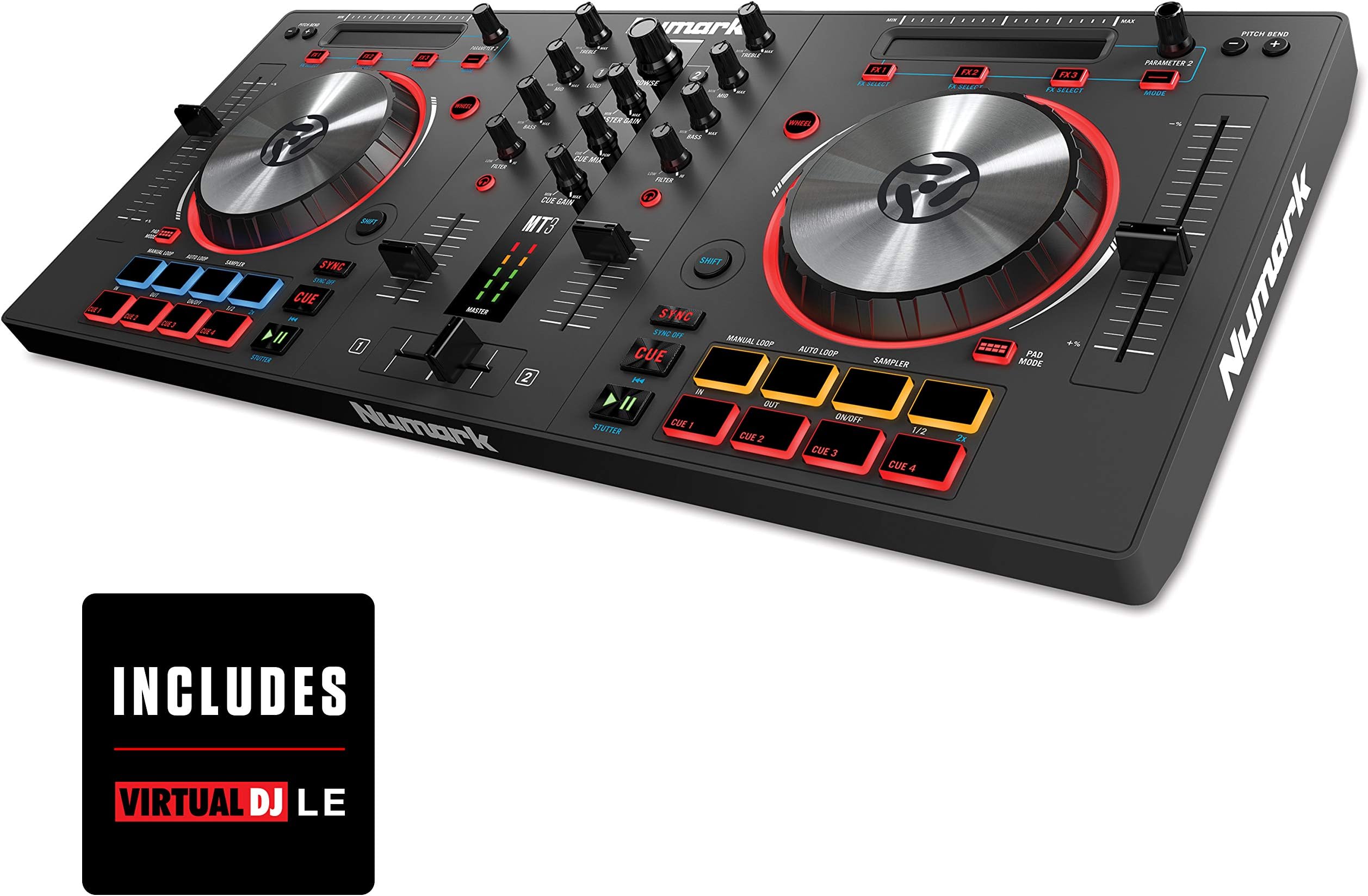



🎧 Elevate your DJ game with precision, power, and pro-level features—without breaking the bank!
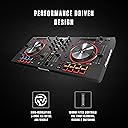
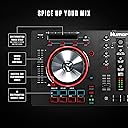
The Numark Mixtrack 3 is a compact, feature-packed 2-deck DJ controller designed for aspiring and professional DJs alike. It boasts high-resolution 5-inch metal jog wheels, long-throw 100mm pitch faders, and 16 multifunction backlit pads with a touch strip for dynamic control. Compatible with Mac and PC, it includes Virtual DJ LE software and a $200 Prime Loops sample pack, offering a complete creative toolkit. While it lacks a built-in soundcard, pairing it with an affordable external audio adapter delivers professional sound routing at a fraction of the cost of pricier models. Lightweight and portable, the Mixtrack 3 is ideal for millennial DJs seeking a powerful, budget-friendly entry into digital DJing.


| ASIN | B00Y2LIDHA |
| Additional Features | Backlit, Portable |
| Best Sellers Rank | #161,210 in Musical Instruments ( See Top 100 in Musical Instruments ) #314 in DJ Controllers |
| Brand | Numark |
| Brand Name | Numark |
| Color | MultiColored |
| Compatible Devices | Laptop, PC (Windows, Mac), USB |
| Connectivity Technology | USB |
| Connector Type | USB |
| Control Method | App |
| Control Type | DJ Controller |
| Customer Reviews | 4.3 out of 5 stars 642 Reviews |
| Global Trade Identification Number | 00676762191616, 00888365315898 |
| Hardware Interface | USB 2.0 |
| Hardware Platform | PC/Mac |
| Human Interface Input | Buttons, Dial, Touch Pad |
| Included Components | Virtual DJ LE, Prime Loops Remix Tool Kit, 6 sample packs from Prime Loops |
| Instrument Key | Any |
| Item Type Name | DJ Controller |
| Item Weight | 4 Pounds |
| Manufacturer | inMusic Brands Inc. |
| Manufacturer Part Number | Mixtrack3 |
| Model Name | MixTrack III |
| Model Number | Mixtrack 3 |
| Model Year | 2015 |
| Platform | Windows |
| Product Style | No RCA Output |
| Size | 25X12X5 |
| Special Feature | Backlit, Portable |
| Supported Software | Virtual DJ LE |
| UPC | 676762191616 142203353283 888365315898 |
| Unit Count | 1.0 Count |
| Warranty Description | 1 year. |
I**Z
Amazing feature package for the price range, better deal than pro version
Ive owned this controller for about a month now, after doing a LOT of research and review reading , i decided on this controller , mainly because it has everything you would want in a starter controller, with added a few nice extras that you will simply not find in this price range elswhere (100mm pitch sliders and dedicated deck filter knobs) The touch strip is a nice addition, after getting used to it using it on traktor i like it way better than a parameter knob, reason being because you can tap directly into a position on the strip and take the effect percent or parameter directly to that value as oposed to "turning to" that value , wich you can slide to do too . also strip searching in songs is a nice time saver bonus you get out of them so cheers to numark on that secondly , price...as i said, i looked around and you wont get better set of features , from a recognized brand in the industry , for 150 bucks, the comparable one for this from a competing company would be the hercules universal dj system and its ususally a bit pricier (200) but it has internal soundcard but you dont get dedicated filter knobs nor 100mm pitch sliders on it , and i honestly like the mixtracks setup better (pads at bottom as oposed to top, one could accidentaly brush a platter just going for a pad , wich you will do a lot with looping etc. but its a personal pref thing i guess) IMPORTANT: this is the mixtrack 3 , not the mixtrack pro 3 , wich brings its own soundcard too, but its a 100 dollars extra (250) now...the reason i picked this version and not the pro? simple math the ONLY difference between this one and the pro version is the included soundcard with output jacks for headphones and mix and a mic input, and color changes (cue/play buttons aluminum instead of black that sort of thing) ...so you are paying a hundred dollars more for the internal soundcard ...so if you take those 100 dollars you can buy a MUCH better external soundcard and can probably cover the shipping , and still come under the 250 for the pro version ...so my advice is go for this option and get a good soundcard (heck get a 5.1 creative sound card with integrated mics and you get an awsome skyping device and home teather conectivity for sixty bucks , still a heck of a lot cheaper than the pro's " included " 100 buck soundcard ;) as for construction, its made of plastic, but it is sturdy, think about the contruction of your average sony/samsung/whatever laptop, it is plastic , but resistant one at that, volume faders feel solid, with a slight resistance to them , much like the eq and filter knobs , the crossfader is very loose as youd expect, a little TOO loose for my taste but also a preference thing, platters are the highlight of the controller , made out of metal and capacitative means very sensitive, also double function, scratch by using the top part (wich is also sensitive and will stop the track just like you would a record by putting your finger on top of it) or you can use it for tempo nudging by using the sides in conclusion, as youd expect from a numark product, you get a quality device , with what i would call an amazing feature package for the price range @ 150 dollars, and if you add a good external sound card you get a much better deal out of the cash than if you would go for the pro version just for the soundcard, heck youc an buy a cheap 5 buck usb card but i recommend a better one with dedicated drivers , work much better than asio and can sample higher (bheringer audio interface here on amazon is also good for less than 30 ) Hope that helps your decision , happy mixing ! EDIT: And just to adress those people giving bad reviews because of the software and whatnot, if you cant READ beforehand and realize you have to download the software , and buy or " obtain" the pro software , they probably will never professionally dj anyways, so take my advice and ignore it, the virtual dj intro software is still good for playing , just dosnt have all the features that the pro version has, if you are so inclined to buy a program i recommend traktor, much more powerful with features and remix decks and its a one time 99 fee for the full pro 2 version , if not you can always sub to virtual dj for a low monthly fee , and if you do ONE gig a month it more than pays for itself just my 2 c
C**N
SOUND CARDS!! SPLITTER CABLES!! AUDIO SETTINGS!! Oh My...
First, I want to start by saying that I never write reviews but, I was very excited when I finally decided to get back into DJing and finally getting this thing to work. I want to keep this short, simple and straight to the point. I bought the Numark Mixtrack 3 Feb 10, 2017, received it in two days. Didn’t get around to opening it until Friday the 17th. My main issue was configuring the Audio settings. I see many bad reviews and complaints about the device not having a built-in soundcard (we’ll jump into that in a second). Particularly how to get the track that you’re cueing to play out of the headphones (DJ), while the other track is playing through the master output (AUDIENCE). After about a week of research, Googling, YouTube videos, and calling Numark and VirtualDJ I finally figured it out yesterday lol. Most DJ devices that you hook up to a computer come with a built-in Soundcard. Meaning that you can connect the device to your computer, plug in your headphone jack and Master audio to the DJ device and it will split the sound for you without manually having to tap into the audio settings. However, with this device the only plug in is straight from the device to the computer. You cannot plug your headphones or master audio into the DJ device itself. HERE IS THE SOLUTION!!! You must buy a separate External Stereo Sound Adapter. I would suggest the Sabrent USB External Stereo Sound Adapter for Windows and Mac. Plug and play No Drivers Needed. (AU-MMSA). which ran me about $6.99. They run anywhere between $3-$8. No need to get any of those expensive $100 audio interfaces. The Sabrent comes with an audio headphone jack and a Microphone jack. You’re much better off buying this DJ device for around $100 and the separate external sound adaptor for another $7 rather than spending double for a built-in adaptor on another device. AUDIO SETTINGS!!! Open your audio settings (VirtualDJ users. But may serve for other interfaces like Serato, Traktor, etc.). In the settings, you’ll have 3 tabs: OUTPUT, CARD, and INPUT. Make sure your OUTPUT is set to Speakers + Headphones, CARD is set to TWO SOUNDCARDS. Going down the screen, in the Outputs. Set the first output to MASTER/USB Audio Device (WASAPI) (which is the Sabrent device)/Chan 1 (mono) & plug in your main audio (Audience) to the Sabrent device. For the second output, make this your HEADPHONES/Realtek High Definition Audio (WASAPI) (or whichever soundcard that comes with your computer)/Chan 2 (mono) & plug in your headphones directly to your computer. Click APPLY. You’re ready to start DJiing !!! Cue up two tracks. Make sure you’re Master Gain is up, you’re cue gain is up so you can get enough volume in your headphones, the Headphone light is ON for the deck that you’re going to play next (currently through headphones), and your cue mix is turned to cue in order to hear the cue track through the headphones. As far as the DJ interface it comes with (VirtualDJ), yes when you buy the device that is essentially what you’re paying for. THE DEVICE. However it does come with a 30-day trial version to get you started but, you will have to go to a site for DJ interfaces (Serato, VirtualDJ, Traktor, etc.) and purchase one. Each interface has different prices for different devices, there are options to buy it flat out or pay a lesser amount monthly. Either way, this is the device you’re paying for. Try it for 30-days before the trial is up. If you think DJing is something you’d be interested in as a hobby, career, side gig, etc., There should be no problem investing money into a craft you’re passionate about. You’d be more than willing. What you put in you’ll get back 10-fold. Just depends how serious you are. As far as the different interfaces, It’s almost like a comparison between Apple and Android. You have to find the one that fits you best. Each software has different History and Philosophy that they stand by. VirtualDJ I would say is more for mobile Dj’s and beginners. It’s made to be more accessible and to help existing Dj’s mix better. Serato would be like iOS. Straight forward, you see what you get. There’s a set way to use it and it caters more to people who are used to using actual traditional turntables. It started as a timecode only software for turntablists who wanted to be able to do the same tricks they could do on vinyl. Mainly to still be able to preserve that turntable feeling and utilize the same tools they learned traditionally with CD’s and turntables while adding new technology to it. Traktor would be more like Android. It gives you more options to customize and change the settings to your preference. A lot of times you have to fix those settings accordingly before in order to get everything to work. It was more so founded by musicians who wanted to fuse the world of DJing and music. It is for accessing the live musician and producer side of DJing. There’s no definitive answer, just preference. Advice: Learning to beat match by ear is a very important skill to learn!!! Don’t get too used to using the different software’s as a crutch for learning how to able to sync tracks visually. What you play and how you play it is important, the audience may never know the difference as far as the technical aspect, however this is the very essence of the craft. I’d also suggest doing extensive research. YouTube videos are the best. Reading reviews are OK but, If a person isn’t giving you extensive detail on why they like or dislike a product I wouldn’t allow it to sway you’re your judgement too much. GOOGLE is your best friend . Going to the actual sites VirtualDJ, Serato, Traktor, Numark, Pioneer checking out different products, different software, comparing and seeing what fits you best. I hope to master this enough to transition into other products and software but as a beginner, this product is great. Again, it’s all about what you put into it (Time, $, research, practicing the craft, taking good advice, giving good advice, etc.) Is what you get back from it. PEACE & LOVE. Sabrent USB External Stereo Sound Adapter for Windows and Mac. Plug and play No drivers Needed. (AU-MMSA)
D**.
Great 1st DJ Controller
I'm new to this DJ stuff. Long story short, I was a gigging musician (solo acoustic for the last 8 years), in July of 2015, I suffered a stroke and one of the effects was the loss of the ability to play my guitar which also meant no more gigs (and income). I was offered a house DJ gig at a popular local bar, which leads to this review. I needed something fast...cheap...and easy enough for a neophyte to figure out. Enter Numark Mixtrack III. The thing just works. I was able to figure it out and play music and Make Money, which was the #1 requirement. It's not fancy but the things that have to work, Faders, Knobs, Pitch sliders, and the Play, cue, and sync buttons, work like champ. The bonus is I'm finding it offers a lot more via the VirtualDJ 8 software which I'm still in the process of learning. Will I eventually outgrow it? Probably, but for a first controller to learn on, and earn on, it fits the bill. Do: get a usb audio interface (I use a behringer XENYX Q502USB) it doesn't have an internal sound card (you need the mixtrack III Pro for that) Do: Pay for the VDJ8 Pro software Do: get a good case/workstation for it DO: PAY FOR A MUSIC SERVICE or at the very least USE MUSIC THAT YOU HAVE PAYED FOR using pirated stuff screws the musician nuf said I highly recommend this controller as a great beginner/neophyte piece, It delivers as advertised. Magma DJ Controller Workstation NV - Numark NV Road Case Behringer Q502USB 5-Channel Mixer
S**L
A great beginner controller!
The Numark Mixtrack is a great beginner DJ controller. When you buy this you should know you need an external sound card. This controller is well worth the money. It comes with Virtual DJ 8 LE which has many hidden features. Despite what others seem to be saying, my license did not go away after 30 days. All it did was switch to the LE version. For the controller itself, it has lots of features. It has a touch strip at the top of each 'deck' which controls the effects and you can skip to different parts in the song. The default effects you can control with the touch strip are Flanger, Reverb, and Wah Wah. But those are changeable in VDJ. The jog wheels are a little small, about 4-5" wide each. There are great and feel solid. They are topped with brushed metal and come with covers. They are responsive to the touch. You can also toggle them on and off with a small button. Underneath there are 8 pads. The bottom four are for setting cue points. They light up red when you press them. When you press one, it sets a marker in a place in the song that you can go back to by pressing again. You can set four cue points which save in VDJ for when you play the song again. You can also delete them too. The above four pads do not feel cheap and are made of rubber. They control setting loops, auto loops or playing samples. These can be toggled with the pad mode button which is located just above them on the board. You can put in your own samples or use the 4 sample banks in VDJ. The middle part, or the mixer has identical controls for each deck. Headphone buttons, Mid, Low, and High switches, volume sliders, Master gain, Cue gain, cue mix and a cross fader. There is also a neat little volume output thing. And the most important part is the pitch sliders! I use these a lot so it is very good we get one for each deck. They are pretty long but I still have a hard time getting the perfect tempo. Overall this is a great DJ controller with lots of features for the price! Pros - easy to use - comes with a midi cable to connect to your computer - comes with free software -great price - touch strip - mid, bass and treble knobs are really helpful - good responsiveness on touch strip and jog wheels Cons (Oh, by the way my headphones and souncard did not work) - no souncard - hard to set up but still quick - need to get used to ( don't expect to be able to DJ and not sound like a noob the first day, hey I did it too) - not super durable - doesn't come with a better program like Serato or Traktor - pitch sliders a good but not perfect - jog wheels get fingerprints on them easily - jog wheels are suuuper responsive. If you touch the platter the song pauses. That's about it. Have fun DJing!
M**O
Gracias
Gracias
K**L
Love it! it does everything it says it does
Love it! it does everything it says it does, AND the freebies are great. This DOES NOT come with SERATO like its Pro cousin. However, with the right external sound device, the Pro version isn't needed and all-in you could probably save $100 and actually have more ins/outs and more software variety as many will be packaged with DAW like Ableton Live. I just had to do a little research and i quickly found many cool mappings for my preferred software Traktor and i was up and running with added features (because the mapping is custom). everything feels great and the pads are excellent (they are AKAI pads so DUH!). don't hesitate, like seriously, this mixer is pro quality and featured. with some practice theres not much you can't do :)
B**S
Came 20 minutes after 8:00pm, but amazing product either way!
Just received this product after the "before 8pm" estimated time, so I became over-anxious. This Numark mixtrack 3 handles very well especially considering the price. The jog wheel can be used for scratching or altering the tempo which I found to be very applicable. It is a beginner controller, but has advanced technology. I used to use a Hercules, which did not feel very durable compared to this, and the knobs became loose rather quickly. The mixtrack 3 is holding up very well, and makes dj-ing very easy
B**1
Great for an entry-level controller
Great for an entry-level controller. Got the standard non-pro edition and added an external soundcard + rack and headphones all for the price of the "pro" edition. Will most likely upgrade sometime in the future but for learning the basics of DJing and performing at small parties it works like a charm! I chose to use Mixxx software over Virtual DJ to save some cash as well, and the software has performed beautifully to this point.
Trustpilot
2 days ago
4 days ago