


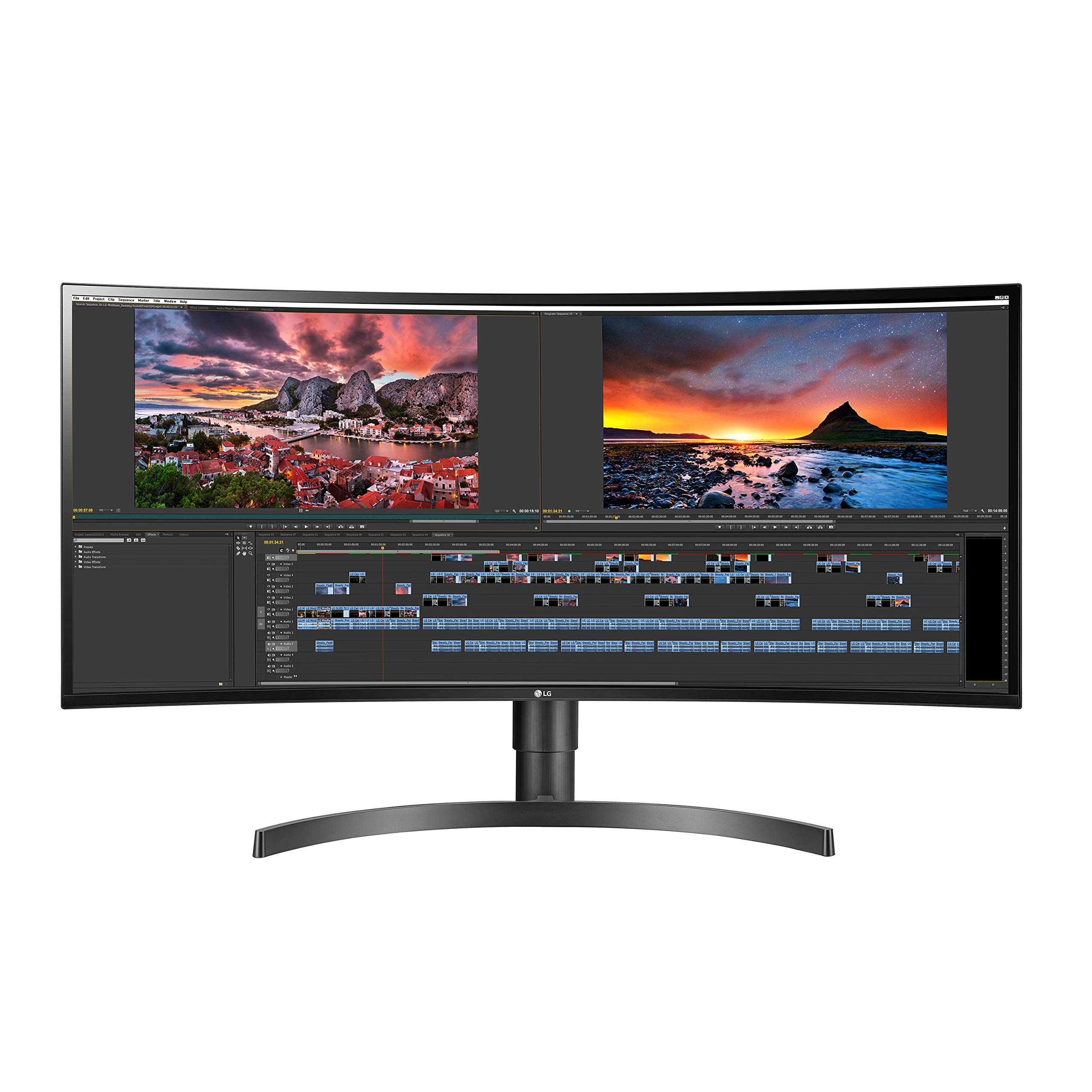

🚀 Elevate your workspace with LG’s UltraWide curved brilliance — see more, do more, be more!
The LG 34WN80C-B is a 34-inch 21:9 curved UltraWide monitor featuring a sharp 3440x1440 WQHD IPS display with 178° viewing angles. It offers USB Type-C connectivity with 60W power delivery, 99% sRGB color gamut, and HDR10 compatibility, making it ideal for professionals seeking immersive visuals and efficient multitasking. Its ergonomic stand supports height and tilt adjustments, while the virtually borderless design enhances a sleek, modern workspace.


| ASIN | B07YGZ7C1K |
| Adaptive Sync | FreeSync |
| Additional Features | Anti Glare Screen, Height Adjustment, Tilt Adjustment, Ultrawide Screen, Wall Mountable |
| Aspect Ratio | 21:9 |
| Best Sellers Rank | #80,596 in Electronics ( See Top 100 in Electronics ) #1,753 in Computer Monitors |
| Brand | LG |
| Brightness | 300 Candela |
| Built-In Media | 1 x Type C Upsteram Port, 1 x Dp-In Port, 2 x HDMI Ports, 2 x USB Ports, 1 x Dc power Port, 1 x Headphone |
| Color | Black |
| Color Gamut | 0.99 |
| Compatible Devices | [Hypothetical] Laptop, Desktop, Gaming Console |
| Connectivity Technology | HDMI, USB Type C |
| Contrast Ratio | 700:1 |
| Customer Reviews | 4.5 out of 5 stars 3,827 Reviews |
| Display Resolution Maximum | 3440 x 1440 Pixels |
| Display Technology | LED |
| Display Type | LCD |
| Global Trade Identification Number | 00719192634992 |
| Hardware Connectivity | USB |
| Has Color Screen | Yes |
| Image Contrast Ratio | 700:1 |
| Item Dimensions D x W x H | 9.9"D x 32.7"W x 16.9"H |
| Item Height | 16.9 inches |
| Item Type Name | LG 34WN80C-B 34 inch 21:9 Curved UltraWide WQHD IPS Monitor with USB Type-C Connectivity sRGB 99% Color Gamut and HDR10 Compatibility, Black |
| Item Weight | 23.37 Pounds |
| Manufacturer | LG |
| Model Name | 34WN80C-B |
| Model Number | 34WN80C-B |
| Mounting Type | Wall Mount |
| Native Resolution | 3440x1440 |
| Number of Component Outputs | 2 |
| Picture Quality Enhancement Technology | HDR 10, sRGB 99% color gamut, WQHD resolution |
| Pixel Pitch | 0.2325 |
| Power Consumption | 140 Watts |
| Processor Count | 1 |
| Refresh Rate | 60 Hz |
| Resolution | QHD Ultra Wide 1440p |
| Response Time | 5 Milliseconds |
| Screen Finish | Anti-glare, Hard coating (3H) |
| Screen Size | 34 Inches |
| Screen Surface Description | Anti-glare, Hard coating (3H) |
| Series Number | 3 |
| Shape | Rectangular |
| Specific Uses For Product | Business, Multimedia, Personal |
| Total Number of HDMI Ports | 2 |
| Total USB 2.0 Ports | 3 |
| Total USB 3.0 Ports | 1 |
| Total Usb Ports | 3 |
| UPC | 719192634992 |
| Unit Count | 1.0 Count |
| Viewing Angle | 178 Degrees |
| Voltage | 240 Volts |
| Warranty Description | Limited: 1 Year Parts & Labor |
| Warranty Type | Limited Warranty |
R**A
Great monitor with few areas to be aware of
I am writing this review after experiencing the monitor for couple of months to ensure that my review is well rounded and includes all the points one need to know of while making a decision to purchase this monitor. The context of my purchase: 1. The pandemic has ensured that a lot of people like me are working from home. At some point we all feel two things (at least I felt): a. The laptop screens are too small for multi screen working b. The switching between work and personal laptops becomes a spot of bother. 2. Depending on our pastime hobbies, we need a monitor that can help us work on a bigger screen as well as let us do our hobby related things on the same monitor. Photography is my hobby and and I process really large photographs on a regular basis besides constantly working from home. So an ideal scenario for me was to get a monitor that supports high resolution so I can see my large photos with decent clarity and also lets me work with multiple screens side by side. I went back and forth between a lot of monitors before deciding to buy this one. One reason I went for the ultrawide is that the height of the ultrawide monitors are less than the non-ultrawide due to the 16:9 ratio. This allows me to look straight into the monitor without craning my neck. Now specifics about the monitor: 1. IPS panel and hence really crisp display corner to corner, great colors and sharpness. 2. Supports high resolution laptops. I have a mac mini 2020 with dedicated graphics card. I love the way this monitor displays everything on the mac mini. 3. Unpacking and setting up was a breeze. 4. The screen splitting software is awesome. Allows you to split the screen in 2, 3 or 4 sections. Once installed on your laptops, you select the split you want and that's it. As soon as you drag a specific application, the split window borders immediately appear and let you just drop the screen into the section you want and the application snugly fits into that section. I love this part actually. Now the difficulties I had to achieve the setup I was looking for. 1. You can connect wireless keyboard and mouse straight into the monitor. Those devices get attached to the laptop you connect to the monitor without any issues. 2. However, the monitor only has 1 USB-C port. So if you have two high resolution computers to attach to the monitor, you can't connect simultaneously. You have to keep taking the cable off one and put on another to get the display. This is not the solution I was looking for. 3. The HDMI ports don't bring up high resolution display. My Mac Mini doesn't even show anything on the monitor when connected to the HDMI port. My work Windows laptop shows a display on HDMI port, but with resolution so low that it is not usable. 4. If you use a Display cable on the Display port, then you only throw the display to the monitor but you don't get the advantage of sharing the keyboard and mouse through the monitor. So, I tried all the permutations and combinations to make it work so I can have both my work and personal computers connected to the monitor and I can switch between the two with the display select button of the monitor. Alas, didn't work out. If only LG had two USB-C ports on the monitor. So after a lot of research, I bought this KVM switch that allows me to go back and forth between my two computers with the press of a button: https://smile.amazon.com/gp/product/B08F42NXGC/ref=ppx_yo_dt_b_asin_title_o06_s00?ie=UTF8&psc=1 It is a pricy solution, but it finally achieved the setup I wanted. Now my two computers are connected to the switch along with the wireless keyboard and the mouse and the switch sends the display to the monitor through a dedicated display (HDMI) cable. I switch between my two computers with the button on the switch. I know it is more than just reviewing the monitor. But I am sure a lot of you want to have a similar setup at home and I wanted to write this to ensure that you know what you are getting into. Hope this helps.
S**E
So far so great!
This monitor is absolutely fantastic. I'm using this as an external for my new 2021 Macbook Pro M1 16", and the performance has been flawless so far! My old Philips 4K monitor would flicker under every color profile, and I constantly had to change the color profiles to prevent this from happening on a daily basis. But this new LG was plug-and-play, super easy assembly with no tools necessary, and it NEVER flickers, no matter what color profile I set it at. It doesn't take an eternity to boot up like my old Philips monitor did. And the picture is so much better. Everything is so sharp, and the color representation is wonderful at every angle, thanks to this being an IPS monitor. This is my first widescreen 21:9 monitor, and the real estate/multitasking is really something else. It's very immersive, and I love the curved panel. I write music scores for a day job, and I love that I can see huge portions of my scores in such detail, in addition to whatever other windows I need to have open simultaneously. At first, I kind of wished that I would have gone with a 38 inch 4:3 because this one seemed to be not tall enough, but I'm quickly getting over that. The quality is outstanding, and I hope this monitor lasts for many, many years to come. I'm very, very happy with the purchase of this LG Ultrawide at this price point, and I highly recommend it! EDIT: 6 months later - PLUG IT DIRECTLY INTO THE WALL, NOT A POWER STRIP! I had been experiencing the monitor turning itself off while I was in the middle of working several times. After calling LG's tech support (who were VERY helpful, by the way) I discovered that it was because the monitor was plugged into a power strip, instead of directly into the wall. Apparently this is a power requirement thing. I considered myself educated that day. 6 months later, and it's still going strong! Highly recommended....
S**R
Works Great With My SurfacePro 4
I have a SurfacePro 4 laptop and as a Realtor I needed the extra "real estate" to work with multiple screens to do research, have my PC phone on, and multi-task without having to learn a ton of hot keys. It was a pain in the butt. I used to have a couple of 27" monitors when I worked out of an office and was really missing it. This monitor has exceeded my expectations so far. I have it connected using the Cable Matters Mini DisplayPort to the monitor's DisplayPort connection. The picture is sharp, colors look good, and was extremely bright out of the box. I made a few adjustments and it's perfect now. Text is sharp and clear. Maps and satellite images look great. The monitor stand that comes with it is very versatile. Monitor can be tilted as well as leveled up and down with the shock-type base. Once it's set, it doesn't move at all. As for the monitor height, I'm able to adjust it perfectly to eye-level as well as keep it just over my laptop screen so I have full view of all screens. It will get pretty tall from a seated position, so if you have a standing desk it might work for you without additional brackets or VESA mounts. Just depends on the space you need. My only complaint is that is has an anti-glare coating on it that I almost tried to pull off. The top 2 corners are slightly not sealed up and made me think it was that protective shipping film. After a bunch of internet searches it looks like it's supposed to stay. Probably need a little better QC to ensure it's flush, but it's not in the field of view and zero issue. As for anti-glare performance, between the film and the curve I've had zero issues, even with lights on behind me. I don't use the monitor for gaming so I can't comment on that. I haven't noticed any "artifacts" like tearing, bleeding, pixels missing, or other usual issues that may be associated with flat panel monitors or TVs. I will say one thing, that the black levels are pretty damn good. The monitor when blank is pretty black and since I used a black/dark theme for my browser and Office products, I often lose the edge when I need to drag a window. I haven't tried the LG software to create a virtual dual monitor that snaps the open windows into configuration. I usually just set it up and it's fine. If my laptop goes to sleep or gets shut down it will remember where everything is. One thing that has happened a couple times is the Mini DisplayPort connector can lose it's connection at times and then all the windows reduce to the laptop and I have to set drag them all back again. As far as size goes, 34" is pretty perfect. Dual 27" takes up a lot more space and then you've got the gap in the middle to work around. No noticeable panel seam in the middle of this thing, either. I've seen that comment made on some other cheaper monitors that were well-rated on Amazon. I've had good success with LG products, so I 'm glad I spent a little more money for this. If you're using it mostly for office and not gaming, I'd say this is an excellent balance of cost, performance, and quality. LG makes some ultra-wides that are over $1000 bucks and I spent a lot of time looking at specs to compare. Unless you need the higher performance of super-low response time and you can output well over 60hz, this monitor is everything you need. LG supplies a USB-C and HDMI cable in the box.
M**I
Solid monitor. USB-C only a partial solution
I'll qualify that I knew of the shortcomings before buying, so overall I still think this is an excellent product and worth the money (@$550) depending on your needs. Pros: - Great panel - Fantastic for work - Maybe I'm weird here, but... Thank you for leaving speakers out. Who is spending >$500 on a monitor and can't afford a cheap pair of speakers - Solid stand - Functional curve - Plenty of I/O Cons: - Stand isn't the best LG has - USB ports, with USB-C used for display, are limited to USB2.0 speeds - Some may not like 60Hz if they're looking to game a lot. Usability: I'm using this monitor for work alongside an M1 macbook pro. I was becoming frustrated with using a displaylink dock, knowing that it wasn't natively driving 2 displays. For most, that solution probably works fine, but I couldn't get it out of my head that I was using CPU cycles to run additional monitors non-natively. So, I decided to swap 2 2560x1080 ultra-wides for this. Yes, I lost some vertical screen real estate, but having the extra vertical real estate for a single window actually opens up the workflow better in my opinion. So, all in all, the real estate on this monitor is perfect for my workflow (Software Support). Screen: The curve is perfect. Not too "immersive," but I don't need to physically move my head to see the extremes. I first tested out a flat screen 3440x1440 and this was the case. IPS glow is present (as with any IPS panel I've experienced), but not distracting. Lighting is uniform except for the very edges of the screen. In particular, on the bottom edge, there are just a couple millimeters of slightly darker areas. I'm just nitpicking here. Still very pleased with the backlighting compared to my old IPS. Pixel density is perfect. No scaling required, but text is crisp. It all looks as I would expect. I'm not a photo. editor, so I can't speak to color accuracy. I will say that along side my m1 mbp panel, the colors seems just as good. Contrast is not as high, but not far off for what I'm doing. I've dabbled in games and have always been fine with 60Hz. It's plenty smooth for my needs. Gamers these days are probably going to want more though. I just didn't think it was worth it for the extra money to maintain an IPS panel. I wasn't willing to cheap out on a VA panel due to black smearing. For me, this panel is still perfect. Stand: I appreciate that most new monitors seem to have height adjustment now, and this one has it. That being said, I was disappointed with the stand compared to LGs TAA compliant panels which seem to be more targeted at business. They're no frills solid, heavy stands with all the adjustment you want. Those stands provide height, swivel, and tilt adjustment. This does support their One-click setup, so I suppose I could try to find one of those stands. This panel does not have swivel, but that's ok for a curved monitor. My issue is not with the lack of adjustment, but the quality of the mechanics. The spine of the stand, in pictures, seems to indicate its a brushed metal. It's not. It is plastic. The stand is still sturdy, once set, but it still just feels like it has cut corners compared to the others. That being said, had I not experienced the other LG stand, I would probably be calling this a good one. If you're upgrading from an older monitor, you'll probably love it. I/O: On paper, it has all the I/O you need for a single cable solution. USB-C Charging and display, 2 usb connections, great! This may be true, depending on your peripherals. Something a bit disappointing, though apparent when searching the documentation, is that if you're using USB-C for your display, the USB A ports on the back will only function as USB 2.0. For what many will use this for, a mouse and keyboard, you will have no issue. However, I wanted to use a USB3.0 dongle for further expansion, and a gigabit ethernet adapter. When utilizing this particular dongle at USB2.0, I cannot get higher than 300Mb/s . So you may be asking, why are you interested in the USB ports if you already have a dongle. The short answer is that the dongle is USB-A, and the macbook only has USB-C. As a result, I've switched to using one of the Apple USB-C to USBC/USBA/HDMI dongles. Problem solved. I'm just running the display through HDMI
P**D
Tons of screen real estate, single cable USB-C connection that charges laptop, plays nice with macOS
Bought this monitor to use with 2019 MacBook Pro 13. The main features I was looking for: lots of screen real estate, single cable USB-C connection to supply video/audio/data to the monitor while charging my laptop, and 3440x1440 resolution to play nice with macOS. This monitor checked off those three boxes and I'm very happy with the purchase. This monitor is being used for productivity and general use - I am not a gamer and have no insight as to the gaming potential for this display. Setup was plug-and-play with the included USB-C cable powering my laptop, which sits closed off to the side while I use an Apple Magic Keyboard and Magic Trackpad 2 with this monitor. I use an app called MonitorControl (GitHub) to control the monitor's brightness/audio volume via the keyboard controls, otherwise I had to use the joystick control underneath the monitor. I also have a USB receiver plugged into the monitor for occasional use with a wireless mouse and I have experienced zero issues so far. For those planning to use external monitors with Mac computers, I recommend seeing them in person (connected to a Mac) before buying. Due to the way macOS scales the display on external monitors, 4K/5K+ displays either provide tons of real estate with text that is very small (running at their native resolution), or less real estate than anticipated with large text (when choosing other macOS-preferred resolutions). In my opinion 3440x1440 is ideal for an ultrawide monitor with macOS - running at native resolution leaves plenty of real estate with text that is clear and plenty legible for me. The display is slightly less than retina quality but from my viewing distance I'm beyond happy with the results.
T**N
Perfectly replaced 2 monitors
I've been using 2 monitors at home for years. I saw one of these at the office and noticed how high resolution this was and decided to replace my 2 home monitors with this. I can easily put multiple applications on this as if i had multiple monitors. I really love it when working on spreadsheets as i can see way more rows and columns now which is fantastic. It was simple to hook up by merely plugging in the HDMI cable. One reboot later and my PC picked up the new monitor and i was off and computing. I have used it to watch movies on Netflix and it is excellent. I've not used it for gaming as i don't play games but i bet if i did I imagine it would work just fine. Update: 1 day later i awoke to see the monitor had extremely visible horizontal lines across the entire screen starting from the right side where they are hardly visible, moving across to the left side where i can barely see the icons on the left. A reboot and change or HDMI cable did nothing to fix it. I figure i just got a lemon and put in for a refund and am sending it back. The seller sent me an RMA and hopefully it all goes smooth. It does highlight one issue of purchasing a bigger item like this on Amazon ... sending it back is a pain as i have to package and take to UPS. It would be great if Khols took everything back on behalf of Amazon but apparently this is considered a gaming item.
A**R
Right price, right specs, USB-c, works out of the box, beautiful display
I wanted a 4K ultrawide curved monitor but they are few and far between, mostly they are straight not curved, and mostly unavailable. And they are expensive. At 34” 21: 9 WQHD (3440 X 1440) Curved IPS display this was the best option available because the price at sub $550 was fair, and quite importantly, it has a USB C connection, meaning one USB C cable connects your computer to the monitor, without need for HDMI or Display Port. I use this monitor with my 2019 model Asus ROG Zephyrus S laptop, and it works straight out of the box. No fiddling required. Colors are sharp, whites and blacks are good, text is crisp. When the screen is dark when you don't have something open, you'll see light bleed all around the edges. This does not bother me as it doesn't interfere when my apps such as browser windows, Adobe Premiere, and others are open. One single joystick button at the center bottom of the monitor controls everything such as display settings, source input, etc. Great monitor for your everyday work, browsing, streaming movies, video editing. I don't game so this review is not for gamers.
T**3
USB C port failed and renders other inputs unusable too due to error messages on screen
This started out as a really impressive monitor that had everything I ever wanted: 3440x1440, beautiful picture and USB C power. The USB C port quit on me last week and would not recognize any device no matter what I plugged in and what USB C to USB C cable I used. It has always sat in the same place on my desk and has only been used with the OEM supplied USB C cable, and my work laptop. More and more reviews are showing up here on Amazon saying the USB C port failed. Other local owners to me who purchased in a similar time frame as I did have had the same USB C failure. In most cases it doesn't seem to affect the rest of the usability of the monitor, but in my case there are indismissable pop-ups that persist and come up several times per second that call out something plugged into the USB C port, and asking me to switch to it. The issue is that there's nothing plugged in and the main board is just shorting out thinking something's plugged in. In my case the monitor is not usable with any other input due to this persisting popup messaging that cannot be stopped or dismissed. $600 down the drain. I do not recommend this specific model to anyone. the newer model with a different control board and inputs facing down may be more reliable, but this particular iteration, the 34WN80C-B is a ticking time bomb. Stay away from it and spend your money elsewhere. LG refuses to do anything about it and states they will "fix" (read replace with a refurbished unit) for a $500 flat fee if I ship it to them across the country. I can purchase a new better specced monitor for less. LG lost my continued business with this dud.
Trustpilot
5 days ago
1 month ago



