
DOWNLOAD THE APP


Customer Services
Copyright © 2025 Desertcart Holdings Limited
DOWNLOAD THE APP


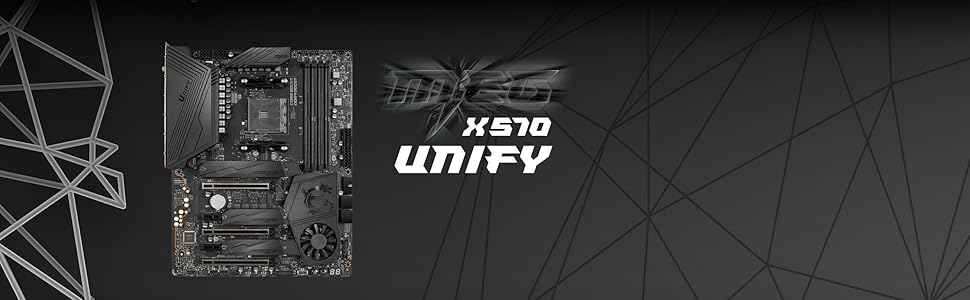
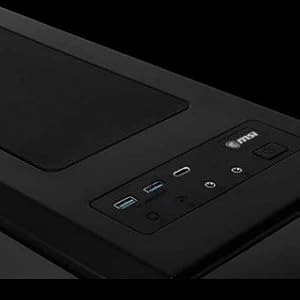
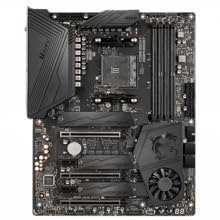
🔥 Unleash the Dark Side of Performance with MSI MEG X570 UNIFY ⚔️
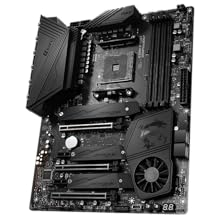
The MSI MEG X570 UNIFY is a high-performance ATX motherboard designed for AMD Ryzen 2nd and 3rd Gen processors, featuring DDR4 memory support up to 5000+ MHz (OC), PCIe 4.0 triple M.2 slots with Shield Frozr, and cutting-edge 2.5G LAN plus Wi-Fi 6 connectivity. Its all-metal extended heatsink and patented Frozr fan ensure superior cooling, while the robust power delivery and DIY-friendly design guarantee stability and ease of use for gamers and prosumers alike.










| ASIN | B07YWF1G9S |
| Available Memory Slots | 4 |
| Best Sellers Rank | 274,557 in Computers & Accessories ( See Top 100 in Computers & Accessories ) 3,120 in Motherboards |
| Brand | MSI |
| Brand Name | MSI |
| CPU socket | LGA 775 |
| Chipset Type | AMD X570 |
| Chipset type | AMD X570 |
| Compatible Devices | Personal Computer |
| Compatible Processors | https://de.msi.com/Motherboard/support/MEG-X570-UNIFY#support-cpu |
| Compatible devices | Personal Computer |
| Compatible processors | https://de.msi.com/Motherboard/support/MEG-X570-UNIFY#support-cpu |
| Customer Reviews | 4.5 out of 5 stars 1,620 Reviews |
| Global Trade Identification Number | 04719072678661 |
| Graphics Card Interface | PCI Express |
| Item Weight | 1.8 Kilograms |
| Main Power Connector Type | 24-Pin |
| Manufacturer | MSI COMPUTER |
| Memory Clock Speed | 5000 MHz |
| Model Name | MEG X570 UNIFY |
| Model Number | 7C35-010R |
| Number of Ethernet Ports | 1 |
| Number of Ports | 2 |
| Platform | Windows 10 |
| Processor Socket | LGA 775 |
| Product Warranty | 2 year manufacturer |
| RAM Memory Technology | DDR4 |
| RAM memory technology | DDR4 |
| Ram Memory Maximum Size | 128 GB |
| System Bus Standard Supported | SATA 3 |
| Total HDMI Port | 1 |
| Total PCIe Ports | 3 |
| Total SATA Ports | 6 |
| Total USB Ports | 2 |
| USB 2.0 | 2 |
| Unit Count | 1.00 Count |
N**R
A good basic workstation motherboard for applications.
I bought this after my ASUS B350 was ‘bricked’ while attempting a BIOS update using EZ BIOS. I am not a gamer so I was looking for a stable workstation motherboard and chose this X470 as it has a better cooled and robust Voltage Regulator Module VRM than the B450 and more sockets including a S/PDIF out. From the reviews, it is a good MB for the price and it will overclock so I assume it is good for gaming. However, for a workstation using applications, it was the conclusion by thefpsreview.com. “The X470 is a great board, but it’s largely standard fare for the segment. The only area where it stands out is reliability. The thing just worked.” That was the deciding factor. I just put it in the case connected everything up it booted into the BIOS I selected the default settings and away it went. What I immediately noticed was the silence as the fan only runs at a speed that is needed to keep the CPU cool. The other thing I noticed as the improvement in sound quality even from cheap 5w speakers. Warning! If you want to register the product then you will need the CHK number and it's on the side of the main power plug. If you do not have a small inspection mirror you may have to take it out again to read it. What also annoyed me was the setup CD is useless as it opens in a dialog box too small to be able to load the drivers and utilities. However, these are all available from the MSI website and you need the Dragon Center download. It has many options for gaming that are also useful for memory-hungry photo imaging software. The BIOS updated easily using Live Update within the Dragon Center control panel. As I run the MB cool and slow for stability the only BIOS change I have made was in advanced mode, settings, advanced, wake up event setup, resume by USB so I could wake it up with my mouse or keyboard. Basics like this are not in the manual which concentrates on overclocking. Update: I have used this for most of the day for well over a year, it is incredibly stable and never had a BSOD Blue Screen of Death. As I usually send it to sleep instead of switching off for a faster boot up I need to close and restart Firefox otherwise even with 32GB it soaks up all available memory and grinds to a halt
P**Y
Good value for money, and easy for first time builders like me
I was going to go for the b450 board but I ended up buying this for my build instead, and I didn't encounter any issues at all apart from having to remove the cpu cooler brackets, which was easy. It seems fairly well made and I was able to read the manual and figure out where all the cables go easily. I put a new ryzen 5 3600 and 2x8gb sticks of ddr4 ram in, plugged in my old psu, hdd and rx580 and it booted first time. Windows installed all the new drivers automatically and I was up and running. The bios is simple to navigate and didn't need updating for me. Just ordered an rgb light strip to try out with the rgb software it has, and it supports 2 m.2 ssds too which I'll try when I can afford one. Just a random noteif you do buy it, apparently it's normal to have a constant red light above each stick of ram with this motherboard, i thought there was an issue but they are apparently just to indicate the slots are occupied.
K**R
Sub £300 super charged motherboard.
Fantastic value motherboard from MSI. Has everything I need plus more. 3 x full 16 lane PCIe slots, three Lightning M.2 slots with heat sink covers thrown in. it even comes built in type C and type A USB 3 sockets and error code display. And yes WiFi is built and with great antennas. It is a fantastic foundation for my first AMD based computers system build since 2007. I just want to get my hand on the latest AMD GPU and cpu. I have tested it with ryzen 3 3100 , 5700xt GPU and crucial 3200 2 x 16 GB memory sticks and the performance is impressive. Totally satisfied already while I wait for the new GPUs availability. Although not an over clocking fan boy, this motherboard seem built for some serious over locking. It’s like it’s big £700 brother but without the led fan fair. Great value purchase.
D**N
Solid, Stable and Feature Rich Motherboard
***The first one of these I bought I had to return as it was completely dead - no EZ Debug light came on or anything even with just CPU and RAM, so i had to return it. The second unit i was shipped works completely fine. For this reason alone i have knocked off a star but i think this is a solid motherboard with most features you would want as per the review below.*** It has a tonne of features for the relatively cheap price point, including reinforced steel PCI-E slots (not gen4 but it wouldn't be this inexpensive if it did have these), 2x M.2 slots, multiple USB 3.2 Gen 2 ports and a lot of RAM compatibility (up to 4133mhz overclocked). I managed to OC my 3000mhz corsair RAM to 3200mhz and it has ran stably for the past year or so. Paired with my Ryzen 5 3600x this motherboard is overall very stable and runs very well, i do not suffer with BSODs or crashed very often. My board did come with a very old BIOS version (from 2019, one of the very new Ryzen 5 compatible ones) so i would recommend flashing the BIOS if like me your version was super old. The old BIOS had a bug wherein if Chrome or simple other programs were open, the CPU fan would ramp up - this was very loud with the stock cooler and very annoying. However, flashing a new 2021 BIOS has since fixed this issue. The BIOS itself has a tonne of overclocking settings for CPU and RAM. It also has a handy smart fan mode which attempts to keep your case fans running as quiet as possible (i did change the fan curve slightly) which has proven useful and will prove useful for new PC builders. Temps on this board are also solid, the chipset doesn't get stupidly hot and the CPU fan curves handle my 3600x just fine, keeping it around 50-55 degrees when gaming. I have had one issue recently, where the PC turned off in windows, attempted to restart and then failed to. The PC then launched with a screen that said something along the lies of "XMP profile failure, PC will boot into stock settings". I never fully figured out what the issue was, however taking the RAM out and reverting back to the advertised speed on the memory worked for me. Another drawback from a future-proofing perspective is that it does not have a USB-C header on it, meaning now in my fractal meshify 2c i have a front USB-C header that doesn't work. Overall though, this is a solid and budget-conscious product from MSI with most features you would want from a motherboard.
D**D
Stunning
Quality and feature rich, this board is worth the asking price. If I had a single complaint, it would be that the BIOS seems to be quite basic. Having said that, it does everything I need.
N**N
This thing is a bargain
In 2021 yes this chipset is being farely phased out because as we see here they're amazing value. Due to the outdated features which aren't even really outdated companies are forced to lower the prices of the board like what you see with b450 now. If you're ryzen 1st 2nd 3rd which I can't blame you they're amazing value now then this board is amazing. It has excellent overclocking support on the memory and cpu especially for 1st and 2nd gen ryzen where the boosting is weird now. My ryzen 7 2700 is hitting 4ghz 1.39v all day and the vrms don't go any higher than 60 degrees. This board is still getting regular bios updates because it can run 5th gen ryzen and although it doesn't have pcie 4th gen or the latest cache technology however it is still extremely good fo the price. If you're a general budget gamer who usually lags behind by a generation or two then this board is still an amazing buy.
S**N
Top X570 motherboard
Very solid construction, the components feel very premium, nice black finish. No RGB, which is a good thing for me personally. Plenty of I/O, 3xM.2. The motherboard fan is very quiet, it's not required most of the time. Also MSI pushes out BIOS updates pretty early compared to other brands.
C**D
Good price, no problems
Installed in new build with R5 3600, worked first time. Nice BIOS setup, clear instructions. Used as general PC, not gaming, not overclocked, perfectly stable. Good support site for updates and utility software.
Trustpilot
2 weeks ago
2 months ago