
DOWNLOAD THE APP


Customer Services
Copyright © 2025 Desertcart Holdings Limited
DOWNLOAD THE APP






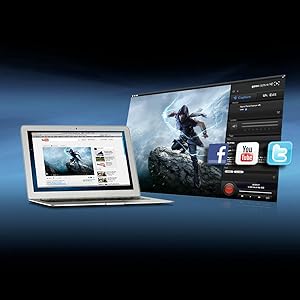
🎮 Capture. Stream. Dominate. Your gameplay, your legacy.
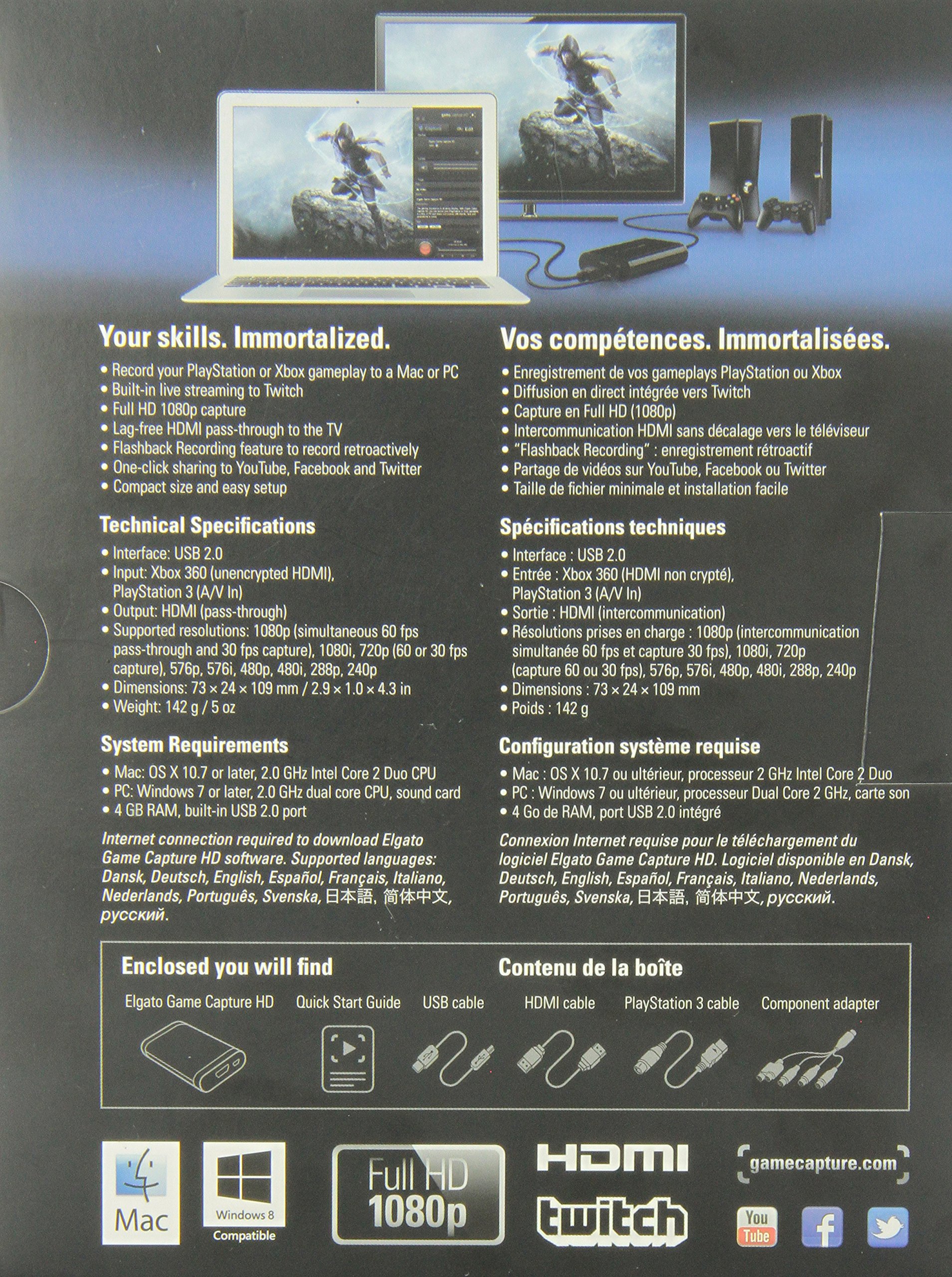
The Elgato Game Capture HD is a compact, high-performance external recorder designed for Xbox and PlayStation gamers who demand Full HD 1080p quality. Featuring advanced H.264 hardware encoding, lag-free HDMI pass-through, and unique flashback recording, it enables seamless capture and live streaming to platforms like Twitch and YouTube. With included cables and easy-to-use software for Mac and PC, it supports both modern and retro consoles, making it the ultimate all-in-one solution for professional-grade gameplay recording and sharing.




| ASIN | B00840353W |
| Best Sellers Rank | #325 in Internal TV Tuner & Video Capture Cards |
| Brand | RICLBE |
| Color | black |
| Customer Reviews | 4.5 4.5 out of 5 stars (3,283) |
| Date First Available | February 5, 2012 |
| Hardware Platform | XBox, PlayStation, MAC/PC |
| Is Discontinued By Manufacturer | No |
| Item Dimensions LxWxH | 4.35 x 3 x 1 inches |
| Item Weight | 1.25 pounds |
| Item model number | 10025010 |
| Manufacturer | Elgato |
| Operating System | Mac |
| Product Dimensions | 4.35 x 3 x 1 inches |
| Series | 10025010 |
| Voltage | 22 Volts |
J**Y
The first game capture I ever owned and it's awesome!
I've researched so many game capture devices on the net for a very long time and I finally decided to get this device. I was going to plan on getting the HD PVR and when they released the HD PVR Gaming Edition 2, I was set on getting it but it never happened. I considered on getting the Avermedia C281 Game Capture HD but it doesn't provide the feature to livestream. While it's not my top priority to livestream a video game that I'm playing, it's a plus for me but the Avermedia one that I was looking into, lost my interest. Then there was the Roxio Game Capture HD Pro. It provides everything that I need, even including the cables so that you can get started right away. That is a very big plus for me as well because I don't like buying extra stuff just to merely record a gameplay and I mean, I'm looking for something that will simply give me the simplest features of all the things that I'm looking for when I record gameplays from the video game systems that I own. Especially, something that already provides the cables for me to get started right away. Of course, record them in high definition. My search for that best game capture device was finally over, when I came across such a simple device and it was called the Elgato Game Capture HD. While a bit pricey to you, I can assure you that your money will not go to waste. I thought so at first and even still thought so when I was trying out because there were some things from the device that didn't work out for me, that's why. More to that later but first let's talk about its awesome features it offers. First off, recording a gameplay. I own a PS3 slim and I've been meaning to record some gameplays and get them up onto Youtube for everyone to watch, for a very long time. The box comes with everything you need: The game capture device, an HDMI cable, a PS3 cable, USB cable, and the component adapter cable. Now, the PS3 slim has this strict HDCP thing that I've been hearing about. What it means is that you can't record gameplays through HDMI connection, only through component cable. Weird, right? Well, do not fret because the PS3 cable that comes in the box is the key to letting you record your gameplay from your PS3 console. Yes, I checked them all the available resolutions on the PS3's display settings, even the 1080p and everything is still fine, recording and gaming all that is still fine. The recording is smooth to me and I'm glad there is no sound delay whatsoever. What I'm really impressed about and I still am, is the file size. It is possible to record to 1080p but I record most of the time in 720p since most games are in 720p. For recording in 720p, in 30 minutes you get about 1-2GB and that's really impressive, the quality of the video still looks great. I've done a 2-hour recording playing Modern Warfare 3 online and it was just about 6GB and I didn't bother to render it or anything but just to cut them in parts by 30 minutes and uploaded each of them to Youtube. It's the longest recording I've done so far. Now, you might be wondering what I'm using to capture gameplay. I'm actually using the Elgato Game Capture software, the one you can download from their official website of the product and it's awesome! It's a very simple software and I really like the editing features it offers. On this time of this review, I have the 1.22 version of the software. Not only you can record gameplays on the PS3 and Xbox 360, now you record gameplays on the Wii, PS2, Gamecube (I own one and it's really great!), NES, Super Nintendo, Sega Genesis, Dreamcast, and retro gaming consoles. All you need to use is the component adapter that comes in the box and they have a website page on step-by-step instructions on how to set up from each specific gaming system. The Elgato Game Capture software can let you do a live commentary. With a compatible microphone, click the drop down menu and choose the name of the mic you're going to use and then enable live commentary by clicking the button that has a picture of a microphone. With all the tweaks and settings you've made for your mic, you are ready to record and start doing a live commentary with ease. I know I say simple a bunch of times but it really is. The software also lets you do a livestream to Twitch.TV and it has never failed me yet, knock on wood. Just create an account on the Twitch website, log in with your Twitch account info on the capture software and set up all the things for your livestream and you're ready to go! One feature that I'm also impressed about is the ability to upload straight to Youtube, even to Facebook. It's a one click share feature and even though I don't use it that much, it's great feature nevertheless. I personally prefer exporting the video to my computer and upload them on the Youtube website. If you're looking for a simple yet great game capture HD device then look no further, Elgato Game Capture HD is the way to go.
M**Y
Big things come in small packages!
As a PS3 gamer, I was a little hesistant about purchasing a video capture device. Sony has a copyright protection on the PS3's bluray drive, which makes it impossible to capture 1080p video. However, I decided to take a chance and purchased the Elgato Game Capture HD over the Hauppauge HD PVR2. My verdict? The Elgato Game Capture HD is as close to perfect as it gets. The setup was very straightforward. There are a few extra steps involved when setting up the device with the PS3, but Elgato supplies a nice step-by-step instruction placard (with pictures!) and is a breeze. Elgato also supplied the AV cable that the PS3 needs to run the device and a USB cable that goes to your computer. There is no power supply to worry with either! My main concern when I first plugged in the device was how the video quality would be, since the PS3 cable runs through the "Component/D-Terminal" instead of HDMI. My concerns were unfounded. The video quality is fantastic. I have already uploaded a few videos to my YouTube channel and the video looks the same as it does on my TV screen as I'm playing. Simply perfect. As far as the actual process of capturing, the device really sucks up a lot of the computer's power. I do not have any other programs running while I'm capturing and everything runs fine. Older computers may have a hard time keeping up with the demand if you have multiple programs running at once, but I have never noticed a slow down in the actual capture. All you need to do is install the Elgato's software to the computer, open the program, hit the big red button, and you're all set! Simple and easy is the name of the game here. The editing portion of the software is really barebones with only an option to cut your video down to size. For the professional video editor, you may want to supplement your editing experience with some software (Adobe, Sony Vegas, etc). I use Sony Vegas Movie Studio 2011 and it adds just enough flair to make my videos pop. It's not a bad choice if you are on a budget. If you want to see the Elgato HD in action, you are more than welcome to check out my YouTube channel at [...]. All of the videos uploaded there are captured by the Elgato from my PS3 system. In conclusion, the Elgato Game Capture HD is the perfect capture device for the console gamer. The ease of use, the price and the quality is top notch. I give it 5 stars, with no hesitation. You will love it!
Trustpilot
2 weeks ago
2 weeks ago