We remain fully operational. Our teams are working around the clock to ensure your deliveries continue safely.

DOWNLOAD THE APP


Customer Services
Copyright © 2025 Desertcart Holdings Limited
DOWNLOAD THE APP

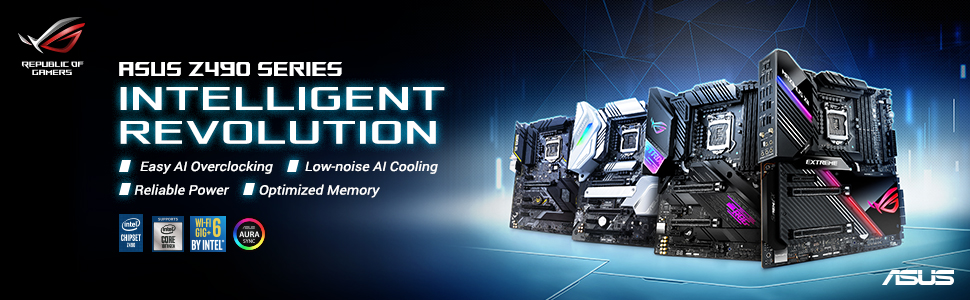
🎮 Power, speed, and style — dominate your build with ASUS ROG Strix Z490-E!
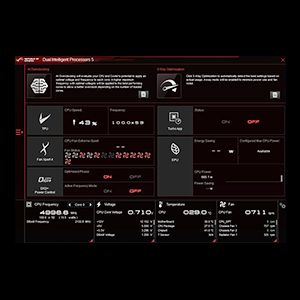
The ASUS ROG Strix Z490-E Gaming motherboard is a premium ATX board designed for 10th Gen Intel Core processors, featuring a robust 14+2 power stage design, AI-enhanced cooling that reduces temperatures by 5°C, and cutting-edge connectivity with WiFi 6 and 2.5 Gb Ethernet. It supports DDR4 memory speeds up to 4600 MHz, dual M.2 storage, and multiple display outputs, making it a top choice for gamers and professionals seeking high performance, future-proofing, and easy overclocking in one sleek package.




| ASIN | B086QSH67R |
| Best Sellers Rank | #1,284 in Computer Motherboards |
| Brand | ASUS |
| Customer Reviews | 4.7 4.7 out of 5 stars (1,263) |
| Date First Available | May 6, 2020 |
| Item Dimensions LxWxH | 13.3 x 10.7 x 2.7 inches |
| Item Weight | 2.9 pounds |
| Item model number | ROG Strix Z490-E Gaming |
| Manufacturer | ASUS |
| Memory Speed | 4600 MHz |
| Number of USB 2.0 Ports | 4 |
| Processor | 4000 MHz |
| Product Dimensions | 13.3 x 10.7 x 2.7 inches |
| RAM | DDR4 |
| Series | ROG Strix Z490-E Gaming |
| Wireless Type | 802.11ax |
K**A
Great all around MB with a full feature set for Intel 10th Gen.
I'm a first time builder, but installation was a breeze with the help of the manual and Youtube. A little skimpy on details for proper fan header usage, but that could be more related to my noob builder status (despite probably falling well into the "old man" category for PC gamers) more than the documentation itself. Installing an i5-10600K, high-end Noctua air cooler, 4 memory sticks for 64GB total, and 1 m.2 drive all went off easily, as did the necessary power and I/O connections. Everything worked properly the first time. From a feature perspective, it has all I could possibly need and more. Wifi 6, 2.5gbe (though not very useful until someone starts building 2.5gb routers), Bluetooth 5.1, all easy to use and good reception. Occasionally I pick up the wifi from a nearby hotel that's gotta be at least a quarter of a mile away. I'll probably never use all the available USB ports, but it's got loads of them in every flavor that's relevant in 2020. (At least one good thing to say about 2020.) I'm strictly a headphone user, but it's got superb 7.1 audio available, too. I can't even think of something I would like to have that isn't there. Overclocking is a piece of cake, especially for newbies. I've got my proc running at 4.8GHz, and 3200MHz on the memory and it's completely stable. Could probably do even better if I really knew what I was doing, but I'm just relying on the AI overclocking for now. Conventional wisdom is that the LGA1200 socket is going to support at least up to 11th Gen when it comes out (and Intel's 7nm woes make that even more likely), so future drop in upgradeability is built in. Also a good chance (but no guarantees) that it will support PCIe 4.0 when it shows up on the processors, though I'm not sure how useful that will be until several generations down the line. If gaming is your primary concern, this MB paired with the 10600K is where it's at today. For a productivity heavy workload, AMD is probably still a better bet, but personally I'll only be using some light to moderate Photoshop work, and possibly future personal/youtube video editing so I have no need to push things to the productivity limit with the radical price increases involved in doing so. YMMV. Overall, a strong recommend from me on this product. (Disclosure: By posting this review I am eligible for a 90 day warranty extension, but as the base is 3 years that's not a big deal. The opinions herein are my own and were not influenced by this bonus, just happy timing as I was planning to post a review anyway.)
M**O
Great MB for 10th-gen i9, with two display outputs, and wifi
I purchased this MB for my new desktop with Core i9-10900K (10th gen 10 core CPU) and NZXT H710i. It's been a while since I built a new rig, so I wasn't sure what to choose but I always like ASUS, and a knowledgeable friend of mine recently got a new ASUS MB and likes it so I followed him. The reasons I picked this MB among many Z-490 MB are (1) there is built in wifi / BT (2) there are two display outputs (HDMI and Display port). I think this is the only ASUS MB that satisfies both. There aren't many MBs with two display outputs because most people who use Z-490 paired with the latest gen Intel CPU use external GPU or two so they don't need to use the Graphics that comes with the CPU and the display outputs using the graphics chip on CPU. But I use the PC for large-scale numerical simulations so I need a fast CPU but I don't need any graphics power. But I want to use two monitors, which is why I wanted to have two display outputs. So far everything is working great, including wifi. I read that the Ethernet connection on this MB might not work well, but I only use wifi so I cannot verify this claim. I might report it when I try wired network connection. The MB fits perfectly to NZXT H710i mid tower case. I even give ASUS Aura sync a try, and attached three LCD strips. They make the PC look great at night. I also use two Samsung SSD and AIO cooler (Kraken X73) on MB and they work perfectly. Using the BIOS it's easy to OC this monster. I don't use the software, which is so buggy and confusing, so I am inclined to drop one star, but since I uninstall the buggy ASUS software, I decided not to drop a star. So far I am very happy with the hardware (not so much with software).
N**K
Z490 Asus Rog E Strix GAMING
First off this is a fantastic board paired with the i9 10900k you cannot use anything but the 10th gen processors but this is still a amazing board it has all the features you need and the heat sync helps cool down the board a lot in my opinion you don’t need the higher end skews because they look cooler or have water cooling this board does it all if you want the most out of your 10th gen processor I would recommend this for sure to soothe your gaming needs it has maximum performances the bios is clear easy with no bugs and over locking is a breeze I would give this a 10/10 for sure, yes it is pricy but you have all the features you would get on a 600$ board for cheaper this runs with a 2060 super and a i9 10900k 240 FPS + in games like Fortnite chapter 2 season 4, Csgo, and pretty much every competition like game and 180+ on warzone also this board will support heavy overclocking as I overclocked my skew to 5.2 ghz and with a Corsair h100i platinum it never went over 40 C even with heavy loads of professional Fortnite endgames! Do not buy asus’ higher end skews this one has everything you will need to game and has tons of USB ports, I would pair this board with the new 3070,80,90 skews from the rog line as they would match perfectly and excel in performance if you have any questions just ask me @Xov#0266 on discord if you are reading this I hope you have the best day ever
A**I
Adequado ao que propõe
I**T
I needed a LGA1200 board, ASUS, that did SLI, and would fit into an HTPC case.. I decided on this one. I'm using it with an i7-10700 (non-k) because I wanted a chip with a lower TDP. 2 NVME drives in raid-0 for boot disk give me 3600MB Read/2400MB Write in crystalmark.. All of the drivers were installed without any problems by following the instructions on the ASUS site. I have used ASUS boards exclusively for the last 10 years and they have never let me down. I am very happy with this board, so much so that I will probably pick up a second one for an overclock build I intend to do.
L**A
Me gusto mas por que trae de entrada la tarjeta de red inalámbrica integrada, tiene la ventaja que se puede hacer overclocking, pero no es mi interés, tiene los conectores de norma, fuente de poder, sata, M.2x2, audio, USB 2.0, 3.0, 3.1, y adicionales para los sistemas AIO, trae un ventilador adicional para la placa, pero como comente no hago overclocking así que se puede dejar fuera, es importante si tomar en cuenta lo que se piensa trabajar si es overclocking o no, para seleccionar una buena fuente de poder recomiendo mayor a 700W mas por el sistema de enfriamiento liquido.
S**I
Amazing looking motherboard and easy to install. Manual is fairly easy to go through and did not have any trouble at all building my first PC with it.
N**R
Everything is great. The only complaint is that one of the m.2 slots is not accessible if anything is installed in the first PCIE x16 slot. This is marketed for "gamers', therefore a 2-3 slot GPU should be expected to be installed in the first slot.
Trustpilot
1 month ago
1 month ago