
DOWNLOAD THE APP


Customer Services
Copyright © 2025 Desertcart Holdings Limited
DOWNLOAD THE APP


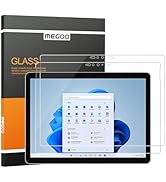
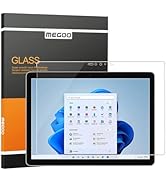
🛡️ Protect your Surface Go in style—because your screen deserves the best!
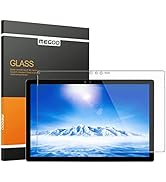
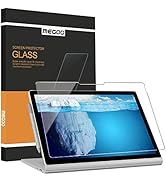
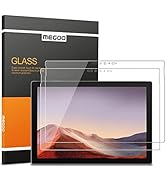
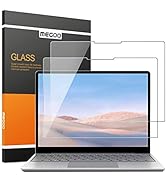
Megoo’s 12.4" tempered glass screen protector offers professional-grade 9H hardness protection tailored precisely for Microsoft Surface Laptop Go 3, 2, and 1. It delivers ultra-clear 99% light transmission and high touch sensitivity, ensuring your display stays vibrant and responsive. Easy-to-follow installation with alignment strips guarantees a perfect fit, while oleophobic coating keeps fingerprints and dust at bay. This 2-pack provides durable, safe, and residue-free protection, ideal for professionals who demand flawless performance and sleek device care.





| ASIN | B08LZGV65M |
| Color | HDX-Clear |
| Customer Reviews | 4.5 4.5 out of 5 stars (662) |
| Date First Available | October 27, 2020 |
| Item Weight | 13 ounces |
| Item model number | Surface Laptop Go 3/ Laptop Go 2/ 1 |
| Language | German |
| Manufacturer | Megoo |
| Other display features | Personal Computer |
| Product Dimensions | 7.6 x 10.83 x 0.5 inches |
| Special features | Automatically absorb, Scratch Resistant,Drop Resistant |
| Whats in the box | Screen protector |
L**M
everything I expected
very good screen protector, fits well, feels nice. The alignment strips worked great although I augmented them with some masking tape so I could put a little extra tension on the protector while flipping it into place. The protector doesn't interfere with pens (I'm using the slim pen 2 and can't tell a difference) and the laptop closes fine with the protector on A few notes for a successful install: - put the surface laptop studio into tablet mode and put the alignment tabs along the bottom edge of the screen (opposite the webcam) - take your time aligning the protector. The positioning strips allow for very precise and accurate placement of the protector, so it's worth obsessing a bit over the alignment at this step. - practice flipping it into position a few times before you begin cleaning the screen and remove the cover film from the glue. If the protector isn't landing where it needs to during the practice flips, adjust the positioning strips. They can be removed and reapplied several times and still be fairly sticky - absolutely make sure that you work in a dust free environment - use low angle lighting (from the side) to illuminate dust on the screen while cleaning all in all this is among the most difficult screen protectors to install, mostly because of the size, but by going slowly everything worked out great edit, after 1.25 years of use: I've now replaced this screen protector twice; it's somewhat thin (thinner than the glass screen protectors I've installed on phones, for instance) and therefore the edges seem to chip somewhat easily. Over perhaps a few months, those chips develop into cracks and eventually I get tired of looking at it, so I replace it. I've successfully installed this protector 3 out of 3 times, and it's getting easier but is still among the most difficult screen protectors I've ever installed (and I've installed a lot of them). Still a 5/5 product though, I'm not gentle on my devices so this is basically essential for me
M**N
Awesome protection for Surface Laptop 3 15inch
I have put on tons of screen protectors over the years and I do have to say these were the easiest screen protectors to put on out of any I have done on a screen of this size. Instruction video was great, however, I did not need to use it because of my experience with putting on screen protectors. My reason for purchasing these is due to the complaints Surface Laptop 3 users have expressed online when it comes to their screens cracking. Supposedly it is because of the missing rubber gasket from around the display. Microsoft says some users screens could crack if a small particle is on the display when closing the device. LOVE my laptop and I read these issues prior to purchasing it. However, its such a nice device I purchased it anyway. Most complaints are on the 13.5 inch model, however, I didn't want to take a chance (even though Microsoft is repairing them for free) so I got this wonderful screen protector. Finally, these screens are great!!!!! They do not negatively impact the clarity of the beautiful display or the touchscreen functionality. THANK YOU MEEGO!!!
S**H
So easy to apply!
The first thing to impress me was the packaging. Glass screen overlays arrived in very sturdy packaging. I felt it was almost overkill but the company certainly takes care to make sure your product is not damaged. Second, it was nice that there were 2 protectors included. The extra could be used as a backup but I happened to have 2 laptops that needed protection so it was handy. I’m not even sure that I knew it included 2 so that was a definite bonus! Lastly, the application instructions were very clear and made it super easy. This was the first time a product like this recommended the hinge method of application and it was so effective! I don’t think I’ve ever had my screen protector go on as easily and I’ll be sure to use this method in the future for all of my glass screen protectors. I was really impressed with this product and would definitely buy again!!!
A**C
Good Quality -But I Need More
I purchased this product for a Surface Laptop Studion. The screen fit well and had no issues with closing the device. This product came with two screen protectors and two individually sealed pouches with screen lifters, small microfiber cloth, and a alcohol wipes. What was missing, that I realize is really important, is the applicator that some screen protectors have that fits on your screen to make installation idiot proof. For the price this was a good value. If I replace the screen protector in the future I will order a replacement that comes with the applicator.
V**E
Good quality even out in the field where i use my computer
Great fit solid and still works great with touch screen.
A**Y
The perfect addition to adding protection between the keyboard and the screen
I got this screen protector to give me some peace of mind from the "screen cracking" issues of when closing my laptop. It literally is extremely thin, clear, and easy to apply. I did end up getting a bubble near the edge since some small particle got caught in there, but I managed to reapply the same protector when I pull up the protector to get it out. The screen brightness and clarity remains the same, and most importantly, you don't get the "crackling" sound when you grip the laptop together after closing the screen. Ultimately, this is a must have if you own this laptop. The price justifies itself once you put it on.
A**R
Does not stay on
Installed as directions said. Bottom of protector does not staying on. Apply pressure it looks fine, but remove pressure and the screen protector is off.
C**P
Best Screen Protector I have used.
I have had this protector on my Microsoft Surface laptop for almost a year, and it is still like new! Installation was easy. There have never been any dust particles or bubbles underneath. You can't even tell it's there. Eleven months later, with regular use and travel, there are no scratches or blemishes.
G**Z
サーフェスペンの初代を使ってみたら、線が途切れる。厚めなのかな?買い替えるかも。
N**S
nickel. colle bien, pas de bulle. Process simple.
A**O
El producto llegó bien, a pesar de que traía los sellos rotos, tardó 18 días en llegar. Hago las siguientes recomendaciones para no echar a perder los cristales, 1. ver el video que el mismo proveedor recomienda, antes, varias veces si es necesario para familiarizarse 2. Instalar con luz de día 3. Cerrar ventanas y puertas y no mover cosas al momento de instalar porque un ligero residuo de polvo, dejará una burbuja y todo el trabajo será en vano y la pérdida del cristal, me sucedió en el primer intento, afortunadamente el paquete es de dos, pero si hubiera sido más escrupuloso en esto, hubiera quedado a la primera. 4. quitarse ropa que suelte residuos de lo que sea y lavar las manos. 5 seguir las instrucciones del video. 6 la bisagra temporal de papel con los stickers, debe articular justo donde termina la superficie de la computadora si se pretende darle la vuelta desde el lado opuesto de la lap, será muy difícil encuadrarlo. El proveedor recomienda dejar que pegue sólo el cristal sin meter las manos, pero cuando estaba pegando se formaron como 6 burbujas, y decidí no dejarlo pegar totalmente porque ya pegado ahí si es difícil quitarlo a menos de dañarlo, creo yo. y metí las dos manos (afortunadamente tenía un poco de uñas) y sin tocar la superficie interna del cristal, sólo la orilla, despegué equilibradamente de uno y otro lado hasta donde las burbujas formadas, mi lap es de 14.4", y luego la fui dejando pegar nuevamente poco a poco, si me volvía a hacer burbuja, que me sucedió como tres veces, repetí el subproceso de despegar y dejar pegar el área subsecuente, y así, quedó a mi juicio un 98% aceptable. no al 100 porque me quedó girado poco menos de 0.5mm, casi imperceptible, y un pequeño residuo de polvo que realmente no se ve, sólo viendo la lap apagada a mucho detalle, se alcanza a ver ligeramente. Encendí la lap para comprobar la función táctil, y funciona muy bien, abrí paintbrush y recorrí la pantalla con el lápiz, se aprecia en las fotos, no hay puntos muertos. funciona muy bien. Estoy satisfecho con el producto y como quedó instalado, aquí las fotos. Espero sirvan mis comentarios
D**C
Was sent a replacement by the Seller and after I watched the video - this protector went on easily with a wee tiny bubble That I easily got out. This is an excellent product if you follow the video ( which is way easier than reading the instructions ) I love it ! My screen is perfect, and bravo to the Sellers of this product - they were very helpful. Thank you so much.
I**!
Very good product. It was simple to install, with the help of the U-Tube video. If you need to protect your screen BUY IT!
Trustpilot
1 month ago
1 day ago