We remain fully operational. Our teams are working around the clock to ensure your deliveries continue safely.

DOWNLOAD THE APP


Copyright © 2025 Desertcart Holdings Limited
DOWNLOAD THE APP
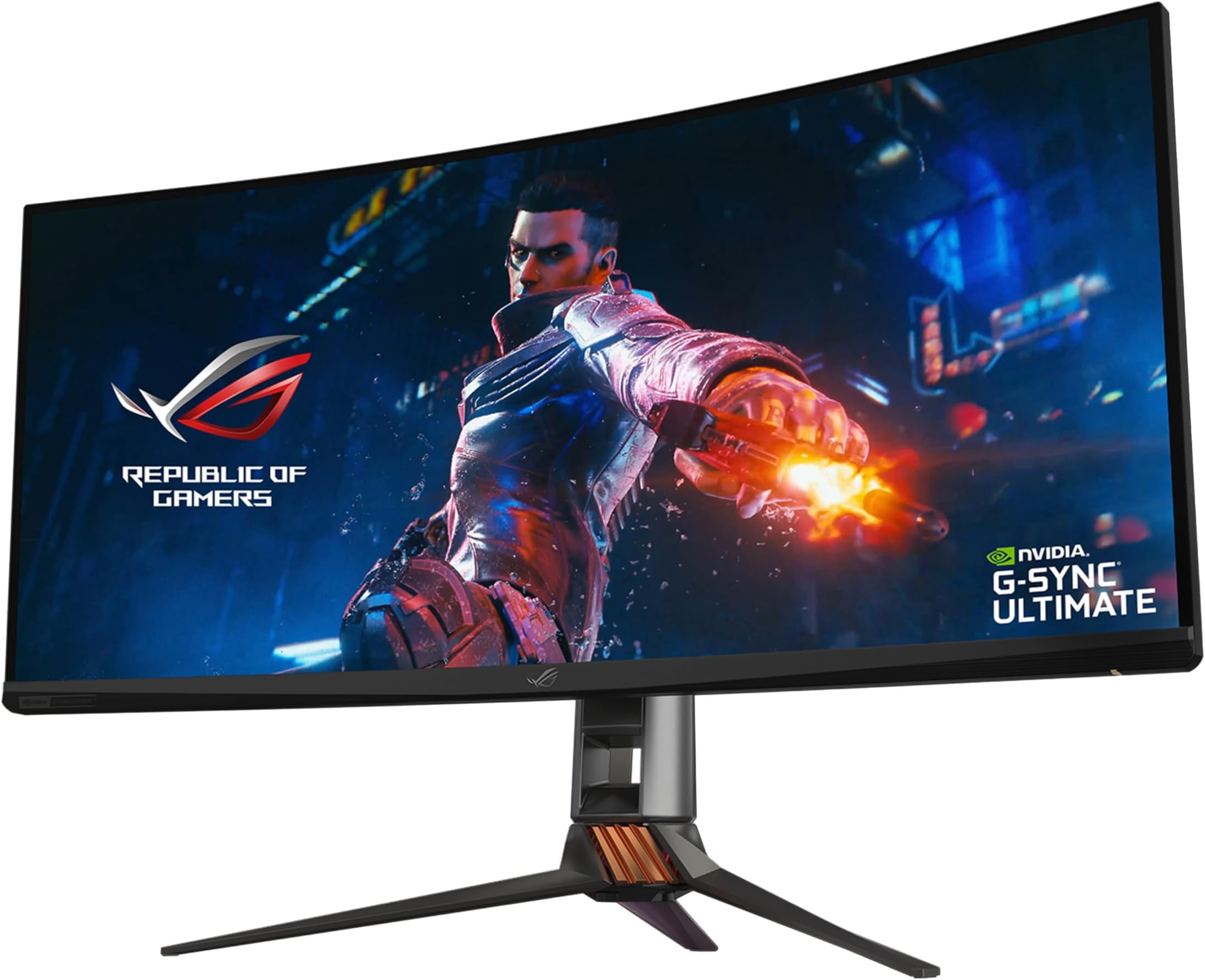




🔥 Elevate your workspace and game with the ultimate curved HDR powerhouse!
The ASUS ROG Swift PG35VQ is a 35-inch curved UWQHD gaming monitor featuring a blazing 200Hz refresh rate and 2ms response time. Equipped with NVIDIA G-SYNC Ultimate and HDR10, it delivers exceptional color accuracy and contrast through Quantum Dot technology and DisplayHDR 1000 certification. Designed for professionals and gamers alike, it includes ASUS Eye Care technology and an ergonomic adjustable stand for extended comfort, plus flexible connectivity options including DisplayPort, HDMI, and USB 3.0.


| ASIN | B07VTTZ4TD |
| Adaptive Sync | G-Sync |
| Additional Features | Blue Light Filter, Built-In Speakers, Curved Screen, Flicker-Free, Height Adjustment |
| Aspect Ratio | 21:9 |
| Brand | ASUS |
| Brightness | 500 cd/m² |
| Color | Black |
| Color Gamut | 90 |
| Compatible Devices | [Some] HDMI & DisplayPort Devices; [Some] VESA 100x100mm Devices |
| Connectivity Technology | DisplayPort, HDMI, USB |
| Contrast Ratio | 1900-04-13T04:01:00.000Z |
| Customer Reviews | 4.3 4.3 out of 5 stars (419) |
| Display Resolution Maximum | 3440 x 1440 Pixels |
| Display Technology | LCD |
| Display Type | LED |
| Global Trade Identification Number | 00889349929179 |
| Hardware Connectivity | DisplayPort, HDMI, USB, USB 3.0 |
| Has Color Screen | Yes |
| Is Electric | Yes |
| Item Dimensions D x W x H | 44.9D x 83.3W x 30.6H centimeters |
| Item Type Name | Asus ROG Swift PG35VQ 35” Curved HDR Gaming Monitor 200Hz (3440 X 1440) 2ms G-Sync Ultimate Eye Care DisplayPort HDMI USB Aura Sync HDR10 Displayhdr 1000 |
| Item Weight | 13.6 Grams |
| Manufacturer | ASUS |
| Model Name | PG35VQ |
| Model Number | PG35VQ |
| Mounting Type | Wall Mount |
| Native Resolution | 3440x1440 |
| Number of Component Outputs | 2 |
| Picture Quality Enhancement Technology | Quantum Dot, HDR, G-SYNC Ultimate |
| Pixel Pitch | 0.238 |
| Power Consumption | 66 Watts |
| Processor Count | 4 |
| Refresh Rate | 200 Hz |
| Resolution | QHD Ultra Wide 1440p |
| Response Time | 2 Milliseconds |
| Screen Finish | Glossy |
| Screen Size | 35 Inches |
| Series Number | 35 |
| Shape | Rectangular |
| Specific Uses For Product | Business, Gaming, Personal |
| Total Number of HDMI Ports | 1 |
| Total USB 3.0 Ports | 1 |
| Total Usb Ports | 3 |
| UPC | 889349929179 |
| Unit Count | 1 Count |
| Viewing Angle | 178 Degrees |
| Voltage | 100240 Volts |
Z**R
Amazing widescreen
one of the amazing widescreen monitor in the market, excellent gaming performance, best for video editing , gaming and multimedia use. they have a good service also, I love this monitor.
A**D
Cgg
**
انكسرت من اول 3 ايام
C**A
El artículo llegó en excelentes condiciones y antes de lo programado. Excelente servicio.
J**A
Estoy encantado con el producto, una vez que juegas en Ultrawide, ya no puedes volver a las pantallas comunes, 100% recomendado!
K**N
Highly recommended monitor Very sharp text is clean motion blur is very minimal. very impressive
B**N
I'll start by comparing this to the close second I almost ended up with: I was stuck between this and the Samsung Odyssey G7. Basically a high quality VA vs a high quality IPS. What the G7 has that the PG329Q doesn't is 240hz, and better contrast, plus the curve if your into that. I ended up not going with a high end VA because of the QC issues Samsung has been having, plus the fact they only warranty their product for 1 year, vs Asus who has a 3 year (which includes a warranty of less than 3+ bright dots and 5+ for black dots, which I think is decent), along with the black smearing concerns and poor viewing angles. Samsung has mitigated the black smearing to some extent (its better than almost any other monitor with a VA panel on the market), but it is still present at 240hz. To eliminate the black smearing entirely on their G7, you must reduce the refresh rate to 165hz, which kind of defeats the selling point of that monitor. (There or more reviews online if you want to learn more about the specific pixel response times of the G7). I've tried VA and IPS panels before, and I consider black smearing to be really unpleasant, that specific thing ended up being more important to me than better contrast. About the PG329Q, my unit came great out of the box and I couldn't find any dead pixels. Setup was easy and straightforward: REFRESH RATE: 9/10. The refresh rate of 165hz (oc'd to 175 in the OSD), at this price point is great. It won't get up there in the 240 hz range with its TN and VA counterparts, but it provides a great experience overall. (There is a 240hz version of this monitor that will be released next year, though I am unsure of the penalties this will result in picture quality, price, etc...) PIXEL RESPONSE: 9/10. I settled on the 4/5 overdrive setting in the OSD. 5/5 resulted in overshoot and artifacts, and feels like that is only there so they can claim the 1ms response time. I do not have special tools to measure the response time, and am basing my opinion based off of my own experience in games and the UFO test. At 4/5 the transitions look very good, and I couldn't notice any significant overshoot. ELMB w/ sync: 10/10. What Asus has done here is incredible with their ELMB (with gsync!). Double imaging was only present on very quick movements on the desktop, and it is so subtle I leave it on, even while I'm not gaming. The brightness was still very good for me with it on, as it does decrease brightness by maybe 25-35%. The benefits in game took me by surprise, it really does look quite good. It makes a 80 FPS experience feel like a 160 FPS experience. COLORS: 9/10. Absolutely fantastic colors, and the monitor comes pre calibrated from the factory. They even provide the calibration profile and the color space it covers. I am no professional, but I was very pleased with it. I was disappointed it doesn't do true 10 bit. It does 8 bit color with +2 provided with GPU dithering. But the colors provided to the end user are great for a layman such as myself. CONTRAST: 7/10. It feels good for an IPS, not at VA levels of contrast however, and the blacks do feel a bit grey at times in dark scenes. So as I said before, good for an IPS panel, but its nothing to write home about. IPS GLOW/BACKLIGHT BLEED: 10/10. For my unit it was great. I had no issues with bleed, and the IPS glow is low. VIEWING ANGLES: 8/10. Good viewing angles, but at about 35-45 degrees they begin looking a little washed out. ERGONOMICS: 8/10. Height, tilt and swivel work great. I was disappointed it didn't come with rotation as well. HDR: 6.5/10. This isn't going to impress any HDR junkies out there but its nice to have. The peak brightness (for flashes and explosions was bright enough to make me flinch) was really great, but being edge lit it isn't going to give an OLED HDR experience, so go into it understanding that. It's a nice perk, and did surprise me with it's capabilities, though limited. INPUT LAG: 10/10. From my love of playing twitch games, I can say that from the seat it felt incredibly responsive. No complaints here. CONNECTIVITY: 8/10. Only complaint is that the DisplayPort is 1.2a+ and not 1.4. Not a huge deal as it doesn't really need more than that, but it's worth mentioning. Given its price point, advertised performance and specs, I am really happy with it overall and plan on keeping it as my main monitor. 5/5 stars. The unboxing experience and materials provided were great, and the monitor and stand itself feels extremely solid. The "gamer" aesthetic on the back may be polarizing for some but it's on the back so I don't really mind.
B**N
I've had this since November 2019 now, and I'm absolutely satisfied with this monitor. It's expensive, but well worth the money. Definitely planning to hold onto this monitor for a few years, and take advantage of higher frame-rates as graphics cards improve. The HDR support is top-notch on games that support it. Sea of Thieves and Destiny 2, in particular, look mind-blowing with HDR turned on. Once you've seen a game in HDR on a monitor with HDR1000, it's very, very hard to go back. The higher refresh rates really do make a difference, and I've personally noticed a big improvement in my scores in FPS games just due to the improved responsiveness over my old 60Hz panel. I'll certainly be interested to see how close the 30 series cards can get to the max limit of the display in modern games. Note: I noticed that one of the other reviewers mentioned 4K and 120Hz/144Hz, I think they might be talking about the PG27UQ. This monitor isn't full 4K (it has the horizontal resolution of 4K, but a vertical resolution of 1440), but it can go as high as 200Hz if you turn on the overclocking setting (easy to do, it's literally the first menu option in the on screen display). With the overclock turned off, the max refresh rate is 180Hz. Personally I just run with the overclock on all the time. You will probably want to update the firmware, assuming the newer batches don't come with it out of the box, because there is a small issue with flickering in some games when certain patterns are on screen. Personally I haven't had too many problems with this issue myself, but I noticed some minor flickering in PUBG and COD Warzone, in outdoor areas. The firmware update completely addresses this issue. Some people online complain about the glow around your mouse pointer when the screen is very dark, which I believe is due to the way the local-dimming technology works (the screen is split into zones that can have different levels of brightness). Personally I think this is overblown, as you will never see this in the vast majority of games (you might be able see it in strategy games, maybe?). I occasionally notice it when using applications that have a dark theme, like Visual Studio, but the effect is very minor. I believe you can turn off local dimming in the settings, if it really bothers you. There is a fan in the monitor, but I haven't had any issues with fan-noise so far, I literally can't hear the monitor at all over the fans in my PC case.
Trustpilot
2 months ago
1 month ago