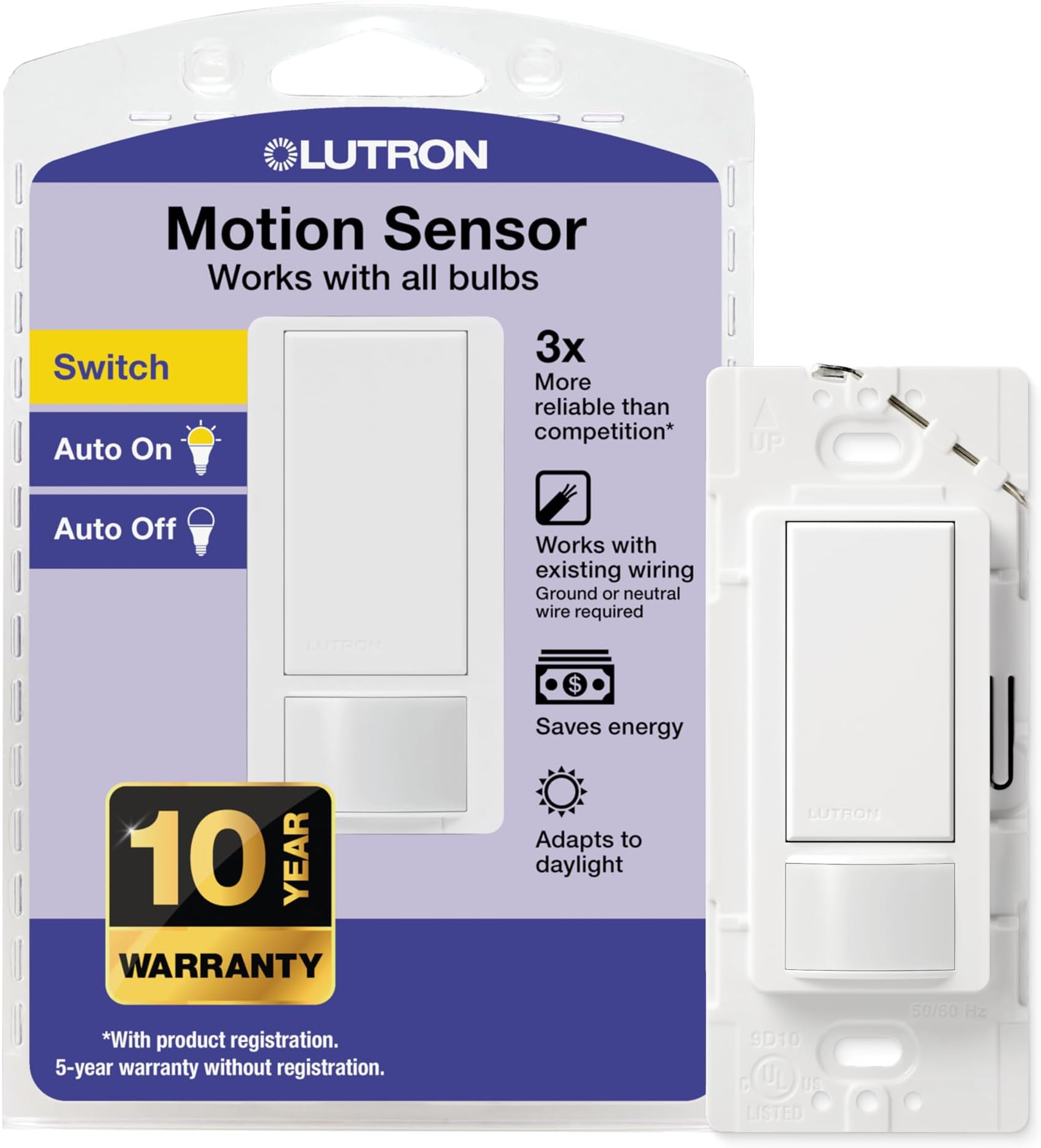
💡 Light up your life, not your energy bill!
The Lutron Maestro Motion Sensor Switch (MS-OPS2-WH) is a sleek, single-pole smart switch that automatically controls lighting based on occupancy and daylight. It supports up to 150W LED/CFL bulbs without requiring a neutral wire, making it ideal for modern and older homes alike. With programmable auto-off delays and smart light detection, it ensures energy savings and hands-free convenience in bathrooms, garages, closets, and more.


| ASIN | B005WM3ALC |
| ASIN | B005WM3ALC |
| Batteries Included? | No |
| Batteries Required? | No |
| Best Sellers Rank | #92,458 in Tools & Home Improvement ( See Top 100 in Tools & Home Improvement ) #29 in Motion-Activated Wall Switches |
| Color | White |
| Customer Reviews | 4.6 4.6 out of 5 stars (9,781) |
| Customer reviews | 4.6 4.6 out of 5 stars (9,781) |
| Date First Available | 8 August 2012 |
| Date First Available | 8 August 2012 |
| Department | Unisex-Adult |
| Included components | Maestro Motion Sensor Switch |
| Is Discontinued By Manufacturer | No |
| Item Package Quantity | 1 |
| Item Weight | 68 g |
| Item model number | MS-OPS2-WH |
| Item model number | MS-OPS2-WH |
| Manufacturer | Lutron |
| Manufacturer | Lutron |
| Material | Copper |
| Number Of Pieces | 1 |
| Part number | MS-OPS2-WH |
| Pattern | Switch |
| Plug Profile | Wall Mount |
| Product Dimensions | 5.84 x 5.84 x 11.43 cm; 68.04 g |
| Product Dimensions | 5.84 x 5.84 x 11.43 cm; 68.04 g |
| Size | 1 Pack |
| Special Features | Deep Back Cover |
| Specification met | UL |
| Style | 2-Amp Single Pole Switch |
| Switch Style | Push Button |
| Switch Type | 1-way |
| Voltage | 120 Volts |
| Wattage | 250 watts |
| light-source-type | SWITCH |
S**H
As advertised it does not require a neutral third wire; only requires a ground connection. It’s programmable with 2 buttons that you press and hold for different motion settings. Installation took me less than 5 minutes. I had trouble programming it, so I called LUTRON and they answered quick and gave me excellent clear instructions. Set includes the switch and wiring hardware, but does not include a switch plate (the part that screws on the front of the switch to cover it). You will have to use your existing rocker switch plate. Toggle switch plates will not work, so if you’re replacing an old-school toggle switch with this motion sensing kit, go to your hardware store and grab a rocker switch plate first. Overall works perfectly! Would definitely recommend
J**F
If you have led lights and are experiencing flicker, or lights that do not shut completely off then this is the right switch for you! I have tried multiple switches with occupancy sensor built in and all had an issue with flicker or not turning lights off completely. First make sure your led or cfl is dimmable compatible, as this switch is sensed as a dimmer by the lights. The main issue i think is most occupancy sesnors and newer switches have a switch locator light that leaks voltage causing enough voltage to cause flicker or not turn off. this switch has none of these problems and works like a charm. The other benefit of this switch compared to most others is you can adjust sensitivity and duration while installed with wall plate on. just press and hold manual toggle switch. Looks decent on the wall but finish feels cheap and plastic like. and not just plastic but thin plastic like the stuff the surrounds products in packaging. Other than the cheap feel , which cant be noticed without touching, this is a great switch at a great cost. this switch does not use punch down locks or screw type connectins. It has a 3 wire pigtail that needs to be twisted together with marrettes.
K**3
I have the 250w single pole (MS-OPS2-WH) and the 600w 3-way (MS-OPS5M-WH), so this review is for both. I've had these for about a month and I am very happy with them. I put one in an entry way and it is very convenient when walking in at night. I put the other one in a laundry room and that works well when carrying the laundry in. I'm no electrician, but they were easy for me to install. Just follow the instructions and be sure you understand everything you're doing. If you don't understand, watch more youtube videos or hire an electrician. I bought a non-contact voltage tester (fluke brand) to be sure that there was no current in any of the lines while I was working on them. You will also probably need a new switch plate. These do require a ground wire, so check that you have one in the switch box before buying. This is usually a bare copper wire. If you don't have one, this switch may not be worth the hassle of getting one put in. I have them set to auto on and auto off after 1 minute. They always come on right when I enter the room and I've never seen one turn on without someone in the room. One of them is pointed towards a window that has trees blowing in the wind and birds flying by, so it is just the right sensitivity. The sensitivity can be changed to a lower level from the default. They can also be changed to manual on and auto off for situations where you still want to control the light, but want to make sure it is not left on. They are supposed to not turn on if there is enough sunlight, but I have not experienced this. They turn on every time. The rooms I have them in don't get much sunlight, so maybe it just thinks they are always dark enough. It is also supposed to learn how much sunlight is too much by you manually turning it off, but I haven't noticed that either. Maybe they just need more time. There is an audible click when they turn on and off. It is not much louder than flipping a normal light switch. I believe this is because they use a relay to turn the power on and off. This is good because some other brands use a technique that still sends a small amount of current to the light when turned off. This usually causes issues with fluorescent and LED lights. This is not a problem with the Lutron switches and they should work with all lights. I am using them with CFL's and larger florescent lights without any problems. MS-OPS2-WH specific information: This is the one you want if your light is operated by one switch and is less than 250 watts. Besides being cheaper, the on/off click is slightly quieter than the 600w switch. MS-OPS5M-WH specific information: This is for 3-way (two switches for one light) and/or more than 250w, but less than 600w. I used this one to retain the operation of the other regular switch, even though it doesn’t get used anymore. To add this into a 3-way set up, you will need an additional wire nut that is not included for the regular switch. One tip for testing it: You can not use the test setting (15 second timeout) to test the operation of regular switch. Once you use either switch, it resets back to five minutes. You may get some odd behavior if you try using the motion sensor at the same time as the regular switch, but for the most part, either switch can turn the light on or off. As mentioned above, the on/off click is slightly louder than the 250w switch. Some other reviewers have had success with using two of these switches in a 3-way setup, but it is not officially supported.
E**T
RESEARCH AND DECISION I purchased a Leviton occupancy sensor (PR180-1LW) from the local Home Depot a couple weeks ago for a recessed LED light in my laundry closet, I didn't install it, and the next day my wife and I went to purchase a dimmer switch for another set of recessed LED lights in our hall. While searching through the dimmers we found a plain looking Lutron switch with dimmer (TGCL-153PH-WH) that worked with the LED lights. At that time it dawned on me that I forgot to check if the PR180-1LW worked with LED lights, checked packaging when I got home and found that it didn't. I returned it and looked to see if they had one that worked with LED lights, they didn't, I went to Lowes, they also didn't have one, so came to Amazon and found this Lutron (MS-OPS2-WH) which after watching the video seemed to be a great choice for the same price as the one I returned with more options. ORDER AND DELIVERY I placed the order for this occupancy sensor on a Tuesday morning via Amazon Prime, order was picked and shipped the next day, and delivered the day after as expected with 2 day shipping. Packaging was in perfect condition and nothing was damaged. Packaging was easy to open and instructions were included in the retail packaging. REPLACING OLD UNIT AND INSTALLATION I purchased this occupancy sensor to replace a SensorPlug Motion Sensor (also great for plug-in lights) that plugs into a socket which we had a florescent tube shop light plugged into. It is still working perfect, but I decided to install a recessed LED and in-wall motion sensor. Since I started from scratch I wired in series from an existing socket to the switch, and from the switch up the wall, through the ceiling to the light. I also added an outlet box where the occupancy sensor would reside. I did this before the switch arrived, and installed a temporary switch in the mean time. Once the sensor arrived all I had to do was switch the breaker off, test to ensure no power was going through, then twist the sensor wires on. The green and bare wire twist to ground, and the black wires twist one to the light and the other to the live line. The installation of everything else took maybe 30 minutes, and the switch itself, maybe 5 min (including the time it took to remove the old one. SETTINGS AND USAGE Once installed, there are several settings you can choose from which are explained thoroughly in the video on Amazon's product page. One setting is for manual on/off, one is for occupancy mode which turns light on when motion is detected and off when no motion is detected for a give time (can also be set to stay off if light is detected), and the last mode is vacancy mode in which you turn the light on manually and it turns off when no motion is detected for a given time. You can also set the duration that no motion is detected before switch turns off: default time is 5 minutes, there is also a setting for 1 minute, 15 minutes, or 30 minutes. There is also a test mode that has a timeout of 15 seconds but only lasts 5 minutes at a time. Since I use it in a laundry closet, I set it to a 1 minute timeout which works out great. It is very simple to set the timeout, you do this by holding the main button and releasing after a certain amount of flashes from the motion sensor. Since the default mode is occupancy mode, I didn't have to change this (although I tested the others), but it is simple to change, all you have to do is remove the face plate and hold the main button and release after a certain number of flashes of the motion sensor. I didn't need the light sensing setting because there is never enough light in my closet to find things. FINAL THOUGHTS The Lutron occupancy sensor works well with my recessed LED light and does exactly as it says it does. Since the laundry closet door blocks the natural light, I need the sensor to turn the light on whenever I open the doors and it does this. It then turns off the light after 1 minute, so when my hands are full with the laundry basket, I can just bump the door with my hip to close it and viola. It is fantastic and it's exactly what I wanted. Although I don't need more time for the timeout, I have good options. Most likely I won't use the manual, vacancy, or light sensing modes, it's nice to have the option for the future. I fully recommend this product if you want a method of turning your lights off and on when you enter or leave a room. For me it doesn't have the full 180 degree line-of-sight because it is being blocked partially by a drawer, but it works great even so.
C**X
We have a light switch oddly placed in the far corner of a room (so you have to walk in the dim/dark to get to it). A motion sensor light switch was exactly what we needed. This switch works as advertised. The switch has a few modes covering a range of uses. For our use, we wanted it to only come on when the outside brightness was too low, but also not go off when we're in an adjacent area of the open concept living space. The first item, works brilliantly. The light learns what light level you want it to turn on at, and what light level you want it to stay off. As for the sensor, we have it at the far end of our dining area, which is open to the kitchen and living room. The light kept turning on when we were in the kitchen, a good 20+ft from the sensor. Even setting it to low sensitivity didn't solve the issue. Low and high didn't seem to make any difference in trigger distances. In the end I just took a piece of matte scotch tape, put it over the sensor, and the sensitivity was reduced to around 10 ft. Perfect for us. Other than the minor hack on the sensor, it's working perfectly for our usage now!
Trustpilot
1 month ago
2 weeks ago