Some deliveries may take a little longer than usual due to regional shipping conditions.

DOWNLOAD THE APP


Customer Services
Copyright © 2025 Desertcart Holdings Limited
DOWNLOAD THE APP


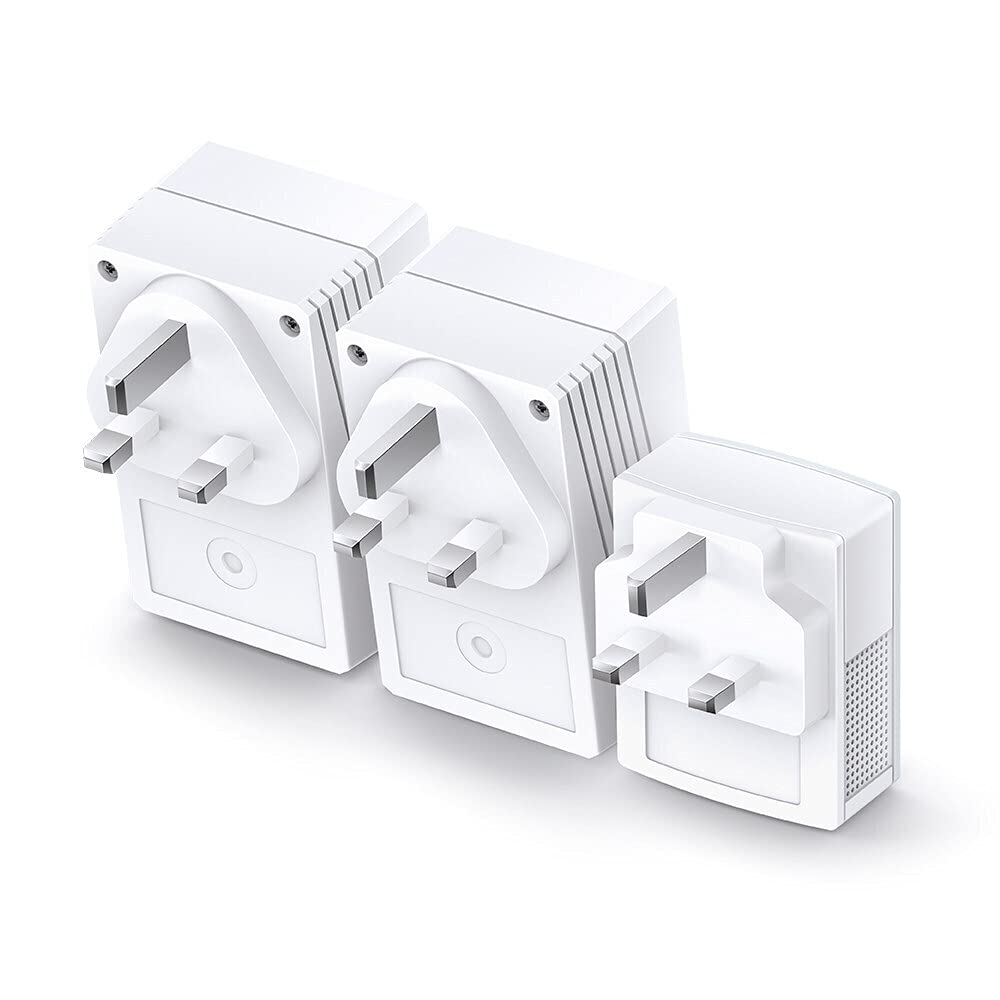


⚡ Power up your home network—fast, flawless, and fuss-free!
The TP-Link TL-WPA4220 TKIT is a powerful powerline adapter starter kit that delivers up to 600Mbps wired speeds and extends WiFi coverage up to 300Mbps using your home’s electrical wiring. Featuring dual Ethernet ports and a one-touch WiFi clone button, it ensures seamless, lag-free connectivity for streaming, gaming, and smart devices. Easy plug-and-play setup and app management make it perfect for eliminating dead zones and building a unified home network.
| ASIN | B07N1HDMFR |
| Are Batteries Included | No |
| Best Sellers Rank | #16,327 in Computers ( See Top 100 in Computers ) #35 in Powerline Network Adapters |
| Brand | TP-Link |
| Color | White |
| Customer Reviews | 4.3 4.3 out of 5 stars (20,591) |
| Date First Available | 25 June 2025 |
| Item Weight | 650 g |
| Item model number | TL-WPA4220T KIT |
| Manufacturer | TP-Link |
| Operating System | android, ios, linux, windows 2000 |
| Product Dimensions | 9.4 x 5.4 x 4 cm; 650 g |
| Series | TL-WPA4220T KIT |
A**T
Works great
I used this before and this is my second one (In another house). It is easy to configure and works much better than the wifi extender as it is located far from the main router
J**A
Villa with 1st floor
Solve the Wi-Fi problem on the first floor! perfect
E**Y
Does the job but does not deliver full speed
Product is very good and does the job. Easy to install and use. However it does not deliver full speed. I have 500 MBPS line and my router downstairs gives me around 480MPBS. However the TP Link only gives me 50MBPS even though my electrics is quite updated and should expect super fast speed. I tried even with using Ethernet cable plugged into the TP Link and it does not deliver the full speed. I wanted an extra adapter to extend but it’s super difficult to find an extra adapter.
S**S
Tplink Power line extender is the deal
The product works as described and the set up was easy using the Wi-Fi clone feature. My room now has full bars.
M**H
Excellent
Excellent for gaming. transfers signal through electricity efficiently .
B**L
Modified my rating after 3 months of using it!
Changed my review! After 3 months of use, not as before! Keeps disconnecting and not reliable! I had 3 from this model before, years back as this is not a new model, one of them was in the same spot i put the new one in! Never had this issue with any of them! Could be this piece or all the new ones!
Z**B
Life Saver
Good for same building.
A**N
uses power line to extend the signal and provides WiFi at a remote location
I am getting 35-50mbps easily fast enough to stream HDR 4K Netflix/Apple TV movies. That said , Etisalat have provided an additional Ethernet/WiFi access point for the upstairs for about 250 aed (free installation offer at the time , it hits over 200 mbps) so I would recommend that over this if there is an Ethernet socket near by.
R**H
I had 1000mbps tp link powerline. Added this to the same and configured it using tp link windows app(a must else you may not get the desired speeds as it takes random one as primary when multiple are connected). Was able to use primary of this one also as an extender as I already had a primary from the 1k Mbps extender. So I have 1 primary from 1k and 3 extenders with this.
J**N
La tecnología de Powerline (cable de corriente) casi no se conoce ni por los mismos técnicos especializados en esto. La señal corre por el cable de corriente!! si así como se oye!! y con esto no importa que haya paredes gruesas o largas distancias. Es bastante fácil configurar. Excelente producto.
R**L
Funktioniert super
G**Y
I purchased both a TL-WPA4220KIT and TL-PA4010KIT as part of the same home WiFi solution. As such, I have given the same review for both purchases. We have a long thin Victorian house with a BT HomeHub-5 in the front lounge. We have a ‘copper’ connection to the BT exchange as fibre is not available in our area of London yet. That said, we usually get a reasonable 9-10Mbps connection. Our problem is that we cannot get usable WiFi coverage in the kitchen at the rear of the house. We initially tried to use WiFi signal extenders but these proved slow and unreliable. So, about 3 years ago I purchased an AV500 PowerLine solution from SAGEMCOM. This included a Powerline WiFi extender in the kitchen. This proved to be adequate though we did need to reset all of the adapters about once a month when things ‘locked up’. Then, a month ago, the WiFi adapter in the kitchen handed in its cards and died. Thinking I would try for a higher-tech solution I purchased a WiFi Mesh solution on Amazon. However, this proved to be a complete disaster being slow and totally unreliable. I suspect this was due to the requirement for overlapping WiFi signals between the nodes. Also, as we live very close to the Crystal Palace TV transmitter, we are susceptible to RF interference. So, it was back to the drawing board and I returned to the tried and tested PowerLine solution. I chose these AV600 kits as I have always liked TP-Link products and found them dependable and reliable. As such, in total, we have 3 x TL-PA4010 mini PowerLine adapters and a TL-WPA4220 WiFi extender (in the kitchen). One of the mini adapters in located in the lounge and is connected with a LAN cable to the BT router. The other 2 adapters are in the bedroom. One is connected to a BT YouView box and the other to a Roberts Internet Radio (neither of which support WiFi). A secure network was made by connecting all 4 units in turn by use of the ‘pair’ buttons. All then burst into life and worked fine. The WiFi extender was using its factory SSID and password. I successfully trialed changing this by logging onto its admin screens using a browser (you will need to know its IP address to do this – I picked it up from the BT Hub setup menus). But then, I used the ‘WPS’ method to clone the BT Hub SSID and password instead by, temporarily, moving the extender to the lounge and following the easy ‘quick setup’ guide. This worked a treat and everything has now worked without hiccup for over a month. I have had previous issues with cloned SSID’s - with mobile devices getting confused when connecting. However, thus far, we have not had any problems and devices switch between the BT router and TP-Link extender (as we move around the house) without issues. That was a pleasant surprise! I did get the tpPLC android app for my mobile and its quite informative. It has a poor rating in the Google Play Store but this is IMHO, unjustified. It has no whistles and bells or astounding graphics but it does a job simply and well. I can see the status of all adapters and the speed of communication between each one. I seem to be getting a respectable 380-450 Mbps between each device except when they are idling and the communication rate drops to, I presume, a default 11 Mbps. The app also allows you to rename the devices (which may be useful for any future trouble shooting) and it can used (apparently) for firmware upgrades. Alas, it cannot be used to restart devices (it only allows a factory reset). Nor, can it be used for changing the settings (SSID ID etc) on the extender – this can only be achieved by ‘browser’ access. So, we are pleased. This solution is (thus far) reliable and is reasonably priced. It is also easy to set up (though my prior experience in this area helped) and it’s a step up from our old SAGEMCOM PowerLine solution. Had BT supplied us with a higher speed ‘fibre’ internet connection, I would have gone for say, an AV1200 setup with dual band WiFi. As it is, this meets our needs. Also, if you have a shortage of mains outlets in your house, you may want to opt for more expensive ‘mains pass-through’ adapters. NOTE. I see there are a number of debates on Amazon regarding the reliability of PowerLine solutions. ie. Some people are extremely happy while others have persistent problems. This is not peculiar to TP-Link products. Based on my experience, I would suspect that performance is directly related to the state of the house mains wiring. Our house has recently been rewired which not only improves (and reduces the number of) connections, but potentially shortens cable runs too. As such, unfortunately, a PowerLine solution may not be ideal for everyone - particularly in some older houses with extensions and complications added over the years. You may need to 'suck it and see' to decide if it works for you.
A**N
It works like a charm. I even insert both in power strips and the network was not affected. The Upload, Download and Ping are the same as the main network. They don't even need setup, just connect and go. Both the wired and the WiFi networks work flawlessly. The app on the other hand is not so great, but I never needed it anyways. I highly recommend it for anyone who's looking for a way to extend the network.
Trustpilot
3 weeks ago
3 weeks ago