We remain fully operational. Our teams are working around the clock to ensure your deliveries continue safely.

DOWNLOAD THE APP


Copyright © 2025 Desertcart Holdings Limited
DOWNLOAD THE APP




Buy anything from 5,000+ international stores. One checkout price. No surprise fees. Join 2M+ shoppers on Desertcart.
Desertcart purchases this item on your behalf and handles shipping, customs, and support to South Korea.
🖨️ Print smarter, live freer — your all-in-one creative powerhouse awaits!
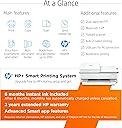
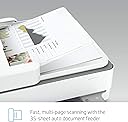
The HP Envy 6455e is a versatile wireless inkjet printer designed for home use, offering fast black-and-white printing at 10 ppm and vibrant color prints at 7 ppm with up to 4800 x 1200 dpi resolution. It features automatic duplex printing, an auto document feeder, and seamless mobile printing via the HP Smart app. Included is a 3-month Instant Ink trial with HP+ smart features for ink delivery and enhanced connectivity, backed by a 1-year warranty extended to 2 years with HP+ registration.


| ASIN | B08XYRDKDV |
| Additional Printer Functions | Copy, Scan |
| B&W Pages per Minute | 10 ppm |
| Best Sellers Rank | #81,356 in Office Products ( See Top 100 in Office Products ) #108 in Inkjet Computer Printers |
| Brand | HP |
| Built-In Media | 223R1A HP ENVY 6455e All-in-One Printer; HP 67 Setup Black Cartridge; HP 67 Setup Tri-Color Cartridge; Regulatory flyer; Setup guide; Reference guide; Power cord [For ink volume and page yield information, visit http://hp.com/go/learnaboutsupplies] |
| Color | white |
| Color Pages per Minute | 7 ppm |
| Compatible Devices | Laptops, PC, Smartphones |
| Connectivity Technology | USB, wireless |
| Control Method | Touch |
| Controller Type | Android |
| Customer Reviews | 3.9 out of 5 stars 6,970 Reviews |
| Dual-sided printing | Yes |
| Duplex | Automatic |
| Hardware Interface | USB 2.0 |
| Ink Color | White |
| Item Dimensions D x W x H | 14.21"D x 17.03"W x 7.64"H |
| Item Type Name | Inkjet Printer |
| Item Weight | 13.6 Pounds |
| Manufacturer | HP Printers |
| Maximum Copy Resolution Black and White | 300 x 300 dpi |
| Maximum Copy Resolution Color | 300 x 300 dpi |
| Maximum Copy Speed Black and White | 7 ppm |
| Maximum Media Size | 8.5 x 14 inch |
| Maximum Print Resolution Black and White | 300 x 300 dpi |
| Maximum Sheet Capacity | 100 |
| Maximum print Resolution Color | 4800 x 1200 dpi |
| Model Name | ENVY 6455e |
| Model Number | ENVY 6455e |
| Model Series | 6450 |
| Number of Trays | 1 |
| Other Special Features of the Product | Auto Document Feeder, Cloud Print Enabled, Energy Star, Network-Ready |
| Paper Size | 3 x 5 to 8.5 x 14 |
| Power Consumption | 4 Watts |
| Print media | Envelopes, Glossy photo paper, Labels, Paper (plain) |
| Printer Connectivity Type | USB, wireless |
| Printer Output Type | Color |
| Printer Type | Inkjet |
| Printing Technology | Inkjet |
| Resolution | 300 x 300 |
| Scanner Type | Flatbed, Auto Document Feeder |
| Special Feature | Auto Document Feeder , Cloud Print Enabled , Energy Star, Network-Ready |
| Specific Uses For Product | Home |
| Total Usb Ports | 1 |
| UPC | 195161625039 |
| Unit Count | 1.0 Count |
| Warranty Description | HP standard 1-year limited warranty, extended to 2 years with HP+ registration |
| Warranty Type | limited warranty |
| Wattage | 4 watts |
L**Y
Must have a paying account to print
I agree with previous users. While i had no problem setting this printer up and printing. As soon as I cancelled my account when the free time period was up my printer would no longer print. I resigned up and it prints like a charm. I cancelled it again a month ago and bang same thing. I cannot print no matter what I do. Signed up again for the 0.99/ month plan and was instantly able to print again . I do not want to be held captive by this company. As soon as I can I will buy another printer. I am not going to pay even 0.99 a month just to keep a printer active and support something that is such a rip off! Update on this —- after much research you can use this printer after you cancel your instant ink or paper membership. You do need to set up an account to set up printer. What they do not make clear is that the ink cartridges included in the box are special.(they say instant ink on them). Once your free 6 months is up you need to either sign up for one of their plans to continue using these cartridges. They communicate with HP as to when to send you more ink. If you cancel the plan the communication stops immediately and the ink cartridges will not print. Its not the printer its the cartridges. If you decide to not pay for an ink membership you must take out the original ink cartridges (throw them out) and replace with regular HP ink cartridges for your specific printer. This was not originally made clear when I bought this printer, but this last time when I cancelled the plan they asked me to confirm that I understood the instant ink cartridges would not work and I would not be able to print with out replacing the cartridges etc. I am no longer on their plan and I am printing fine with this printer.
G**Y
Not worthy of the HP brand
I moved into an apt after 20 years in a beautiful house. I've always used HP computers and printers with very satisfying results. I have a 2022 Chromebook and had a HP 2132 printer less than 4 years old. This printer all in one was nice and compact and worked great using recycled cartridges that were less than $30 for a 2 pk. After moving into the apartment my printer suddenly was not compatible with the Internet service provider? I was able to finagle it for about 2 months by unplugging it, loading new cartridges and re booting my Chromebook. I had to unplug it to attach another device in April and after that I couldn't get it to print anymore. I was forced to buy another printer even though the 2132 worked great. I reluctantly bought one that was on the HP list that conveniently showed up every time my printer failed. The 6450e which I spent 5 hours trying to connect to the Chromebook. Gone are the days of plugging everything in, going into your settings and clicking on "install new printer" in the connect a new device drop down. So I go online to 123.hp.com where I m instructed to go to my cellphone, download the SmartHp app, go back to the computer go to settings, check that my wifi, Bluetooth and Internet were all on, go back to the cell answer all the questions, going through all the steps, back and forth. I get an error code that the printer isn't connected, their system can't make a wifi connection and I should try again later. I did this 4 more times finally getting the cartridges installed, but where there is a piece of cardboard jammed in the end of the the carriage case, taped in. No mention of that in 3 hours while installing on their helpful site. I fixed it and got it to correct and got a congratulations message on nearly completing the install. It was now 2:10pm when I started at 1030am. I continued to go through the entire Smart Hp process again for another hour with no success. At 3:10 decided my time was too valuable to spend on this mindless, infuriating endeavor just to become a slave to HPs locked in for life ink cartridges scam. I read the reviews on Amazon and Office Depot sites, that all had very bad experiences trying to connect new printers. I thought with my fantastic wifi and having windows 11 and an HP Chromebook I would have a better experience, but frankly this is the worst computer related problem I have ever had. I am going to switch brands for the 1 St time in 25 years because this is an absurd waste of time. There must be other printers that are easier to set up, in fact I read that the Brother 104 was the best and easiest for a non business printer. It costs $40 more but I will gladly pay to have my life back and a printer that works.
J**Y
DO NOT BUY
DO NOT BUY! When I first got this it was great. I didn't mind the subscription because we were print more and I hate finding ink. It was handy having it come when it was low. with out even doing anything. Now three years later I spend around an hour every time trying to fix this stupid thing so that it will print. It is always off line and I can't get it to come on line. Even when I check and it says that it is online and ready it still doesn't print. Go by a Brother or something. The Value for the money is not worth it. The quality seems strudy but the Product itself is trash HP has gone way down hill.
L**C
Works great, makes happy noises with colored lights flashing, but you have to use an app
I am very happy with the printer as it does its job of printing. And although it pushes us to use Bluetooth or wireless, it does have a corded function - which I prefer. That said, you have to use an app on your computer to use most of the functions. That means I can't push buttons on the machine to do things such as "scan." I have to open the HP app on my PC and go through that. But, I am sort of old-lady-ish, so that won't bother most users I bet.
J**Y
A Very Good Small Home Office Printer
First off let me state some facts regarding the initial setup process of this printer. 1. It couldn't be any easier. Simply download the HP Smart app to either your smart phone/iPad or your PC/Mac and follow the step by step directions. 2. You DO NOT have to sign up to the HP Instant Ink program to setup this printer. Simply decline the offer when it is offered during the setup process. 3. You DO need to be connected to the internet to setup this printer. Okay with that out of the way, the Pros and Cons. Pros: 1. A very nice design that looks great on my office desk, I like the fact that the printer is small compared to other inkjet printers that simply take up too much space. 2. The print quality is excellent for a printer at this price point, this includes text and photos. See the test photo I included in this review. I printed the photo on glossy photo paper at the highest resolution setting and then I scanned the photo at the highest resolution scan setting (1200 x 1200). 3. The auto document feeder and the scanner/copy functions work great as well. 4. It does what a printer is supposed to do and it does it well. Cons: 1. The power button is on the rear of the printer above the power cord. They should have placed the button on the left side of the front display panel. 2. This may or may not be a con to everyone, and that is there's no LCD screen on this printer. Instead, on the lower front right side of the printer there are 5 touch sensitive buttons that do the following: A information button (This prints out a information page containing the status/info of the printer), a cancel job button, a resume job button, and 2 buttons to make a copy, one for color and one for black & white. There is also a Wi-Fi indicator light above the buttons and a digital number display to indicate the number of copies that are selected by the user. All other printer functions are accessed via the HP Smart app or via other applications (Microsoft Word, photo apps, etc.). I like the simplistic controls of this printer as I seldom used the hard to read LCD screen on my old HP printer. My only concern regarding this printer as well as another HP printer (HP Envy Inspire 7255e) that I returned that was doing the same thing, the scanner bar is constantly flashing when ever the printer is powered on. The HP customer service rep I spoke to on the phone told me that this is not normal and instructed me to return that printer. I returned the other printer (HP Envy Inspire 7255e) and purchased this printer and the scanner bar does the same thing as the other printer. So is this normal or not? At this point I'm not too sure. However both printers functioned without any errors so maybe it is normal for the scanner bar to constantly flash on the newer HP printers. I'd sure like to know for sure though.
E**D
Ink don’t last long
Works as should
V**V
Can’t recommend
So, let’s start with the pros. 1: it came the next day, so crazy fast shipping. 2: The printing speed is insanely fast as well. 3: The print quality is the best I’ve seen on a home printer, and is even better than many office printers I’ve used. 4: I love scanning a picture and being able to see it on my computer screen to make sure everything is lined up right before I waste ink printing, only to find something looks off. It’s also convenient for when I need to email a document, as opposed to printing. Now, the reasons I can’t recommend it. 1: it won’t stay online, and support said something along the lines of it’s because my router needs to be tuned down, or I’m not close enough to it for the printer to stay online. I have no idea how to slow down the router, and considering I pay good money for fast, reliable internet, why would I?? Second, the printer is literally right next to the router. When it advertises that I can remote print, but it won’t print when I’m three inches away.... I researched it, and this appears to be a fairly common problem for this printer. Unplugging it works to wake it up, but that’s getting really annoying, really fast. 2: It drinks ink. I’m not kidding. I’ve had tons of printers over the years, and I understand an ink cartridge never lasts long, but I printed 15 colored pages, and it’s already out of ink. And ten of them weren’t even blue, which is the main color it was supposed to be. They came out pink because my brand new ink cartridge only had enough cyan for five pages. That’s insane to me, as the image only filled half the page. I did sign up for the HP ink program, and I’m seriously hoping I don’t get burned on it because my printer won’t stay online, which is one of the conditions to get the ink. I can’t afford to buy full priced ink cartridges for this thing, so if they refuse to honor the subscription, I just wasted $160. Considering the price, I definitely don’t think I got my money’s worth. I’m going to keep it, as shipping it back would be a nightmare, and I do love some of the features, but when this printer inevitably breaks down, I don’t think I’ll be getting another one. Edit one month later It doesn’t print 90% of the time, and there’s absolutely no reason given why it doesn’t. What should take me seconds to print requires a minimum of three hours of hitting print over and over and over!! I’ve never been so frustrated with a product in my life. If it’s not filled to the top with paper, it considers it low, and even if there are 50 pages in the drawer and you only need to print one, sorry kid, quit being lazy and fill it up. Again. It constantly goes off line, and I have to unplug it and plug it in to get it back online. And forget about remote printing! 6 feet away from the physical printer is considered remote!! And that’s apparently an issue, so I literally have to sit directly in front of the printer, and have my HP laptop touching it. PRINTING IS NOT SUPPOSED TO BE THIS FLIPPING HARD! Do yourself a favor and purchase a printer that can actually print the first time. Wish I had. Gotta start saving money for one that actually works. Thanks HP!!
C**E
Great Printer
Great printer. Easy to use, easy to set up and functions exactly as it should. It prints with great quality and easy to connect to devices or internet connections.
Trustpilot
2 weeks ago
1 week ago