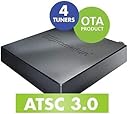
📺 Elevate your home entertainment—cut the cord, not the quality!
The HDHomeRun FLEX 4K is a NextGen TV certified network tuner featuring 4 tuners (2 ATSC 3.0 and 4 ATSC 1.0) that streams live TV to multiple devices simultaneously. It supports whole-home DVR via USB storage (with optional paid guide), offers broad compatibility across major platforms, and delivers uncompressed, high-quality video with fast channel switching. Ideal for professionals seeking a future-proof, flexible, and premium over-the-air TV experience.


| ASIN | B092GCN9NL |
| Best Sellers Rank | #6 in External TV Tuners |
| Brand Name | SiliconDust |
| Customer Reviews | 4.1 4.1 out of 5 stars (1,822) |
| Date First Available | April 13, 2021 |
| Item Weight | 13.6 ounces |
| Item model number | HDFX-4K |
| Product Dimensions | 7 x 5 x 2.2 inches |
L**S
Simply Awesome purchase!! Turn OFF slice view.
This is by far the best TV Tuner out there. Living close to an airport I've always had problems with multi-path interference from low flying aircraft or windblown trees so after learning about the how the new ATSC 3.0 tuners worked to alleviate these problems, I jumped at the chance to try the HD Homerun Flex 4k. It's true. The 3.0 tuners have alleviated the problem. But the thing with the Flex is the ATSC 1.0 tuners do a pretty darn good job of alleviating the problem as well. My Tv's tuner is terrible. I get breakups all the time on it. I had a Tablo that did a little better, but I hated how it took 5 seconds to change channels. I also had a Fire TV recast and its tuners were ok, but it downscaled the picture and the PQ was pretty bad. You could change channels faster, but it took a few seconds for the picture quality to get up to HD. The Tablo and Recast PQ had a compressed look to it. The HD homerun Flex 4k blows them both out of the water. The PQ is the same as if you were getting it straight from the antenna. I use the HDHomerun app, and I see no compression whatsoever. It really is an awesome picture. Changing channels is fast. The 3.0 stations take a couple of seconds longer. Right now, I don't see a reason to use the 3.0 stations because the 1.0 tuners do a fine job. In Orlando we get all the major Networks in ATSC 3.0, though the NBC station has turned on encryption. Silicon Dust says an update will be forth coming to allow viewing of DRM encrypted channels, but this isn't something you can bank on. Right now, ATSC is up in the air. It may all go away so who knows. None of the stations are doing 4k, it's all 1080. Be that as it may, I'm really happy with the 1.0 tuners on this thing. I use the HDHomerun app. People dis it all the time and use the Channels or Plex apps but those require a computer. I don't want to have a computer on. Plus, the Channels and Plex apps transcode and that can affect your PQ. The HDHomerun app does no transcoding. It's basically 4 tuners streamed wirelessly to your whole network. A decent router is required. If you can get 4k from your streaming apps you'll have no problem with this. I signed up for the $35 a year DVR and guide service. Less than $3 a month. I stuck a 256gb micro-SD card into a Micro/USB adapter and it works great. The recorded quality is a whatever the tuner received. No compression. If you use the HDHomerun app, go into setting and TURN OFF SLICE VIEW. Then you get the normal grid guide by hitting the up or down button. To close the guide hit the back button. People dis the app because of the slice view, which I admit looks pretty bad but it actually is great for touchscreens like a tablet or phone. Setting up is easy peasy. You can do it all from inside the app. Here's a hint, don't delete channels. Just click on the ones you don't want by getting to the red X. If you delete them, when the homerun does a scan, it will add them again. As you can tell I'm pretty happy with this product. I'm actually blown away. I could have gotten away with the 2-tuner dual flex for nearly half the price, but I got a $100 gift card from my employer so decided to put it towards this. If you're buying this for 4k, the tuner can do 4k, but nobody is broadcasting it. You can't really blame that on Silicon Dust.
R**N
Great little OTA device
This is kind of lengthy... Previously, for the past 6 years, our household used a “Tablo” as our in-home OTA DVR solution. For that purpose, it worked fairly well. I won’t go into any of the downsides, but the final deal killer was the inability to access it remotely using Roku devices. No matter how many router tweaks and settings such as port forwarding I tried, Roku just couldn’t access it. The only thing that worked was using a smartphone. All we wanted was the ability to access our local news broadcasts and sporting events when out of town. We thought we had found a solution by subscribing to “YouTube TV” which provides local channels as part of the package. Imagine our disappointment when on our first trip out of town, we could not get any of our hometown stations but instead those of where we were at the time. Upon our return, I resolved to finally replace the “Tablo” with a SiliconDust “HDHomeRun Flex 4K”. Operationally, much like the “Tablo”, you connect an OTA antenna to the unit, connect to your home network and then power it up. One of the nice things about the “Tablo” is that you can connect to your home network wirelessly. The “HDHomeRun” requires a wired ethernet connection. This meant we would have to run ethernet cable from our router to where the unit would reside. Fortunately for us this was something we did last year for different reasons but in the process, the “Tablo” was connected directly as well which greatly improved its responsiveness and stability. Unboxing the “HDHomeRun” and connecting it in place of the “Tablo” took only a few minutes. I used the “HDHomeRun” app on my android phone while connected to the same network to finish up firmware upgrades and channel scans. The “HDHomeRun”, when connected to our attic antenna, picked up 52 local ATSC 1.0 channels and 4 ATSC 3.0 stations. Now, the main reason we selected the “HDHomeRun” was its ability to integrate with our “Plex Media Server” which we have had operating for years. Within just minutes, the “HDHomeRun” was setup within Plex which, as part of our lifetime pass, provides a guide for all of the channels the “HDHomeRun” found. Plex also provides native DVR support so no additional storage devices or fees to SiliconDust for their DVR functionality. What Plex won’t do is decode AC-4 audio (blame FFmpeg) which is what the ATSC 3.0 broadcasts come with. Not a huge problem since all of the ATSC 1.0 audio channels work just fine. We anticipate that Plex/FFmpeg will provide the AC-4 decoder eventually as ATSC 3.0 adoption picks up, but the main thing is, since Plex is a server, we can access it remotely which means all of our local channels are available remotely as well. “HDHomeRun” also has a Windows 10 app which was downloaded to test. That worked great and after downloading a couple of drivers it said it needed, including a 99 cent one from Microsoft, I was able to play the ATSC 3.0 channels with audio as well. Some users have complained about channel changes taking a long time. For us this is 2-3 seconds. I challenge anyone to go from one YouTube or Roku channel to another much faster. All in all, to date, this change over has worked out well. It picks up all of the local free channels we could ever need. Subjectively, we also think the image quality is great. If I had a wish list, it would be that the “HDHomeRun” apps provided more native info and/or metadata about each channel such as the kind of audio track being listened to and the video resolution. Kind of like YouTube providing “Stats for Nerds” on each of its videos. We’re not sure if we are future proofed on the ATSC 3.0 roll-out but that was not the only or even main part of the reason for our purchase decision. What we wanted is what we got, and it works very, very well.
Trustpilot
2 days ago
1 week ago