We remain fully operational. Our teams are working around the clock to ensure your deliveries continue safely.

DOWNLOAD THE APP


Customer Services
Copyright © 2025 Desertcart Holdings Limited
DOWNLOAD THE APP

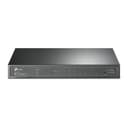
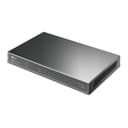


⚡ Power Your Network, Own the Room
The TP-Link JetStream TL-SG2008P is an 8-port gigabit smart switch featuring 4 PoE+ ports with a 62W power budget, designed for seamless integration with IP cameras, phones, and access points. It offers centralized cloud management through Omada SDN, robust security protocols, and optimized QoS for voice and video applications, making it the ideal choice for small businesses seeking high-speed, reliable, and secure network infrastructure.
| ASIN | B08L9HWC1F |
| Best Sellers Rank | #3,944 in Computers ( See Top 100 in Computers ) #848 in Routers |
| Brand | TP-Link |
| Built-In Media | TL-SG2008P |
| Color | Black |
| Compatible Devices | Camera, Desktop, Printer |
| Customer Reviews | 4.6 4.6 out of 5 stars (220) |
| Data Transfer Rate | 1000 Megabits Per Second |
| Interface | RJ45 |
| Item Dimensions L x W x H | 20.8L x 20.8W x 2.5H centimeters |
| Item Weight | 1.29 Kilograms |
| Manufacturer | TP-Link |
| Maximum Power | 62 Watts |
| Mfr Part Number | TL-SG2008P |
| Model Number | SG2008P |
| Number of Ports | 8 |
| Platform | Not Machine Specific |
| Switch Type | Smart Switch |
| Unit Count | 1.00 Count |
| Upper Temperature Rating | 40 Degrees Celsius |
A**S
Good Features At A Good Price
Lots to like in this package, and best of all it is passively cooled - so there is no fan noise
A**R
I have a found myself loving TP-LINK network equipment and this 24 port PoE with great support from TP-LINK customer service and the information you may need on tp-link website and get the Firmware updates and other helpful information and software. It's 250v has 2 fans which you will hear but I love the sounds of my network but for those who it may bug putting in walldrobe or rack in an area were it would not be a bug. I recommend this switch if you need extra ports 24 Poe Gigabit can use Poe or non Poe equipment.
R**M
2nd one I've bought, this one runs my security cameras
M**E
Ottimo prodotto
G**S
Moved away from isp supplied stuck and bits used separately all over the house. Streamlined setup to. Fully TP Link Omada kit. So from my optial network termination, (ONT where fibre comes in, would be master socket or modem in older setups), it goes to my ER605 router. From there i daisy chain the 2 switches (i didnt opt for the SFP version. The PoE on 2 ports power an AEP245 access point downstairs and an EAP225 upstair. Also just got a EAP110 outdoor antenna to allow basic internet outsidev in the garden. Having all this under the Omada controller - running the OC200 just makes it easy for me, but more importantly, i am teaching my wife the basics. She has never liked back end control of the tech, but since i have been diagnosed terminal illness due to horrible cancer - she had to learn it quite. Ok she may not be able to create vlans etc yet - but she is happy to 'see'the devices in the software so can visualise where issues are etc. But also picked this system as its pretty much rock solid and low maintenance. Most of the these days eh!
N**J
Purchase these all the time perfect for small businesses east to use.
Trustpilot
1 day ago
2 days ago