






🎯 Dominate every pixel, every frame, every game — the ultimate 4K gaming powerhouse.
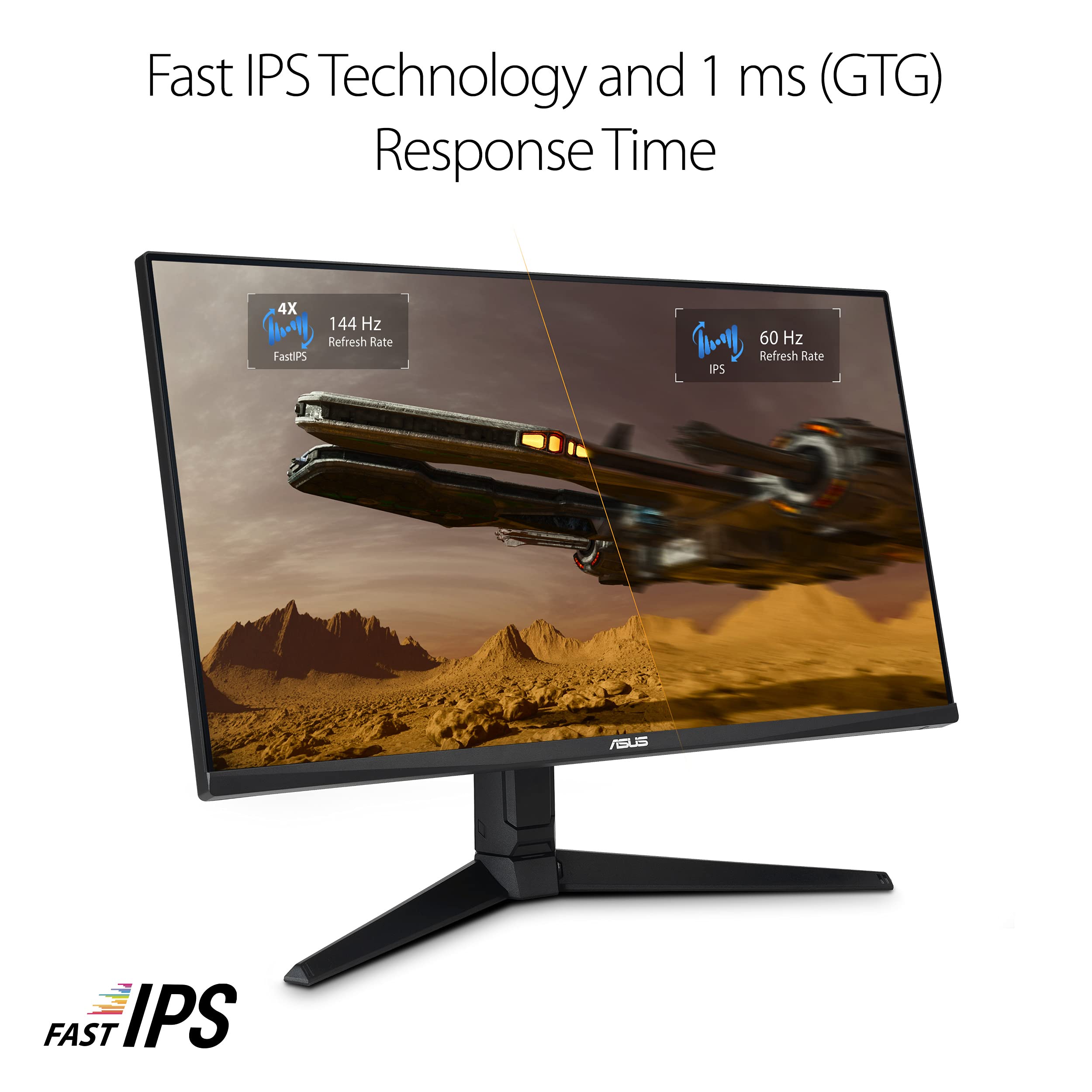
The ASUS TUF Gaming VG28UQL1A is a 28-inch 4K UHD Fast IPS monitor designed for professional gamers and creators. It features a 144Hz refresh rate, 1ms response time, and HDMI 2.1 support for native 4K 120Hz console gaming. With ELMB Sync, G-SYNC compatibility, FreeSync Premium, and HDR400 certification, it delivers smooth, vibrant, and tear-free visuals. The monitor also includes eye-care technologies and a 3-month Adobe Creative Cloud subscription, making it a versatile powerhouse for gaming and creative work.


| ASIN | B09FP3J623 |
| Adaptive Sync | FreeSync |
| Additional Features | Blue Light Filter, Height Adjustment, Pivot Adjustment, Swivel Adjustment, Tilt Adjustment |
| Aspect Ratio | 16:9 |
| Best Sellers Rank | #3,825 in Electronics ( See Top 100 in Electronics ) #158 in Computer Monitors |
| Brand | ASUS |
| Brightness | 400 nits |
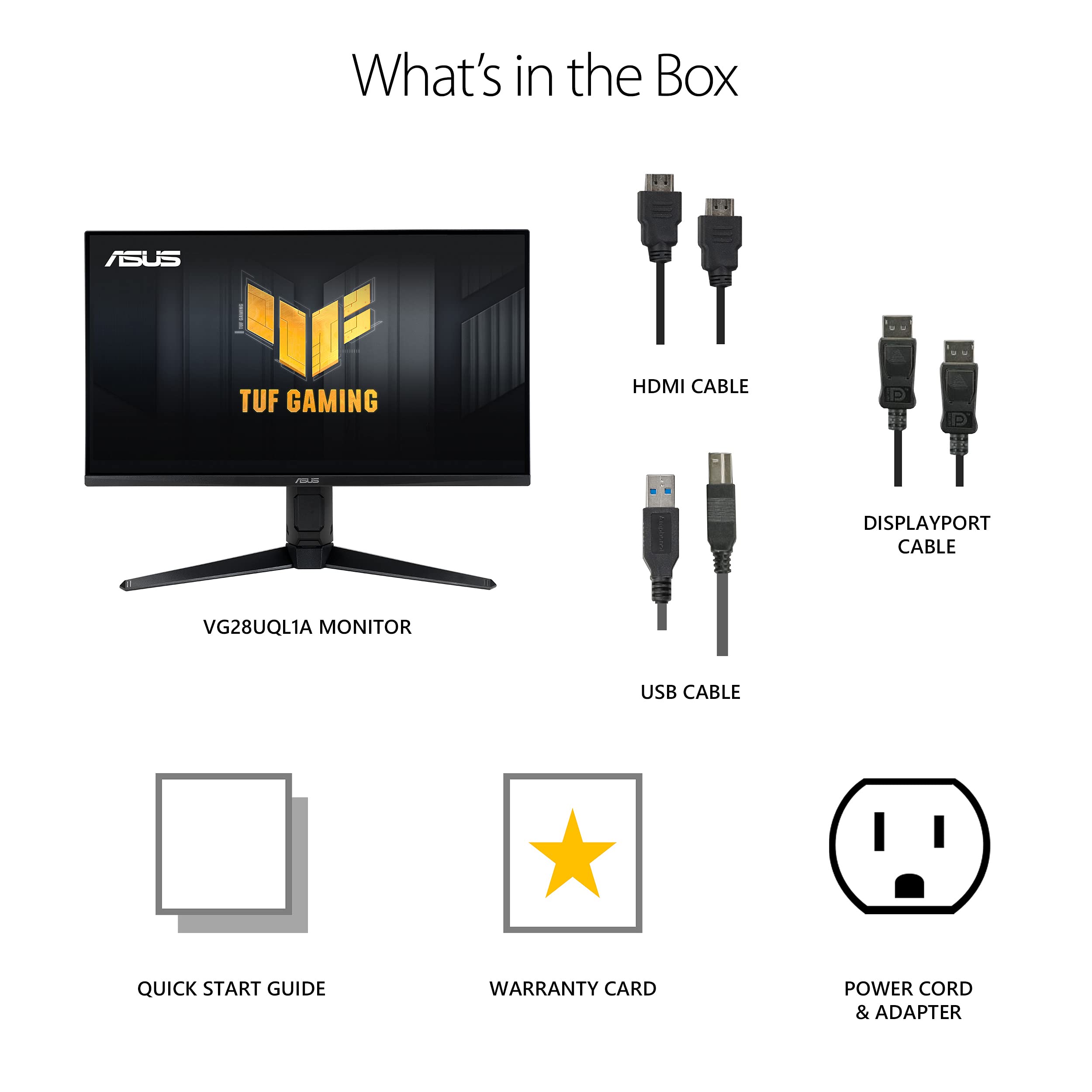
| Built-In Media | DP cable; USB cable, Power cord; Power adapter, Ultra high speed HDMI cable, VG28UQL1A MONITOR, Warranty card; QSG |
| Color | BLACK |
| Color Gamut | 90.0 |
| Compatible Devices | Desktop, Gaming Console, Laptop, Smartphone, Speaker |
| Connectivity Technology | wired |
| Contrast Ratio | 100,000,000:1 |
| Customer Reviews | 4.2 out of 5 stars 2,265 Reviews |
| Display Resolution Maximum | 3840 x 2160 Pixels |
| Display Technology | LED |
| Display Type | LED |
| Hardware Connectivity | DisplayPort, HDMI, USB, USB 3.0 |
| Has Color Screen | Yes |
| Item Dimensions D x W x H | 21.25"D x 25.18"W x 8.42"H |
| Item Height | 8.42 inches |
| Item Type Name | Monitor |
| Item Weight | 15.2 Pounds |
| Manufacturer | ASUS |
| Model Name | VG28UQL1A |
| Model Number | VG28UQL1A |
| Mounting Type | Wall Mount |
| Native Resolution | 3840x2160 |
| Number of Component Outputs | 5 |
| Picture Quality Enhancement Technology | HDR, DCI-P3 |
| Pixel Pitch | 0.16 |
| Processor Count | 1 |
| Refresh Rate | 144 Hz |
| Resolution | 4K UHD 2160p |
| Response Time | 1 Milliseconds |
| Screen Finish | Matte |
| Screen Size | 28 Inches |
| Shape | Rectangular |
| Specific Uses For Product | Gaming, Personal, Photo Video Editing |
| Total Number of HDMI Ports | 4 |
| Total USB 2.0 Ports | 1 |
| Total USB 3.0 Ports | 1 |
| Total Usb Ports | 3 |
| UPC | 195553043359 |
| Viewing Angle | 178 Degrees |
| Voltage | 240 Volts |
| Warranty Description | 3 Year Warranty with ARR |
| Warranty Type | 3 years |
R**S
Excellent display...no issues and looks great.
Not a gamer so really don't have anything to share on that. However, this thing looks great. Colors are vibrant and sharp, the resolution makes text easy to read. Been working quite well and better than the previous Asus display I had. I tried to order a 2nd one this same size (28") but that doesn't seem to be available any longer.
D**K
Fear Burn-in?! READ THIS
Best Image Settings I Found for peak brightness and optimal OLED care : Console HDR Mode Adjustable HDR: On Uniform Brightness: Off (On for desktop usage, competitive gaming or low brightness settings) Brightness: 100 OLED CARE Settings: Auto Logo Brightness: on (off if you found other ways to take care of your oled monitor or need peak brightness all the time) Screen Saver & Screen Move: On Pros: -Great OLED Preventative features, the NEO proxy is pretty cool and a intelligent way to turn off the display when not in use -Great Build Quality -Great Colors -Bright Whites with the right settings enabled -Deep Blacks (See it, and you never want to go back to LCD or IPS monitor ever again, YOU'VE BEEN WARNED). -Fantastic Response times/motion handling, perfect for gaming or making that clear and smooth killshot, no visible ghosting or overshoot -3 Year Warranty ***Unclear for BURN-IN Related defects*** -True Black Glossy Screen, almost like looking at a picture but lively, must see in person. -Dual-Mode Functionality (4k UHD 165hz/1080p FULL HD 330hz), perfect for 4k console and/or 1080p PC competitive gaming -2x HDMI 2.1 Ports, perfect for Xbox Series X/S, Xbox One X, PS4 Pro & Playstation 5/Pro Cons: -$1000, if you got the money to purchase it, or you are an avid gamer and want the best visuals, if not better than a traditional GPU upgrade would provide, go for it. Otherwise, go for the 1440p OLED equivalents. -DisplayPort 1.4 (DSC), may not be a dealbreaker for some, but it's 2025 and worth mentioning. -Glossy Panel Maintenance: the screen panel itself is very delicate and can get scratches, smudge marks, or oil residue very easily. Using distilled water and a Microfiber cloth will suffice. -Monitor/stand adjustments: love the low stand real estate it takes up; however, the minimal movement it has, especially the height adjustment, kinda sucks. -Colors dont match up with QD-OLED alternatives -OLED CARE: Not a problem for some who take care of their gadgets and tech properly, as well as the features asus provides for oled care, but still worth mentioning. If you fear OLED burn-in and do not like dealing with the hassle of proper consistent care, I do not recommend this monitor. -OLED PWM Sensitivity: again not a deal breaker for the majority of people, but just keep this in mind if you are susceptible to symptoms of PWM on display electronics. -Max Brightness: Full Window at ~250 nits, enough for low light or dark rooms, peaks ~1000 nits @2% window with the right settings. -Text Fringing: not a huge deal given the size and resolution, but still worth mentioning, especially for productivity work. Overall, if you are a hardcore gamer that wants the best visuals, gaming experience, as well as the best monitor you can buy for the money, I highly recommend it! WOLED technology has gotten a lot better in recent years, and it's great to see massive improvement when it comes to burn-in defects. However, it's still a potential problem and this monitor like most is still susceptible to it. It's also a $1000, definitely be aware and don't be abusive with it. With that said though, if you put yourself in the right mindset like using screen saver and using neo proxy the monitor comes with, keep all oled preventative features turned on, slowly work on habit building like when to use HDR for console gaming and desktop use, and treating the monitor well through thoughtful treatment and respect, you will not have to worry about burn-in anytime soon. ***UPDATE*** (12/21/25) Make sure to update your monitor's firmware from MCM101 to MCM103. I used the USB-C to laptop method. Fixes the visual static noise issues on my monitor when HDR is enabled, now works flawlessly.
B**.
Wow
This is the best monitor ive ever seen in person, i can hardly believe the clarity. I use it for gaming and desktop apps and it performs like a pro. Yes the price was seriously high, but you get what you pay for. Screen glare is very low so i do not see any reflections from light sources behind me. Setup was easy and the packaging was very good. I used a monitor arm and not the included stand, that was super easy to setup as well. My only complaint is while the monitor controls are very easy to use, the on screen menu is so small on the base resolution it's hard to see/read. But that is no reason not to buy this fantastic monitor. Before i bought this i had read that some people had noticed something around text characters like ghosting, i cannot see anything like this, text seems very clear and crisp. In conclusion, if you have a good pc and want to get the most out of it this monitor is a must have.
L**N
Worst monitor experience ever DO NOT BUY. Piece of junk moneysink. ASUS RMA is terrible
This was my first 4k monitor and man where do I begin. The fact that it's so slow, I thought all 4k monitors were like this, turns out, after calling support after putting out with it for so long, turns out it's defective, and that a lot of people were saying this monitor sucks. Even in the comments. The monitor is so slow that even if it's the only monitor plugged in, it gets stuck in No Signal then turns off, even though it works if other monitors are placed. It's so slow it does not see the BIOS POST, it's ridiculous. In addition, it flickers when used with drawing programs. It turns off and on non-stop from time to time, or when the GPU is being used (while rendering and such and gaming.) This happened a while later after I was not able to fully return, this made me so mad that I spent about $1000 on this useless piece of junk. The monitor is so bad to the point where sometimes it just blurts out static noise from the speaker, you have to manually disable it from the settings. The monitor's colors are kinda off as well, my other monitors are more vibrant and red, this is yellow. It wakes up from sleep so slow to the point, all my windows get scaled down and small and scatter to my other monitors. The monitor is so bad to the point where, if you idle, or your computer goes to sleep, it shuts down, and you have to MANUALLY turn the damn monitor on by pressing the power button, sometimes several times, because it decides that there is no signal, mind you the cables are sturdy and they WORK, it is NOT a cable issue. Overall this piece of junk was the worst moneysink ever. I even sent it over to support, they told me to not use the original box, because it'll get lost, so I had to pay $55 for FedEx to get an uneven box to put the monitor in and fill it in with bubble wrap. Total waste of money. Then the RMA support comes and tells me there's physical damage, EVEN THOUGH I had to WRITE AND SUBMIT a damn report of WHAT'S WRONG with the damn defective unit, and they ignored it and told me there's physical damage on the screen, and it'll cost a whopping $460 to fix it, plus $20 shipping (I thought THEY were paying that) and plus $60 for labor... This was the worst monitor I've ever had, never ASUS again, worst experience, I've never seen a monitor so damn slow to the point it behaves like a toaster compared to other monitors and don't give me "oh it's 4k, it's slow" I'd expect MORE from a damn $1000 monitor. Don't waste your money on this garbage.
F**N
Finally a 4K Monitor That Feels Like Real 4K
Just got it set up and holy crap the blacks are actually black.... like perfect, deep, inky blacks that make everything feel way more vivid. I was this close to going with the 240 Hz glossy version (the UCDM), but I ended up with this one because the matte anti-glare finish was a must for my bright room... and honestly, it was the right call. No glare drama, even with sunlight coming in. This thing is a huge upgrade from my old Dell — like night and day. After using this, my old “4K monitor” feels like it wasn’t really even 4K 😂 Everything is sharper, the colors pop, and motion feels so smooth. If you want deep blacks, great gaming performance, and a killer picture for both work and play, this thing delivers.
D**R
DP port issue, otherwise pretty good!
This is my first 4K monitor. It looks great and I believe it's worth it/ has a good price even at this size. Nice image, no bad pixels, good stand adjustability, some fun but not terribly useful gaming features depending on the games you play. I use this as the left monitor in a dual monitor setup, so the controls being on the back right and so far up is a pain. This is mostly annoying because I connect 2 PCs and want to easily switch between them. This isn't a deal breaker, just not ideal for my current setup. Big issue and reason for 4 stars: No matter what I try it with, the DP port is not working for me. It detects something is connected but no device can initiate it, even if that's the only connection present. It doesn't matter what cable or device I try it with. Works very well with each HDMI port. Unfortunately, HDMI being the only option limits the max frequency my setup can run the monitor to 120Hz, leaving some performance on the table. This is a quirk of my setup; I definitely wanted something with DP. I will likely return it for this reason.
J**N
Make sure you have Firm Ware Version MCM106
I got this at a nice discount because I bought a 'returned' monitor. After hooking it up I was less then happy with the way it looked. it was pretty awful. washed out and red to the red orange scale. My first thought was I'd be returning it as well. Thankfully I checked for Firmware updates first. It was on firmware 105 Update 106 was available. I downloaded and installed it. Easy peasy. Bam! The monitor was fixed. I'm a big fan of Asus. Been buying their MB's for years. since like 1995. I don't know what was going on in their heads to ship this monitor as it was. I suppose someone, maybe even me could have figured out how to fix it in the control panel without the update. Thankfully I did not have to fiddle with that. Downloading and installing MCM106 Fixed it. Hint - it is very easy to install if you have taken the time to run a USB cable from the back of the monitor to your computer. The install directions tell you to make a USB drive with the install file on it and then plug that into your monitor. Which I was getting ready to do. 1st had to find one I could clean as they wanted no other files on it. While working on that the monitor installed 106 on its own. So my only downside Is the previous owner registered it before sending it back so when I went to register it I was told it was already registered. So no 3 year warrenty. Hopefully nothing goes wrong but I would like to have it show when I go to Asus and log in along with my previous MB's and the one I just bought and my new asus graphics card.
H**T
Amazing visuals
Still super high quality after so much time of having it, making every game I play look beautiful and movies appear vibrant as if I was in a theatre. You can adjust it manually on the back to adjust height and angles for yourself. It's a little heavy, especially for a monitor that isn't super thick. The value for money is there, however you might be able to find other better options elsewhere. For example, I found an OLED monitor that was bigger, ran at around 300hz, and I believe was 4K at best buy. So you might have other options for yourself if this one isn't for you.
Trustpilot
1 week ago
1 month ago



