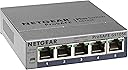
🚀 Elevate your network game with smart speed and sleek control
The NETGEAR GS105Ev2 is a 5-port Gigabit Ethernet Easy Smart Managed Switch designed for professionals seeking reliable, high-speed wired connectivity. It offers flexible desktop or wall mount installation, energy-efficient operation compliant with IEEE802.3az, and an intuitive management interface for basic network configuration and security. Backed by a limited lifetime warranty and next-business-day replacement, it ensures uninterrupted performance and expert support.


| ASIN | B00HGLVZLY |
| Best Sellers Rank | #8 in Computer Networking Switches |
| Case Material | Plastic |
| Customer Reviews | 4.7 4.7 out of 5 stars (14,037) |
| Data Transfer Rate | 1000 Megabits Per Second |
| Date First Available | December 22, 2013 |
| Global Trade Identification Number | 10606449101512 |
| Interface Type | RJ45 |
| Is Discontinued By Manufacturer | No |
| Item Weight | 9 ounces |
| Item model number | GS105E-200NAS |
| Manufacturer | Netgear |
| Product Dimensions | 3.7"L x 3.9"W x 1.06"H |
| UPC | 606449101515 |
| Upper Temperature Rating | 122 Degrees Fahrenheit |
| Voltage | 12 Volts |
P**B
Reliable, easy to install, and perfect for my home YouTube/work-from-home studio
I bought this NETGEAR 24-port switch when I set up a home YouTube studio, and it became even more valuable once I started working from home during Covid. The unit installed cleanly under my wooden desk and handled all of my wired network connections — computers, smart devices, and all the gear in my home office that benefits from a stable Ethernet connection. I never used all 24 ports, but I used plenty of them, and it was great having the extra capacity whenever I needed to add a device. Just like other reviewers mention, it’s truly plug-and-play and has been rock-solid since day one. A dependable, no-nonsense switch that’s been the backbone of my home network.
N**M
Perfect & Powerfuml Switch for non tech folks
This is a perfect switch if you want to expand your home or small business network. If you want to plug in multiple devices to your existing network then this device is for you. I am giving this product a 5 stars for the reason below: 1. Plug and Play. Absolutely no programming or setup required. 2. Percect device for novices users and non IT/computer users like me. Again...no setup required. Just plug in your devices and you will be automatically connected to your LAN. 3. Excellent quality build. The entire unit looks and feel high quality. Case is metal and device is heavy. No cheap plastic and lightweight feel. 4. Netgear is a reliable and makes excellent switches. I have a 10/100Mbs 5 port netgear switch that I bought in 1999 to use in my college dorm to get multiple computers to a single network port in my dorm. I still have this switch 18yrs later and it is still 100% operational. In matter of fact I bought this 8 port to replace my 18yrs old switch. I am only upgrading because i wanted 1000Mbs speee and more ports. Some misc tips for novices/non tech folks. 1. If your house is built after 2004 and was originally wired for telephone lines throughout your house then you already probably got either cat5e or cat6 cables installed already. Electrician will use cat5e/cat6 cables to wire your house for telephone use because they are just as cheap as regular telephone line and more readily avaiable. Therefore, no need to run ethernet cables. Just pull apart your telephone wall plates and verify. I hope this review helps.
M**K
Lots of VLAN configurability, stable performance
A professional network engineer might scoff at this "prosumer"-grade switch, but it does actually have a fair bit of flexibility in regard to its VLAN configuration, and you get a lot of bang for your buck. I bought it so I could connect two Internet gateways (a cable modem and an optical network terminal) to my router's single WAN port and two virtual LANs to my router's single LAN port. Despite the two passes that packets need to take through this switch on their way between the Internet and my LAN devices, I can still download the latest Chromium sources from Google at over 100 MiB/s (average over the course of a 2-GiB+ download) through my gigabit Internet link, so I know the switch matrix is doing a good job at keeping the crossing flows from colliding. To pull off having two gateways connected to one WAN port on my router, I have two 802.1Q-tagged virtual interfaces configured on my router's WAN interface with distinct tags that I assigned as the PVIDs of the two switch ports that the gateways plug into. Each of those two switch ports is configured to pass the traffic of its respective VLAN untagged since the cable modem and the ONT are not expecting 802.1Q-tagged Ethernet frames. Then the switch port that is connected to my router's WAN port is configured as a member of both of the gateway VLANs and is configured to pass their traffic with tags so that my router can run its two virtual interfaces on its one WAN port. That switch port has its PVID set to a throwaway VLAN (of which no other ports are members) so that any untagged traffic coming from the router's WAN port will be thrown away and will not leak to the remaining five switch ports that connect my internal LAN. Those other five switch ports, which I use for my LAN, are members of two more VLANs, one of which is set as their PVID, meaning any untagged traffic they receive gets assigned into that VLAN, and also they are configured to pass any traffic on that VLAN in untagged frames. The other VLAN is for my isolated Internet-of-Things network so I can have remote Wi-Fi access points hosting a dedicated SSID just for my IoT devices. The LAN switch ports are configured to pass traffic on the IoT VLAN using tagged frames, so the IoT network is "invisible" to other switches and hosts unless they intentionally connect to it. The router's LAN port runs both the default (untagged) interface for the trusted VLAN and also an 802.1Q-tagged virtual interface for the IoT VLAN, and those two interfaces are addressed on separate subnets with some firewall rules to prevent IoT devices from connecting to trusted devices, but trusted devices can connect to IoT devices (to command them, read status, etc.). The reason I described my complex setup here is so you could get an idea of how much flexibility this switch offers. Sure, it may not have the kind of Cisco-esque management console that network engineers are trained to endure/love, but the switch's web interface is actually shockingly capable of configuring almost any bizarre VLAN arrangement that you can imagine. And there are actually three other VLAN configuration modes that I did not even describe: a basic port-based mode, an advanced port-based mode, and a basic 802.1Q mode. (I use the advanced 802.1Q mode.) As far as the physical build of this switch goes, it looks and feels exactly as you would expect a Netgear desktop switch to look and feel if you are at all familiar with them. It's a sleek metal slab with a line of Ethernet ports along the front edge and a 12V DC barrel jack on the rear. Each port has two LEDs that show link speed/status and activity, so you get your typical blinkenlights show. The 12V input is nice because it allows me to put this switch on my 12V battery backup along with my router and my two gateway devices. The four devices will easily run for many hours in a power outage. As for reliability, I have never had this switch hang or lose performance with prolonged use. It runs silently for months to years with no intervention required. It just works, even despite the crazy configuration I gave it. I have no complaints at all.
A**R
Simple setup
Ez to use, reliable and makes extending physical cabling simple when you want to reduce or eliminate wireless.
V**N
This equipment had a US plug rather than AU, and there was no mention of it in product description.
A**R
Simple, nice design.
D**N
Second unit in my network and have found the first to work well and easy to install
P**T
That's about it really. Awesome plug and play. If an idiot like me can use it, so can you.
J**.
Cheap and effective. I have several of these and have never had one fail (despite some challenging temperature conditions)
Trustpilot
1 month ago
1 month ago