
DOWNLOAD THE APP


Customer Services
Copyright © 2025 Desertcart Holdings Limited
DOWNLOAD THE APP


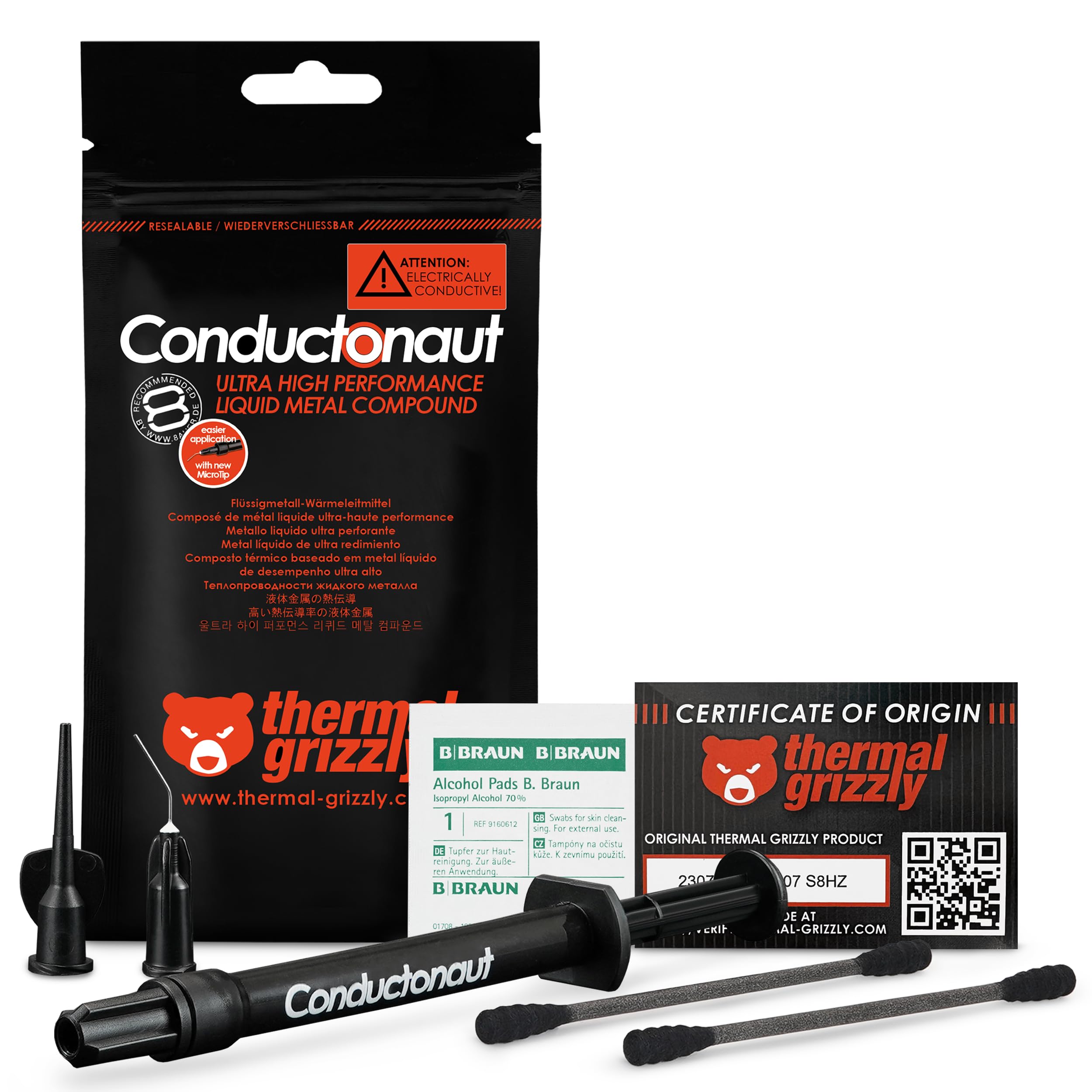


🔥 Cool like a pro, perform like a legend!
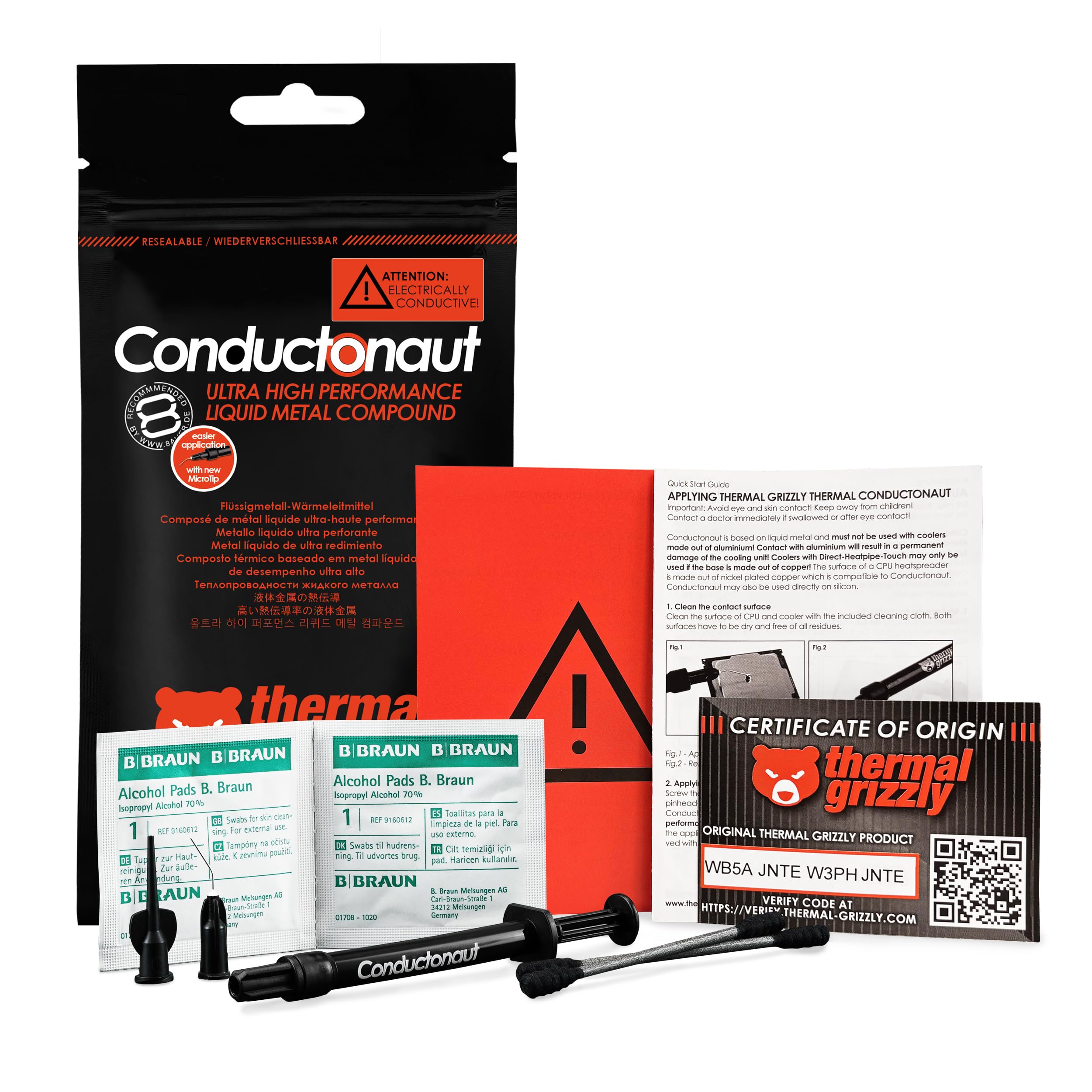
Thermal Grizzly Conductonaut is a premium 5g liquid metal thermal paste crafted in Germany, delivering industry-leading heat conductivity for CPUs, GPUs, and gaming consoles. Its precision syringe ensures easy, exact application, reducing temperatures significantly under load and idle. Favored by professional PC manufacturers and gamers alike, it guarantees long-term stability and superior cooling performance—just avoid aluminum surfaces to protect your hardware.


| Best Sellers Rank | #42 in Silicon Grease |
| Customer Reviews | 4.7 out of 5 stars 6,742 Reviews |
M**G
Being careful and having patience can really pay off
TL;DR: AMD Threadripper 2950x paired with Corsair H115i Platinum RGB water cooler, 'balanced' fan mode speed (~1100 rpm) on radiator. Corsair OEM, pre-applied thermal paste - idle 104F, load 157F. Conductonaut applied - idle 98F, load 149F; both tests 10-15 minutes of Prime95. MAIN REVIEW: I have the AMD Threadripper 2950x 16c/32t paired with the Corsair H115i Platinum RGB cooler. The 2 Corsair fans on the radiator are spinning at ~1100rpm each. My typical workload consists of running 2 Windows VMs simultaneously on a Windows 10 host. I initially used the pre-set thermal paste from Corsair pre-applied to the copper-block and idle averaged ~104F. Disassembled, cleaned, and added the Conductonaut and now seeing idle temps average 98F, with temps dipping as low as 89F. Room ambient temperature is 72F. Threw up some Prime95 testing and prior with the stock thermal paste, I hit 157F after 10 minutes. After 10 minutes with the Conductonaut, maxed out at 149F. Both radiator fans were spinning at 1260rpm, pump at 2420rpm; the fans were set at a 'performance' level of 'Balanced' within the iCUE software. I set the performance-mode for the fans at 'Extreme', they both started spinning at ~2150 rpms. After 5 minute the temp bounced between 141 and 143F. For the last 3 minutes, temp hit and sat at 149F. The CPU of all cores was bouncing between 3650 and 3700 MHz. iCUE reported the water temp at 30.8C. For another 5 minutes I let Prime95 continue running. Temps did not change. For anyone who has ever messed with Gallium in its liquid form will know what to expect from messing with Conductonaut. Try to pinch Gallium (or Conductonaut) in your hand and it'll just pop out the side...the same thing will happen when you assemble your heatsink base to the CPU block; which there is a reason the instructions say "apply a pin-drop" and [try] to spread it out. Put too much on and it'll spit out the sides! Don't put your heatsink on slowly and it can actually splatter out the sides as well. Take your time and be patient while trying to spread the liquid metal around - it will naturally glob-up and stick to the supplied Q-tip at times. Try your best. For a little pin-hole application, the results can be quite impressive! For my system, I do not plan to de-lid anything (no point for the CPU since AMD uses Indium solder between dies and heatsink). What I get out of this are some degrees cooler temps running and also longevity, not having to re-apply thermal solutions every few years due to the thermal solution drying up and/or losing its thermal conductivity efficiency over time. THINGS TO CONSIDER: Use the supplied Q-tip to spread the liquid metal around the heatsink as it's quite compacted unlike regular Q-tips that give off some fibers. A teeny-tiny application goes a long way! Also, make use of the additional supplied adapter-tip to suck up any excess application. Keep the plunger open-end and pointed up until it is over where you will be applying it. The liquid metal can fall out and splatter all over, even a little droplet! The liquid metal is very reflective and shiny. Try to examine afterwards with a flashlight after the heatsink is applied if any of the application plopped out the sides - I was able to see a shiny reflection just under the heatsink that I sucked up and cleaned (before plugging and turning system on). Be careful when moving your computer chassis. Any excess that is not spotted and cleaned up could fall and bounce around in your chassis during transportation. Wear latex/nitrile gloves if you mind your hands staining; if you get some liquid metal on your hands they'll be gray for a little bit.
B**T
Works for PS5!
I bought this for my PS5 and it is running better than ever at cooler temps. I had more than plenty to apply and the kit comes with everything you need. Will definitely buy again in the future!
L**Z
100 % guaranteed!
Excellent product, it came in perfect condition, and it is an original product, I used the thermal grizzly line for my laptop and it worked perfectly! Thank you very much! Easy to use ! Small package!
J**R
Only use this stuff if you actually know what you are doing
Got it for a good price here on amazon. Was my first time using liqued metal and this stuff came highly recomended by a number of people. I’m currently using this on the dyes of two GTX 1080’s in SLI (with nickle plated copper water blocks) and on the IHS of an i7-6900k. The thermals on the GPU’s are absolutely amazing. I have not seen the gpu temps go above 35c while OC testing with unigine heaven (delta is 22c). The 1080’s are running @ 2100Mhz core, 5400mhz memory, using 1/2”ID PETG (the GPU’s are in series), 1xD5 pump @4800rpm, 1x560mm + 1x280mm rads in push/pull (fan speed 1200rpm). The CPU thermals are not as great, but still adequate. The 6900k reaches 68c in Prime95 26.6 running 1344 FFT size for an hour (delta is 22c). The 6900k is soldered, so delidding was not needed. The cpu is OC’d to 4.4Ghz @ 1.290v. The loop consists of a nickle plated copper block, 1/2” ID PETG, 1xD5 pump @4800rpm, 1x480mm rad in push/pull (fan speed 1600rpm). I’ll admit this stuff is more difficult to work with. It does not like to spread at first, and you just have to keep at it until the surface will behin to “wet”. You have to use it on both surfaces that will be in contacting as well, because it does not “flow” like normsl paste. You also need to pay special attention to not get it on anything except the dye, IHS, or block surface sine it is a conductive material. I used thick electrical tape to cover the small diodes next to the dye on the CPU’s. I origionally was going to use kapton tape, but felt the heavy electrical tape would hold up better over time. Also note that this stuff should never come in contact with aluminum (it contains gallium, which destroys aluminum). Cleanup is a bit more tedious, but not bad. Wipe up what you can with an absorbent cloth (toilet paper works), then procede to lean the surface like you would for any other paste. In general, you should not go near this stuff unless you know what you’re doing, because it’s too easy to destroy your hardware otherwise. A $1000+ cpu and $1300+ in GPU’s, plus a $600+ Mobo can be destroyed in the blink of an eye due to one drop of this stuff being where it shouldn’t be. Everything said, I’m content with the results. The CPU would likely run cooler if it was delided. I think Intel did a crappy job with their IHS soldering. If you are using an unsoldered cpu, definately delid, the results should be great. I don’t recommend delidding a soldered IHS, because it’s EXTREMELY time and labor intensive to do properly, and has a much higher risk of damaging your cpu.
M**K
Works great!
Shorty story: Before with undervolt 95C thermal throttle on CPU and mid 80s on GPU After with undervolt may just touch 95C then settles at high 80s and GPU still mid 80s. Great results on CPU and I've very happy that my CPU isn't thermal throttling and can operate at full frequency/power. Would probably not use on GPU again, stick with paste. Long story: My MSI GS65 9SE, [9750H and RTX2060] would constantly thermal throttle the CPU at 95C during tests and games, even with max fans. Undervolted by -.145mvolts, and still throttled, but was able to gain a couple hundred megahertz. I repasted with Noctua NT-H1, but with undervolt was worse than before. I believe this wasn't the pastes fault, but perhaps my torque sequence was off, and had poor pressure. Paste had been fairly well spread. Decided something had to be done to get the temps inline, 95C was not acceptable. So ordered Conductonaut after watching many videos on use and results. Have to admit that the fear factor on this stuff out in the media is a little off putting, but I came to believe that it seems to be more hysteria than the result of it being that dangerous. I used high temp electrical tape to surround the dies on the CPU and GPU. This seemed like a better approach than using conformal coating. The application to the dies was pretty easy, but being my first time using it, judging the correct amount was a bit hard. I went with just enough to leave a liquid coat, that you could see just a slight flow of liquid, and was opaque over the die. However applying to the copper heat sinks was a different story. The copper appears to bond to parts of the thermal paste, causing it to dry out during application. As I understand it the copper can absorb liquid metal to a degree. So I made multiple applications to the heat sink to build up a coating, which in the end was lighter and thinner than that applied to the dies. Once I had it back together I was quite happy. With the undervolt it would not thermal throttle and would settle around 86-89C. With Intel XTU the benchmark rose 20 points. Cinebench R20 gained about 200-300pts. The CPU was able to hold the boost frequency, 4.1mhz, for the entire boost time then settle and hold 3.8mhz. The GPU really saw no appreciable change, and I would no recommend using LM over a thermal paste for the GPU. Conductonaut has made it possible for me to fix the one major flaw of the GS65, thermals.
D**E
BE CAREFUL WHAT YOU APPLY TO
This is awesome. If you handy enough to De-lid your CPU's IHS and apply this underneath holycrap day and night improvement. But if you're applying on top of your IHS and to the CPU cooler than make sure it's not Aluminium IT WILL CAUSE SMOKE AND SOME CASES A SMALL FIRE (which is kinda cool) . But make sure it's Nickel plated Copper THE IHS for most intel cpus are Nickel plated, can't speak for AMD but they look like they have nickel too. This gets you a decent performance improvement in terms of thermal. Better than most dell and hp stock thermal paste but Thermal paste will always be better unless you're applying to the cpu DIE itself underneath the IHS. I say thermal paste but look up the best thermal paste and apply that especially if you're using a stock cooler i think it's currently Thermal Grizzly Kryonaut Thermal Paste. Anyway if you use copper you'll be fine expect some tarnish and corrosion otherwise nickel is the way to go.
M**F
works well, fairly priced, but not for everyone
To get one thung out of the way, LM is *NOT* a silver bullet that will solve your cooling woes in most cases. Realistically, outside of some specific edge cases I’ll get imto later you can expect a small reduction in average temperatures (in my experience usually somewhere in the realm of 2-7C on GPUs. I don’t use it on CPUs because it stains the IHS and makes it look ugly) and a slightly larger but still small decrease in hotspot temperatures. There are some exceptions to this ruler, however: 1) AMD Rx 6000 series reference coolers if you, like me, were unfortunate enough to think that replacing the carbon thermal pad the GPU core comes with out of the factory with ordinary paste would help, then this is a solid solution to the absurd temperature problems you’re probably dealing with right now. Seriously, I went from 87C edge 115C juntion temp on my Rx 6800 with Kryonaut paste to maxing out in the mid 80’C on junction temp after using LM - and that’s with a vastly higher power limit to boot. 2) Very high thermal density chips if you have a component that outputs a LOT of heat in a very small area then it can be very hard to adequately transfer that heat away. LM can help woth this over regular paste. A good example would be something like a delidded Ryzen 7 5800x. A chip like this would benefit from liquid metal, although unless delidded the IHS will prove to be a limiting factor. 3) Very high power consumption I have an RTX 2080 ti that pulls up to 850w when under load. Paste works, but goodness me does it sometimes struggle when power consumption stays high instead of spiking. LM helps a lot here. For pretty much every other possible use case it’s simply not worth it. Although more thermally conductive than paste, don’t be fooled by the w/mk figure on various paste. The way this is calculated makes it extremely manipulatable, and in fact Thermal Grizzly has made statements about this. They themselves manipulate this number on their products, although in fairness to them all of their competitors do too, so at least they’re honest about it. Aside from that, there are some pretty serious downsides too: 1) Electrically conductive if this stuff gets on running SMDs then you can say goodbye to whatever that component the SMD is on. 2) Corrosive LM alloys contains lots of gallium, which will eat away at some metals, notably alluminum and tin. what this means is that if you use this on an alluminum cooler, the gallium will alloy itself to the cooler and destroy the structure of the cooler. Not great. Also, if a little bit lands on a PCB and manages to not short something out, you can bet money that it’ll eat its way through a solder joint and once again, bye bye component. 3) Staining This will stain copper and nickle. Not a deal breaker, just ugly. Also, copper in particular is a pain to clean off, as the LM will bond to it leaving small bumps. These can be scraped off, but it’s time consuming and not much fun. 4) Expensive This is probably the most obvious one. If you don’t need LM for your usecase, you can spend less money and probably get more paste at the same time. Personally I’m partial to Thermal Grizzly Aeronaut, but just about any well known paste will do you just fine. I believe many of Noctua’s pastes are usually quite well priced. In conclusion, if you know you need LM then you probably already know all of this and are going to get it anyway. If you don’t, then you should probably just get some Kryonaut or whatever and call it a day.
K**E
Used for ps4 pro
As advertise this is a liquid metal thermal compound which is highly conductive and can mess up whatever you used this on if not applied properly. I used this product on my ps4 pro to see if it would bring the fan noise down to a reasonable sound. Testing So to create a base line the thermal paste that I already had on my PS4 Pro was the Thermal Grizzly Aeronaut which ran me about $15 bucks for the 3.9 gram size. In idle the fan noise was around 50db give or take. Underload the game that I used in my initial testing was rainbow six siege and played it about an hour which the fans noise ramped up to 87dB which is basically noticeably loud After getting my baseline I then the took my ps4 pro apart to apply the Thermal Grizzly Conductonaut(this also ran me about 15for this thermal compound) once I cleaned the thermal paste I already had on. Once I got the thermal paste on I basically did the same thing which idle noise was around 40db and unload was around an amazing 60-66db give or take which is a pretty good improvement. In Conclusion Unfortunately I was unable to get thermal testing cause I don't own a thermal gun of that nature but other then that this is an amazing product and I highly recommend it IF YOU KNOW WHAT YOUR DOING( and I emphasize the know what your doing part). The thermal paste comes with 2 qtips, 2 alcohol pads and two different nozzles for applying the thermal compound. You do not need to add a large size of thermal compound to what ever it is your applying this to use only a tiny drop and spread it around with the Qtips provided the instruction are pretty much self explanatory. if you do happen to apply to much by accident just simply switch the nozzle to the black one and suck it back up(I had to do this 2x cause the liquid came out faster then I anticipated) .
Trustpilot
3 weeks ago
2 months ago