
DOWNLOAD THE APP


Customer Services
Copyright © 2025 Desertcart Holdings Limited
DOWNLOAD THE APP


🚀 Store Smart, Live Bold!
The WD My Passport 320GB Portable External Hard Drive offers a sleek and compact design, ultra-fast data transfers up to 5 Gbps via USB 3.0, and robust security features including password protection and hardware encryption. Ideal for both PC and Mac users, this reliable storage solution is perfect for professionals seeking to safeguard their data while on the move.
| Hard Drive | 320 GB Portable |
| Brand | Western Digital |
| Series | My Passport |
| Item model number | WDBKXH3200ABK-NESN |
| Hardware Platform | PC, Mac |
| Item Weight | 4.8 ounces |
| Product Dimensions | 4.4 x 3.2 x 0.6 inches |
| Item Dimensions LxWxH | 4.4 x 3.2 x 0.6 inches |
| Color | Black |
| Flash Memory Size | 320 GB |
| Hard Drive Interface | USB 1.1 |
| Manufacturer | Western Digital |
| Language | English |
| ASIN | B006Y5UV36 |
| Is Discontinued By Manufacturer | No |
| Date First Available | March 20, 2012 |
B**T
10 stars for drive, -6 for the cord length
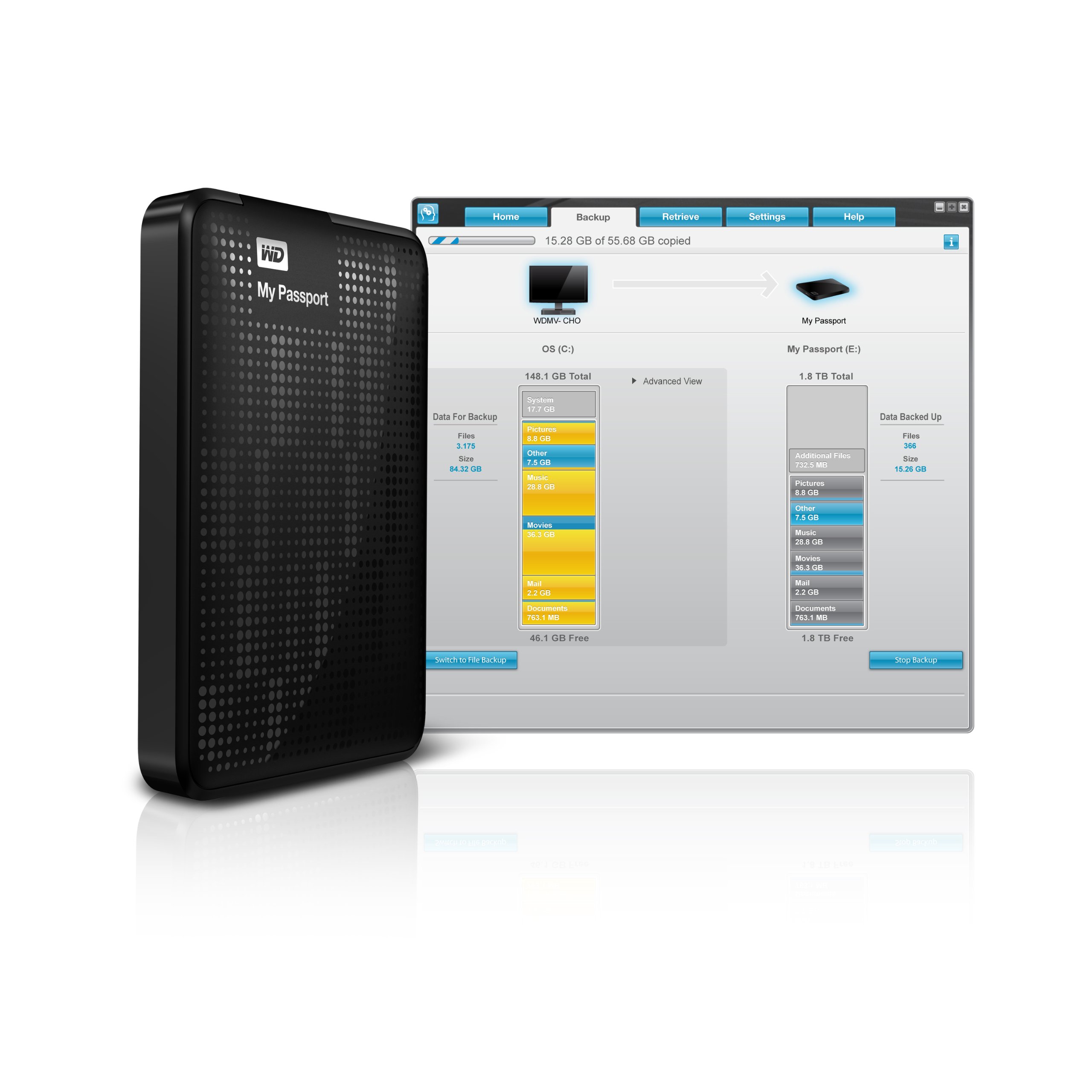
This is a long review, trying to be comprehensive.UPDATE, 12/14/13: I now have four reds and one black of these drives; the reds are 500 GB and 1TB; the black is 320GB. Now get this: when the drive is plugged into a 2.0 USB port, and say it has 80 GB to clone (in Macrium, for example), so that means a straight copy at low level: it takes over an hour; usually, 90 minutes or so. But 40 GB plugged into a 3.0 port (on the computer, won't be 3.0 unless the COMPUTER port is 3.0, not merely the hub) -- plugged into a 3.0 port, eleven minutes! I just did this, k? Same exact function, cloning in Macrium, but half the amount to clone, since it's my Dell Latitude 6530 laptop (which has one 3.0 USB port on the right). Eleven minutes!Notice the implications: if you can wholly CLONE your drive in 11 minutes, then you don't need to worry about backing up. The problem with cloning is that it takes so long; so, many recommend backing up, still; for an incremental backup (at least in Macrium) can do a 500GB drive in five minutes (I do it every day, Macrium makes it easy).Okay, even with Clonezilla, a 2.0 port clones 70GB in 20 minutes (well, that's the disk size; the actual pristine Windows stuff is about 35GB, excluding docs). I don't know if Clonezilla recognizes 3.0, I think sourceforge has upgraded it now, will test.But everyone has 11 minutes to wait. Go to the bathroom, get a cup of coffee, check the web weather, done.Eliminate that wait problem, and you can survive on clones alone, excepting for your own docs; which of course if you're sane, you always back up before and after you edit them.I also purchased two blue of the Ultras on Cyber Monday, because they were cheaper. But they are also thinner, have more vibration, so I'm going back to these classic 3.0 WD Passports. And, yes MAYBE replace the cord as noted, next. (It's not always necessary, to replace the cord. I can use the original cord on my lappies.)UPDATE, 3/22/13: I replaced the cord with Tripp Lite blue hi-speed USB 3.0 (purchased here in Amazon), and it works fine.UPDATE, 02/04/13 and 1/31/13: I just bought a fifth WD Passport drive at 320GB, besides 2@ 1TB red, 2@500GB red. The cord issue others report is indeed a fit question, so periodically check the fit of the cord both into the USB, and into the drive itself. It helps to have the USB plugged into a power source other than the computer, if it is over 500GB. A smaller size drive isn't a problem. I also have several WD at 250K, two of them self-powered, one being powered solely from the hub. None of them require two USB ports for juice, nor would I ever recommend using any drive that way.HOWEVER, I just used its own cord to clone the drive -- cord is THINNER on the 320 GB versus the 500 GB -- the latter's thicker cord has problems. But with the 320 GB I cloned my Dell laptop, Latitude 6530, internal hard drive, using the Dell's own separately POWERED 3.0 port designed for charging smartphones, etc. Cloning 36 GB took 16 minutes. Impressive. That includes partitioning. I did this via Macrium Reflect 5 Pro, so maybe its software makes the clone go faster, I don't know. This was on Win7 Pro, 32-bit. The reports on the red drives below, were used on XP Pro 32-bit. The OS matters.This update (prior to 'December', below) is meant also to add that the black WD drive in the picture is somewhat misleading. In the picture, there appear to be air holes in the top. No holes anywhere. The top is patterned like holes, very attractive, mix of Chinese black laquer sheen and matte. Very pleasantly surprised, as normally I'm sick of black. (What, don't computer makers know our walls are generally pallid, and we don't like seeing snaky stuff all over? Someone could make a lot of money retooling the colors of peripherals, monitors and computer chassis to milk white, like they're doing at Apple, hint hint! More red and blue and even forest or jade green would be nice, too. Or if you can do it -- that nice light pine.)Back in December, I started to experience the no-recognition problem others report, on the third (red) one in the report below. As you'll read below, one of the reasons for that problem, is the fact that a big drive like this needs more juice, so instead of hooking it to the back of your computer, you'd be better off hooking its lone USB dongle to a separate POWERED hub, i.e., on a hubbed monitor like the Dell 1905FP, 2010 Ht, etc. Right now, I'm using the latter (widescreen) monitor. But the drive, though lit up on the WD, still wouldn't register in XP Pro. So then, you have other troubleshooting: is it the cord? Maybe static buildup? Maybe the USB port itself? In my case today, it was #2 and #3. I unplugged the cord from BOTH the drive AND the USB port on the monitor, then plugged it into a different USB port on the monitor, and nothing happened, no recognition. Then unplugged both from monitor and drive, waited a bit, then plugged back into the original USB port on the BACK of the monitor, where it was before. Voila! It worked! Then, plugged in a flash drive into the side USB port which didn't work, and lo and behold, the PORT wasn't registering the flash drive, which I knew worked. So, replugged the flash drive into my computer, and now the drive registers.In short, sometimes a static charge builds up between cord and drive, which then causes the USB port to be unable to read. So it's not the drive's fault, not the cord's fault, but the CONNECTION. So you 'burp' them by disconnecting, waiting a bit, changing what's plugged in, and then reconnecting as before. If that doesn't work, try rebooting, because there's a static problem sometimes in the computer's other connections. This is especially true in XP: if one drive or port isn't reading right, ALL are affected. So that's an OS problem, again not the drive or your cords; in which case, if you can't get it to work, you power down, unplug the computer's power cord, wait, then replug and turn on again. For in Windows, the PRIOR STATE doesn't clear out properly unless you unplug and wait. It's a flaw native to the OS. Sigh: I wish it were easier to figure out, but at least you can go through troubleshooting steps.If these don't work, then get some 'live' Linux distribution as a CD or USB (many sold here in Amazon), boot using it, and see if your drives are recognized. If yes, then you know the drive is fine, but it's an interaction problem between your version of Windows and the drive. Here, that has some particular relevance: the driver Windows needs for this drive is 'SES', and Windows even knows that, so make sure that's the driver you're using. If not, then update the driver via Windows Driver Update.Finally, the report above and below, references USB 2.0 ports, not 3.0. I can't report on 3.0 interaction. The WD is designed for 3.0 USB ports.Original review follows below (at the === marks). I didn't change the number of stars, due to the WD cord; it's too stiff and too short. It can be replaced with a cord here in Amazon. I don't use its backup software, so my review excludes that.OH: and for cloning, get Clonezilla. The CD is only $8 here in Amazon, but they also sell two flavors of USB booting clone and backup software. It's a Linux product, but it does well with Windows. When my Windows 7 machine crashed, the only way I could restore it was to clone back the drive I made using Macrium, via Clonezilla. (Even Macrium hadn't worked.) Of the two USB versions of Clonezilla, I'm getting the bigger one ($60), even though I have the CD. I don't know the difference between the two USB versions sold here. Yet.==================This is the third WD red Passport I've bought for my XP Pro machine. This one just arrived today, 1 TB. I bought two 500 GB drives a few weeks back (or less). The first time you plug one of these in, XP can't recognize it, but if you let it search for the driver, it will recognize 'WD SES device' and install the right driver. After that, you don't need to install the driver for your other ones. For example, I'd installed the first one and didn't even need to go through the driver step. Then when detaching it and the next day attaching the other 500 GB, I got the infamous message for a need to install a driver. I hit cancel, and XP could still read/write to the 500 GB. But the backup program I was trying (then Rebit 5, which I've uninstalled, see my review here in Amazon) -- couldn't read the drive.So, I unplugged it, then plugged it in again, and let Windows find the driver for me. This worked well.Today, the new 1TB came in -- really 931GB, why I don't know -- and I just now plugged it in, voila! Windows recognizes it, and ready to use! I have no idea what's the speed of the USB port, but I suspect it is 1.1 or at best, 2.0 . I can never tell from System information or any other device reader on my machine, which USB port has what speed. But I got no warning from Windows that the speed was too slow for the device.For I plugged this puppy in my monitor's USB, which is 1905 FP /1707 FP Dell with USB hub, both of which I bought here at Amazon, used. That saves power consumption on the computer. (When you have a big drive which is USB connect only, plug it into something with a separately-powered hub, not directly into the computer. Make sure the separate hub doesn't have too many USB ports: 2-4 is okay, but not more.)Cord length is way too short. They need to add about 3-5". Since the cord is proprietary, not a typical USB cord, that's a significant minus. I'll try plugging the drive into a USB extender I also got here at Amazon.. yeah, it registers fine, even with a USB extender (I used AmazonBasics meter-long cord)! No lag when accessing the device properties or doing files. UPDATE, 8/2/12: I've crammed the thing now with files, deleted, automated backups daily, etc. Lots of activity. Neat thing about this drive being hooked up to a monitor hub, is that when the monitor goes to sleep, the drive doesn't. When the root drive goes to sleep, the drive does. It's asleep, if its little bluish-white light, flashes. If you want to turn it off, just turn off the power button on your monitor, or unplug it from the monitor. Very convenient, versus USB hookup at the back of your computer, especially given WD's short cord.I don't use the WD software on the drives, so this review doesn't cover that stuff. I'm not a fan of syncing software.For disk cloning and backup software -- disk cloning is the ONLY way to get quickly back up-to-speed when Windows crashes -- I'm newly happy with the latest Macrium Reflect 5 Pro; and long happy with the earlier Retrospect Express 6.5. The latter came with my big old WD 250 GB drive, purchased new in 2006, which is backwards-compatible with Win98SE. You can get Retrospect Express (no longer sold new), here in Amazon.
D**E
The hardware works fine!
This external hard drive does what it is supposed to: write, store, and read back large quantities of data at high speed. It must also do so reliably for a period of years, but at this early stage I cannot vouch for that. Ease of installation is also essential; a mass storage device should be completely plug-and-play; and it is helpful for it to be preformatted--this one is formatted NTFS for Windows XP and above. These are all the qualities that I want in such a device, but this drive also provides a couple of bonuses: portability and backup software. Although I use the drive with a desktop, portability, i.e. small size and ability to be powered from a USB port, are nice to have anywhere; not having to have an extra cable with a transformer plug that takes up a lot of space on a power strip is a convenience to cheer.As to reliability over a period of years, I have only had my new drive for a week, so I cannot speak to that; however, I will try to make it a point to update this review should the drive fail prematurely (I expect about a five-year lifespan--knock on wood). Thus far, I have written 340 GB of data to it; and from it I have played back HD video (full-frame-rate, full-HD mpeg-type, not just Flash) without a hitch or a glitchAmong these reviews I noticed a lot of complaints about the backup software. They may very well true; and this is not to excuse WD; but I have to say that I have never met a backup program that I liked. Most, including some top-rated, have vital functions that simply don't work. I currently use Windows 7's own backup program; it isn't great--not much flexibility and control; but it's free, and it works (so far).My main motivation for writing this review is to try to provide a little help with installation, which should reassure prospective buyers disturbed by the experiences reported by some other customers. I said above that installing mass storage should be a simple matter of plugging it in, and under the right conditions that is all that this drive requires. But "under the right conditions" can be a big "if"; and a variety of issues can plague the installation of this drive as a USB 3.0 device. In my case, I had never attached a USB 3.0 device to my system before; and I found that Windows would not recognize the device when plugged into a USB 3.0 port. As a search on "WD Passport USB 3.0 Installation Problems" reveals, there are several problems that can occur; and dealing with all those is not the purpose of this review; however, I simply want to do two things: (1) reassure you that this device does in fact come with a good USB 3.0 cable, and that it transfers data at a considerably higher speed over USB 3 as compared with USB 2; and (2) to warn the buyer that (s)he may require a driver update for his/her PC. Regarding the first point, I am getting better than 2.5 times the data transfer rate with USB 3.0 versus USB 2. Regarding the second, the updated driver required will most likely be the one associated with the USB hardware on the motherboard of your PC; if you have problems using your WD passport on a USB 3 port, but not on a USB 2 port, visit either your PC vendor's website, or that of the maker of the motherboard, and do a search on USB 3 drivers. WD also provides firmware updates for its drives; but in my case at least, the Passport's firmware was already up to date as received.While I am in the business of giving tips related to the purchase of an external HD, be aware that if you want a hassle-free installation you might want to avoid drives with over 2TB of capacity. I, and others, have had issues, especially with Windows Backup, with 3TB drives. It turns out that the solution is fairly simple: use the WD Quick Formatter tool (available on WD's website) *before* attempting to use the drive (reformatting will wipe out any data you've already put there). As long as you're willing to take that extra step, it's fine to get a 3TB drive; and I have had no further problems with a 3TB drive. To be clear, the drive I am reviewing here is a 2TB drive; but I just thought I'd throw in this extra tip for people who are reading these reviews and are still undecided about what size to get.
M**O
Very compact and high storage capacity
My previous 1.5 To portable hard drive was full (a very good Seagate USB 3) and I was looking for a bigger one. The choice was very limited but I found this WD 2 To in UK (I leave in France). Received it quickly and very easy to use : just plug and play. My comments :Pros- it's 1.8 To and not 2 To but it's the same for all hard drives and it's a pretty high storage capacity- there is a password protection : good when you're traveling a lot- the USB 3 works well and is a plus for transfering big files- the device is very compact, even smaller than my previous 1.5 To driveCons- the drive is not protected by any soft/silicone part. Could be an issue for the hard travelers- the plug on the drive side is thin and looks fragile. No issue after one month of use but will see after extensive use.In summary, very happy with this drive : fast transfer and seems to be the biggest storage capacity at that time. Looking for a 3 To now :-)
A**I
Good but not excellent
There are two drawbacks in this hard drive:1. I rarely can use (Remove device safely). Most of the time, I shut down the PC (Windows7) to make sure that I don't lose something important or damage the drive. I tried few programs to make it happen without the shut down but none of them worked with it.2. Cable is not standard. It has micro usb and a small extension right beside it for power. It looks like letter B with one slot smaller than the other. If you lose the cable, you cannot just use any other USB cable in the house and you will have to buy one that fits (not sure if it is an easy job). I wish I had a USB-microUSB cable at home to try to see if it will work with it but i doubt it will.Other than that, it is good. Fast enough for me and when it is not used it goes into standby mode to save power and pause the spinning noise.
N**K
Product works as expected with minor glitch
This hard drive worked reliably as expected. The led on the front of this unit is extremely bright. I had to turn it away from me while using this product. I currently use this product with a Toshiba L300D laptop and when this external hard drive is connected to the laptop, the laptop suddenly shuts down after about 3 hours of use. I suspect that the laptop is confused when the external hard drive is connected. The laptop fan does not seem to work properly when the external hard drive is connected, this happens after about three hours of use. I believe it is a design problem with my laptop, not the hard drive, as my laptop also had some design issues with it's video card. In short you may experience some problems using this product with a Toshiba laptop. My personal experience is that this hard drive is a good product.
A**O
Solid performance, reliable record - go for Western Digital!
This is the second external Western Digital hard drive I've bought for myself, and I've also bought a couple for other people as gifts. Their hard drives are no nonsense, easy to use and reliable. I also love these little Passport drives for being so compact and not requiring a separate power cord. Great portability.I bought this one for use with my new MacBook Pro, and am very happy with the speed offered by USB 3.0. If you don't want to spend the money on Thunderbolt, go with USB 3.0 - just check to make sure your PC supports it. Of course, these are backwards compatible with USB 2.0, so if you just want to be a little future proof, you can't go wrong here.It's a product that'd work with PC, too.Highly recommended, whether you need a backup drive, or just something to ferry around larger files.
M**W
Gets the job done
This is great to use as a backup, even though I have not used the software included. The only complaint is that the cable included is extremely short. If you are thinking of running this from behind your computer tower onto your desk then you will need an extension USB 3.0 cable since the other one is way too short. IF you want to use it as a portable drive for a laptop then the cable is the perfect length. Other issue is the LED constantly blinks when in standby mode which can be a pain at night. But that's an easy fix, some electrical tape to cover it. Other than that the drive works, and is reasonably fast.
Trustpilot
2 weeks ago
1 month ago