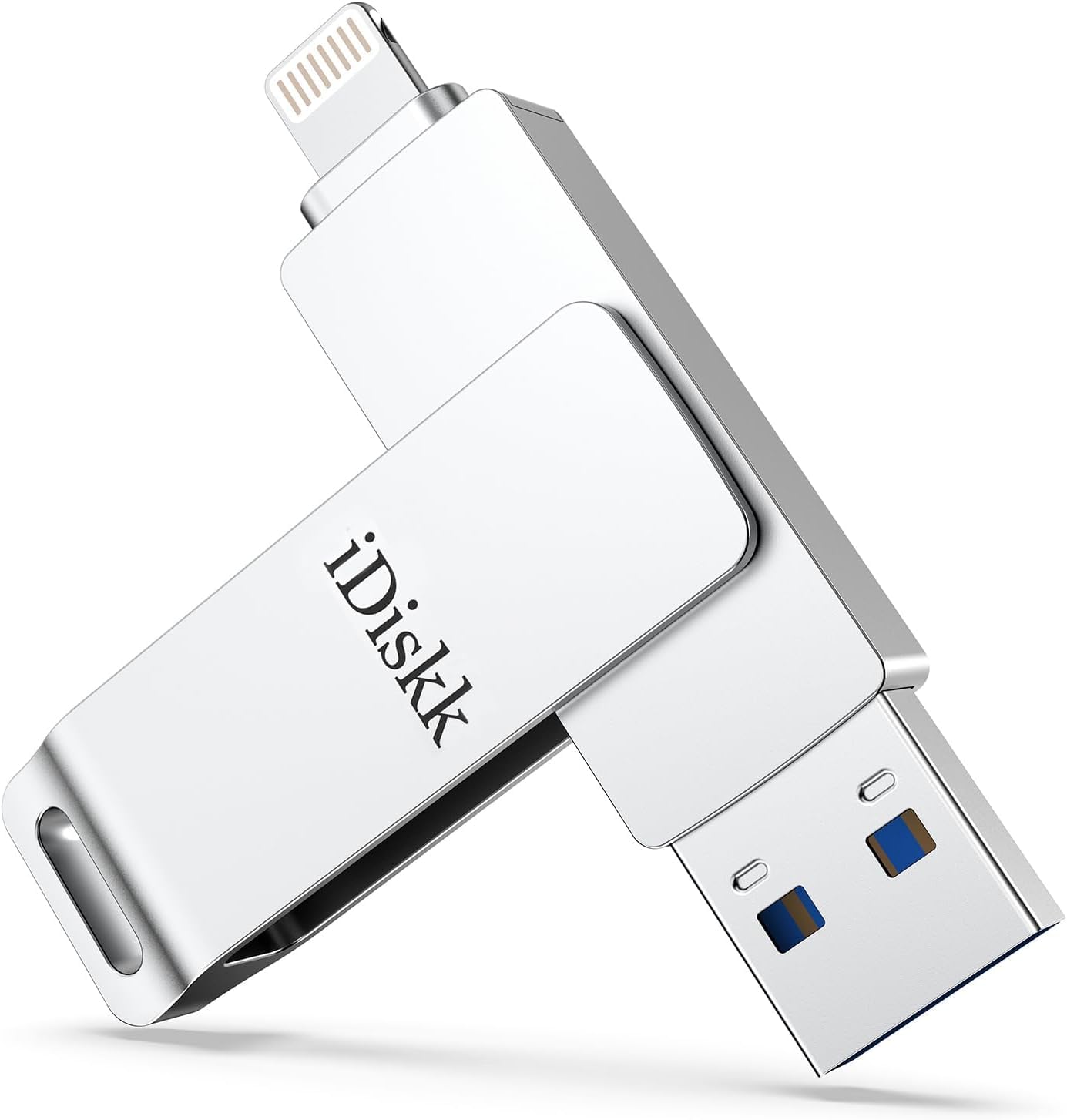


🚀 Free your iPhone, fuel your life with instant storage power!
The App-le MFi Certified 128GB iDiskk iPhone Flash Drive is a sleek, silver external storage device designed for iPhone, iPad, Mac, and PC users. Featuring a certified Lightning connector and USB 3.0 speeds up to 150MB/s, it offers fast, reliable transfers and automatic backup of photos and videos via the iDiskk app. With 128GB of storage, it frees up device memory without cables or iCloud, while supporting direct playback of multiple video and audio formats. Backed by a 24-month warranty, it’s the perfect companion for professionals seeking seamless, secure mobile storage.


| ASIN | B01N1UXH7S |
| Best Sellers Rank | #206 in USB Flash Drives |
| Color | silver |
| Computer Memory Type | DIMM |
| Connectivity Technology | USB |
| Customer Reviews | 4.2 4.2 out of 5 stars (11,043) |
| Date First Available | December 22, 2016 |
| Flash Memory Type | USB |
| Hardware Connectivity Technology | Lightning |
| Hardware Platform | Mac, PC |
| Is Discontinued By Manufacturer | No |
| Item Dimensions LxWxH | 2.5 x 0.5 x 0.04 inches |
| Item Weight | 1.41 ounces |
| Item model number | Mini3.0-128GB-S |
| Manufacturer | iDiskk |
| Model Name | iDiskk-U006-128GB |
| Number of Processors | 1 |
| Product Dimensions | 2.36"D x 0.55"W x 0.35"H |
| RAM | 128 GB |
| Read Speed | 150 Megabytes Per Second |
| Voltage | 0.01 Volts |
J**Y
Free up space from “photo overload” on your cell !
This shiny silver device worked well once the user become familiar with the software. Photos load fast and transfer quickly to the drive; once transferred to the drive, they can be erased from one’s iPhone to free up space. The device is sleek and manipulates well after use, to protect the ports. The instructions are in English, are fairly understandable unlike others from overseas.
C**R
Nifty but not enough
Item works as advertised but didn't realize it's impossible to create a full backup of a phone with any of these drives. Was hoping to be able to backup phones on the fly as i work with many at once.
T**Y
Can't delete stuff when it transfers
Cons: 1. This doesn't have an option to automatically delete the stuff you are transferring over. Example: I needed more room on my phone, so I got this. But every time I move 100 videos to this external thumbdrive, I then need to go back and get those exact pictures off of my phone to delete them to create space. It's a nuisance. The workaround is that I've created an album on my iPhone and it is called "Videos to Computer". Every time I need to move a bunch, I first add them to that album. Then I copy and paste them to the thumbdrive. After they successfully transfer to my computer, I go back to that album and delete them (not just from the album but from all locations on my phone). 2. One side of the thumbdrive is always exposed due to the way that the thumbdrive flips over itself to cover one side at a time. It hasn't been an issue to me personally but I could see it bothering some people. Pros: 1. It is pretty quick and easy to use. More or less like any thumbdrive but with the app for the iPhone that makes copying and pasting easy. 2. It's compact so I keep it in my purse for whenever I need to create extra space on my phone. 3. The one I bought has quite a bit of storage so it's nice to free up a good amount of space at a time.
T**E
Works well for iPhone SE to MacBook Pro
Works with iPhone SE to MacBook Pro. I had to format the idiskk for it to work. This is easily done in the settings menu. Now I can have more free space on my phone by transferring pictures and videos.
T**E
Really Easy to Use, App downloads when you plug it in
As a photographer, I’m constantly managing large photo and video files—and this double-sided 1TB USB drive has been a game-changer. The lightning and USB-C combo makes it super easy to transfer files directly from my iPhone or iPad and then back them up to my computer or external drive. If you’re someone who takes a lot of photos or videos (especially in RAW or 4K), don’t wait until your iPhone is full. Regularly backing up to a drive like this keeps your phone running smooth and saves you from that dreaded “Storage Full” warning right when you’re about to capture something important. Just make sure to safely eject and organize files as you go so your backups stay clean. Pro tip: Back up once a week, and don’t use your iPhone as long-term storage—it’s a tool, not a vault. Highly recommend for creators and everyday users who want an easy, on-the-go solution to manage their content!
T**K
warning for PC owners editing iPhone video files imported via this flash drive to your PC
For the last few years, I have been editing video on my PC from shows I attend. Eventually, I arrived at the iPhone as a necessity as it can handle 'loud' concert audio with minimal to nonexistent clipping or distortion. The 'rub' is getting the files from the iPhone to my PC. More often than not, these files are HUGE as I often let the phone record the whole show. In order to get the video files off my phone, I had to use a cable to attach the phone to my PC USB, which often took a long time, sometimes hours because if the download failed, I would have to reboot both the iPhone and PC and start the download again. For a show, this sometimes took hours of rebooting and restarting the download. So I discovered this, a flash drive w/ an iPhone/USB jacks I bought the 265gb. Initially, out of the box, the instructions seemed pretty straight forward. You have to download an app, a pop up opens to go to the App store the first time you plug the flash to your phone. After download, I tried transferring one 1.3gb file. In the app, you chose the file you want to transfer, then 'copy' it. Moving it to my destination, my PC, I select the PC and paste it. It took a few minutes, but so far so good for the file to download. The issue came when I tried to run the file that I transferred over from the iPhone. Even though it still reads as a .MOV or MP4, it won't play the VIDEO in the microsoft video player or Windows media player, you just hear the audio, but it will play in the VLC player. From what I gathered, Microsoft removed the HEVC video extension from Windows 10. My PC's w/ older operating systems can play this file with the regular windows players but my newer PC w/ Windows 10 will not. Turns out you have to buy the codec from the Microsoft store for $0.99 to play the video on your PC w/ anything other than a VLC player. For video editing, I had to also shell out $5.99 to get the codec in order for my editing software to recognise the file :P. Again, the older version of my video editing software was able to play this file, but my upgraded newer software will not play it at all. So that's the warning. Even though moving the file from my iPhone to the drive was pretty straight forward after you install the app. Somewhere along the lines, the file gets changed to a different file requiring an HVEC video extension to play. My editing software can handle the files I download directly (by cable) from my iPhone to my PC, but the same file that I transferred using this flash drive has been converted and you will need to get the HVEC extension (unless you've downloaded the VLC player, which will play it) *** Extra Extra Warning, there's a limit to the size of file you can upload to the drive. I was able to move a 1.3gb file in my above review, but when I tried to upload larger video files to the flash drive, I got a warning that the file was too large. I haven't found anything to say what the max file you can upload, but it kind of defeats the purpose of getting the 256gb flash drive when you can't move large files (nowadays, files are HUGE) if you are limited by the file size you can upload. The video I was able to upload onto the flash was 23 minutes long. I was unable to upload a 30 minute file video :P Dropped my rating from 4 stars to 3 stars. It still works fairly well as a flash drive to pull smaller files off your iPhone (though the conversion of a video file is annoying), but now I have an over priced iPhone flash drive that won't do what I hoped it would do when I purchased it....back to the hours of trying to download from my iPhone via cable :(
J**M
Storage stick
Arrived quickly. Stores a lot of pictures.
I**A
Muy fácil de usar!
S**R
Great product to backup photos and videos. Quickly downloads and have an option to delete if want to from phone to provide more space. Would buy again if needed.
ゾ**ゾ
・たまに読み込みエラー ・アプリのTouch IDセキュリティがUSB側でPCに差し込んだら意味ない ・フォルダ名の設定で禁則処理があったら説明なく読み込み失敗になる ↓ のような不満点は確かにあったけど、それぞれ対処は可能だし、何より ・Lightningに挿したらすぐに読み込んでくれる ・転送の状況がファイル数のパーセンテージで出て直感的にわかりやすい ・PCからも編集可能で複数本でのデータやり取りもできる ・純正のUSBリーダーやSDカードリーダーより読み込みが早い(体感ですが) というメリットの方が勝って、複数本購入しました!
R**Y
The storage unit worked first time.
S**T
Love these! Easy to use! Packs heaps of storage
Trustpilot
2 months ago
2 weeks ago



