We remain fully operational. Our teams are working around the clock to ensure your deliveries continue safely.

DOWNLOAD THE APP


Customer Services
Copyright © 2025 Desertcart Holdings Limited
DOWNLOAD THE APP


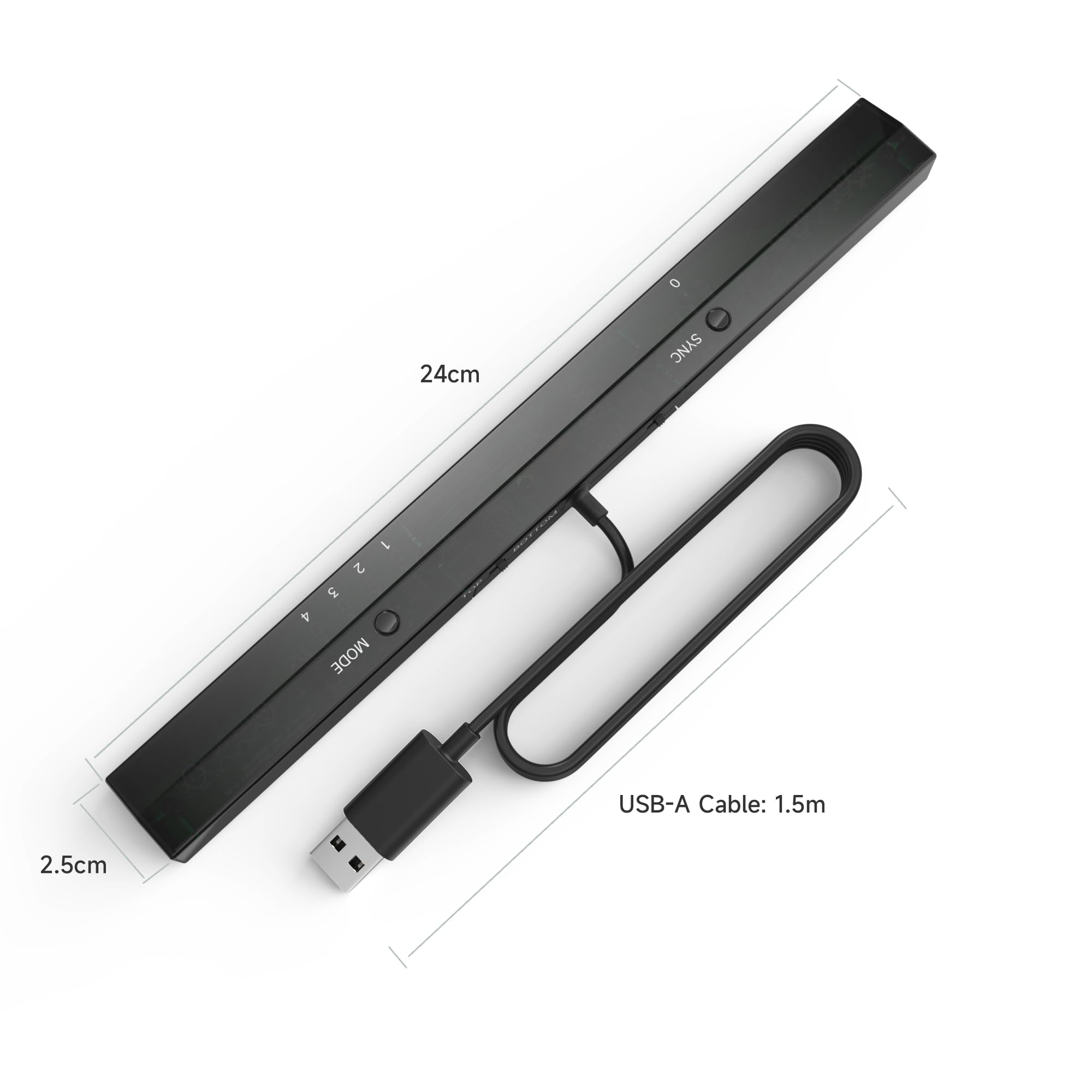
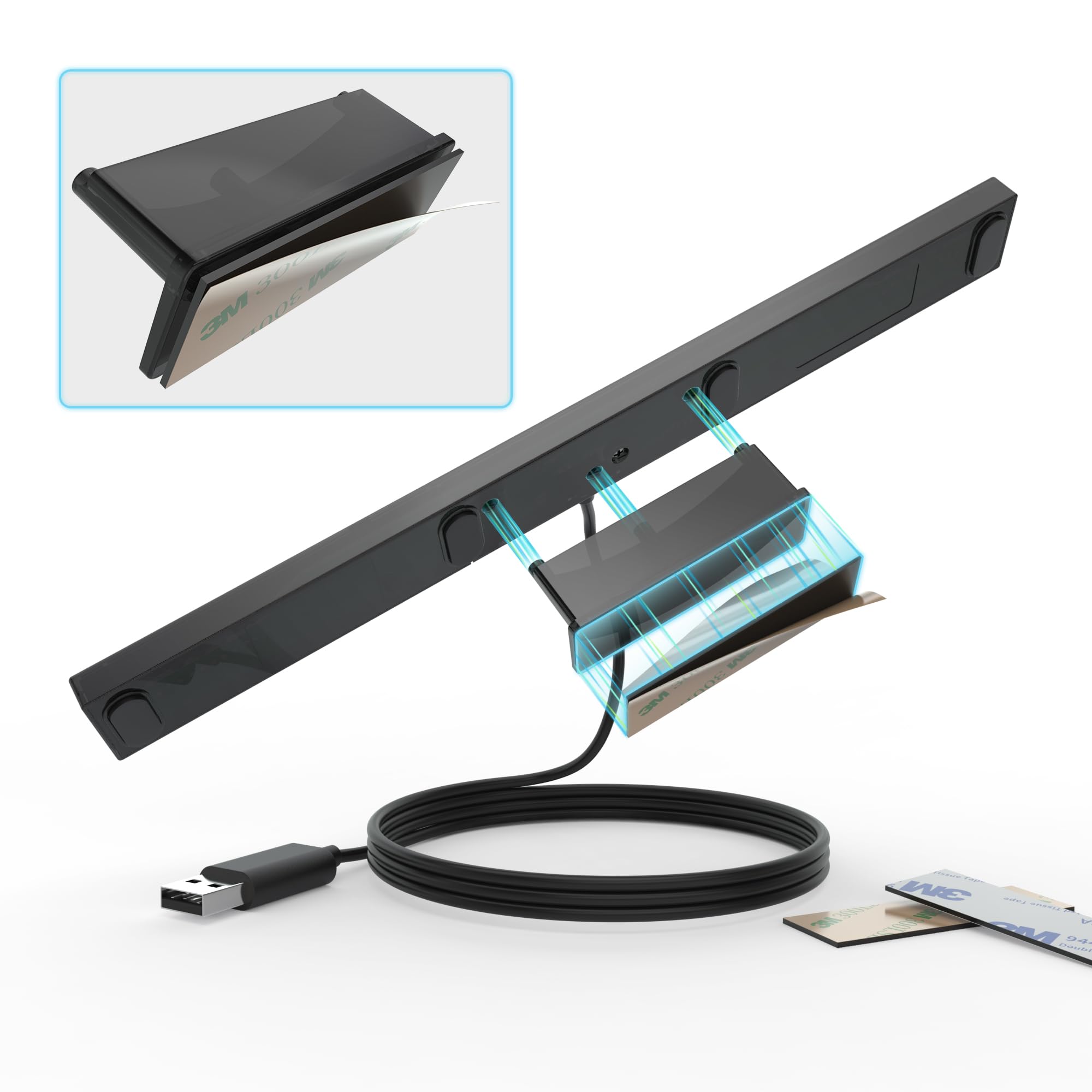


🎯 Level up your PC gaming with authentic Wii control—no compromises, just pure nostalgia!
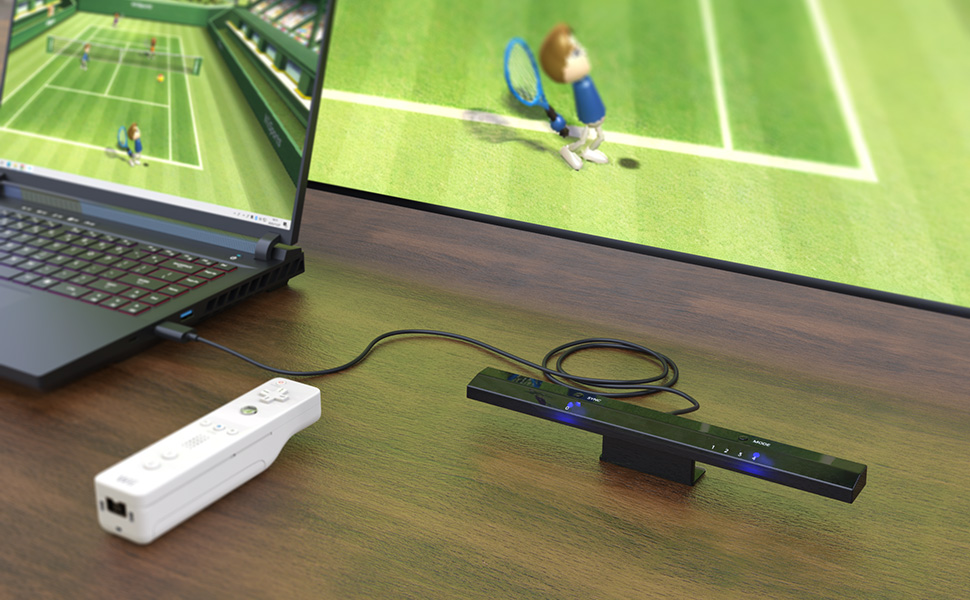
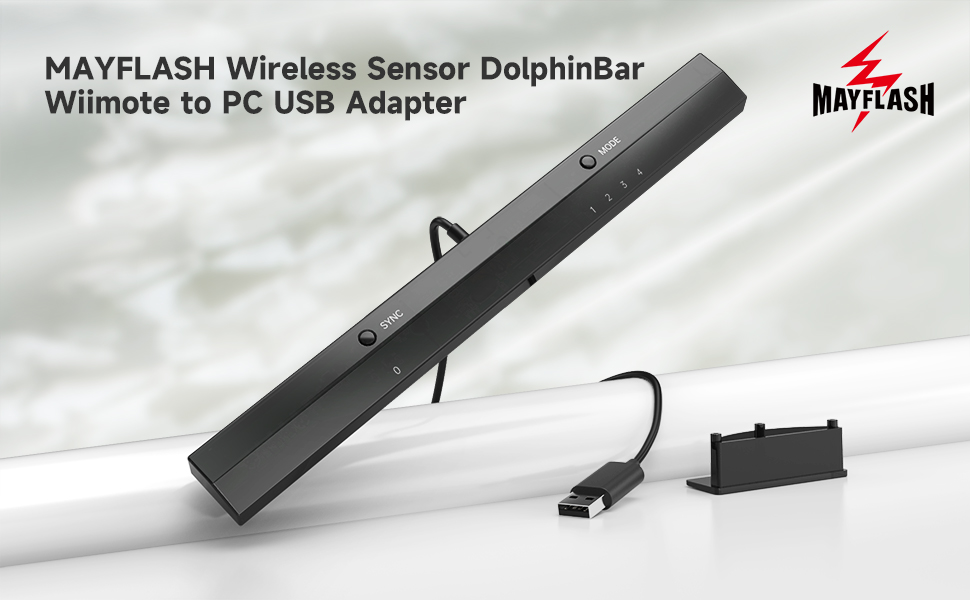
The MAYFLASH W010 Wireless Sensor Dolphinbar is a USB-powered adapter that connects Wii remotes and compatible controllers to Windows PCs via Bluetooth. Designed for Dolphin emulator users, it offers precise anti-shake cursor control, supports multiple controller types including GameCube via adapter, and requires no drivers—just a quick firmware update and mode 4 setting for flawless performance.


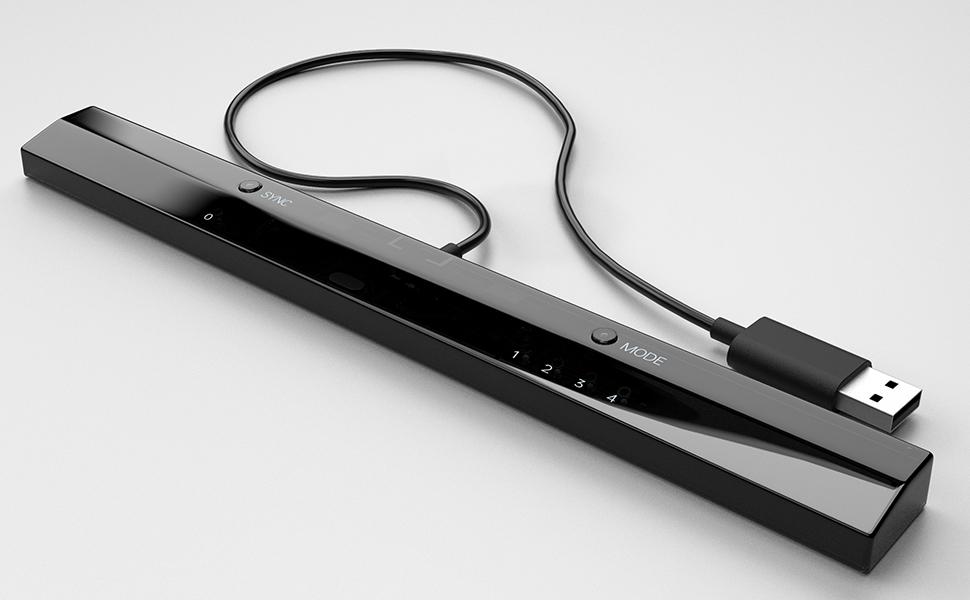


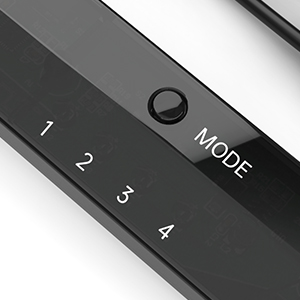

| ASIN | B00HZWEB74 |
| Best Sellers Rank | #419 in Video Games ( See Top 100 in Video Games ) #1 in Wii Sensor Bars #103 in PC Accessories |
| Brand | MAYFLASH |
| Color | black |
| Compatible Devices | PC |
| Connector Type | Bluetooth |
| Customer Reviews | 4.6 4.6 out of 5 stars (5,443) |
| Global Trade Identification Number | 06902201312255 |
| Item Dimensions | 10 x 1 x 0.7 inches |
| Item Weight | 5.34 Grams |
| Manufacturer | MAYFLASH |
| Model Number | W010 |
| Number of Ports | 1 |
| Package Quantity | 1 |
| Power Plug Type | No Plug |
| Specific Uses For Product | gaming |
| Unit Count | 1.0 Count |
| Warranty Description | 30 DAYS |
R**F
This is what you want--just be sure to download the right version of Dolphin and set to mode 4
I lost my Wii in a divorce back in 2011, though at times I missed it. I didn't miss having another power brick; I didn't miss finding a home for another gizmo; and I didn't miss component cables. I've been HDMI only since then, and while there are some adapters that let you use a Wii via HDMI, this allows me to use my HTPC to run the Dolphin emulator. Dolphin is free (as in speech), works very well, and though it works with any controllers (can emulate Wiimotes or GameCube controllers using anything that works on your PC), it allows you to use authentic (or knock off) Wii controllers. Wii sensor bars are a misnomer, as the bar does no sensing (the Wii remote does that), but they need power for their USB emitters. Wireless sensor bars work, as do any number of other solutions, but this is among the best. That's not the magic bit, the reliable Bluetooth connection for Wii remotes is what's special. There are other solutions, but not cheaper nor easier. This is what you want. Setting it up is kinda easy once you know what to do. It took a bit long to figure out what to do, so let me help you. Note I didn't bother with the included CD for a variety of reasons (notably I don't have a built in drive on my machine). * there is no driver required nor available. Try as I might to find one, it doesn't exist. * there is a firmware update, and as it's tiny and easy to install, we'll start there. 1) Download the firmware update at http://www.mayflash.com/support/download/ (look for W010 Wireless Sensor DolphinBar MAYFLASH DolphinBar) 2) Unrar it (need to do this twice) and run updater (note sensor bar not plugged in) 3) while holding synch, plug sensor bar into usb port (a good quality extender should work, but unpowered hubs not recommended) 4) after plugging in and releasing synch, option to install firmware will pop up; Update firmware (take a second, as it's tiny) 5) there's a hardware switch for above and below TV placement on the back of the bar (never seen one of those), so fill that out. Also change to mode 4 6) Make sure your copy of Dolphin is a recent one from dolphin-emu.org (not dolphin-emulator.com--that caused hours of issues!) 7) Pair Wiimote(s) and everything should work with default settings. You may want to verify "continuous scanning" is enabled on the controller settings (I believe it was defaulted to on). * note that the Wii Remotes will automatically turn off in time, but using the power button will turn it off sooner. * all accessories (classic controller, nunchuck, etc...) should work * four controllers should work * I got 90-95% OEM Wii sensor bar performance (it has a harsher cut off than I recall, but when pointed at the screen, it works great). * remember that Dolphin like a Wii has a software setting for above/below TV placement * the cable is disgracefully short, though it does kind help in cable routing, as you basically run the extender cable to the TV and plug this in there. I had no issues with a quality (though only $6-8) USB 2.0 extension cable. There are reported issues with unpowered hubs. My biggest hardware issue came from not knowing what mode to use (If everything else wasn't so good I'd deduct a star). 1&2 aren't really for gaming. 3 kinda works, but it's not what you want. Choose mode 4. Note you can change modes with the Wiimote (press home and the D pad--each direction corresponds to a different mode). The biggest issue overall is downloading from the wrong site. It's latest version wasn't recent and simply wouldn't work. Use mode 4 and a recent version from dolphin-emu.org, and you should be fine!
A**R
Works Perfectly
This product works great with Dolphin. Setup is fairly easy: - Connect Dolphinbar to computer (I used a USB hub but other people have reported issues with those but none for me) - Make sure the Dolphinbar is set to Mode 4 - Press "Sync" on your Wii remote and the Dolphinbar. Now your Wii remote is paired with your computer. You do not need to go into bluetooth settings on your computer at all. -Open Dolphin emulator. Click the "controller" icon in Dolphin. Set "Emulate the Wii's bluetooth adapter" under the Wii Remotes section. Select "Real Wii Remote" from the dropdown and you should be all set! (I also clicked continuous scanning and enabled the Wii remote speaker). Long story short, it worked fine for me with little fussing about. The only issue I ran into was having to adjust its placement in my entertainment console. Two minor gripes: First, the unit has two prominent LEDs that are on. I don't think there's a way to turn them off. They're fairly noticeable sitting right underneath the TV. Second, the range is only about 10 feet or so before the Wii remote cursor starts wobbling and jittering on screen. It may not work well for use cases farther than that. This might be a limitation of the Wii remotes themselves rather than the sensor bar though. All in all, this product works exactly as advertised. Update: Several days later and this thing just continues to work flawlessly - it's fantastic. One thing I have learned is that the Wii remotes stay connected and powered on indefinitely - they will not automatically turn off (I've left them on overnight twice now). The solution is simply to hold the power button on the Wii remote, causing the controller to turn off but having no effect on your computer.
R**.
Works flawlessly
Works flawlessly. Just switch it to Mode 4 and you can easily start connecting Wii remotes straight to it. Then, on Dolphin, have the controller set to "Real Wii Remote" and it'll work just like it would on a normal Wii. Great product!
M**G
Instant four-player fix in Dolphin
Worked perfect and amazing to game in Dolphin on both Windows 10, Windows 11, and macOS 16 Sequoia on my M1 MacBook Air. It has modes to emulate a mouse. Be sure to save the instructions and change it to “mode 4” which acts like a regular Wii Controller. In Dolphin I only had to set the controllers to “Real Wii Controller” for all four players to get some 4K Mario Kart Wii gaming action happening. I did not have to select the “bluetooth pass-through” option to get this to work. Highly recommended for anybody, but especially for those on macOS as modern Macs have trouble pairing more than one Wii Controller due to bluetooth handshake issues and the Wii Controller’s non-standard bluetooth implementation.
A**S
Great product, but kind of difficult to set up.
This worked great for me. It let me play Wii games on Dolphin Emulator with a real Wii remote. It was kind of hard to set up and I had to look up some tutorials on it, but once I got there it worked flawlessly. However, after long use, the infra-red light went out and I can’t use it as a sensor bar anymore. However I found an easy fix for it with just a plain USB sensor bar that I bought. Found it on Amazon too, but you gotta make sure it is USB and not a Wii sensor bar replacement, since your computer probably won’t have a port for the regular Wii sensor bar. I just used that as the infra-red light I needed and used this mayflash bar as the connector for the Wii remote and it worked great!
J**A
Llego en buen estado, tardo un poco pero funcionan correctamente tal cual como un Wii, probé solo con wiimotes originales además que con este accesorio ya no ocupas un módulo bluetooth adicional, desconozco si también funcionan con terceros, solo he probado en SteamOS y todo correcto. Recomiendo leer el manual antes de usar, tiene varias configuraciones
B**D
It’s working fine except the IR it’s working with lots of issues that’s why it’s 4 stars
K**I
Product received in good condition . Thks
B**7
Excellent
G**E
En pleine conception de borne d'arcade, il me fallait un lightgun sans fil, qualitatif, fiable, et si possible avec vibrations et pas trop galère à paramètrer. J'hésitais entre le EMS Topgun III et le Aimtrak Ultimarc, chacun ayant des défault par rapport à mes besoins, avant de tomber sur la Dolphin Bar, tentante pour son prix comparé à un vrai lightgun. Honnêtement je m'attendais à claquer 20E pour rien, malgré les bons commentaires ici et là. Pour (essayer) d'être bref: ce produit est une petite merveille. Non pas qu'il soit révolutionnaire, c'est juste que ça fonctionne très bien et que c'est bien fait, bien pensé, bref fiable. INSTALLATION: Tout se fait en 2 min montre en main, on branche la barre, on synchronise avec la wiimote, terminé. Le côté plug and play n'est pas un mensonge commercial, ça tient bien la route. PARAMETRAGE: La Dolphin Bar offre tout un panel de mode allant de 1 à 4, émulant soit un joystick en Direct Input (j'utilise pas ce mode) , soit un clavier/souris (nickel pour le lightgun), soit une wiimote (utile uniquement pour l'émulateur Dolphin dans mon cas). Vous aurez donc systématiquement un mode qui correspondra à ce que vous souhaitez faire et paramétrer. UTILISATION: C'est simple, cette miséreuse barre ne m'a pas laché sur une seule config: PC, Sega Model 2, Sega Model 3, TeknoParrot, MAME, Dolphin, tout fonctionne impeccable je m'y attendais pas. Alors oui il faut tatonner quelques heures pour tout configurer nickel, les joies de l'arcade quoi, mais au final tout tourne nickel, maintenant j'attrape le pistolet, synchronisation avec la dolphin bar en allez...10 sec, on lance le jeu et roule. LES + de la Dolphin Bar: . Le prix: 40/50€ le lightgun en tout (Dolphin Bar + Wiimote avec motionplus + étui pistolet) . La compatibilité au top (jusque là la Dolphin Bar a marché partout sur une petite dizaine de configs et de programmes différents) . La simplicité (vraiment plug and play) . Produit bien pensé (controle de l'interface Windows avec la wiimote, les 4 modes de la Dolphin Bar pour assurer dans toutes les configurations, changements de modes à la volée) . Fiabilité à court terme (0 plantages et 0 lag en une semaine intense d'utilisation) . Permet d'avoir un lightgun sans fil LES - de la Dolphin Bar: . Ou sont les vibrations svp ? Meme sous dolphin en mode 4 (wiimote), pas de vibrations. . DETAIL QUI N'EN N'EST PAS UN: la gachette de la wiimote est assignée au clic droit de la souris et non au clic gauche ! C'est le bouton A de la wiimote qui sert lui de clic gauche. C'est très mal fait surtout pour une configuration Lightgun, d'autant que les solutions pour palier au problème sont relou à mettre en place (obligé de faire un script Autohot Key activable à la wiimote et qui inverse les boutons de la souris à la volée). Au final ça passe mais qu'est ce qui vous a pris les gars d'inverser ces deux boutons c'est débile. . Solidité à long terme ? (nombreux reports comme quoi les LED IR crament au bout de quelques mois) CONCLUSION: La Dolphin Bar c'est super, n'hésitez pas, n'ayez pas peur, ce produit remplit bel et bien son rôle pour son prix, en étant fiable et polyvalent. On aimerait voir de tels produits plus souvent sur le marché !
Trustpilot
1 day ago
5 days ago