Some deliveries may take a little longer than usual due to regional shipping conditions.

DOWNLOAD THE APP


Customer Services
Copyright © 2025 Desertcart Holdings Limited
DOWNLOAD THE APP


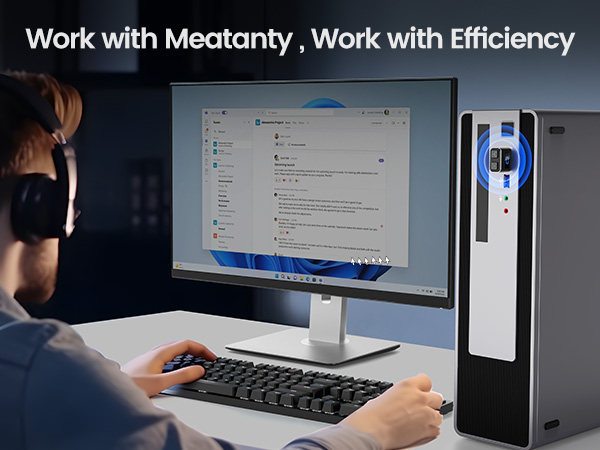
🖱️ Keep your status green and your workflow seamless with Meatanty’s stealthy mouse mover!
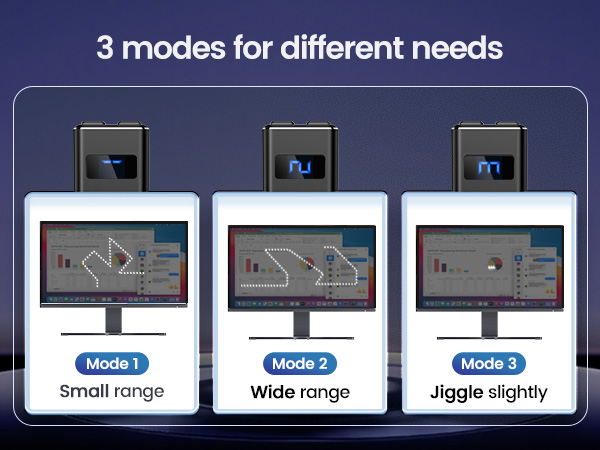
The Meatanty Metal Tiny Mouse Jiggler is a compact, USB-powered device designed to keep your computer awake by simulating mouse movement. Featuring a durable metal shell, dual control buttons for power and mode selection, and an LED screen displaying active modes, it offers three customizable movement tracks including an ultra-subtle jiggle that won’t interfere with your work. Fully plug-and-play with no software required, it’s compatible across major operating systems and recognized as a standard USB optical mouse for undetectable, secure operation. Ideal for professionals working remotely or anyone needing to maintain active computer status without manual input.





| ASIN | B09NVH8HVN |
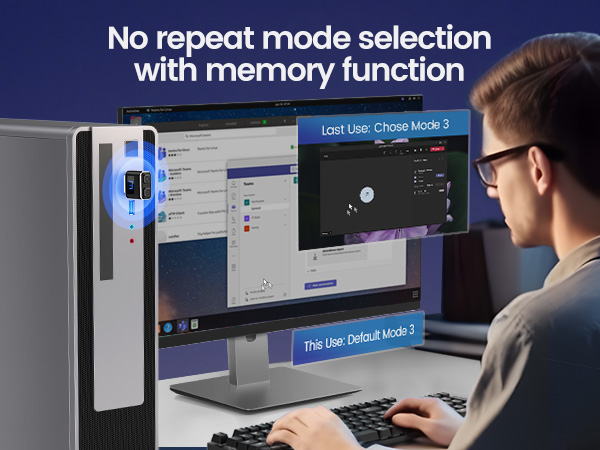
| Additional Features | Durable Metal Covering, It Remembers Your Setting, Mode 3 Will Not Affect Mouse Use, Separate Mode and ON/OFF Buttons, Visualized Digital Display |
| Antenna Location | Gaming, Office |
| Are Batteries Included | No |
| Are Batteries Required | No |
| Best Sellers Rank | #131 in Computer Keyboards, Mice & Accessories |
| Brand | meatanty |
| Button Quantity | 2 |
| Color | Black |
| Compatible Devices | Desktop computer, Laptop |
| Connectivity Technology | USB |
| Customer Reviews | 4.7 out of 5 stars 8,324 Reviews |
| Embellishment Feature | LED |
| Enclosure Material | Metal |
| Hand Orientation | Ambidextrous |
| Hardware Platform | Computer, Laptop, PC |
| Item Dimensions L x W | 1.3"L x 0.79"W |
| Item Weight | 6 Grams |
| Manufacturer | Meatanty |
| Model Name | Tiny Mouse Jiggler |
| Model Number | INPUT_MOUSE |
| Movement Detection | Undetectable |
| Movement Detection Technology | Undetectable |
| Number of Batteries | 1 AA batteries required. |
| Number of Buttons | 2 |
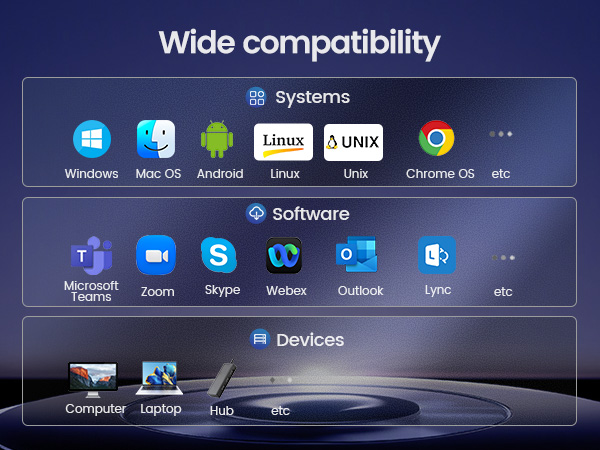
| Operating System | Chrome OS, Linux, Mac OS, Unix, Windows |
| Power Source | Corded Electric |
| Range | 3.0 meters |
| Special Feature | Durable Metal Covering, It Remembers Your Setting, Mode 3 Will Not Affect Mouse Use, Separate Mode and ON/OFF Buttons, Visualized Digital Display Special Feature Durable Metal Covering, It Remembers Your Setting, Mode 3 Will Not Affect Mouse Use, Separate Mode and ON/OFF Buttons, Visualized Digital Display See more |
| Style Name | metal mouse jiggler |
| Theme | Minimalism |
| UPC | 774336958273 |
| Warranty Description | 2 years warranty |
P**B
Works beautifully — and perfect for remote workers who need to stay “active”
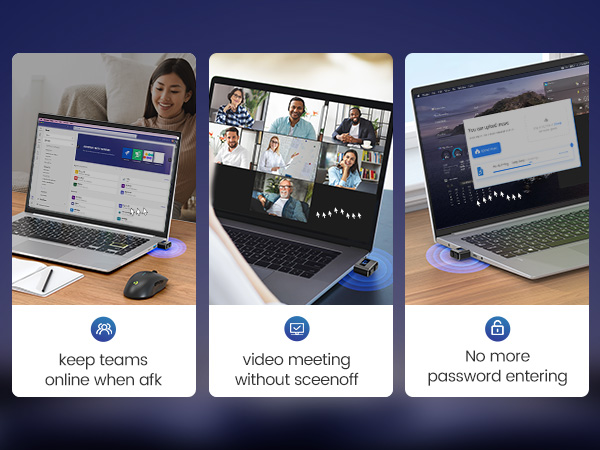
I’m going to let you in on a little secret: if you’re a remote worker like I am, stepping away for even a few minutes for coffee or a bathroom break doesn’t look great when MS Teams immediately shows you as “Idle.” It can give the wrong impression. This tiny Meatanty Mouse Jiggler keeps me online, prevents my machine from going idle, and works exactly as advertised. Other reviewers say the same—it's small, easy to use, has simple mode buttons, and just quietly does its job. Some people worry about “undetectable” claims, but for everyday use at home, it works flawlessly. And here’s the funny part: the first mouse jiggler I bought years ago came with a giant warning label that said “Not to be used in nuclear plants.” No such warning on this new unit—and it works beautifully. Compact, reliable, and a real lifesaver for anyone who works from home and wants their status to stay green.
J**2
Great mouse mover item
I was very hesitant of getting this item, but figured it’s $10 so if didnt work then oh well. Inserted into USB turned it on, no compatibility issues and no other actions and works like a charm. No annoying screen off , design is very simple and mouse movement is good not great as it is very subtle.
B**I
Keeps My Computer Awake (So I Don’t Have To)
My computer has a mind of its own and loves to nap — even with my settings changed, it would go to sleep way too fast. Enter this little gadget. The Metal Tiny Mouse Jiggler has been a lifesaver for staying “online” while I’m working through tasks that don’t need constant clicks. Setup was as easy as plugging it in — no extra software, no fuss. It just quietly does its job in the background. I’ve been using it regularly and it’s still working perfectly. The best part? It’s reasonably priced, feels sturdy for its size, and does exactly what it claims. Honestly, if I lost it, I’d buy the same one again without hesitation. Pro tip: if you’re juggling a lot of quick tasks or need to stay connected without your screen timing out, this thing is worth every penny.
M**E
Plug and Play, instant on/off, makes it look like I'm working all day!
This thing is hilarious! It keeps my work computer awake while I work from home. The Admin Rights for my computer are locked and set to always sleep after 15 minutes. Well, not with this little gadget! It was plug and play. It turns on the instant you tap the power button. It has 3 movement settings although I found the smallest movement was adequate. In fact, I can leave it ON while still using the mouse - the pointer is just a bit jittery. I wouldn't use my PC all day like that but for a quick refresh or an email check it saves time not having to turn off the Jiggler.
C**O
Perfect!
Works perfectly! I was tired of signing back into work laptop 100 times a day.
A**5
Three Modes, works great
This little USB-A gizmo plugs in, acts like a mouse, and moves your cursor once a second. It has three modes -- 1: slow move over your desktop, 2: faster move over your desktop, and 3: 'little-L' move that lets you use your normal mouse. It has a cute "race-track" LED pattern on its top when it's working. The goal here, is by giving Windows a once-a-second mouse move, it defeats the 'normal' Windows inaction sleep. This was disconnecting my VPN connection to a Linux system. With the jiggler, no more "windows sleep disconnect".
L**E
Great product
This is amazing!! I use the 3rd option and it works great. You can still use the mouse with this turned on and when you have something to do this still works. Highly recommend!
P**L
Perfect companion for remote / work-at-home employees
No setup required: just plug into a USB-A port and press the power button (a blue LED light indicates it's active). Completely discrete when running in Windows 11 and 10 (not tested in iOS).
Trustpilot
1 month ago
2 weeks ago