We remain fully operational. Our teams are working around the clock to ensure your deliveries continue safely.

DOWNLOAD THE APP


Customer Services
Copyright © 2025 Desertcart Holdings Limited
DOWNLOAD THE APP







Buy anything from 5,000+ international stores. One checkout price. No surprise fees. Join 2M+ shoppers on Desertcart.
Desertcart purchases this item on your behalf and handles shipping, customs, and support to South Korea.
🚀 Elevate your home network to pro-level speed & coverage
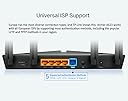
The TP-Link Archer AX23 is a next-gen Wi-Fi 6 router delivering ultra-fast 1.8 Gbps dual-band wireless speeds, enhanced by beamforming and OneMesh™ technology for seamless whole-home coverage. Equipped with a powerful dual-core CPU and 5 gigabit ports, it ensures lag-free gaming and 4K streaming. Advanced WPA3 security and versatile parental controls make it ideal for modern connected homes. Easy setup via the TP-Link Tether app means you’re online in minutes, enjoying stable, high-capacity Wi-Fi that supports multiple devices effortlessly.


| ASIN | B09VPRWGR7 |
| Antenna Location | Business, Home |
| Antenna Type | Internal |
| Best Sellers Rank | 3,256 in Computers & Accessories ( See Top 100 in Computers & Accessories ) 30 in Routers |
| Box Contents | Archer AX23 |
| Brand Name | TP-Link |
| Colour | black |
| Compatible Devices | Gaming Console, Laptop, Personal Computer, Smartphone, Tablet |
| Connectivity Protocol | Wi-Fi |
| Connectivity Technology | Ethernet, Wi-Fi |
| Control Method | App |
| Country of Origin | China |
| Coverage | Better Coverage |
| Customer Reviews | 4.4 4.4 out of 5 stars (595) |
| Data Transfer Rate | 1.8 Gigabits Per Second |
| Frequency | 5 GHz |
| Frequency Band Class | Dual-Band |
| Has Security Updates | Yes |
| Is Modem Compatible | No |
| Item Dimensions L x W x H | 26L x 13.5W x 4.2H centimetres |
| Item Weight | 0.76 Kilograms |
| LAN Port Bandwidth | 1000 Mbps |
| Manufacturer | TP-Link |
| Manufacturer Part Number | Archer AX23 |
| Maximum Upstream Data Transfer Rate | 900 Megabits Per Second |
| Model Name | Archer AX23 |
| Model Number | Archer AX23 |
| Number of Antennas | 1 |
| Number of Ports | 5 |
| Operating System | OpenWRT |
| Other Special Features of the Product | Beamforming,Access Point Mode,Parental Control,External Antanna |
| Product Warranty | 3 Years |
| Router Firewall Security Level | High |
| Router Network Type | ROUTER |
| Security Protocol | WPA3 |
| Wi-Fi Generation | Wi-Fi 6 |
| Wireless Compability | 802.11ax |
L**Y
Brilliant wifi router
Bought as Swish Fibre (as was) supplied the awful designed Plume which in any case had stopped working on ethernet cables. This plugged straight into the modem without any configuration, I plugged in my 3 ethernet cables, updated phone, TV etc etc to the new WiFi. And it is working really well. The WiFi range is excellant and hi speed. I did have to give it firmware update but that was so easy to do.
D**Y
Seamless Connectivity with the TP-Link WiFi 6 OneMesh Router AX1800
I recently integrated the TP-Link WiFi 6 OneMesh Router AX1800 with our home network. Setting it up was straightforward, thanks to the user-friendly app and clear instructions. The OneMesh feature is a game-changer. I linked it with our existing TP-Link range extenders, creating a unified network that gives us smooth, consistent WiFi throughout the house. No more dead zones or dropped connections – just seamless internet everywhere. Performance-wise, the AX1800 is fantastic. The WiFi 6 technology means faster speeds and better efficiency, even with multiple devices connected. Whether the kids or the wife are watching videos, gaming, or working from home, everything runs smoothly. The coverage has also been impressive. Our entire home is now covered with a strong, reliable WiFi signal, including areas that used to have weak or no signal. This has been a lifesaver for maintaining stable connections during video calls and remote work. Overall, the TP-Link WiFi 6 OneMesh Router AX1800 has been a great addition to our home. It offers excellent speed, coverage, and ease of use. If you’re looking to upgrade your home WiFi, I highly recommend this router and using the OneMesh feature for seamless connectivity.
C**N
A great improvement over the Shell Energy Router. Easymesh works well
I have been experiencing a lot of Wi-Fi disconnections on my network. Supplied by TalkTalk. I tried using TP-Link 315 Range Extenders, which helped a little, but the problems continued. So I decided to replace the Shell/TalkTalk router with the AX23. It was a little tricky to setup on the TalkTalk full fibre internet, but with some trial and error, it eventually connected. I then updated the firmware and setup the Easymesh Wi-Fi on the A X23 router and connected the TP-Link 315’s as a Wi-Fi Mesh. Great signal everywhere, no more network disconnections. So far so good, but early day. I like the tether app very easy to set-up QoS for the more sensitive network devices, such as security camera’s.
Y**Y
Decent wifi6 router
I spent several weeks changing settings as the router was crashing every few days after running out of memory, but now it is working well. TPLink support was ok once it was escalated, but I’m not sure how often the firmware is updated to fix issues as the last one was quite a while ago. I have one as an access point and one as a router and the wifi signal is good, plus the wpa3 and 802.11ax are nice to have, as well as some other features like scheduled reboot, parental controls and remote access. The original advert said it had new device notifications but it didn’t, however this was since corrected and isn’t a major problem. I had hoped the mesh feature would work with a router and access point, but this wasn’t supported so I just set it up the old way with sensible channel numbers. Does the job, just a shame it took a while to work reliably as my network settings are not really unusual and I like to see issues like this properly fixed.
S**R
far stronger and more stable signal vs the Virgin Hub 3.0 - Suitable for LAN game streaming.
I'd go as far as to say that my fiancee and I are tech power users, with a music studio, a gaming room, phones, laptops and games consoles all connecting throughout the home, sometimes under heavy-load applications like PS5 remote play, or Steam Game Streaming over LAN. The Hub 3.0 we had from virgin was doing okay, but would frequently lack stability under heavy load with constant inconsistent frame rates in game streaming and occasional hiccups to internet speed. I figure that with the demand we're putting on the Hub 3.0 we're verging on edge cases for the bog-standard hub and were due an upgrade. I've never considered a "proper" stand alone router before because I always assumed that the set-up would be complicated. I can't remember why I thought this, maybe a layover from days passed when that perhaps was the case. I can report here though that set up was a cakewalk. You literally just plug the Ethernet cable into your existing hub/modem, and it works. In my case I was able to run both wireless networks simultaneously, and switch over my devices and test everything was 100% before then going into the Virgin Hub settings and enabling modem mode, to shut off it's wifi and allow this router to work. The back top room of the house where the gaming room is situated is separated from the router by a thick internal brick wall with a chimney. This unfortunately decimates the wifi signal in that room. While the wifi signal is still not great in that room with the new router, it's around 50% faster than before, making low-latency game streaming feasible there, where it was not before. Awesome. Meanwhile downstairs in the living room, streaming games from the gaming PC to the steam deck over WIFI has had a huge uplift. With latency down from 36ms to just 18ms, and a far smoother and consistent frame rate free of hitching and packet loss. It's worth noting that due to the wifi dead-zone in the gaming room, the gaming PC is connected to the router via a wifi-bridge - a wifi extender placed in the bedroom directly above the router, and connected to the PC via Ethernet. Effectively the connection comes out of the PC wired, to the wifi extender, hops over wifi to the router, and then onwards to the streaming devices over wifi. Game streaming with 18ms latency, at 60 FPS and 1440p resolution, over an entirely wireless connection is impressive as far as I'm concerned. In addition, that same gaming PC now has a faster internet connection maxing out our fibre connection, indicating that the wifi bridge connection has improved as well. Overall really not a bad bit of kit for £60 and I'm kicking myself I didn't think to upgrade earlier!
D**D
Great bit of kit
This is a good router with good range. We’ve set it up off our Virgin broadband router with two extenders. The app you can download onto your phone makes it all so easy to configure, maintain and to monitor devices on the network. You can even label devices so you could limit your kids game time or screen time by having a timed window for their access
Y**B
رائع سريع وقوي في المعاجة
R**A
Good quality and working perfectly fine from last few months
A**I
الروتر ممتاز ورهيب ماشاء الله ولكن اذا عندك البيت دورين أفضل تحط اثنين بكل دور واحد لانه مايغطي الا الدور اللي هو به والسرعة نفسه لل4G و 5G.
D**F
Excellent
ا**س
جهاز جبار وممتاز عن تجربه 10/10
Trustpilot
5 days ago
3 weeks ago