
DOWNLOAD THE APP


Customer Services
Copyright © 2025 Desertcart Holdings Limited
DOWNLOAD THE APP
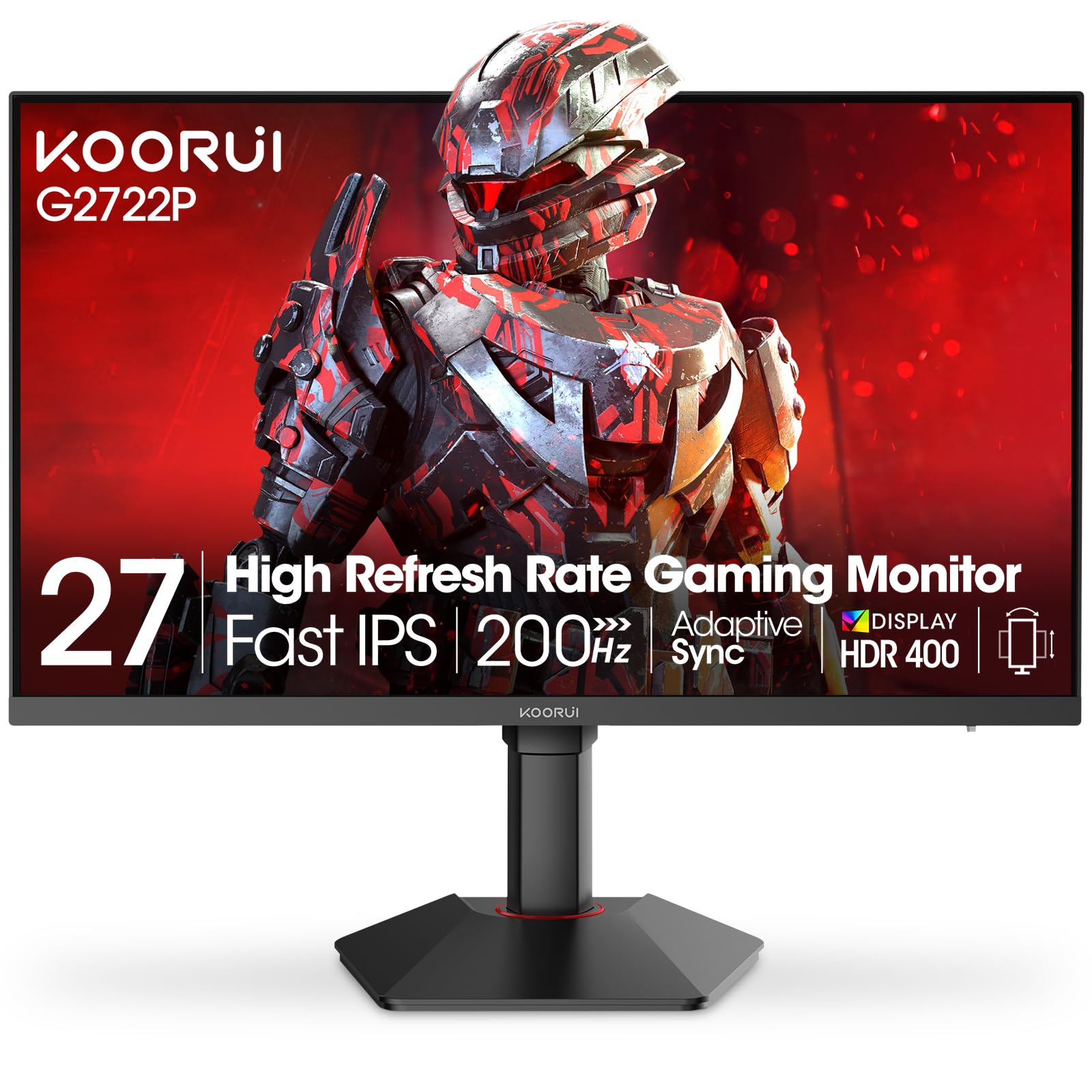
🎮 Level up your game with KOORUI’s ultra-smooth, color-rich 27-inch powerhouse!
The KOORUI 27E1QA is a 27-inch QHD gaming monitor featuring a 2560x1440 resolution, 144Hz refresh rate, and 1ms response time. It boasts a 90% DCI-P3 color gamut for vivid visuals, supports Adaptive G-Sync and FreeSync Premium for tear-free gaming, and offers versatile connectivity with dual HDMI and DisplayPort. Designed with a sleek, ergonomic build and backed by a 3-year warranty, it’s engineered for both immersive gaming and professional use.


| Standing screen display size | 27 Inches |
| Screen Resolution | 2560x1440 |
| Max Screen Resolution | 2560 x 1440 |
| Brand | KOORUI |
| Series | 27E1QA |
| Item model number | 27E1QA |
| Item Weight | 9.88 pounds |
| Product Dimensions | 30.78 x 6.22 x 18.03 inches |
| Item Dimensions LxWxH | 30.78 x 6.22 x 18.03 inches |
| Color | Black |
| Voltage | 27 Volts |
| Manufacturer | KOORUI |
| ASIN | B0B1B3VZLD |
| Date First Available | May 28, 2022 |
B**L
Solid monitor at an amazing price
Washington State residents, read the last section.I paid $611 for this. Good OLED monitor with minimal automation dimming. It will darken the screen when displaying static images for extended periods of time. All the features work as advertised. Getting it to look good is a pain. I would recommend turning on HDR then using the Windows 11 tool to the monitor. AutoHDR will make the rest of the system look acceptable. Audio output from the headphone jack stucks pretty badly. Sounds far away, is quiet, and has no bass.Pros:OLEDVery high HDR brightness for W-OLED (~600 nits)No crazy brightness dimming (still has minor, almost unnoticeable in normal use)KVM (works as expected)USB C Video inputUSB3 HubFast chargingNice and easy standNeutral:User interfaceRGB (very limited, no screen connected modes (important), disappointing)Cons:Audio out sucksAnnoying to setup properlyNo HDR adjustmentAdjusting colors is buggy and broken. Once set up it will not forget though.PIP is locked out by freesync and only supports 4:3Typos on every menu pagePLEASE RELEASE FIRMWARE UPDATE. THIS MONITOR WOULD BE PERFECT.Now a ramble about getting this monitor and my thoughts. I wrote this weeks ago.I want to say that ending up with this monitor was an adventure to say the least. I was looking into OLED monitor, then noticed that an acer was going for $499. As a gamer with a 1440p240 IPS screen I was interested. Hearing what people had to say about OLED and how some people say they would rather game on a 240hz OLED rather then a bad 360hz panel made me look into getting one. After looking into the acer, people were complaining about the systems put in place to protect the screen. I dont like my screen "adjusting" in front of my eyes so i decided to wait it out. Monitor technology always gets cheaper, and I don't mind waiting for something better. As time passes, I periodically check amazon and pcpartpicker for the cheapest OLED monitors and never find anything interesting, until one day, I see this. I look into the listing. Its full of features, has good specs, and is priced pretty decently. In the suggestions, KTC shows up with a similar monitor 50 dollars cheaper. After looking into it, I decide to go for the Koorui because it has faster USB PD output, and the single monitor review I could find at the time said it had no automatic dimming. I try to buy it. Amazon is giving me an error saying the package could not be shipped to my address. I try all of my friends addresses, and post offices near me. Blocked. After much deliberation with amazon and Koorui, 5 days later I'm left high and dry. There is no way for them to send it to washington. I check out the page, and notice a coupon. The monitor was $611. Holy **... I pull the trigger, and ship it to the most northern UPS in oregon along I-5. Time to plan a trip. Long story short, I invite a friend, we drive out to oregon a week later, intercept the delivery driver between his car and the UPS, and get the monitor. I paid 50 dollars for gas that day. Money well saved...
D**Z
An actually good off-brand monitor!
Koorui doesn't have the same recognition as a big brand like LG or Samsung. However, the monitor seems to be the genuine article here. Physically it feels sturdy and well-built. It is easy to put together and set up, plus it comes with both an HDMI and a DP cable. The monitor controls forgo that annoying "nipple" button a lot of modern monitors use and goes with the tried and true row of buttons. When you bring up the monitor controls, it is easy to read and navigate the options.Software-wise, it just runs off the generic PnP monitor driver. There's no specialized driver or ICC profiles to add, but what you can (and should do) is use your GPU's software to adjust settings. For me it is through the Nvidia Settings panel. Raedon's equivalent probably works the same way. Tweaking the settings is responsive and with just a few minutes time you'll have your games and videos cooking perfect.You want HDR? This does HDR (and does it beautifully). You want Freesync? It does that and is compatible with Nvidia's N-sync software. You want a high refresh rate? It can push up to 240MHz under the right settings.In conclusion, it is surprisingly well made! Good HDR, High refresh rates, all the options you want for 2k resolutions, etc. The only down side is it doesn't have it's own dedicated driver or color profiles, so you do need to tweak the settings, but I don't see it as necessarily bad since your GPU's software should be able to handle that job. All in all, I am impressed with this one.
C**R
Decent for the price.
This monitor is great for the price , however , it must be messed with as it doesn’t come out of the box looking great. The default setting for the monitor is pretty dull , after changing the monitor setting to “movie” and turning up gamma in Nvidia control panel it looks a little better. The HDR is nice, just seems like the colors are a little dull. For the price , pretty much a good deal with 2k , 1440P- and 170hz is a nice touch. The monitors performance is 10/10 , no flickering, black box, etc. Assembly is incredibly easy. Perfect monitor for gaming , 1ms response is ideal for most competitive FPS games.
D**
Easy setup, height adjustments, tilt, this monitor has it all
This is everything I wanted in a gaming monitor at a reasonable price as well, 1440p is an amazing upgrade from 1080p, vibrant colors and easy to see even in dark areas, this monitor does not disappoint, also comes with nice smoother 240hz for competitive gaming as well, the setup was nice and easy and the adjustable height let me make it perfect for me and let not forget the ability to tilt it as well so you can avoid glare from lights or the sun, fits perfectly on my desk with no issue.
A**R
Scratches Easily
I've been trying to get a new monitor for a few months and bought two different IPS monitors that ended up having dead pixels. I decided to give this one a try since it's VA panel and third times the charm. While I prefer IPS this VA panel does the job pretty well. The brightness is bright like it will catch you off guard. HDR is really solid on the monitor. I managed to get the monitor calibrated to almost match my older LG 27gl850 so the colors are really good. Very little motion blur outside the black smearing issue all VA panels have which the smearing is noticable but not overwhelming. The blacks are really dark compared to what I've been using for years.The viewing angle isn't as good as IPS but it's perfectly fine unless you are looking at it at a sharp angle. There is also much higher chances of having brightness flicker with freesync enabled compared to IPS but you don't really need it as long as you cap your FPS below the refresh rate. Overall I'd say this is a solid monitor for the price. It's not perfect but you have to spend alot more to get much better.Update after about 4 weeks, The screen cover very cheap that if you bump it very lightly it leaves a deep gash on the screen making this a bad investment.
Trustpilot
1 month ago
3 weeks ago