We remain fully operational. Our teams are working around the clock to ensure your deliveries continue safely.

DOWNLOAD THE APP


Copyright © 2025 Desertcart Holdings Limited
DOWNLOAD THE APP


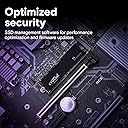

🚀 Upgrade your speed, storage, and creative edge—because waiting is so last decade.
The Crucial P3 2TB PCIe Gen3 NVMe SSD delivers up to 3,500MB/s read speeds and 3,000MB/s write speeds, combining massive storage with reliable Micron 3D NAND technology. Compatible with PCIe Gen3 desktops and laptops, it offers durable performance rated for over 1.5 million hours MTTF. Perfect for professionals seeking fast boot times, smooth multitasking, and a creative software bundle, this SSD is a smart, budget-friendly upgrade for everyday computing and creative workflows.


| ASIN | B0B25MJ1YT |
| Additional Features | Data Recovery Service |
| Best Sellers Rank | #70 in Internal Solid State Drives |
| Brand | Crucial |
| Built-In Media | P3 PCIe 4.0 3D NAND NVMe M.2 SSD |
| Cache Memory Installed Size | 2 TB |
| Color | Black |
| Compatible Devices | This drive is compatible with desktops & laptops that accept PCIe NVMe Gen 3.0 drives |
| Connectivity Technology | NVMe |
| Customer Reviews | 4.8 4.8 out of 5 stars (30,347) |
| Data Transfer Rate | 6 Gigabits Per Second |
| Digital Storage Capacity | 2 TB |
| Enclosure Material | 3D Nand |
| Form Factor | M 2 |
| Global Trade Identification Number | 00649528918802 |
| Hard Disk Description | Solid State Drive |
| Hard Disk Form Factor | 2 Inches |
| Hard Disk Interface | Solid State |
| Hard-Drive Size | 2 TB |
| Hardware Connectivity | ATA, PCI Express x4 |
| Installation Type | Internal Hard Drive |
| Item Dimensions L x W x Thickness | 3.15"L x 0.87"W x 0.09"Th |
| Item Type Name | NVMe M.2 SSD |
| Item Weight | 0.01 Kilograms |
| Manufacturer | Crucial |
| Media Speed | 3000 Megabytes Per Second |
| Model Name | Crucial P3 NVMe SSD |
| Model Number | CT2000P3SSD8 |
| Number of Items | 1 |
| Read Speed | 3500 Megabytes Per Second |
| Specific Uses For Product | Business, Gaming, Personal |
| UPC | 649528918802 |
| Unit Count | 1.0 Count |
| Warranty Description | Limited 5-year Warranty |
T**N
Unleashing Speed and Capacity
I recently upgraded my computer storage with the Crucial P3 4TB Gen 3 SSD, and I am thoroughly impressed with its performance. Here’s why I believe this SSD is a standout choice for anyone looking to boost their system’s speed and storage capacity: Massive Storage Space: The 4TB capacity is a game-changer, providing ample room for all my files, applications, and games. It’s a luxury to have this much space on an SSD, allowing for seamless access to large media libraries and extensive software suites without worrying about running out of room. Impressive Speed: The Gen 3 SSD technology delivers fast read and write speeds, significantly reducing load times and improving overall system responsiveness. Whether I’m transferring large files, booting up the system, or loading games, the speed is consistently impressive. Reliable Performance: The Crucial P3 has proven to be a reliable workhorse, handling heavy workloads and multitasking with ease. I’ve experienced no hiccups or slowdowns, even under demanding conditions. Easy Installation: Installing the SSD was a breeze, thanks to its standard 2.5-inch form factor and straightforward setup process. It was a simple plug-and-play upgrade that instantly breathed new life into my computer. Great Value: Considering its capacity, speed, and reliability, the Crucial P3 4TB Gen 3 SSD offers excellent value for money. It’s a cost-effective way to enhance your system’s performance without breaking the bank. Compatibility: The SSD is compatible with a wide range of devices and operating systems, making it a versatile choice for both desktop and laptop users. In conclusion, the Crucial P3 4TB Gen 3 SSD is an excellent investment for anyone looking to upgrade their storage solution. Its massive capacity, impressive speed, reliable performance, easy installation, great value, and broad compatibility make it a top choice for enhancing your computing experience. Whether you’re a gamer, content creator, or just looking for a fast and spacious storage option, the Crucial P3 is sure to exceed your expectations.
E**K
Reliable speed from a trusted brand
I’ve been using Crucial memory for years, and the P3 SSD is another winner. I installed this in my desktop as a boot drive, and the 3,500MB/s read speeds make Windows feel incredibly snappy. It’s a PCIe Gen3 drive, so it doesn't have the heat issues of some Gen4 models, but it still provides a massive jump over traditional SATA SSDs. For a 500GB drive at this price point, the reliability and performance are exactly what I’ve come to expect from Micron/Crucial.
R**L
Works great in the 2013 Mac Pro!
I got this 4TB Crucial P3 NVMe SSD as an upgrade to the original 512GB Apple-OEM SSD in my 2013 Mac Pro (otherwise known as the "trash can" Mac Pro). Using a Sintech NGFF M.2 NVMe SSD Adapter Card, I was able to connect this Crucial P3 directly to the 2013 Mac Pro's NVMe slot without any fuss. After formatting the Crucial P3 to APFS in Disk Utility and installing a fresh copy of macOS Monterey, I was in business. The Crucial P3 was very easy and pleasant to install. (Note that for anyone wanting to use a Crucial P3 in their 2013 Mac Pro, you MUST install and run macOS Monterey prior to installing the Crucial P3 due to the NVMe-related firmware that macOS Monterey installs. The reported firmware version after installing macOS Monterey on the 2013 Mac Pro is 481.0.0.0.0.) Blackmagic Disk Speed Test reports 1280 MB/s write and 1350 MB/s for this Crucial P3, which is the expected result given the 2013 Mac Pro's PCIe 2.0 bottleneck. This is still a major improvement over the OEM Apple SSD, which only achieves around 900 MB/s write and 940 MB/s read, respectively. For older machines that are stuck with PCIe 2.0 or 3.0, the Crucial P3 is an excellent value for the capacity. Just don't expect to run it in a professional setting -- the P3 is really meant for casual users that want good storage per dollar without the expectation of slinging terabytes of data around on a daily basis. The Crucial P3 doesn't have any DRAM cache, nor does it have a heatsink. While the Crucial P3 doesn't run too hot unto itself, you may still want to consider thermal management in the case where you do want to run sustained loads on the SSD through PCIe 3.0 or Thunderbolt 3/4. However, if you are running PCIe 2.0 or are just using the Crucial P3 casually, then you can safely get away without using any thermal management since the Crucial P3 will run cool enough by itself. If you are running PCIe 3.0 or Thunderbolt 3/4, then don't expect the P3 to perform at its best on large sustained data transfers. But if you are running PCIe 2.0 like I am with my 2013 Mac Pro, then these weaknesses are mitigated due to the PCIe 2.0 bottleneck. If you do decide to use the Crucial P3 in an NVMe enclosure, be sure to use an aluminum enclosure that can act as the Crucial P3's heatsink. I used an ACASIS TBU405 Pro 40Gbps Thunderbolt 3/4 NVMe enclosure for my initial testing with the Crucial P3, and it works like a charm. Running the Crucial P3 in the ACASIS TBU405 Pro enclosure connected to my 2019 MacBook Pro i9, Blackmagic Disk Speed Test reports 2300 MB/s write and 2240 MB/s read. These numbers are on the slower side compared to the more expensive PCIe 3.0 and 4.0 NVMe SSD drives, which clearly demonstrates the budget performance of the Crucial P3. You get what you pay for. But for the casual use case, the low cost per gigabyte of the P3 backed by the support of Crucial, a respectable brand that I have bought plenty of RAM and SSDs from in the past, is why I am giving the 4TB Crucial P3 a 5-star rating. It does what it needs to do, which is to provide big storage for an affordable price, all within a convenient NVMe package. And if you can get the Crucial P3 on sale like I did, then it easily becomes a no-brainer purchase. As long as you keep your performance expectations within reason, the Crucial P3 will serve you well. My 2013 Mac Pro has never felt better!
D**S
Sorunsuz çalışıyor. Çok memnun kaldım. İçerisinden küçük bir vida var ama benim anakartımda zaten M2 vidası vardı bu nedenle montajı kolay oldu
M**D
Conforme a la description , installation facile , ce M2 est suffisement rapide pour un usage normal et gamer , pour un usage plus lourd ( gros volume de fichiers ) je conseille plutot le P3 plus , j'ai testé le transfert d'un dossier de 60Gb , il s'est effectué totalement en 68 secondes contre 316 secondes sur un samsung 870 evo ' ( ssd 2.5 )
S**S
After installing the Crucial 2TB PCIe 3.0 NVMe M.2 SSD in my Dell XPS 9560, I ran a series of benchmarks using CrystalDiskMark 8.0.1 to see if the upgrade was worth it. The results were nothing short of spectacular, confirming that this SSD is a top-tier performer. Performance Overview: Sequential Read/Write (Q8T1): The SSD achieved an astonishing 3153.94 MB/s read and 2974.02 MB/s write speeds. This shows that the SSD can handle large file transfers incredibly efficiently, which is perfect for video editing and data analysis. Sequential Read/Write (Q1T1): It recorded 2230.71 MB/s read and 2568.10 MB/s write speeds. These speeds are reflective of typical daily usage and suggest significant improvements in application loading and file access over traditional SSDs. Random Read/Write (4KB Q32T1): With 342.65 MB/s read and 182.53 MB/s write speeds, the drive excels in multitasking and complex operations, which are common in system operations and during multiple applications running. Random Read/Write (4KB Q1T1): Achieving 48.49 MB/s read and 123.72 MB/s write, the SSD proves it can handle random data requests efficiently, enhancing overall system responsiveness. Final Thoughts: The Crucial 2TB PCIe NVMe M.2 SSD delivers exceptional performance that has breathed new life into my Dell XPS 9560. The incredible speeds significantly reduce load times and improve the system's ability to handle demanding applications and large files. Whether it's for professional use or daily computing, this SSD proves to be an excellent investment for anyone looking to upgrade their system. Highly recommended for its superior performance and reliability!
P**N
This is an awesome 4TB SSD that I use for storing my media. music , movies, books and all extras that would take up too much space on the inbuilt SSD of my MacBook Pro I have had no issues with this at all. The speed it gives for read and write is more than enough for my use. I don't need a super fast SSD and for playing movies and music off it, there are absolutely no issues
A**O
Muy buen SSD que al año dejo de funcionar pero que funciona de manera perfecta mientras lo hace
Trustpilot
5 days ago
1 week ago