We remain fully operational. Our teams are working around the clock to ensure your deliveries continue safely.

DOWNLOAD THE APP


Customer Services
Copyright © 2025 Desertcart Holdings Limited
DOWNLOAD THE APP
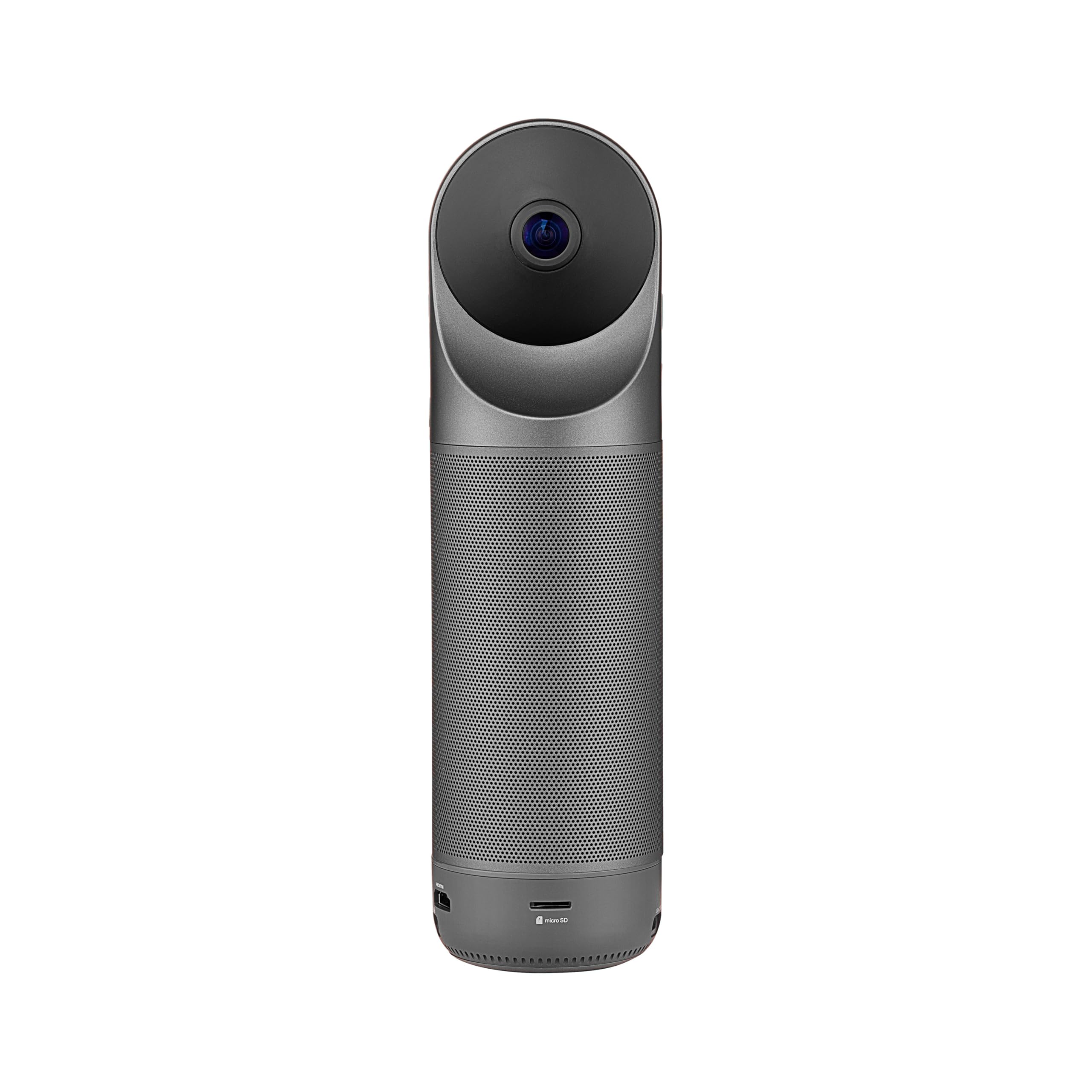

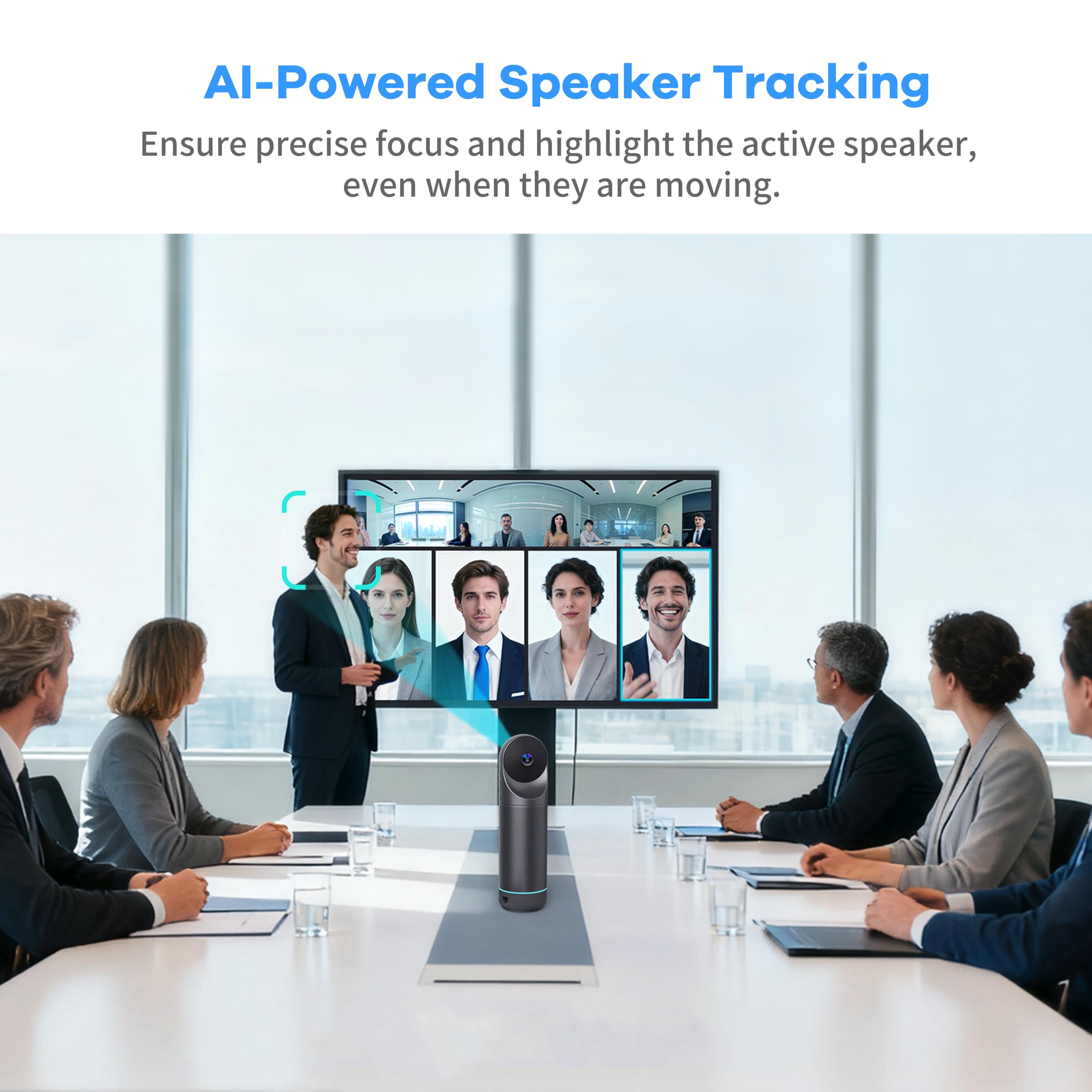


🚀 Elevate your meetings with 360° clarity and AI precision — never miss a moment!
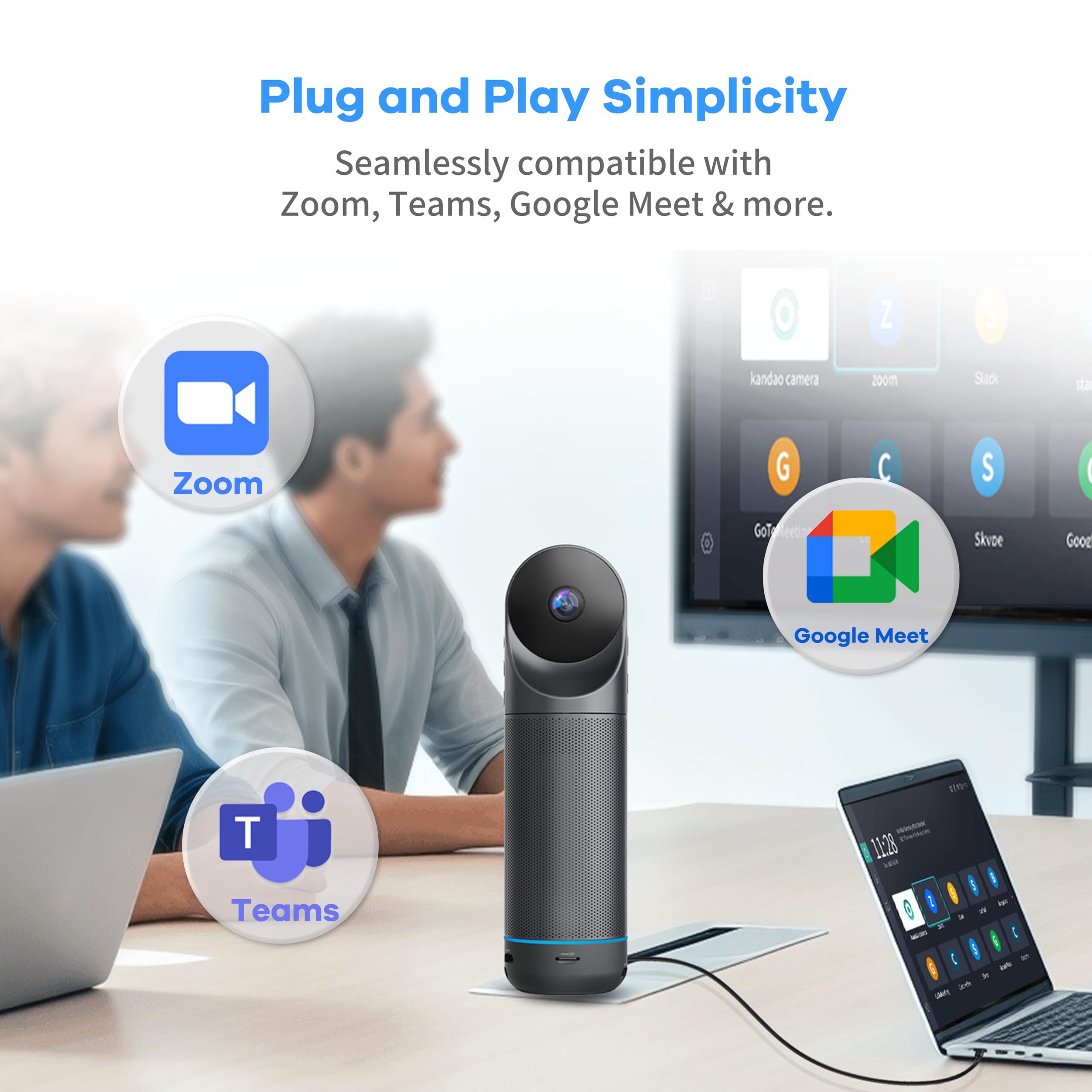
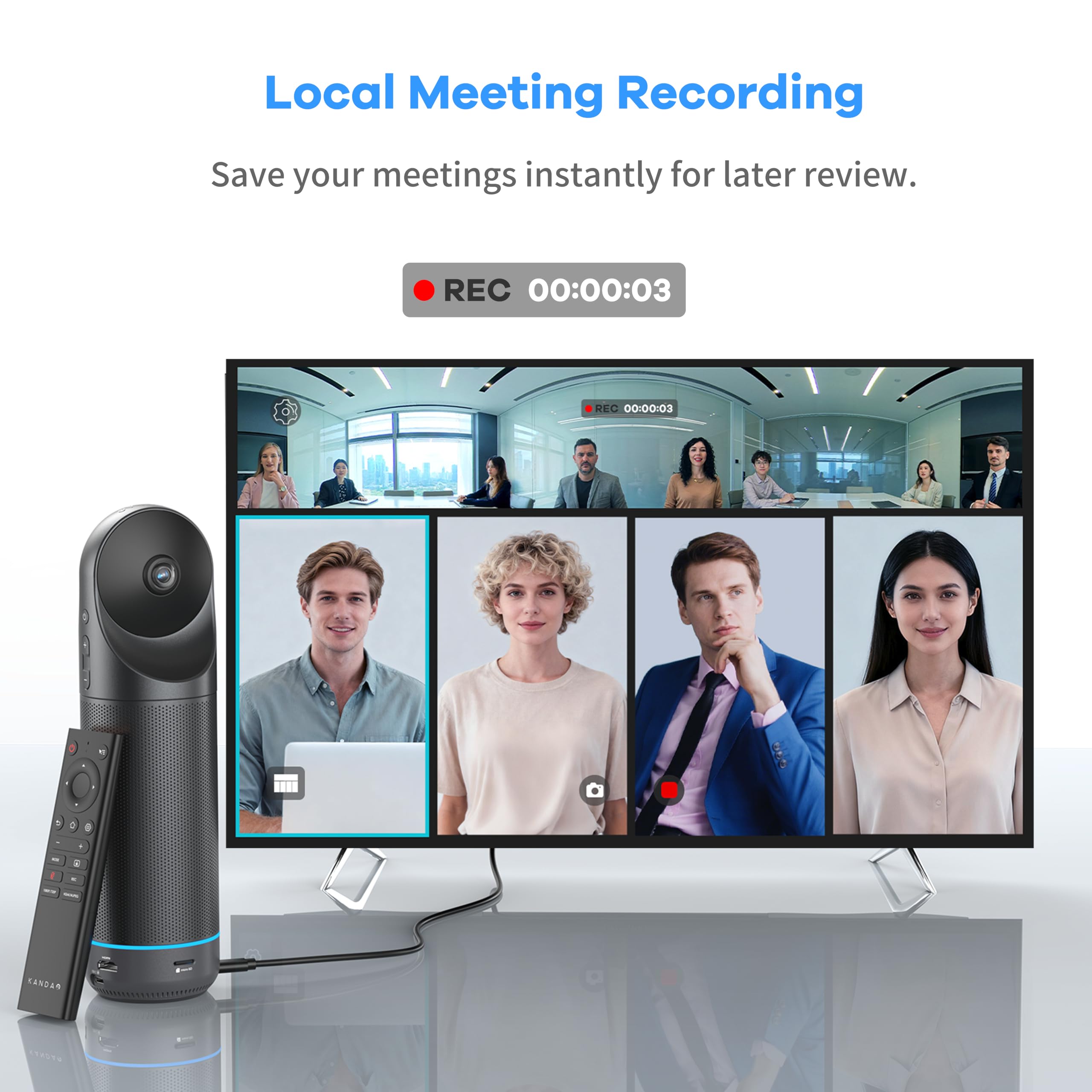
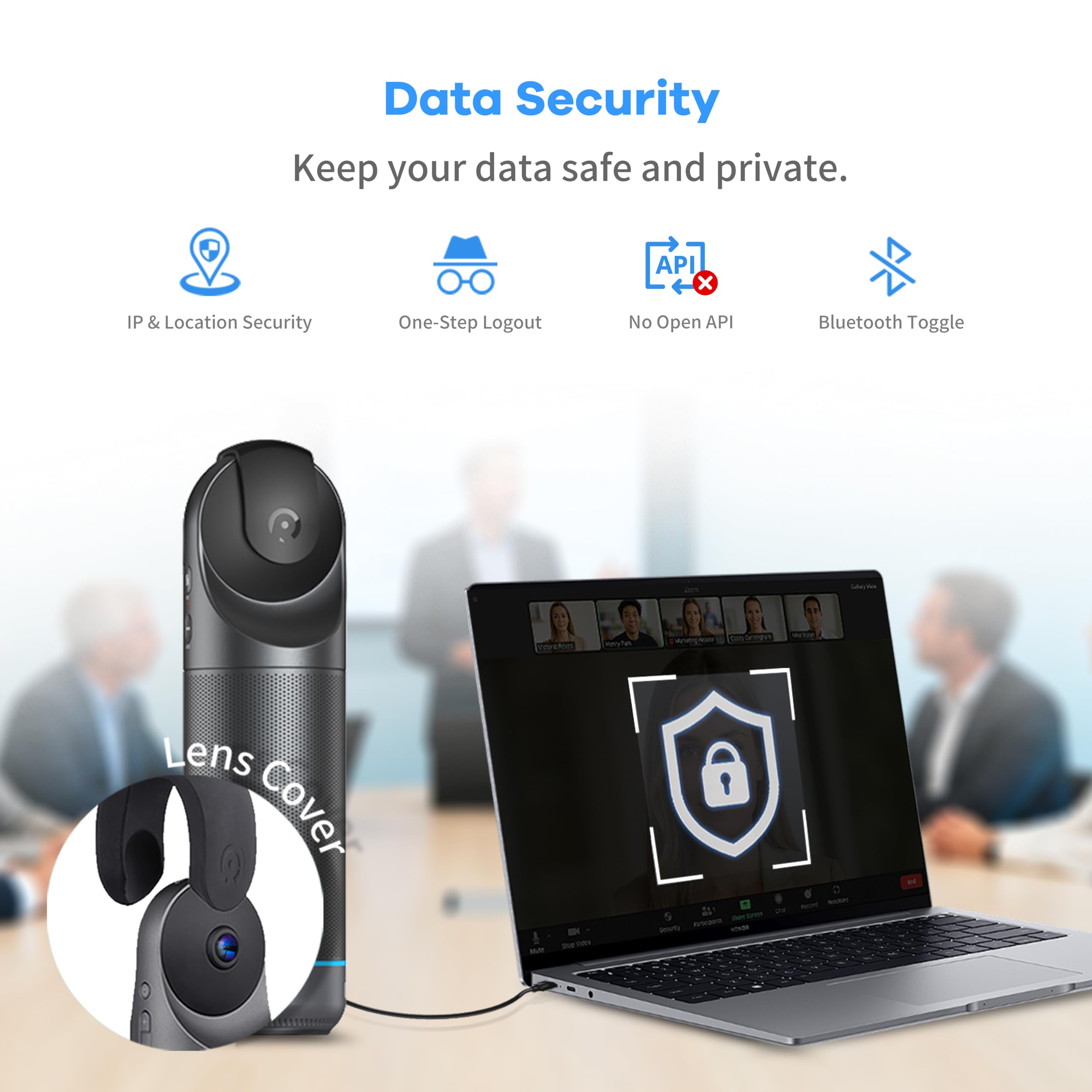
The KanDao Meeting Pro is a cutting-edge 360° video conferencing camera featuring dual 195° lenses and AI face/voice tracking for seamless speaker focus. Equipped with an 8-mic array and high-fidelity speaker, it captures crystal-clear audio within an 18-foot range. Lightweight and portable at 0.8 kg, it supports plug-and-play USB connectivity and is compatible with Zoom, Teams, and Google Meet. With 5 smart modes and secure local recording, it’s designed for professional, efficient, and private virtual meetings.


| ASIN | B0B8YH2CTJ |
| Alert Type | Motion Only |
| Are Batteries Required | No |
| Best Sellers Rank | #445 in Webcams |
| Brand | KanDao |
| Built-In Media | Camera Body*1 |
| Color | Grey-Black |
| Compatible Devices | Computers, smartphones |
| Connectivity Technology | USB |
| Customer Reviews | 4.4 out of 5 stars 38 Reviews |
| Effective Video Resolution | 1080 Pixels |
| Flash Memory Type | Micro SD |
| Focus Type | Auto Focus |
| Form Factor | all in one |
| Item Dimensions | 3 x 3 x 11 inches |
| Item Weight | 1.72 Kilograms |
| Manufacturer | KanDao Technology Co.,Ltd. |
| Manufacturer Warranty Description | 1 year manufacturer |
| Model Name | Kandao Meeting Pro |
| Model Number | MT0822 |
| Mount Type | Wall Mount |
| Mounting Type | Wall Mount |
| Number of Channels | 8 |
| Number of Items | 1 |
| Other Special Features of the Product | 360 Degree Capture, Local Recording, Noise Reduction, Portable |
| Photo Sensor Resolution | 5 MP |
| Photo Sensor Technology | CMOS |
| Room Type | Hallway, Living Room, Study Room possibility room |
| Special Feature | 360 Degree Capture, Local Recording, Noise Reduction, Portable |
| UPC | 840128700693 |
| Unit Count | 1.0 Count |
| Video Capture Format | MP4 |
| Video Capture Resolution | 1080p |
| Viewing Angle | 360 Degrees |
| Water Resistance Level | Not Water Resistant |
| Waterproof Rating | IP65 |
| Wattage | 10 watts |
R**G
Definitely worth it. I love my meeting pro
I recently bought the Meeting Pro camera for our online conference, which undoubtedly improved our conference experience. The quality and function of the camera have improved our virtual conference and provided a more attractive and professional atmosphere. I've had my eye on Meeting pro for a while, and finally decided to try it out in the office. the 360 degree view is really cool. The AI feature is great, autofocusing on the speaker. Great sound, clear enough for everyone to hear. It was super easy to set up with a very intuitive, user-friendly. I'm satisfied with the purchase and will order a 2nd one when the time is right. great product so far.
J**G
Easy to use
Bought it for the weekly online meeting I have with my team and it worked really well. Easy to set it up and get everyone connected. The camera looks nicely designed and is pretty light in weight.
E**E
Excellent hardware, but crippled by lack of Google Certification
The image and audio quality of the Kandao Meeting Pro are outstanding, but the device has a critical flaw for an "all-in-one" solution: it is not Google Play Protect certified. Even though it runs on Android, Google blocks access to the Play Store and many integrated services (like Google Meet or Teams) because the device is uncertified. While the manufacturer provides a manual workaround to register the GSF ID, it is a tedious process that doesn't always work and is something an end-user shouldn't have to deal with at this price point. If you plan to use it in "Host Mode" connected to a PC/Mac, it is an incredible camera. However, if you are buying it specifically for the standalone Android functionality, be prepared to struggle with manual APK installations and constant compatibility errors. It is a shame that such solid hardware is held back by poor software licensing management.
J**Y
One of the best video conference cameras at the price point
Kandao has been making some extremely interesting products over the past couple of years across their product lines. Although they're well known for high end 3D and VR imaging equipment--like their downright amazing 8K VR180--the company has released several excellent products for the enterprise and consumer market as well. The Kandao QooCam EGO 3D camera is one of the most capable yet value priced 3D cams on the market. I'm a big fan of their QooCam which has to be the most underrated action cams on the planet. Not sure what the company has on deck for a sequel but don't be surprised if it puts them in company with GoPro, DJI and Insta360. It's now apparent that post-pandemic remote work, video conferencing, Zoom calls, etc. aren't going anywhere. As a result, the market for cams to facilitate this communication has become very competitive for both remote working consumers and businesses of every size. KanDao makes some very good conference cameras for larger groups of participants but this one is targeted toward smaller companies (or smaller conferences in larger companies) as well as remote working professionals. I'm part of the latter demographic. Simply put, the KanDao Meeting Pro is definitely in the mix for the best conference camera at this price point. It is a very sleek looking device that uses a similar form factor as a number of competitors. I was surprised at how small it is and how little it weighs (3.74 pounds). It's about the same height and a little larger in girth than a Pringles can. KanDao might not have designed it as a portable conference cam but once you get a protective case for it (more about that in a moment) it's very functional as such. The Meeting Pro can do everything you expect from this type of camera so I'll focus on what makes it unique. One of the coolest things is that it runs on Android 10. Assuming that KanDao keeps the Android base in the future (and they should) there's a lot of ways they can go with this. For now, it gives users the option of making it an independent conference system with connectivity supplied by built in 5Ghz wifi and a 10/100 Ethernet port. You can also connect it directly to source PC and use it with any desktop meeting app. It also works perfectly with all of the big meeting apps. I tried it with Google Meet, Skype and Zoom on computers running Windows, MacOS and Ubuntu. Another cool trick is the integration of screen mirroring. For example, you can open a web browser and using the Meeting Pro's IP address mirror screen content to the camera. The image quality is excellent and the audio is very impressive with eight embedded microphones. The multiple display modes can be switched with the buttons on the camera or the remote. The auto tracking is as good as any product I've tried at this price point (and I've tried dozens). The speaker is decent but definitely more suited to a smaller room. The in-box documentation is somewhat scant so I'd suggest downloading the full users guide from the support area of the KanDao website. My only gripe is a minor one--I wish they had included some sort of protective case suitable for travel. Like I said before, this isn't necessarily designed as a device for remote workers so I can't fault them too much for that. A storage bag and lens cover is included. I just bought a properly sized hard case with customizable foam inserts. KanDao is well known for the professional 3D and VR equipment that they make but they shouldn't be so 'under the radar' among consumers and smaller enterprise customers. They've released some great products for both markets and deserve to be more widely known in North America. They especially deserve to be better known for this product which is simply one of--if not THE--best conference camera available at the price point. Very highly recommended.
D**N
All-in-One Conference Camera
This all-in-one conference camera isn’t perfect, but it is wildly impressive. When I initially used it for a zoom meeting, I hadn’t realized the camera could operate independently until the last minute, so I used it as a camera/mic/speaker with Zoom. It handled this quite well with very little set up. All I needed to do was to change the active devices in Zoom and I was set. While on the chat, I was impressed with the quality of the camera. While we’ve had trouble hearing our dialed-in people in the past, the speaker made it very easy to communicate, and the person on the other end could usually even hear our most soft-spoken participant with the omni-directional mic. As for the camera, I am astounded at the effectiveness of the 360-degree video. The quality is solid. Sometimes it takes a moment to detect and focus on the right person, but I’m astonished that it can do it at all. I was pleasantly surprised how it could zoom in on the right person at just the right zoom., even though we were sitting around on soft chairs and not at a conference table. After I got off the test zoom call, I began setting up my camera for independent use in the future. The remote works well, but the overall system of input was tedious. I think the camera can connect to a keyboard, which I may try in the future. For inputting passcodes and setting things up I strongly recommend a better input device. For some reason, I couldn’t get the remote to let me navigate through the letters with the directional pad. Perhaps I overlooked something? Instead, the system let me switch modes to use the control as a pointer to select letters. I am not entirely sure how it works because the TV didn’t have a sensor, and the control was across the room from the Meeting Pro, but the pointer did work with a selection arrow on the screen. Although, it was a little tricky to manipulate. When setting up the speaker for independent use, it immediately wants you to set up a code, and I tried to temporarily ignore it. Don’t skip this step! The unit is apparently built on Android, but it needs the code because of the developer status. Without the code, Google throws up an error message that prevents downloads and logging in. I was briefly frustrated before I realized my mistake. Once I finally went through the tedious process of entering codes and passwords, and installing a few conferencing apps, everything seemed to operate smoothly. I do dread logging into meetings in the future if I don’t get a keyboard connected, but it won’t be that bad as long as I don’t get unexpectedly logged out of the app. An aside for the video software is that there are a few different settings it can operate with different detection modes. I didn’t explore how to adjust these on zoom, but they made sense in the device. It can be set to detect different numbers of people and settings, which is helpful for getting it to perform as well as possible in various meetings. It can also have one window locked to view the speaker. It seems to default to two zoomed in window and one 360-degree window. As for the overall hardware and setup, I am pleased with it. The device is quite large for a video/audio device, but it packs a lot of punch for that size. I set it up on my tripod to conference, and that was perfect. The only thing to watch out for with that type setup is the wiring to the outlet, and the computer if applicable. Overall, I consider this an incredible tool. I haven’t used other conferencing devices of this grade, so I can’t say how they might measure up. I can say this is a powerful upgrade for meetings where some people are present in-person and others are present online.
A**R
A solid product for the price
I bought the Kandao Meeting Pro to give it a try for having online meetings for our group. It turns out that it works pretty well, definitely above my expectations. The Pros: Kandao names it Meeting Pro so I guess they want you to know that it has Pros. Indeed I found a lot of them. The design is simple and elegant. The two fisheye lenses take a commanding stance on top of the unit, while when you cover them with the ear warmers style protector it looks kinda cute. The building quality is excellent. The whole thing feels solid and well built. The details are well considered. The bottom of the unit is a big pad of soft material making it slippery-proof and preventing scratches on your table surface. There is even a screw hole in the bottom for tripod mounting. The connection and setup are easy enough, just like an android phone. Apps like Zoom can be installed very easily. It comes with a remote control, with a pretty generic design. One feature of the remote control I really like is that, if you click on the top-right button, it shows an arrow on your screen and turn your remote control into a pointer. Although it probably won’t be the best pointer you’ve ever used, it does make input of letters and numbers much easier. It provides a 360-degree view of the whole surroundings. There are different modes to switch between different numbers of separate highlighted windows. The image quality is definitely sufficient for online meetings. Don’t expect movie-like clarity though, it’s just not gonna happen with those fisheye lenses. The machine did a very good job of stitching scenes taken by those fisheye lenses together. The image stitching works perfectly when you are 2 feet away or further. While you are getting too close, at the angle right between those two lenses, you will start to see artifacts. The speaker is loud with good sound clarity. When you mute the mic, the ring indicator light around the lower part of the unit will turn red, which is another nice feature to have that will give you the peace of mind knowing that the curse words you just said won’t be heard by people on the other side of the meeting. The Cons: I have to say that the image quality can be better. But I also understand that there probably are some physical limitations of the fisheye lens for resolution. At this price point I think it’s not fair to ask for too much more. But still I wish the image quality can be better. The figure tracking feature works well on most occasions, but sometimes it can be slow to respond and adjust. Overall, I believe this is a solid offering for the price.
A**R
Perfect for team meetings and easy set up!
I first found this camera through a google search for hybrid meeting camera. My team is coming back to the office for meetings, but not everyone can always be in the office at the same time, so we needed a camera to capture everyone in the room and also make it easy for remote teammates to see everyone. I’ve tested the OWL 3 before, but the 1080p video quality was not that great, and sometimes the intelligence system does not pick up on in person attendees. I was surprised by the Kandao Meeting Pro. Our room is set up so that the camera is in the center of the room and the monitor is at the front of the room. I started using this as a USB camera, but when I learned that I can use its own internal Android operating system by connecting the device to a monitor, we mostly switched to that. They call it Pro mode. I’ve been both a remote and in person participant when using this device. The video is very clear for remote participants and our team likes the AI tracking so it focuses on the active speakers. The mic picks up all audio in our 25x25 feet room, and we can hear the remote participants clearly in the built in speakers. Overall, I recommend this conference device if you are also transitioning to hybrid meetings. We will be installing more of these devices in our huddle rooms, but most importantly, our sales reps will be taking these devices with them to client sites since it is so easy to set up.
L**.
Elevating Home Office Dynamics
My daughter and I recently incorporated the KanDao Meeting Pro into our work-from-home setup for our business. The clarity of both video and audio stands out, allowing for seamless interactions during our video calls. The 360-degree camera ensures that everyone is in view, and its compatibility with major conferencing platforms makes setup a breeze. Moreover, I value the security features that ensure our online meetings are kept confidential. A worthy addition for professionals seeking an efficient and secure video conferencing experience.
Trustpilot
1 week ago
2 weeks ago