Some deliveries may take a little longer than usual due to regional shipping conditions.

DOWNLOAD THE APP


Customer Services
Copyright © 2025 Desertcart Holdings Limited
DOWNLOAD THE APP

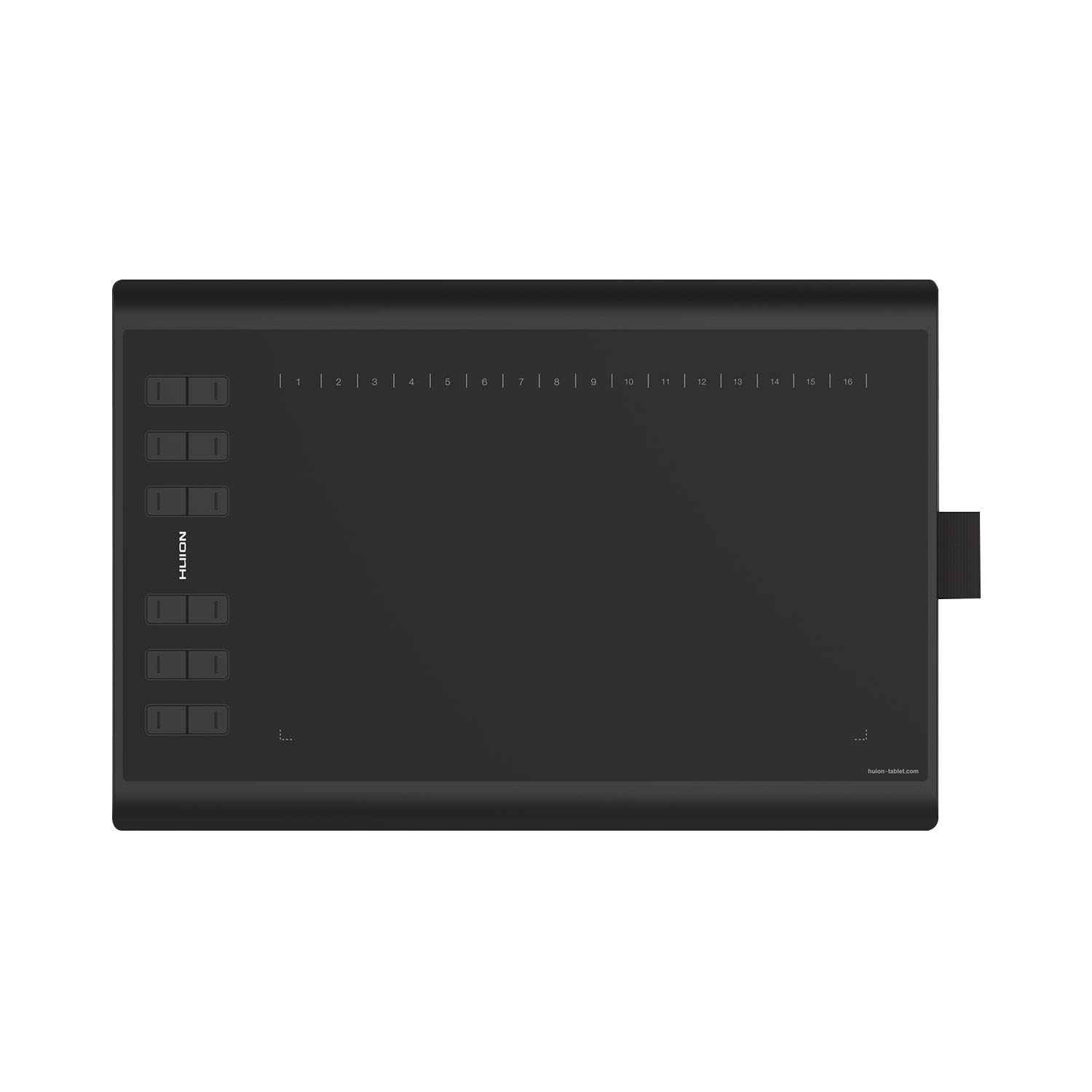




🎨 Elevate your digital artistry—where precision meets freedom!
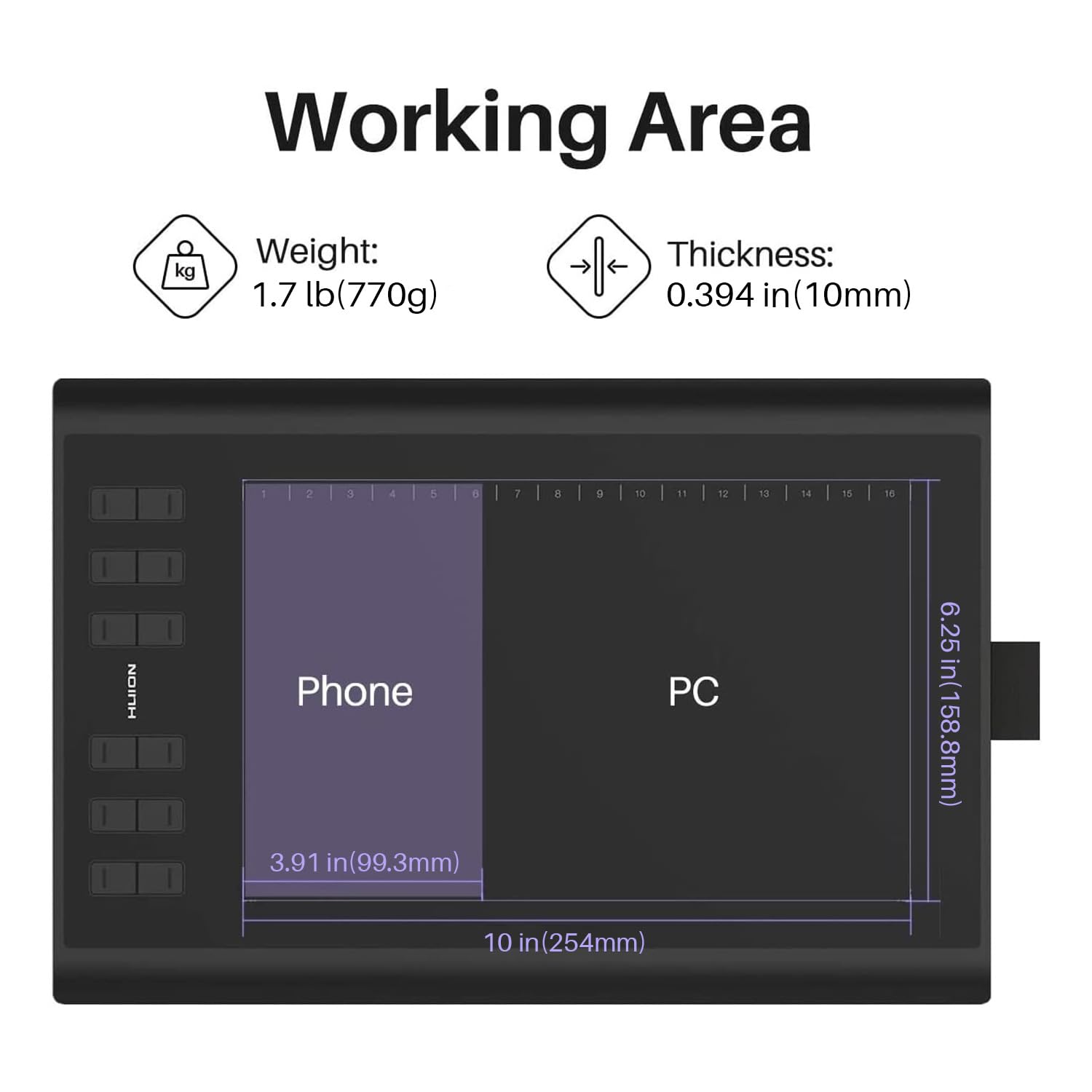
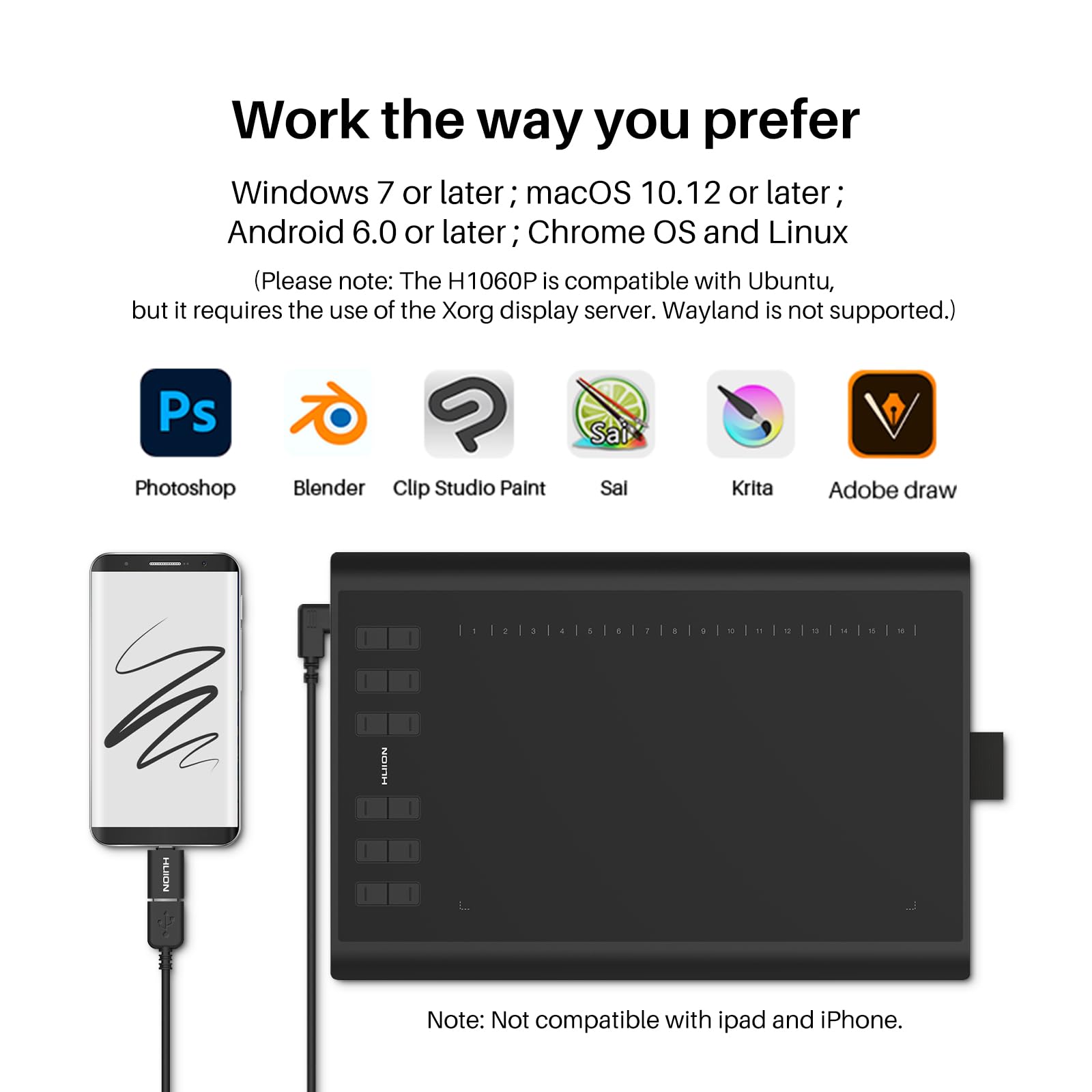
The Huion 1060 PLUS is a professional-grade graphics tablet featuring an expansive 10 x 6.25 inch active area and an ultra-responsive pen with 8192 pressure sensitivity levels. It includes a built-in 8GB SD card for quick driver installation, ensuring a seamless setup. Compatible with Windows and Mac systems, this rechargeable pen tablet offers a natural drawing experience ideal for digital artists, educators, and professionals seeking precision and ease.


| ASIN | B01FTE9HS2 |
| Are Batteries Included | Yes |
| Best Sellers Rank | 205,350 in Computers & Accessories ( See Top 100 in Computers & Accessories ) 281 in Graphic Tablets |
| Brand | HUION |
| Colour | black |
| Computer Memory Type | DDR DRAM |
| Customer Reviews | 4.3 4.3 out of 5 stars (5,586) |
| Date First Available | 29 Nov. 2016 |
| Delivery information | We cannot deliver certain products outside mainland UK ( Details ). We will only be able to confirm if this product can be delivered to your chosen address when you enter your delivery address at checkout. |
| Guaranteed software updates until | unknown |
| Hard Drive Interface | USB 2.0 |
| Item Weight | 770 g |
| Item model number | H1060P |
| Lithium Battery Energy Content | 0.3 Watt Hours |
| Lithium Battery Packaging | Batteries contained in equipment |
| Lithium Battery Voltage | 3.7 Volts |
| Lithium Battery Weight | 3.7 Grams |
| Manufacturer | Shenzhen Huion Animation Technology Ltd. |
| Number Of Lithium Ion Cells | 1 |
| Number of Lithium Metal Cells | 1 |
| Operating System | Windows,Android |
| Product Dimensions | 36 x 24 x 1 cm; 770 g |
| RAM Size | 8 GB |
| Screen Resolution | 1920x1080 |
| Series | H1060P |
| Standing screen display size | 10 Inches |
T**L
Brilliant product. Fantastic for Maths/Science home-learning.
This is a brilliant product. Big enough for ease of writing, fantastic accuracy, nice writing feel and texture. Actually easily usable as a mouse when switching between windows quickly. I use this for online lessons, and it's very useful for maths/chemistry where typing isn't an option. Also it makes it very easy again to fill in or add to PDF documents, which I found very useful when taking online exams and homework. If you do buy this product, I would recommend using Microsoft Word to create documents using the draw function and saving as PDF or the Microsoft Edge free PDF Viewer for filling in pre-existing sheets. Worth every penny.
S**8
Very satisfied customer
I cannot fault the service or the product. It fully met my high expectations. The tablet arrived within 24 hours of placing the order and in a nice box, so I was eager to just plug in and start using it. Which is what I did. I installed the software from the HUION website and found this to be no different to the standard install of device drivers - it was no hassle at all : just click to download and then restart the pc. This is my first purchase of a tablet, for my son, so it was helpful that we could easily set up the tablet and download Autodesk to start drawing. As other users have mentioned the integrity and quality is quite noticeable, it certainly feels premium enough to me. Owing to a busy schedule I have not yet set up the 12 shortcut keys but I don't expect this to be anything other than straightforward. As a final point, the follow up after sales service from HUION is there if you need it and I received a pleasant courtesy email. If I have a need to make a future purchase I wouldn't hesitate in returning.
K**X
A good quality tablet - feels well made to the touch ...
A good quality tablet - feels well made to the touch and relatively easy to set up. Generally works well although I would have liked the surface to be a bit more mat and less slippery...The hotkeys work well and generally the accuracy is fine - the instructions are pretty sparse and quite misleading in that they say you cannot set it up for multiple extended monitors when in fact you can. Good value for money
H**H
Excellent
I've never had experiences with tablets but have wanted to get into digital art for a long time, this product just stood out both because of previous satisfied reviews and also because for a starter tablet, the price is amazing compared to other brands. Starting off, installation is really quick and easy. All I had to do with my laptop was plug the tablet in, and the software itself was automatically installed before I then used the CD. A short manual comes along (one for Windows users and one for Mac users, respectively) and acts as a quick and easy guide — you can't really go wrong, I don't think. Just a few minutes is all it takes. I've only had this a day but I'm having a lot of fun — it's best in my opinion to at least be slightly aquainted with programs like Photoshop and the like for things to be easier. . . but there are super helpful tutorials out there, so really, it should be okay. It might be weird at first to have to look at the screen and draw rather than down at the tablet like it's paper, but I've gotten used to it in a day and I think some others might have the same experience. But if that's not the case then it's fine, patience and practice is key. All in all, I'm really happy with both the product and service and would highly recommend this tablet for fellow beginners like myself. But even experienced artists also use this product, I can see why. I hope it lasts a while. :)
M**E
A very good tablet for a first time user, who's now more productive
I've been a keen amateur photo nut for many years and after getting a new MacBook Pro, I wanted to try using a graphics tablet to speed up photo editing and retouching. I've never owned one before, so headed to Wacom first as I knew it was a 'big name', but went pale at the prices! After dropping £2k on a new Mac, I started looking for a cheaper option. Online review spoke highly of Huion and in particular this tablet, a new version of the 1060Plus. HUION 1060PLUS Graphics Tablet with 12 Hotkeys and Storage Function (8192 Pen Levels, 5080LPI) I've been using it for a week now and I can confidently say I love it. I don't have anything to compare it too, but I have no niggles. The accuracy, sensitivity and tracking are excellent, it's comfortable to use and within half an hour I was whizzing through Lightroom and Photoshop very happily. The Wacom I was originally looking at was just over £300. This was less than £65. I think I got a bargain. Very happy.
A**R
عظمة على عظمة
A**E
Pro: + Zeichenhandschuh beigelegt (deutlich praktischer als man vielleicht denkt) + Treiber funktionieren bei mir unter Win10 ziemlich problemlos (auch mit 2 Monitoren) + Sehr präzise mit guter Drucksensitivät + Relativ groß (nimmt dementsprechend aber auch viel Platz ein) + mehrere austauschbare Spitzen für den Stift inkludiert + Stift hat einen wiederaufladbaren Akku eingebaut (keine Batterien) + Die große Anzahl an Soft- und Hardware-Buttons ist sehr praktisch + Sehr günstig, wirkt allerdings trotzdem qualitativ hochwertig + Die Hardware-Buttons sind beschriftet (falls man die Buttons remapped vielleicht etwas störend, aber die Grundfunktionen der Hardware-Buttons braucht man sowieso) Contra: - Der Stift muss immer wieder aufgeladen werden (Der Akku hält allerdings sehr lang und der Stift ist auch beim Laden verwendbar) - Kein Touch (wäre sehr praktisch um den Canvas zu verschieben) - Neigung des Stifts wird nicht gemessen (wäre gut zum schraffieren von Skizzen) - Der Anschluss ist Mini-USB statt Micro bzw. USB-C Warum trotz 4 Kontras 5 Sterne? Ganz einfach: der Preis des Tabletts ist niedrig und dafür hat es alle Funktionen, die man als Einsteiger braucht. Falls man allerdings Features wie Touch und Stift-Neigung unbedingt braucht, sollte man etwas mehr Geld für ein anderes Tablett auf den Tisch legen. Ein Einsteiger kann allerdings mit diesem Tablett nichts falsch machen.
A**R
Best decision was this Huion 1060 plus
D**E
Love this thing, you need to download the drivers and software but thats pretty easy. its larger than i thought so its nice, no input lag, seems sturdy, love that the pen doesn't need to be charged. in all its a great designed product.
J**A
Envío rápido y producto de buena calidad y que funciona muy bien. Comparada con las que tenía antes, una Wacom Bamboo pequeña de hace unos años (1024 niveles de presión) y una Wacom Bamboo Pen and Touch algo mas reciente y de mayor tamaño y niveles (2048) ha mejorado bastante la experiencia de uso. Es más precisa, mucho más barata y se notan los mejores niveles de presión, buena calidad de construcción, embalaje y accesorios cuidados, facilidad de instalación de drivers, que vienen incluidos en la memoria que trae la propia tableta. Por cierto, ningún problema para instalarlos en Windows 10, cosa que sí me ha sucedido con las dos Wacom. Como cosas a mejorar creo que debería tener el cable USB que la conecta al ordenador más largo, porque puede ser un poco justo de longitud si no está cerca la CPU. El lapiz o stylus tardó bastante en cargarse casi un día conectado a un USB del ordenador, y la luz de estado de carga, apenas se ve, solo se ve entre las pequeñas rendijas de los botones. Si se está cargando mientras se usa, es algo incómodo. En eso llevan ventaja las Wacom, ya que no hace falta cargarlos. Desconozco si conectado a un cargador mejora el tiempo de carga, porque de momento no he realizado una segunda carga y ya ha pasado un mes con un uso ocasional, pero de 4 ó 5 horas cada vez que la he usado. Lo dicho, en precisión, precio y niveles de presión es mejor que mis Bamboo anteriores. Creo que ha sido muy buena compra, sobre todo por haber tenido la suerte de haberla comprado en una oferta Flash, con lo que el precio ha sido bastante bueno: 50 y pico euros frente a los 89 que costaba normalmente.
Trustpilot
3 days ago
3 weeks ago