We remain fully operational. Our teams are working around the clock to ensure your deliveries continue safely.

DOWNLOAD THE APP


Customer Services
Copyright © 2025 Desertcart Holdings Limited
DOWNLOAD THE APP


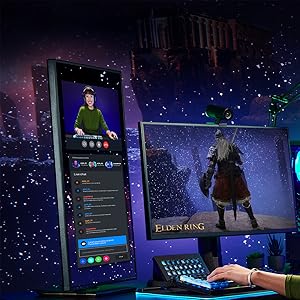
🔥 Power Your Play & Productivity with the i7-13700K Beast!
The Intel Core i7-13700K is a 13th Gen unlocked desktop processor featuring 16 cores (8 performance + 8 efficient) and 24 threads, with a max turbo frequency of 5.4 GHz. It supports PCIe 5.0, DDR5/DDR4 memory, and includes integrated Intel UHD Graphics 770. Designed for gamers, content creators, and overclocking enthusiasts, it delivers exceptional multi-threaded performance and future-proof connectivity, though it requires robust cooling due to higher power consumption.






| ASIN | B0BCF57FL5 |
| Best Sellers Rank | #79 in Computer CPU Processors |
| Brand | Intel |
| Cache Memory Installed Size | 24 MB |
| Customer Reviews | 4.6 4.6 out of 5 stars (2,401) |
| Global Trade Identification Number | 00735858526678 |
| Item Dimensions L x W | 9.17"L x 4.65"W |
| Item Type Name | Central Processing Unit |
| Item Weight | 0.03 Kilograms |
| Manufacturer | Intel |
| Model Number | Intel Core i7-13700K |
| Platform | Not Machine Specific |
| Processor Brand | Intel |
| Processor Core Count | 16 |
| Processor Count | 16 |
| Processor Number of Concurrent Threads | 24 |
| Processor Series | Core i7 |
| Processor Socket | LGA 1700 |
| Processor Speed | 5.4 GHz |
| Secondary Cache | 24 MB |
| UPC | 735858526678 |
| Warranty Description | 3 year manufacturer |
| Wattage | 125 watts |
A**Y
Good CPU, working well in gaming
In general - all mentioned in this review products are as described and working as described. Almost all deserve 5 stars (commented if one or more stars are taken off). Instead of reviewing item by item I decided to write one review for all products used for one specific PC build. The purpose of this PC build - fancy compact gaming system. Items used in this build: -- Item 1) OCPC Mini ITX Case, Hydra Italy Mini ITX PC Case, Amazon https://www.amazon.com/gp/product/B0BK6D77DG/ Very good case – compact, cool looking and efficient. The black color is the only variant I found on Amazon. With only cooling from top-down CPU cooler, the i7-13700K based system passed the stress test very well. Riser cable is not included – actually the riser cable for GPU orientation as shown on Amazon item photo does not exist. In order to build the system as shown, I bought a flexible riser cable (Item #2) and twisted it to 180°. Another simpler solution is to install GPU upside down as presented by other reviewers on Amazon. -- Item 2) EZDIY-FAB PCIE 4.0 16x Extreme High Speed Flexible Riser Cable PCI Express Port GPU Extension Card-Dual Reverse Connector for ITX [21cm]. Amazon https://www.amazon.com/gp/product/B09S5DW3RX/ -Does the job - exactly what I need for the project. Note: During system build I have to remove the bracket from the cable male connector and install it back after passing cable through the case hole. -- Item 3) Power supply: Cooler Master V750 SFX Gold Full Modular, 750W, Amazon https://www.amazon.com/gp/product/B08LP7B7FM/ - Works as supposed to. PSU had a noticeable burning smell for about 5 days, considering this is normal for a new PSU. If you want to build more powerful gaming system, I recommend the PCIe 5.0 ready 850W SFX PSU, something like ARESGAME GL850 https://www.amazon.com/gp/product/B0CHDS4J33/ SFX-L PSU will work in Hydra Mini as well, but cable management will be tougher. -- Item 4) CPU: Intel Core i7-13700K, Amazon https://www.amazon.com/gp/product/B0BCF57FL5/ - Good CPU, working well in gaming. -- Item 5) Motherboard: ASUS ROG Strix B760-I Gaming WiFi, Amazon https://www.amazon.com/gp/product/B0BR8TVLPL/ - Working as described, nice looking MB. Thank you, ASUS - now ROG motherboards have the Memtest86+ built in BIOS. This very helpful feature allows PC builders to check memory before operating system installation and prevent blue screens and failures during OS install and system use in case of defective memory. In my case originally ordered CORSAIR DOMINATOR PLATINUM RGB DDR5 RAM 64GB (2x32GB) 6400MHz (Amazon https://www.amazon.com/gp/product/B0C1R95SPW/) was defective. Both memory modules came to life and showed ok in BIOS but Memtest86+ got errors. I did test modules one by one in the same memory slot and found out that one of the modules is the cause of the failures. Returned the defective memory and bought another from a different brand (Item #6). ASUS ROG Motherboard chosen for the look. In my opinion the best Intel (or may be overall) mini ITX MB on the market is MSI MPG Z790I Edge WiFi Gaming Motherboard (Amazon https://www.amazon.com/gp/product/B0BHCJ6KQ2/ ) I own one and have a very best experience. -- Item 6) Memory: TEAMGROUP T-Force Delta RGB DDR5 Ram 64GB (2x32GB) 6000MHz, Amazon https://www.amazon.com/gp/product/B0BNTV1945/ -Very good product, works as described, nice looking, recognized by Aura Sync. -- Item 7) Graphics Card: MSI Gaming GeForce RTX 4060 Ti 16GB, Amazon https://www.amazon.com/gp/product/B0CCFZMHSM/ - Graphics card work as supposed to, have low power consumption. This GPU was chosen for the look only. Anyway, the presented system can play all modern games well at 1440p. But if you want the very good gaming experience, I will recommend at least RTX 4070 Ti like MSI Gaming GeForce RTX 4070 Ti Ventus 2X 12G OC. And the very best (talking about built on Hydra Italy Mini Case) will be the system with 850W PCIe 5.0 SFX PSU and: a) MSI MPG Z790I Edge WiFi Gaming Motherboard, Amazon https://www.amazon.com/gp/product/B0BHCJ6KQ2/ b) Intel Core i9-13900KF, https://www.amazon.com/dp/B0BCFM3CJ4/ c) ASUS ProArt GeForce RTX™ 4080 16GB OC, ( Amazon https://www.amazon.com/dp/B0C75J66C8/). This compact GPU has included Graphics Card Holder which will work with presented builtI own all of these (a,b,c) components packed in another fancy mini ITX case (Phanteks PH-ES217A_BK02 Evolv Shift 2 Air Mini-ITX case, Fabric Side Panels) and they performed superb in games. -- Item 8) SSD Disks: 8.1) Primary (system): WD_BLACK 2TB SN850X NVMe Gen4 PCIe M.2 2280 WDS200T2X0E, Amazon https://www.amazon.com/gp/product/B0B7CMZ3QH/ 8.2) Secondary (backup and media data): Crucial P3 Plus 4TB PCIe Gen4 NVMe M.2 CT4000P3PSSD8, Amazon https://www.amazon.com/gp/product/B0B25M8FXX/ - Very good products, works as described, no problems. -- Item 9) Antec Power Supply Sleeved Cable, PSU Cables, PSU Extension Cable Kit / 1x24pin ATX / 2x8pin (4+4) EPS / 3X (6+2) pin PCI-E, 30cm Length with Combs, Dual EPS Red Amazon https://www.amazon.com/gp/product/B0BN3H2K17/ - Perfect fit for this project, good cables, looks nice. -- Item 10) CPU cooler: ID-COOLING IS-67-XT Black 67mm Height Low Profile CPU Cooler, Amazon https://www.amazon.com/gp/product/B0CFPY9CKZ/ - Good design, keeps i7-13700K adequately cool in open Air PC Case. Mounting for regular size 120mm fan included. Easy installation - just install radiator 1st and mount fan after. ID-COOLING IS-67-XT chosen because of black color. In my opinion DeepCool AN600 Low Profile CPU Cooler (Amazon https://www.amazon.com/dp/B0C4P8ZPWT/) has a little bit better cooling performance (I have one in a very compact Flex ATX build). -- Item 11) EZDIY-FAB Moonlight 120mm RGB PWM Case Fan, Amazon https://www.amazon.com/gp/product/B07X8T79QY/ Good, quiet and nice-looking fan. Actually, it is a leftover piece from a 9 fans ATX tower system build. If you want to build a similar system with a similar look, I recommend Cooler Master MF120 Halo² Fan Duo-Ring ARGB (Amazon https://www.amazon.com/gp/product/B0BWKZGYXJ/). This fan has a similar look but has better airflow / air pressure. --- Item 12) 24 Pin RGB Cable Extension Kit (used ARGB strip only), Amazon https://www.amazon.com/gp/product/B07WN4G7KC/ - The power cable connector to MB too tight - did not go all the way down, afraid to broke the MB if try to apply more force (the regular PSU cable fits perfect). Connector to PSU too tight as well, but was able to connect all the way down. Actually, in reality the system with this cable does not look good (too much RGB). Did use ARGB strip only for decoration purposes on the GPU side. -- Item 13) Thermal Paste: ARCTIC MX-6. Optional - I have a very good experience using this thermal paste brand and always using it for the builds (so thermal paste provided by ID-COOLING was not used). Amazon https://www.amazon.com/gp/product/B09VDLH5M6/ ----------- Overall, I assume the goal is reached - the presented system can play recent games and look very cool (in my humble opinion).
D**N
Cant beat this value
Intel Core i7-13700K: Gaming Beast with Brawn and Bandwidth, But Not Without Bite Overall Rating: 4.5 out of 5 stars For: Serious gamers, demanding content creators, overclocking enthusiasts, those upgrading from older systems Against: Pricey compared to previous generations, runs hot, requires beefy cooling Performance: 5 out of 5 stars The i7-13700K packs a serious punch. Its hybrid architecture with 8 performance cores and 8 efficient cores tackles demanding tasks with ease. Whether you're pushing pixels in the latest AAA titles or crunching numbers in complex spreadsheets, this CPU thrives under pressure. In gaming, expect silky-smooth frames at 1440p and beyond, even in the most demanding titles. Compared to its predecessor, the i7-12700K, it offers a noticeable performance boost, especially in multi-threaded workloads. Overclocking: 4.5 out of 5 stars The i7-13700K is an overclocker's dream. It offers plenty of headroom for pushing clock speeds, unlocking even more performance potential. However, remember that this comes at the cost of increased power consumption and heat generation. Ensure you have a robust cooling solution like a high-end air cooler or AIO liquid cooler to keep things under control. Features: 4 out of 5 stars The i7-13700K boasts impressive specs: PCIe 5.0 support for next-gen hardware, DDR5 memory compatibility, and Intel UHD Graphics 770 for basic graphics needs. This future-proofs your build and ensures you're ready for the latest tech as it emerges. However, keep in mind that the cost of DDR5 memory might still be a drawback for some. Value: 4 out of 5 stars While the i7-13700K delivers fantastic performance, it comes at a premium price tag. Compared to previous generations, the cost per core has increased. However, it still offers compelling value compared to its closest competitor, the AMD Ryzen 7 7700X, especially for gaming. Remember, you'll need to factor in the cost of a capable cooler and potentially DDR5 memory, further impacting the overall value proposition. Things to Consider: Heat and Power Consumption: This CPU runs hot, especially under overclocking. Invest in a robust cooling solution to avoid thermal throttling. Price: The i7-13700K is expensive compared to older generations and slightly pricier than its main competitor. Consider your budget carefully. DDR5 Compatibility: While future-proof, DDR5 memory is still more expensive than DDR4. Factor this into your overall build cost. Final Verdict: The Intel Core i7-13700K is a top-tier processor for serious gamers, demanding content creators, and overclocking enthusiasts. Its blistering performance, PCIe 5.0 and DDR5 support, and overclocking headroom make it a future-proof powerhouse. However, the high price, heat generation, and DDR5 compatibility requirements might be dealbreakers for some. If you're looking for the ultimate in gaming and multi-core performance and have the budget for a premium build, the i7-13700K is a worthy investment. Just be prepared to feed it some serious watts and keep it cool. Note: This review is based on my own research and comparison of benchmarks. Your results may vary depending on your specific hardware and software configuration
T**L
Two notes before buying
Performance-wise, it’s a strong and consistent CPU. Paired with my GPU (5070 Ti), it delivers excellent results. In CS2, after dialing in the right game settings, I’m comfortably getting around 400–500 FPS—and I usually don’t see it drop below ~440. Two notes before buying: Give yourself extra PSU headroom. If your build “looks like” it could run on ~600W, I’d still go for at least 800W. The price difference is usually small, but it helps stability, performance, and future upgrades. I’m running it with a 1000W PSU. It runs hot. I’d recommend at least a 360mm AIO for cooling.
E**T
i7 processor
When my i9 fried itself I had to buy this i7 and it works great. Easy to install and works great.
R**A
a good processor
I bought this Intel Core i7-13700k processor, and what they told me was true. This processor is a beast! Thank you so much!
C**C
Screaming fast processor that runs really hot.
I got this for a new system build even though a little higher than I like to spend. But it has performed great. After, I noticed a drop in performance and doing research, I found out that these run very very hot and the thermal protection had kicked in to throttle the processor down. I tried a few Air cooled options that did the trick, but they were too loud for me, so I ended up with a Liquid cooled option which is what I would recommend to anyone using this processor. Currently, my idle temps are around 41c and at 100% utilization, temps average around 60-70 with a quick peak of 95. I dont personally like to overclock for my own reasons, but I did do some overclocking on this for testing and everything worked great with what I did. 13th Gen blows away 12th gen. This I7 even bests the i9 12th gen. Great chip as long as you keep it cool.
L**N
Difettoso
D**O
Qualité et performance sont au rdv ! CPU lié à une carte mère Z790 MSI, tout roule comme une fusée. Bon il y a mieux, mais pour les applications que je fais sur pc, c'est amplement suffisant.
C**N
muy buen procesador 13700k va bien sigo usándolo después de muchos meses sigue trabajando llego nuevo de paquete eso da confianza algo caro pero estoy satisfecho
C**N
Bought this processor a while ago. Absolutely beast of a CPU. Managed to get it on a discounted price which was great. Temperature stays at around 70°C in gaming paired with a 240mm NZXT Kraken AIO. You might want to look at 14th gen as this is 2 generations old now but still performs very good.
S**S
This processor performs well and is a solid performance upgrade from my old i7-6700K. According to HWMonitor, the CPU package hovers around 15W power consumption doing desktop tasks (web browsing / email / Office). Compared to my i7-6700K (video card and PSU unchanged; new motherboard, ram, and heatsink&fan): - System power consumption at idle and doing desktop tasks is about 5W higher than my 6700K in normal mode, or about 15W lower in “eco” mode in my motherboard’s settings - Synthetic benchmarks (3dmark CPU Profile) indicate 2x performance for single-core processing and 4x performance for maximum threads - Real-life video encoding is roughly 3x faster using PowerDirector Note that this LGA1700 socket is known to allow some bending (this causes poorer contact with heatsink which may cause throttling). This can be remedied by installing a pressure plate (I bought a Thermalright LGA1700-BCF for around $12). If you don’t need a built-in GPU, consider the i7-13700KF; the built-in GPU is nice to have but not always worth the premium. If you also don’t plan to overclock, consider the i7-13700F.
Trustpilot
3 days ago
2 months ago