
DOWNLOAD THE APP


Customer Services
Copyright © 2025 Desertcart Holdings Limited
DOWNLOAD THE APP
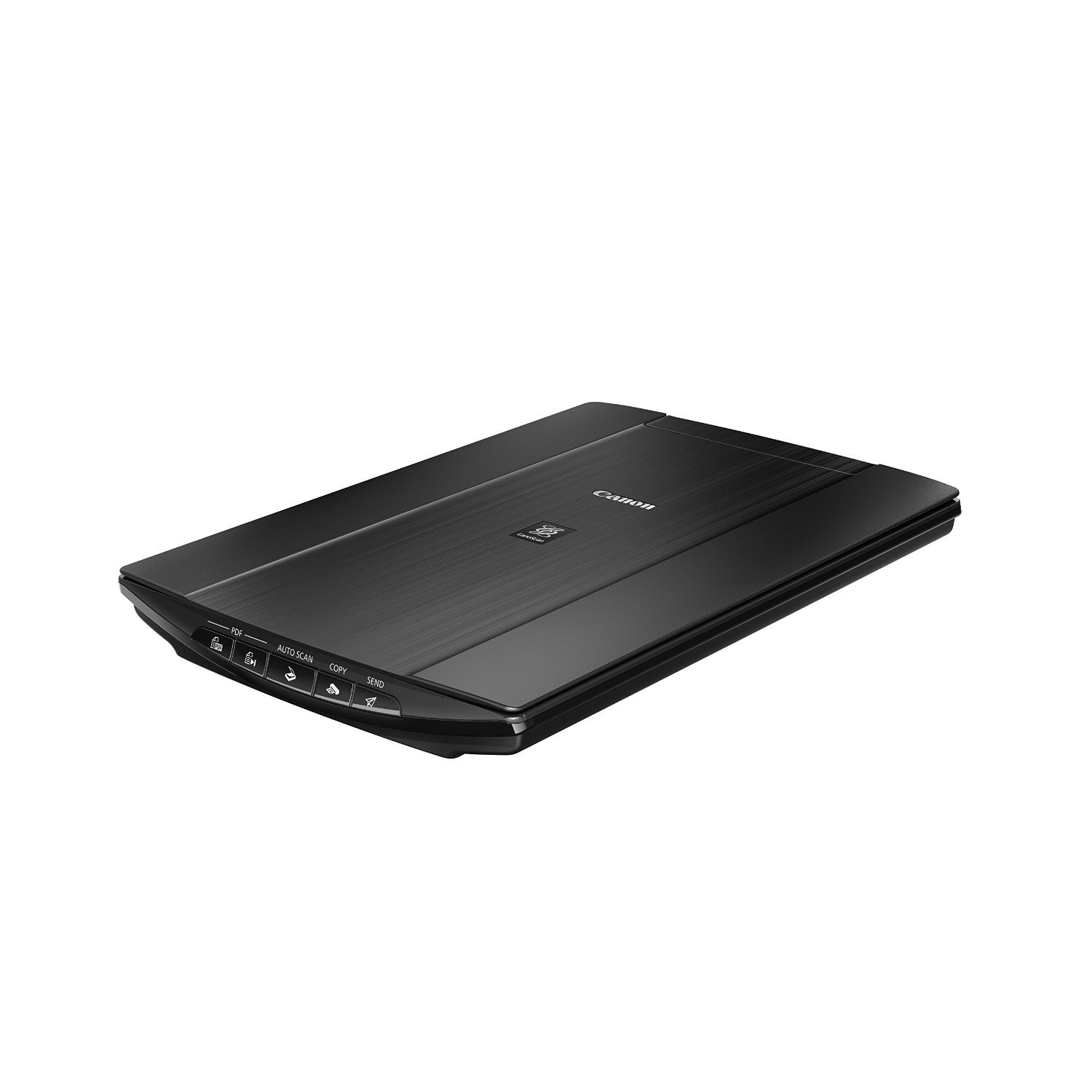

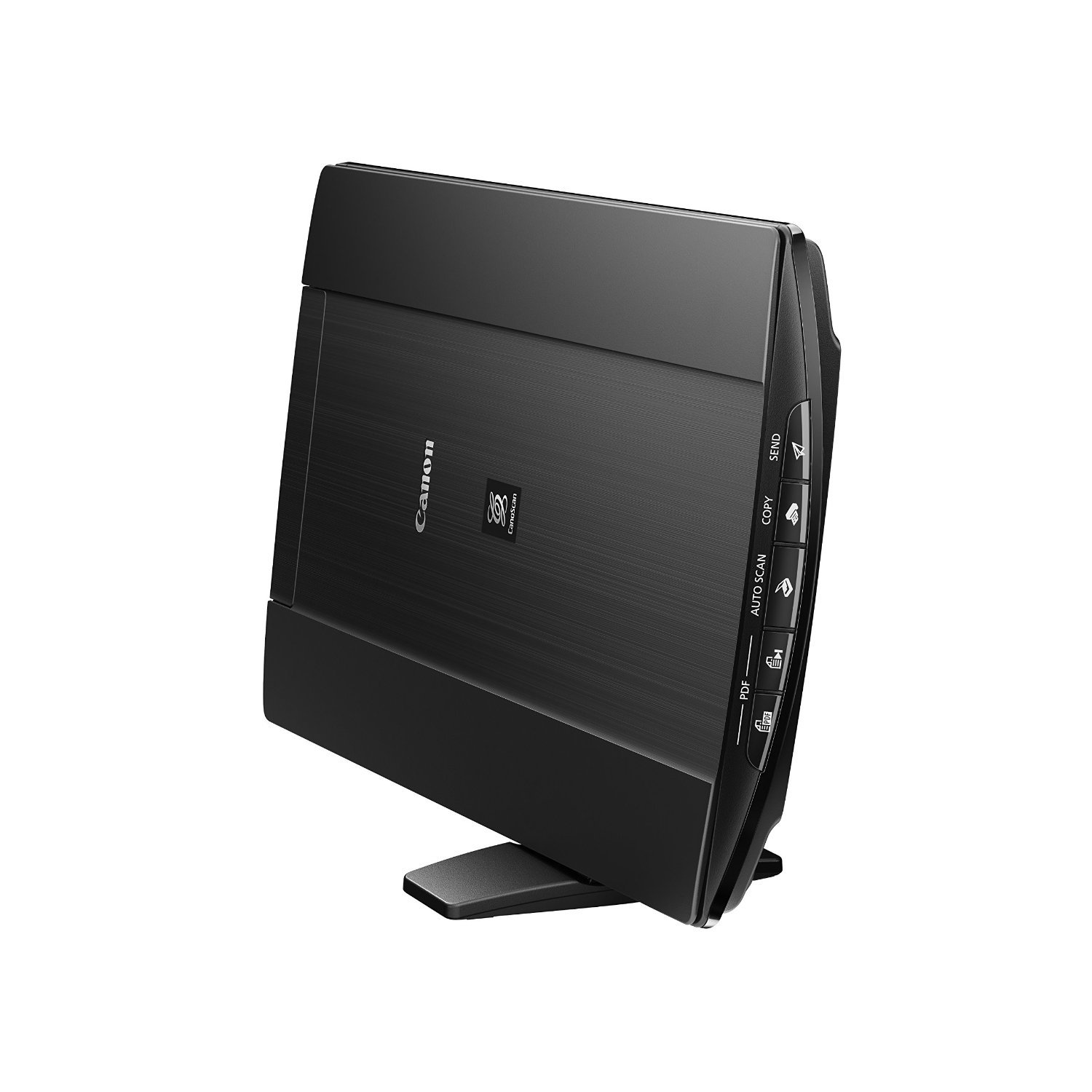
📠 Scan smarter, not harder — your desk’s new MVP!
The Canon CanoScan LiDE 220 is a compact, USB-powered scanner delivering ultra-high 4800 x 4800 dpi resolution with 48-bit color depth. It offers rapid 10-second A4 color scans, direct cloud upload capabilities, and one-touch multipage PDF creation, making it an ideal tool for professionals seeking detailed, efficient document and photo digitization in a sleek, space-saving design.


| ASIN | B00MWLHV2U |
| Are Batteries Included | No |
| Best Sellers Rank | 97,289 in Computers & Accessories ( See Top 100 in Computers & Accessories ) 117 in Document Scanners |
| Brand | Canon |
| Colour | Black |
| Computer Memory Type | DDR3 SDRAM |
| Customer Reviews | 4.3 4.3 out of 5 stars (3,522) |
| Date First Available | 20 Aug. 2014 |
| Guaranteed software updates until | unknown |
| Item Weight | 1.6 kg |
| Item model number | 2420V34 |
| Manufacturer | CANON |
| Power Source | USB |
| Processor Count | 1 |
| Product Dimensions | 25 x 36.5 x 3.9 cm; 1.6 kg |
| Series | Lide 220 |
| Supported Software | Ja |
| Wattage | 5 watts |
C**N
Great quality scans - excellent valu
I bought this to replace an HP Envy 100 all-in-one I was using for scanning. I've had the Canon DSLR cameras for years and I've always liked them so I thought I'd try out the CanoScan range. I'm using a Macbook Pro with High Sierra so I just plugged it in. May laptop has no disk drive so I have no idea what's on the CD that came with it. The scanner worked with Adobe Photoshop straight out of the box but with slightly limited functionality. If you want to use the higher resolutions and colour depths you'll need to first install the driver, then the catchily named "Canon IJ ScanGear Starter EX" - both downloaded from the Canon website. In the advanced mode you can access the 48 bit colour depth and the 1200dpi scan resolution. The "IJ Scan Utility" app seems to be a more straightforward interface if you just want to press a button and scan, but it doesn't allow 1200dpi scanning. Don't bother with the "My Image Magic" app which is total rubbish. I couldn't even get it to recognise the printer and it looks like they dug it up from 1999. The scanner itself is not expensive and it feels a bit flimsy so I was sceptical of how good the image quality was going to be. It turns out it's actually great. It handles documents and artwork with no issues. I haven't needed to scan any photos in yet but it picks up watercolours and gouache just as well as any other non-specialist scanner I've used in a professional studio. I think it's really good value and it's nice and small and light so you can pop it away in a drawer.
M**S
Does a trouble-free job
Bought as an upgrade from an old Medion scanner which had served well but with no 'Windows 7' drivers had become redundant. The drivers & 'IJ Scan Utility' (I rarely bother installing the free supplied software although there is some on the CD) installed with no problems but I got the latest versions from the Canon website & not from the supplied CD... always a good idea ;-) The 'IJ Scan Utility' is straight forward to use & works well, scanning to an editable PDF file or using OCR to scan to a 'MS Word' document are just a couple of the handy features. The scanner works fine & scan quality is what I'd expect across all types of documents. The 'Z' lid enables scanning of thicker documents like books & is a nice touch. The only drawback is that when you're scanning a document (books in particular) it must be totally flat on the glass bed to be scanned properly, my old scanner was a bit more forgiving in this respect. This isn't a fault but a drawback of utilising a newer & "better" CIS scanning element. Speed of scanning & transfer seems fast, certainly better than my old Medion. The only real criticism I can level at the Canon is that it's much noisier than the old Medion. It's quite a metallic grating noise as well so gets a bit annoying after several scanned pages but nothing I can't live with.
K**N
Less than an hour from delivery and I am already scanning and saving images AND THEY ARE GOOD QUALITY TOO.
I bought this inexpensive lightweight scanner for scanning documents and photographs etc for my family tree read to upload to Ancestry. I opened the box and all was present. At first you have to wade through the pieces of paper and put aside all the ones in foreign languages. Not too much info really in paper form. It says there is an manual on the cd. What it does not say is that you have to move the black plastic slider from LOCKED to UNLOCKED which is on the base of the scanner. This merely unlocks the mechanism that stops the scanning heads from moving while in transit. It must be unlocked before you plug into your computer/laptop etc or you will hear the scanner making noises while it tries to set itself up. My computer has Windows 7. Attached the scanner to my laptop using the cable that came with the scanner thus you don't need any additional cables so the one new one I bought with it is now just another cable to add to my collection. I put the cd in my laptop and quickly things started happening. I followed the screen instructions. It then placed an L shaped icon in bottom right of my laptop screen right OVER THE TOP OF SOME SHORT CUT ICONS - I tried to move the new icon as I could not get to the original underneath but it would not move so move any short cut icons you have in the bottom right of your screen to somewhere else on the screen before you start. The downloading failed because as mentioned in another review the cd contents proved to be because out of date. I switched of my computer and counted to 30 slowly and switched back on. The scanner does not have an ON/OFF switch so because it was still connected to my laptop I heard the setup movement of the mechanism inside it. I am thus not going to leave it connected to my laptop except when in use. I touched the L shaped icon with mouse and an X appeared so clicked and the icon disappeared. I could move my short cut icons before I tried again. I googled Canon CanoScan LiDE 220 Compact Scanner and found a Canon website mentioning updates and selected it. I clicked to download the files and my computer showed all the screens as before but this time direct from Canon. Finally it was complete - Actually easy weasy. I put a label off something in the scanner - bottom left hand corner with the scanners buttons which I did not use nearest to me. I clicked on the little picture on the L shaped shortcut icon on my screen and the scanner jumped into action. A time line counted down the scanning. A screen popped up with the image of the label visible, I clicked to copy and opened up Paint Shop Pro 9 but the Paste words were greyed out - Damn. Back to the picture and by investigating discovered a pop up menu of the visual programs on my laptop. I clicked on Paint Shop 9 which then opened up automatically. At first there was a pop up message appeared saying it could not be done. I clicked on OK thinking "damn again" but the message just disappeared being contradicted followed by the appearance of the image. So there it is. Easy weasy. Paint Shop Pro allows you to SAVE in whatever format you want. Ancestry allows ,jpg so it is fine. I decided to experiment with something thicker - you see I had arranged the scanner on it's stand which leans slightly to the right. I put a dvd case in place but of course this time I had to press lightly on the cover of the scanner with my right hand while I clicked on the icon with the mouse in my left. The mechanism did its job. and I soon had the image of the dvd case in Paint Shop Pro. Not being into copying these - I found where the Canon software had placed the file and touching the image with the mouse shows you a fingerprint of the image. I deleted the file. This of course means I can save the image in .jpg format and place it in the correct folder amongst my Family Tree folders and delete the original scan. I remember my old scanner that had to be fixed to my computer and then my printer attached to the scanner - imagine the cables. There were a lot more settings to get used to. I expect this scanner has things I need to learn about but the quality of the label and the film dvd cover through its vinyl protector were very good. So I hope this simplistic explanation of what to expect will help anyone who is worried about a new scanner. Now I need a padded case such as a laptop case to store and keep safely in when not in use. These days I tend to do scanning in batches - not every day. I CANNOT BELIEVE HOW QUICKLY I GOT IT SET UP EVEN INCLUDING HAVING TO DOWNLOAD MORE UP TO DATE FILES. If you want a scanner and you don't want to deal with slides and film then this is an ideal for non professional use. A photographer may want a more highly spec version.
I**0
Ottimo prodotto dal buon rapporto qualità prezzo, (acquistato a 75€). Facilissima l'installazione su win 10 - 64b , non ho utilizzato il cd incluso ma scaricando direttamente dal sito canon il pacchetto di installazione che comprende anche i driver aggiornati per questo OS. Il funzionamento è semplice così come il programmino di canon , che permette vari settaggi della macchina per le diverse esigenze di copie (foto, documenti ecc..) . Utilizzabile sia con interfaccia da pc, che con i tasti fisici sullo scanner, nonostante sia comunque indispensabile che il pc sia acceso e lo scanner collegato, infatti non ha una sua alimentazione ma dati e corrente passano per il cavo Usb (in dotazione). Permette di creare documenti .pdf di ottima qualità, anche di più pagine. Non ho trovato invece grosse differenze di qualità scansionando foto a 600 o 1200 dpi, sembrano praticamente uguali. La velocità di scansione dipende molto dalla risoluzione (300 dpi in 10 sec.e con 600 dpi 32 sec.) la macchina non è velocissima, non aspettatevi prestazioni adatte o vicine a scanner da ufficio ma per un uso domestico ritengo invece che sia un prodotto davvero valido e consigliabile. Saluti
L**N
Warum dieser Scanner ------------------------------------------------- Der Canon hat bei mir einen Epson Scanner ersetzt. Gut fand ich vor allem das man nicht noch extra ein Stromkabel anschließen muss weil der Scanner USB Buspowered ist. Gleichzeitig ist er von den Abmassen sehr klein. Mein Epson war knapp 3x so dick und sah dagegen wie ein Gerät aus einer vergangenen Zeit aus ;) Ja, und sehr viel Geld ausgeben wollte ich auch nicht... Installation ------------------------------------------------- Unter Windows nicht den Scanner gleich einstecken, sondern erstmal die Canon Lide Software von Canon runterladen und installieren. Dort ist alles enthalten was man braucht, Scannertreiber und Zubehör und außerdem werden damit auch erst die Funktionstasten direkt auf dem Scanner aktiviert. Während der Installation fragt die Software dann nachdem einstecken des Scanners und dann sollte man es auch erst tun.. denn: Wenn die Canon Software nicht installiert ist, versucht Windows Standardscanner Treiber/Software zu installieren. Allerdings funktionierten bei mir damit nicht die Funktionstasten. Scannen ------------------------------------------------- Die Scannersoftware ist sehr gut bei Canon. Es gibt vorgefertigte Einstellungen die man aber noch anpassen kann und es gibt auch einen manuellen Mode der gerade zum scannen von Photos etc. die beste Wahl ist. Es gibt gerade im manuellen mode noch verschiedene Bildverbesserungsfunktionen. Hatte mal einen Schwung alte Fotos gescannt die schon ziemlich verfärbt waren und was man dort mit den Filter insbesondere der Farbverbesserung rausholt ist schon enorm. Das scannen ist also wirklich eine runde Sache mit der Software. Besonders interessant fand ich hier noch die Möglichkeit mehrseitige PDFs zu erstellen... das ist Klasse wenn man irgendwas kopieren muss was mehrere Seiten hat.. Nachdem Scanvorgang fragt die Software dann ob man noch eine Seite scannen will und wenn man fertig ist wird ein mehrseitiges PDF erstellt. Wenn man noch einen passenden Duplex Drucker hat, kann man das dann alles zweiseitig ohne manuelles eingreifen in einem Rutsch ausdrucken. Wenn ich daran denke was das immer ein hin-und hier mit meinem alten Scanner war.. also das ist wirklich gut. Die verschiedenen Modi bieten je nachdem auch unterschiedliche Optionen für das Ausgabeformat. PNG/TIFF/Jpeg/PDF... und man kann auch angeben was nachdem Scan passieren soll z.B. den Explorer öffnen, eine Anwendung oder auch den OCR der dann versucht Text zu extrahieren. Die Software hat auch noch einen speziellen Mode um mehrere Scans zu einem Bild zusammenzufügen. Also eine Art "Stitch" Funktion. Wenn man sehr große Bilder scannen muss ist das sicherlich sehr nützlich. Der Scanvorgang ist recht schnell, hängt natürlich von der gewählten DPI Auflösung ab und die Resultate sind sehr gut. Der Deckel vom Scanner ist so flexibel angebracht das man auch Bücher und grössere Objekte scannen kann. Gerade bei Büchern gibt es noch einen speziellen Mode wo dieser dunkle Bereich in der Mitte dann aufgehellt werden soll ("Bundstegschatten").. Wie gut das funktioniert kann ich allerdings nicht sagen. Resümee ------------------------------------------------- Insgesamt ein schöner Scanner für den Hausgebrauch oder auch Small Office der mit den meisten Medien sehr gut zurecht kommt. Wenn die Medien einigermaßen Plan liegen ist da kein Qualitätsunterschied zu einem CCD Scanner (der Epson den ich vorher hatte war so ein CCD Scanner mit extra Kaltlichtlampe und noch einem Durchlichtaufsatz). Wenn man jetzt eher Bücher scannt oder Medien die nicht unbedingt Plan auf dem Scanner liegen, dann würde ich aber doch eher nach einem CCD Scanner gucken weil dort die Tiefenschärfe besser ist. Wer eher Fotos, Rechnungen etc. kopieren will wird mit diesem Scanner keinen Fehler machen. Ich habe mit dem Scanner einige hundert Rechnungen zu PDFs gescannt und in Evernote archiviert ohne irgendein Problem. Selbst einige alte Fotos haben es über den Scanner in das digitale Archiv geschafft inklusiver manuellem Scan in dem Canon Scan Programm ("Scan Gear" ist dort das manuelle Scannen inklusive einfacher Bildbearbeitung). Deswegen kann ich den Scanner empfehlen.
A**R
Very complicated product
S**7
Original quality
J**É
Mi viejo escáner HP 3800 se averió y buscaba un sustituto sencillo. Con este modelo de Canon he acertado. Es más compacto que mi anterior escáner, más silencioso (el anterior era muy escandaloso) y se alimenta con la corriente del cable USB sin necesidad de otro cable. El software que lo acompaña es sencillo pero suficiente para el uso que le quiero dar: escanear documentos en formato pdf y guardar fotos de familia en archivos de imagen. Permite personalizar bastantes opciones de escaneado y corregir defectos del original si se busca algo más. Tiene una velocidad de escaneo aceptable y hasta el momento no me ha dado ningún problema. Lo utilizo con Windows 10 todo funciona correctamente.
Trustpilot
1 month ago
3 weeks ago