We remain fully operational. Our teams are working around the clock to ensure your deliveries continue safely.

DOWNLOAD THE APP


Customer Services
Copyright © 2025 Desertcart Holdings Limited
DOWNLOAD THE APP


📄 Scan smarter, not harder — your paperless future starts now!
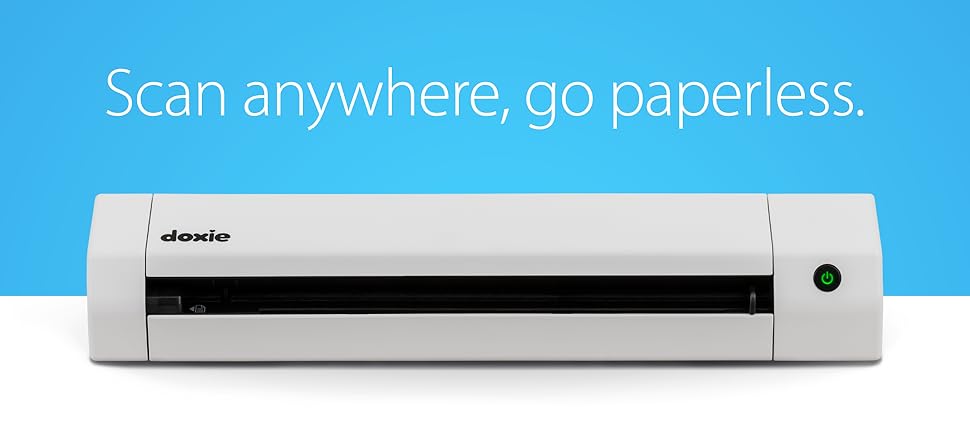
The Doxie Go SE is a compact, battery-powered portable document scanner designed for professionals on the move. It delivers fast, high-resolution (up to 600 dpi) full-color scans in just 8 seconds without needing a computer. With built-in memory capable of storing up to 8,000 pages and a rechargeable battery that supports scanning up to 400 pages per charge, it’s perfect for home, office, or remote work. The included Doxie app features award-winning ABBYY OCR technology for creating searchable PDFs and seamless syncing to cloud apps. Backed by a 1-year manufacturer warranty and dedicated support, Doxie Go SE combines convenience, speed, and reliability for the modern professional.




| ASIN | B073H7V4DM |
| Batteries | 1 Lithium Ion batteries required. |
| Best Sellers Rank | #41,040 in Office Products ( See Top 100 in Office Products ) #38 in Document Scanners |
| Brand | Doxie |
| Customer Reviews | 4.5 4.5 out of 5 stars (4,143) |
| Date First Available | October 2, 2017 |
| Is Discontinued By Manufacturer | No |
| Item Weight | 1.18 pounds |
| Item model number | DX240 |
| Manufacturer | Doxie & Co. |
| Manufacturer Part Number | DX240 |
| Product Dimensions | 12.2 x 2.25 x 1.75 inches |
| Sheet Size | Letter, A4 |
| Size | Battery Sheetfed |
T**J
We love this!! BUT only after you figure it out a few finer details.
SEE EDIT AT BOTTOM: We love this BUT only after you figure it out the finer details. My wife wants to scan all of our old photos pre-digital so I got her this to help with that mission (we have MANY photos). I have 3 scanners or all in ones in my house and I will say the Doxie Plus is the ONLY way to go for mass scanning images that are 8x10 or smaller. That is all you need to know on the positive and now I will address the issues I had. I am a techi so I assume this can be used without any reading but that is not he case. I did glance over documentation and see that it has built in memory but you can add more via the SD slot. So I grabbed a spare 64gb card and stuck it in there. It would not power on and stop blinking like it was supposed to. After digging I find out that it ONLY supports special SD cards (really!!!!) That is absolutely ridiculous, but there is actually plenty of built in memory. So I removed the SD card and it powers up fine. In the process of trying to figure out the bootup problem (having standard SD card in slot), I tried to locate a "Calibration PDF" on their website. This is the sheet you run through the scanner to calibrate it. Can you believe they make you buy that if you lose it! Another blunder in my opinion. My wife had the calibration page but I am letting you know so if you buy a used one you better make sure the calibration card is in there or your will have to buy another one if the calibration is ever needed again (not sure why you would but just letting you know). Once the scanner is turned on the light is green (300 dpi scan). If you press the button again, it goes to Orange which is 600dpi. They should have a simple sticker above the power button telling you this but they don't and they should allow you to set a default setting which they don't. We are doing photos so we did the scans at 600 dpi which still went plenty fast enough. 300dpi is REALLY fast (ie for documents). After you scan all of your photos, you have to open the software to import the scanned photos. BUT, when you click on the "Import" button in top right corner, it has not completed the import process. After you select all the images on the screen, you have to click on the SAVE button down below actually save them to your local drive. Why they do not allow you to just click the import and have the save process as part of that I do not know. It is just one extra step you have to do to save the photos. But even with these problem I still give this thing 5 stars. My wife is having to use our Epson 7510 for the larger pictures and ones already in the scrap book. The speed and ease of using the Doxie Plus is outstanding. I am sure this product is like everything. The folks who design it and package it, and write the manuals, etc, never actually use it so they have no idea on the simple and stupid mistakes they make. Bottom line, buy one, you will be glad you did :) ----------------------------------------------- EDIT 05-19-2015 1) The Doxie does allow the use of SD cards up to 32GB. And it should be formatted in FAT32. They are considering putting a sticker or some other means of letting customers know that 32GB is the max. In my opinion it might be easier and more effective to update the firmware to allow for much larger SD cards since these are the norm, not the exception in 2015. 2) After doing some extensive scanning of not only photos, but documents (ie medical records), it is evident that the saving process designed by Doxie is most ideal. We scanned many photos and documents and the documents we saved as PDF's where the photos were saved as JPG's. Also, the photos were separated by child and year. So I found my original thought on this to be a little misguided. 3) Doxie has stated that the calibration card has to be the original printed card. It is a heavier card stock and printing on a 8x11 sheet of paper would not work. You can contact them about getting a Calibration card if yours is missing. I take pride in offering detailed and accurate reviews so I wanted to clarify these issues. But nothing changes on the fact that this device is an awesome little scanner and I am sure you will be happy with it.
J**R
OUTSTANDING! (Updated after 4 years of use)
Updated review after 4+ years of use: Bought the original Go with WiFi in 2017 (see review below). Have scanned thousands of documents/pictures without issue. Recently, the scanner started to jamb. I sent a support request describing my issue. II got a response the same day, and after a few diagnostic questions, they offered to send a replacement. I got the replacement in less than 5 days! The replacement not only worked perfectly out of the box, they sent the updated SE WiFi model! Unbelievable support for and incredible product. This company is the best. Original review: I have to say, I am impressed. I have used it for 1 day (approx 100 scans), and it seems to be everything it was advertised to be. Right out of the box, this feels like a premium product (as the cost dictated), the packaging, packing and documentation are all top notch. The device itself is solid, the build quality is quite apparent (no pun intended!) just by holding it and upon close inspection. I followed the quick start guide and scanned a photo in less than 3 minutes from opening the box. The device accepts the media quite easily and quickly scans it. I tried some mangled receipts from my wallet, and it handled them well. You do have to make sure the front edge of the document is clean, for some really badly mangled receipts, I just folded the top back against itself to create a clean edge, and the scan worked just fine (no jamming). The scan quality was better than that of my Epson XP-410, and certainly faster. The software setup was easy (an the online documentation is very thorough. The software is basically a tool to pull the scanned documents from the scanner. It provides some nice features to edit the scanned document and allow for some smart tagging (date/time). The OCR functionality worked better than I thought, even on some really faded poor quality receipts. I guess if there was one option missing, it would be the ability to automatically pull the scans from Doxie (or push from Doxie). There is the ability to manually save the scans to cloud services, I tried the Google Drive function, and it worked flawlessly. WiFi setup was a bit complex if you don't use the default configuration. By default WiFi is configured as a host at 192.168.1.100 as its own network (PC -> Doxie direct, bypassing existing wireless router). So if you have an existing wireless router and it is on the 192.168.1.x subnet, you may have a conflict if another device on your network already has a 192.168.1.100 address. If you follow the instructions, it is possible to add a connection to access it over existing router network, but if you follow the instructions carefully and I recommend that you have your computer connected both via wireless router WiFi and hard wired via Ethernet cable during WIFi setup. Overall, this is a great product. I will be using it every day, so I will report back on reliability if it becomes an issue. Pros: Solid, High quality in every aspect Quick scanning with very good quality Simple yet elegant SW interface Cons: WiFi Setup (relative to everything else) was a bit complex. But this is a one time thing, and it really was not bad as long as you follow instructions. Update 4/22/02 - This thing is a tank. Powers thru scans like hot knife through butter. Use it everyday, and works like a charm. One of the best purchases I have made on Amazon.
F**.
Ero alla ricerca di un piccolo scanner per casa/lavoro e che fosse portatile. C’erano diverse opzioni disponibili ma alla fine ho scelto Doxie GO SE Wi-Fi e devo dire che i soldi spesi valgono assolutamente il prodotto acquistato. Estremamente user-friendly, veloce e di configurazione istantanea, permette anche l’integrazione con il proprio cloud storage preferito. Batteria di ottima durata e capace di sopperire a un notevole numero di scansioni continue (magari accendete il Wi-Fi dopo aver scannerizzato tutto). Il servizio di assistenza mi ha fornito utili consigli per usarlo al meglio e all’interno della confezione ci sono tutte le istruzioni necessarie. Quindi, decisamente consigliato!
R**N
I bought this scanner to scan documents to the cloud and my mac and it hasn't disappointed. I don't have an office but its compact enough to keep in a drawer until needed. It rapidly boots, scans quickly and gives good quality images. You can use it as a standalone item, saving scans to the SD card, or connect directly to your computer. The Doxie software is simple but effective and intuitive. From here you can save to your computer or upload directly to your cloud account. You can scan at lower and higher definition. I've been using it a month now on the high definition scan setting, to scan well over 100 pages, and haven't had to recharge it yet. Overall I'm very pleased with my purchase. I looked at a number of scanners but I'm glad I chose the Doxie.
M**D
After comparing a lot of other portable scanners I chose Doxie's SE wifi and I am happy with my choice. I have finally gone paperless both at work and at home. The price tag was a bit high but after researching online, it seemed worth it. The portability and the ease of having your scanned documents even on your phone when you are on the move is really a big plus. Lastly I am impressed by their customer service who go to great lengths to follow up on your experience with the product and offer their support. I believe this is unique to Doxie and will make you satisfied that they won't leave you on your own after you have bought their product. Based on my experience, I highly recommend this product.
A**R
Excellent device, it has revolutionalized my filing system. Battery life is really good. Internal memory is sufficient for my needs, though can be enhanced with SD card. Form feeder works well, once it's grabbed the page, it pulls it through straight. Accompanying software easy to download and intuitive (options to save varying colour depth, resolution and searchable PDF). Not absolutely convinced by the WiFi capability, it you're within WiFi range, it's just as easy to connect a USB cable.
D**O
Funziona bene ed è abbastanza comodo in mobilità. Istruzioni chiare ed ho richiesto informazioni al supporto su di una modalità particolare di utilizzo; l'operatore è stato gentile ed attento aiutandomi con le indicazioni.
Trustpilot
2 weeks ago
2 days ago