We remain fully operational. Our teams are working around the clock to ensure your deliveries continue safely.

DOWNLOAD THE APP


Copyright © 2025 Desertcart Holdings Limited
DOWNLOAD THE APP
Buy anything from 5,000+ international stores. One checkout price. No surprise fees. Join 2M+ shoppers on Desertcart.
Desertcart purchases this item on your behalf and handles shipping, customs, and support to South Korea.
🚀 Elevate your mobile workspace & gaming—see more, do more, anywhere!
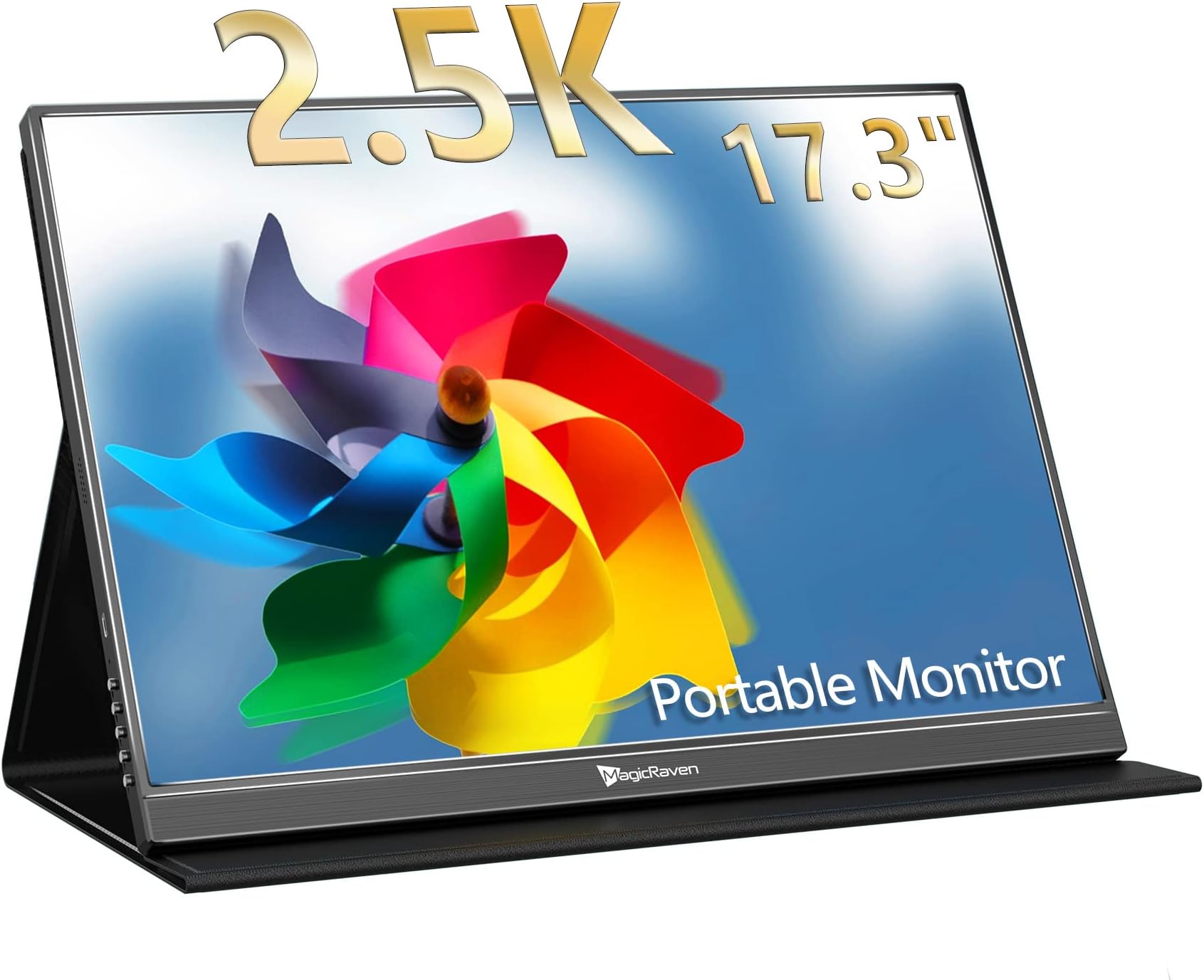
The MAGICRAVEN 2.5K Portable Monitor features a 17.3-inch QHD IPS display with 2560x1440 resolution, 100% sRGB color accuracy, and HDR support. It offers dual USB-C ports and an HDMI input for broad device compatibility, including laptops, gaming consoles, and phones. Lightweight and slim at just over 2 lbs, it’s designed for effortless travel and flexible mounting with VESA support. Ideal for professionals and gamers seeking a vibrant, plug-and-play second screen on the go.


| ASIN | B0BRND5LRL |
| Adaptive Sync | FreeSync |
| Additional Features | High Dynamic Range, Portable |
| Aspect Ratio | 16:9 |
| Best Sellers Rank | #32,542 in Electronics ( See Top 100 in Electronics ) #844 in Computer Monitors |
| Brand | MAGICRAVEN |
| Brightness | 300 Candela |
| Built-In Media | 1 x HDMI Port, 2 x USB-C Ports |
| Color | Black |
| Compatible Devices | Laptops, Gaming Consoles, Multimedia Devices |
| Connectivity Technology | USB/HDMI |
| Contrast Ratio | 1000:1 |
| Customer Reviews | 4.4 4.4 out of 5 stars (115) |
| Display Resolution Maximum | 2560 x 1440 Pixels |
| Display Technology | LCD |
| Display Type | LCD |
| Hardware Connectivity | HDMI, USB 3.0 Type C |
| Has Color Screen | Yes |
| Is Electric | Yes |
| Item Dimensions D x W x H | 0.47"D x 9.65"W x 15.55"H |
| Item Weight | 2.2 Pounds |
| Manufacturer | MAGICRAVEN |
| Model Name | M1701 |
| Model Number | M1701 |
| Mounting Type | Desk Mount |
| Native Resolution | 2560x1440 |
| Number of Component Outputs | 3 |
| Picture Quality Enhancement Technology | HDR |
| Pixel Pitch | 0.235 |
| Power Consumption | 18 Watts |
| Refresh Rate | 60 Hz |
| Resolution | QHD Ultra Wide 1440p |
| Response Time | 1 Milliseconds |
| Screen Finish | Matte |
| Screen Size | 17.3 |
| Shape | Rectangular |
| Specific Uses For Product | Business,Gaming |
| Total Number of HDMI Ports | 1 |
| Total USB 3.0 Ports | 2 |
| Total Usb Ports | 2 |
| Unit Count | 1.0 Count |
| Viewing Angle | 178 Degrees |
| Voltage | 9 Volts (DC) |
J**Y
Affordable 2.5k 17.3" Portable Monitor - Mac use & Gaming
Wow I am very impressed with this monitor for the price and the overall value. There were not very many options for a 17.3" 2.5k monitor. Sure there's some gripes I have with it, this certainly isn't a perfect monitor when it comes to functionality. So that's why I wanted to give a really honest review for those interested in purchasing one. The Good: 1. The screen size, the 17.3" vs the 16" is a huge difference and I was so glad that I opted for this size. There's another 16" 1080p that someone else uses and it is significantly smaller. There is slimmer profile options in this size but I like the thickness of this model moreso than the thinner versions. 2. Travel: I got this for travel and it fit perfectly fine into my large backpack that I pack my tech in. 3. Setup: The setup is very straightforward and the colors at first before turning on HDR are really not great. So make sure to either turn on HDR or custom set the settings to your desired color. 4. I/O or Ports: USB-C PD works perfectly on my M3 Pro MBP no need to use the power cable. HOWEVER when using Adobe programs I do opt to plug in the power supply. This has a full size HDMI port which was another big reason I chose this model, I just didn't want to have another adapter dongle for mini HDMI. I am using a 4k HDMI cable that's connected to my PS5. 5. Gaming: I was worried about two things here - this only being 60hz and the overall quality being 2.5k with my PS5 but after playing Jedi Survivor, Genshin, and Star Rail, it looks fantastic and glad that I didn't fork out double the price for the 4k versions. There's 0 noticeable latency with controller input and the environment colors and battling look great. The PS5 will make you calibrate the screen upon the initial plugin only and not anytime after. The Bad or The Meh: 1. The buttons on the side panel can be a bit frustrating to use sometimes but they all work and you don't really mess with them much. Switching inputs can be interesting BUT when I open my MBP it automatically turns on to correct input and same with the PS5. It is only when you want to change input after the fact that it can be a challenge pressing the correct buttons. 2. Magnet Strength - The magnet strength on the cover itself is just OK, I haven't had the screen fall using the cover but it does leave something to be desired. To fix this I just use my KABCON tablet stand and it holds it beautifully. 3. Smart Cover Protection - The protection is just OK, it will protect against scratches but not against crushing so be sure not to put it in a super stuffed backpack. I would suggest finding a zippered hard EVA case if they make one. 4. Mac screen compatibility - So this kind of caught me off guard but I know has some issues with the aspect ratio of this being 16:10. It scales natively to 1280x720 when I plug it in and the text is readable but everything is HUGE. When I change to 2560x1440 the text on the screen does some weird blurry crap. It's tolerable but it's not preferred so I switched back to 1280 x 720 and actually I don't mind it now since I don't have to sit so close to the screen. But I can see this being an issue for many people. Tips: 1. Get right angle HDMI and USB C adapters to use so the cords aren't sticking out awkwardly on the right side. This makes plugging in much easier and gives an overall cleaner look. You can see them in use in the photo. 2. Use a tablet stand - My recommendation is the KABCON tablet stand. Ive had it for years and it's very sturdy with many angle options. The build quality is really unmatched. It's not on a stand in the photos because my iPad is using it when I took the photos. 3. Cables - Use cables that are least 3ft. I have 6ft cables and this works out the best. Cord wraps will help organize things so it's not a big mess. Also I'm using a Thunderbolt 3 cable for MBP connection. Make sure you use the correct USB-C cables they are not all the same! For HDMI a 4k cable is probably overkill but better safe than sorry. In conclusion despite the minor gripes I am very satisfied with this monitor and have no remorse in purchasing it. The biggest factor will be how long it lasts. Ideally years would be nice but if I at least get two years out of it then it will have paid for itself. Can this be used as a main monitor for those looking to be budget conscious? YES this is very possible to use for that. Coming from a BenQ 32" 4k to this for travel I'd say this was a great and easy solution without much sacrifice. Also for console gaming this is an excellent choice you don't really need 120hz unless the actual game you're running supports it. So I highly recommend this product if it fits your wants and needs!!!
O**F
Great portable monitor
I've been using Portable Monitor, and it has truly transformed my work experience. The vibrant 2560x1440 resolution and 100% sRGB color coverage provide stunning visuals, perfect for photo editing. Setup is a breeze with the plug-and-play functionality—no drivers needed. I appreciate the dual USB-C ports and HDMI options, allowing seamless connections to my laptop or even my phone. The monitor is lightweight and compact, making it an ideal travel companion. Whether working in a café or relaxing at home, this monitor is a fantastic addition to my tech setup. Highly recommended for anyone needing a portable, high-quality display.
S**Y
Good value - works well in studio
This monitor is a good value. It’s not the highest resolution, but if you want higher you’ll be paying double. The resolution is good and pleasing. Is not for someone looking to do editing, but for gaming and for regular monitor use it’s good. Using an Atamos was too small for studio use. Compare to the atamos V in the images. For my purpose, I’m using it as a HDMI monitor for studio filming - and for that purpose it’s great. Basically using it as a much bigger monitor than you usually would get or need, so that way myself and clients can see the LIVE footage with ease.
J**R
Worked very well
This is one of those items where I really wanted to give it 5 stars. Worked without issue with my M2 MacBook Pro while traveling. I take away a VESA star because I bought a stand to use and the screws provided with the stand for the VESA holes don't quite fit. And no where is the screw size documented. Support told me M4 8mm. Updated 12/31/2025. I have owned mine since August 2024, so over two years as of this update. I now use it with a MacBook Pro M4 16" laptop without any issues. No drivers are required. I use it only when I travel and it travels in a 16" laptop sleeve in my suitcase or well packed in a duffel bag. I have broken monitors before while traveling so I know better. I take a star off because when I pulled this monitor out on my vacation 2 weeks ago, the smart cover was demagnetized! Using the Smart Cover to prop up the screen without magnetization is tricky. I do have a multi-monitor stand for traveling but only bring it when I know I will be doing serious work requiring multiple monitors. I didn't have it for this vacation.
S**.
LOVE this little add on screen
I use this in my shop- where I often work on laptop with an extra screen. This bonus screen plugs straight into my phone's USB C and charges my phone while I can project my phone to the screen. Amazing clarity, brightness, decent sound- as I watch movies directly from my phone without using extra data to hotspot to the TV like most do. I originally bought this to be mobile and travel with me in the car- but it's larger than I thought and very nice! Would definitely buy again!
S**E
Great size
Perfect size... Fits in my backpack (barely), and big enough to have some good screen real estate. Easy set up, I like that it comes with a cover, and the picture quality is good.
R**O
Ya no se enciende despues de 1 anho justo!!!! Me ha funcionoado bastante bien aunque a veces se apagaba y tenia que desconectarlo del cargador y volver a conetcarlo....Pero justo despues de 1 anho de uso...se murio...Ya no se enciende!
Trustpilot
1 day ago
1 month ago