
🚀 Elevate your visuals—because your screen deserves the future, today!
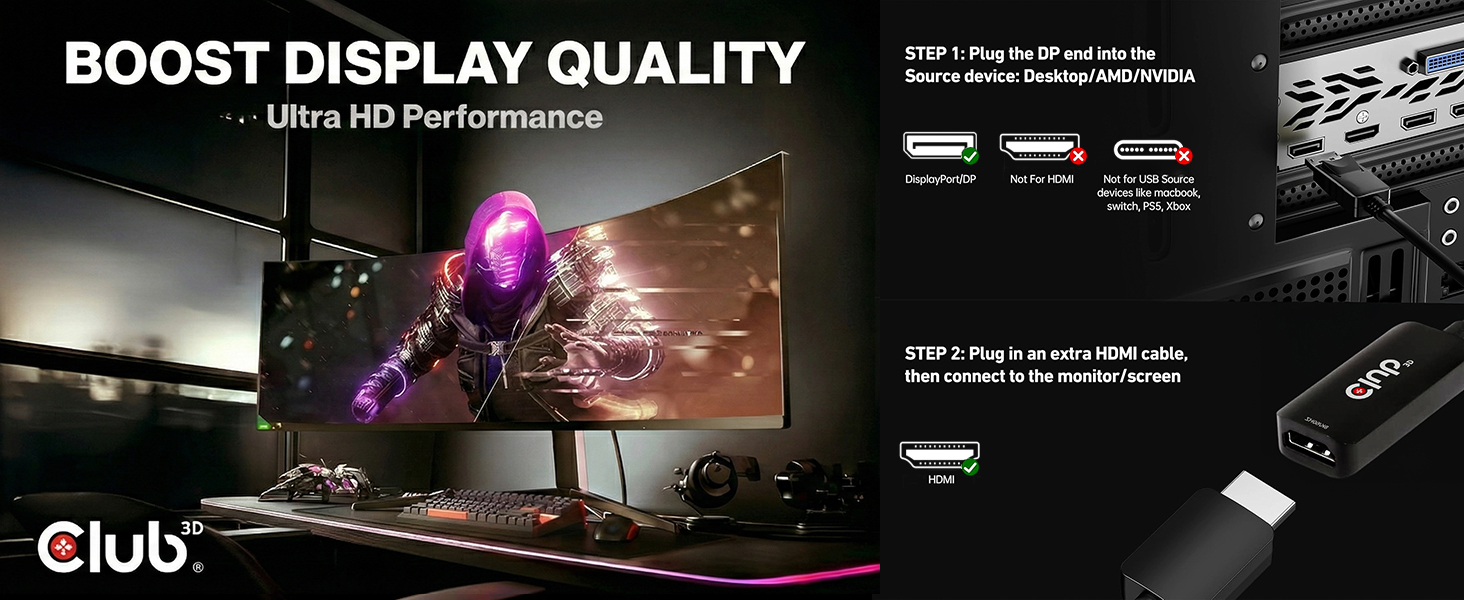
The Club 3D CAC-1088 is a cutting-edge active adapter that converts DisplayPort 1.4 signals to HDMI, supporting ultra-high resolutions up to 8K at 60Hz and 4K at 120Hz with HDR10+ dynamic metadata. It requires no external power and offers plug-and-play ease, making it the ultimate upgrade for professionals and enthusiasts seeking flawless, high-performance video and audio output on HDMI displays.


| ASIN | B0C4FTWLCJ |
| Best Sellers Rank | #18,879 in Computers ( See Top 100 in Computers ) #27 in DisplayPort to HDMI Adapters |
| Country of origin | China |
| Item model number | CAC-1088 |
| Manufacturer | Club 3D |
| Product Dimensions | 25.91 x 6.1 x 3.3 cm; 51 g |
J**U
There is nothing on the market that performs as well as this. Every other cheaper solution doesnt work well. Shell out the extra dollars and just install and forget. No screwing around! Edit: This thing supports 4K 144Hz HDR RGB 4:4:4 DisplayPort to HDMI over a 2.5 foot HDMI cable with perfection. It is world class premium and while it is expensive I strongly recommend it.
S**R
This adapter works great. My new computer would only output 4K from the DisplayPort (It would not pass 4K from the HDMI port). My 4K monitor did not have a DisplayPort connection but it had HDMI. Using this adapter allowed me to get 4K into my monitor's HDMI port. I guess there are some electronics in the plug that do the magic. I am a satisfied customer.
J**Z
I had cheap dongle I was already using before that was finicky. I didn’t have confidence about its longevity so I went ahead and ordered this one from Club 3D. I have zero issues with this dongle. It works smoothly with any resolution and color space I can throw at it. Windows HDR calibration also worked correctly through it - that was another quirk with my old dongle. It’s too bad none of these dongles support VRR. I don’t know why that’s the case. HDMI standards are confusing. Anyway I’m happy with this purchase. It’s the best cable of this type that I’ve used
D**7
Some important context: I don't have a monitor for my PC, I use a TCL75Q825 TV as my display, that TV only supports upto HDMI 2.0b. Also, I have an older but still good Integra DHC-80.3 receiver, which only supports upto HDMI 1.4a. So, the issue of course was that if I were to try to connect my RTX 4070 Ti directly to my receiver via the HDMI, I could bitstream HD audio such as DTS-HD, Dolby TrueHD, and etc., but my display output would be limited to 4K 30hz, and no HDR. So, for about a year now, I have been using a direct connection from the 4070 Ti hdmi port to my TV, thus allowing 4K 60hz w/ HDR 10, and then I would use the i-gpu in my 13700K processor w/ the motherboards on-board HDMI port to connect to the receiver. Naturally, Windows 11 detects a dual display configuration, and I had it setup as Extend my Display, with my 4070 Ti set as my main display. This allowed me to watch my 4K HDR mkv movie files in all their glory, whilst the i-gpu's "display" aka the DHC-80.3, was set as my default audio device, which allowed me to bitstreaming the uncompressed HD audio from those mkv movie files. But, the annoying part was that there was always this annoying 2 second audio delay EVERY time ANY audio was started and then stopped. So, I'm like, "What if this would work better if I could simply bitstream the audio via the 4070 ti? Well, it works, perfectly! And no more sound delay! I connected this DP 1.4 to HDMI adapter to a display port on the 4070 Ti and that HDMI end directly to my TV, and then the now freed up HDMI port on the 4070 Ti was used to connect an HDMI cable to the DHC-80.3 receiver. So now, I don't have to utilize the 13700k's i-gpu at all, which not only helps with my audio delay issue, but also helped with some other minor issues that utilizing the i-gpu at the same time as the 4070 Ti can cause. I kept researching and looking at the tens and tens of these adapters that show up on Amazon. Sure, some of them were like half the price, but the negative reviews on some of those made me hesitate to get them, often times, in my experience, at least with electronics, it usually is a "You get what you pay for" type of deal.
D**.
Currently using this cable running two screens Alienware AW3225QF (4K @ 240hz) & LG OLED C2 (4k @ 120hz) with HDR enabled. Both are powered off a single Nvidia RTX 4080 (Founders Edition). I did not have to mess with any settings (besides changing refresh rate on the LG from 60hz to 120hz) to get the cable to work. Alienware AW3225QF (4K @ 240hz) = Plugged in by HDMI 2.1 cable LG OLED C2 (4k @ 120hz) = Plugged in by this Club 3D cable (CAC-1087) (HDMI from TV to display port on GPU) Skeptical on buying this cable (price wise) for it to not work but gave it a shot and i am happy it all worked. I put both screens in the review to hopefully help someone else doing the same and/or similar.
Trustpilot
1 day ago
2 days ago



