We remain fully operational. Our teams are working around the clock to ensure your deliveries continue safely.

DOWNLOAD THE APP


Copyright © 2025 Desertcart Holdings Limited
DOWNLOAD THE APP
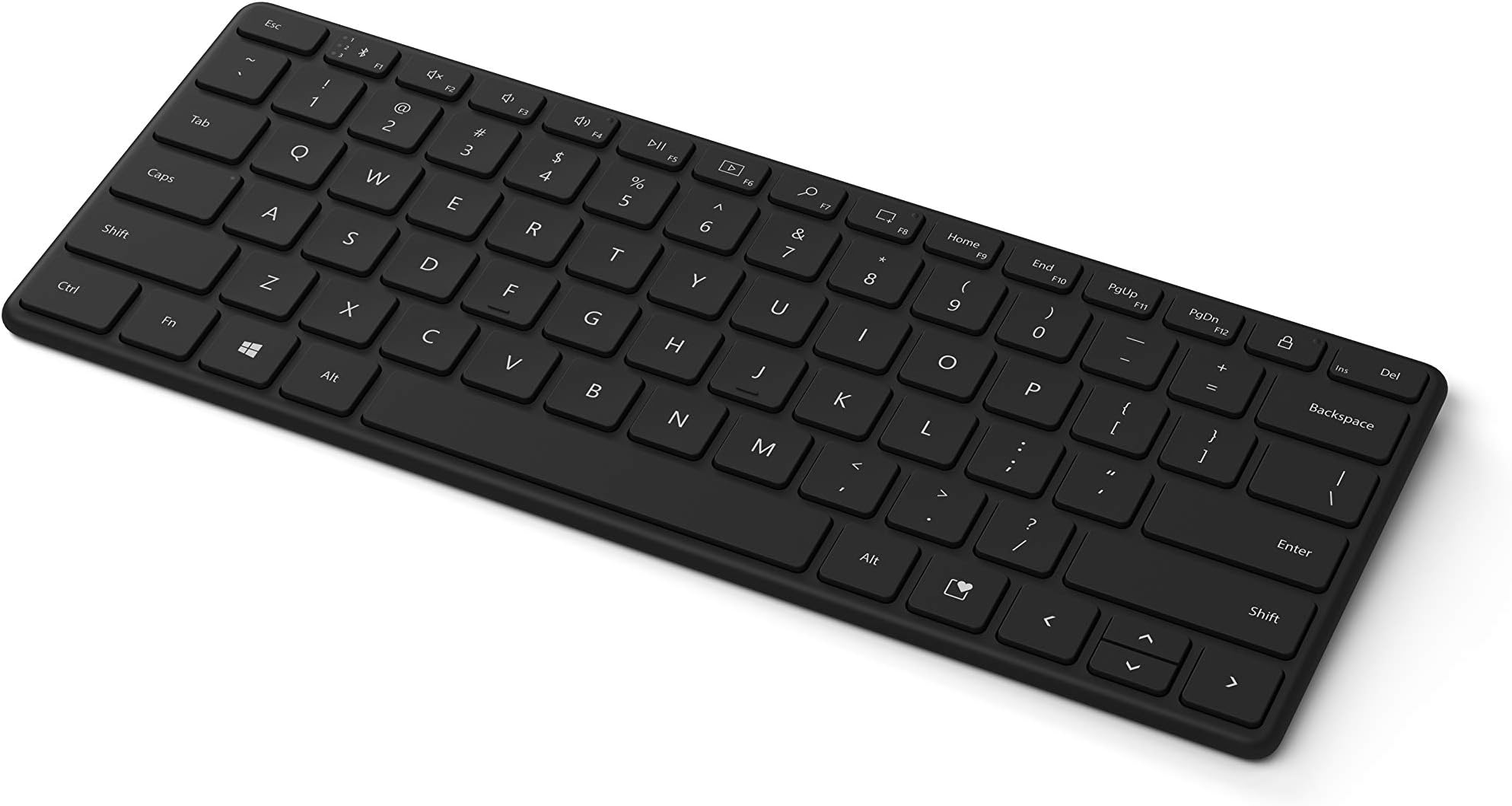

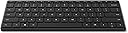

⌨️ Elevate your workspace with sleek power and portability
The Microsoft Designer Compact Keyboard is a lightweight, ultra-slim Bluetooth QWERTY keyboard designed for Windows 10 users. Featuring a sleek black finish and powered by included lithium metal batteries, it offers a portable and stylish typing solution ideal for professionals seeking a clutter-free, efficient workspace.


| ASIN | B08J8BLRZF |
| Antenna Location | Everyday Use |
| Box Contents | USB Cable, USB Dongle |
| Brand Name | Microsoft |
| Button Quantity | 78 |
| Colour | Black |
| Compatible Devices | Laptop |
| Connectivity Technology | Bluetooth |
| Customer Reviews | 4.4 4.4 out of 5 stars (837) |
| Enclosure Material | Plastic |
| Hand Orientation | Ambidextrous |
| Item Weight | 15.2 Ounces |
| Keyboard Description | Wireless |
| Language | English |
| Model Name | 21Y-00001 |
| Model Number | 21Y-00001 |
| Number of Keys | 78 |
| Power Source | Battery Powered |
| Product Features | Wireless |
| Style Name | Modern |
| Switch Type | Tactile |
| UPC | 889842668223 |
L**O
Buena calidad de materiales, diseño minimalista agradable, conexión sencilla. Lo devolví porque preferí un MX Keys Mini para hacer match entre el teclado de mi computadora y el de mi tablet, pero es una opción sólida.
K**M
To preface, I did purchase this keyboard during a sale, though nonetheless I would strongly recommend this keyboard to anyone looking for a standard piece of their work station. The cons, I wish it was backlit as I often work late into the evenings and like to dim down the lights around me. But this definitely has not been a deal-breaker due to the other useful tools integrated into the keyboard. Pros, I love the feeling of the keys (easily to type, coming from a macbook air user of 5 years this was an incredibly easy shift), my typing speed has varied between 85-95 wpm consistently. There are also several 'tool' buttons that I love, such as the screen capture button, and you can connect the play/pause button to spotify open on your desktop. While I haven't often used the emoji button, I personally find this to be a really cute addition, and I would never have reached for the ctrl button that would have normally been in that place. Additionally, I have used this keyboard for casual gaming and it has worked great! It has always responded quickly, and consistently while in use. To respond to the issue of the keyboard taking a while to wake up - this 5 seconds is longer than any other wireless keyboard I have used in the past, but to be completely honest it doesn't bother me! While at the computer I just press the arrow or space key knowing it takes a second to load up, but once awake this keyboard has no delays what so ever. Overall love the keyboard, and hope to use it for years to come.
E**U
5 Build quality 5 Typing feel 3 Longevity 4.5 (rounded to 5) Overall Overview Microsoft's Designer Keyboard arrives dressed to impress, and for the most part it delivers. Slim, solid, and refreshingly stable underhand, it makes a compelling case for those who spend long hours at the desk and want hardware that looks as good as it performs. A few nagging surface-finish questions, however, mean it isn't quite flawless. Build quality & construction Pick it up and the first thing you notice is the weight — or rather, the lack of any flex. The chassis feels hewn from a single piece, with zero twist or creak no matter how you torque it. The low-profile scissor switches sit flush and level across the entire deck, and crucially every single key depresses with an identical, planted feel. There is no lateral wobble, no rattling stabiliser, no variance between the spacebar and a pinky-reach function key. For a wireless keyboard at this price, the consistency is genuinely impressive and speaks to tight manufacturing tolerances throughout. The feet grip the desk with conviction too — the board stays exactly where you put it. Low-profile experience The slim deck sits comfortably flat on a desk without a wrist rest, and the shallow key travel strikes the right balance between feedback and fatigue. Long typing sessions remain comfortable well into hour two. The keycaps are well-spaced for a compact layout, and the legends are crisp and legible at any angle. It's the kind of keyboard that disappears beneath your fingers in the best possible way — until you glance down and appreciate just how refined it looks. Concerns: soft-touch surface & longevity Here is where the Designer Keyboard invites some genuine scrutiny. The soft-touch coating on the keycaps is a tactile delight in the box — velvety, warm, unmistakably premium. But it brings two problems that owners of similarly finished devices will recognise immediately. First, and somewhat counterintuitively for a matte surface, it smudges. Fingerprints and skin oils collect on the keycaps in a soft haze that is far more visible than on a standard glossy or textured plastic key. A clean wipe only temporarily improves things — within minutes of use the bloom returns. For a keyboard marketed as a centrepiece of a tidy, aesthetic workspace, this is an awkward irony. Second, and more pressing in the long run, is the question of durability. Soft-touch coatings have a well-documented tendency to degrade over time: they can become tacky, peel at the edges, or develop shiny wear patches on high-frequency keys like E, A, and the space bar. Microsoft has not published any accelerated-wear data for this finish, and there is no meaningful long-term track record to draw on yet. Buyers who plan to keep peripherals for several years should weigh this carefully before committing. Verdict The Microsoft Designer Keyboard is, structurally speaking, one of the better-built wireless keyboards you can buy at this price. The solid chassis, rattle-free keys, and wobble-free typing experience are hard to fault. The soft-touch finish is its own double-edged sword — appealing on first contact, but likely to test the patience of clean-desk devotees and raise questions as the months go on. If Microsoft can resolve the smudging and prove the coating's longevity, this becomes a very easy recommendation. For now, it is excellent hardware with a surface-level asterisk. Pros Rigid, twist-free chassis Wobble-free, consistent key action Slim, comfortable low-profile design Excellent desk grip and stability Clean, premium aesthetic Cons Soft-touch keys smudge surprisingly easily Long-term coating durability unproven Tacky/peeling risk on high-use keys over time Fingerprint haze returns quickly after cleaning
P**N
Teclado muito confortável ao digitar. Realmente é um ótimo produto. Prós: - ruído ao digitar: é mínimo, quase que imperceptível - conforme na digitação: teclas macias e super confortáveis, as teclas são firmes não tendo "jogo" ao posicionar os dedos. Para quem digita com os 10 dedos é muito agradável em digitar - conexão bluetooth: a conexão é apenas bluetooth, não sendo necessário o dongle para conexão, isso é muito útil, evita a inutilização por perder essa peça - conexão com até 3 aparelhos - configuração de teclas: não são todas, mas é possível configurar algumas teclas para se comportarem de forma diferente conforme o aplicativo utilizado, para isso basta baixar o software Contras: - ergonomia: para quem não está acostumado a teclado compacto e digita com os 10 dedos no início a mão direita acaba se posicionando na tecla errada, nada que depois de algum tempo vc não se acostume e os erros de digitação terminem - desconexão: para economizar bateria o teclado entra em stand by e perde a conexão. contudo ao digitar ele volta, quase que instantaneamente, e tem uma "memorização" das teclas digitas, o que faz essa desconexão não ser um problemão, mas ocorre é bom ficar ciente - as teclas F1 a F12: elas são invertidas com a função Fn, assim, para quem trabalha com TI e usa muito essas teclas isso pode incomodar. Mas é possível configurar para travar a Função Fn, assim, vc consegue deixar essas teclas a serem usadas sem necessidade da Fn ser apertada em conjunto. - Contraste das teclas: a impressão das teclas, as letras e número, caracteres especiais são pequenos (teclado compacto) e tem pouco contraste (no teclado preto) isso pode atrapalhar quem necessita olhar para o teclado a fim de digitar - não é retro iluminado: não que isso seja um grande diferencial, mas para quem não abre mão dessa função saiba que ele não tem. Já tive outros teclados, até mesmo do note, que são e não vejo uma grande diferença. Conclusão: eu super recomendo, os pontos contras são mais detalhes que não atrapalham em nada o uso e os pontos positivos o fazem ser espetacular.
T**M
Compact, thin (easy on the wrists), and lightweight. Great battery life. Can toggle connection between different devices VERY easily. This is your Windows version of the non-keypad Apple Magic Keyboard, both of which I use often.
Trustpilot
1 month ago
1 day ago