We remain fully operational. Our teams are working around the clock to ensure your deliveries continue safely.

DOWNLOAD THE APP


Customer Services
Copyright © 2025 Desertcart Holdings Limited
DOWNLOAD THE APP

🎨 Elevate your digital artistry with precision and freedom like never before!
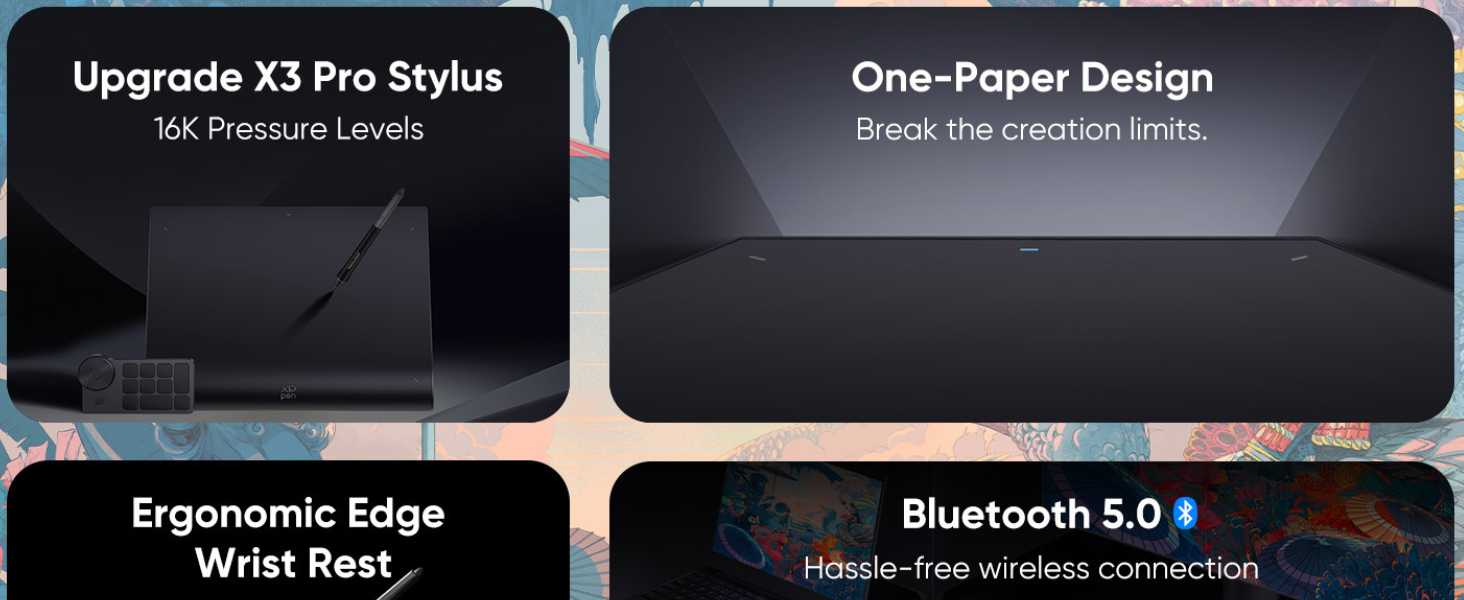
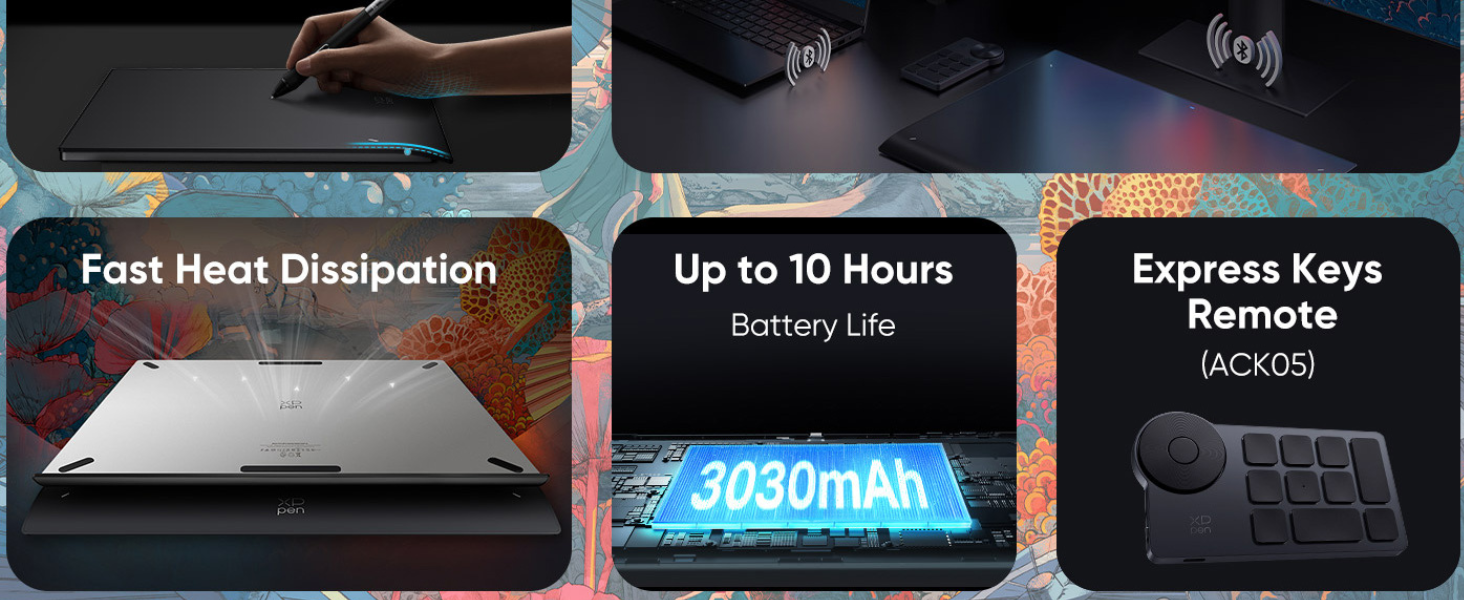
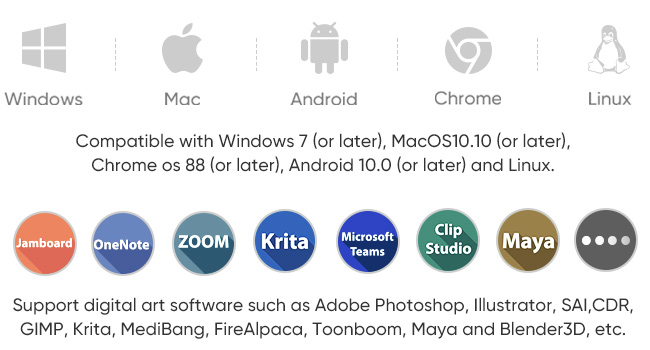
The XPPen Deco Pro LW Gen2 is a professional-grade wireless graphic pen tablet featuring a large 11x7 inch active area, industry-leading 16384 levels of pressure sensitivity, and a battery-free stylus with tilt support. It offers versatile connectivity options including Bluetooth 5.0, USB wireless receiver, and wired modes, ensuring lag-free performance for over 10 hours on a single charge. Designed for creatives and professionals, it supports all major design software and multiple operating systems, while the included Bluetooth Express Key remote enhances productivity with customizable shortcuts. Its ergonomic design and premium build quality make it ideal for extended creative sessions.
| Brand | XP-Pen |
| Manufacturer | Hanvon Ugee Technology Co. Ltd., Hanvon Ugee Technology Co. Ltd. |
| Model | DecoProLW |
| Model Name | Deco Pro LW Gen2 |
| Product Dimensions | 33.2 x 25.4 x 0.1 cm; 1.5 kg |
| Batteries | 1 Lithium Ion batteries required. (included) |
| Item model number | DecoProLW |
| Operating System | Android 6.0 Marshmallow, ChromeOS, Linux, Windows 11, macOS |
| Compatible Devices | Desktop, Laptop |
| Mounting Hardware | Stylus |
| Number of items | 3 |
| Standing screen display size | 11 Inches |
| Display Type | LCD |
| Screen Resolution | 1920x1080 |
| Batteries Included | Yes |
| Batteries Required | Yes |
| Battery cell composition | Lithium Ion |
| Connector Type | Bluetooth, USB |
| Manufacturer | Hanvon Ugee Technology Co. Ltd. |
| Country of Origin | China |
| Item Weight | 1 kg 500 g |
A**L
The Pen Control is INSANE
The Pen Control is INSANE. This is the big one. It has 8,192 levels of pressure, but what that actually means is your lines are silky smooth. I can finally draw thin, delicate brushstrokes without fighting the software. The tilt support works perfectly, so shading feels exactly like using a real pencil—no more weird jagged edges! The Dual Wheel is My New Best Friend. Seriously, this feature is genius. The outer ring is mechanical, so I can fine-tune my brush size or zoom in/out with satisfying clicks. The inner ring is like a little touch wheel I use for scrolling or quickly changing tools. It’s eliminated 90% of my keyboard gymnastics. Huge time saver! No Wires, No Stress. The Bluetooth connection is rock solid. I can lean back in my chair and draw without wrestling with cables cluttering my desk. It’s fantastic for long drawing sessions, and the battery life is great, lasting for hours. Looks & Feels Premium: They really didn't skimp on the build. It has a super thin, sleek aluminum casing, and it looks sharp on my desk. It feels sturdy and professional, not like a cheap plastic toy. My Verdict: If you're upgrading from a beginner tablet or just need more efficiency, stop looking and buy this. It has the professional specs (like that massive pressure sensitivity and the dual wheel) but is surprisingly easy to set up. It’s made drawing fun again and has seriously sped up my deadlines. If you draw daily, just treat yourself!
K**.
New tech in the market
Overview: Having used the XPPen tablet for some time, I’d like to share my experiences with its build quality, design, and performance. Build Quality and Design: The tablet's build quality is good, it has a premium feel comparable to renowned brands like Wacom. The modern aesthetic sets it apart such as the XPPen logo is prominently featured on the pen case and tablet edge. Indicator Lights: The tablet has four white indicator lights near the corners of the active area. These lights illuminate when the pen is within 10mm of the surface so it provides a useful visual cue. Users have the flexibility to turn off these lights through the driver. Pen Features: The tablet comes equipped with the latest X3 Pro Smart Chip Stylus, which is the world’s first 16k pressure levels stylus. The drawing experience feels smooth and the pen includes an eraser function and some shortcut buttons which are useful. Pressure Levels: With an impressive 16K pressure levels, the tablet showcases this capability in the driver. You can check and adjust the pressure curve from there! Surface: The surface has a texture which offers some feedback while drawing on it which I think is important. While the surface is not replaceable, its unique design choice, with a gently arching bottom bevel adds an interesting visual aspect. It is also quite ergonomic on the wrists, preventing pain during long usage. Buttons: The tablet itself does not have any buttons so it maintains a clean and minimalist appearance and it does come with a shortcut remote with a dialer and several buttons. Activation Force: The minimum activation pressure (IAF) of 3gf is industry leading and allows for fine strokes. Accessories: The pen case has a premium feel and is well-designed. It holds the pen, extra nibs, and a nib remover in a slick and organised manner. I went and bought the protective sleeve as well, since I'm paranoid about damage. It fits the tablet perfectly! After Sales Service: Initially while trying to setup the tablet, I found that I had a few doubts, I was able to contact their support through their website and I found the after sales service to be quick and helpful. They clarified my doubts and helped me setup the tablet quite quickly. Conclusion: The XPPen tablet offers a compelling alternative to more expensive tablets with its excellent build, modern design, and noteworthy performance, making it a worthy consideration for digital artists and creators.
B**S
Plz replace, scratched the pen tablet
Scratched the pen tablet
N**N
Value for money
Very good product, value for money. Wish the pen had some more functionality besides pressure and tilt sensitivity.
S**J
Very nice product👌👌
Received it in very good condition.
V**L
loved the design and quality
Overview: The XPPen Deco Pro (Gen 2) is the world's first pen tablet with an impressive 16,384 levels of pressure sensitivity (and boy! You can feel the difference). It works wirelessly (which was my first preference. I hate cables!) I review its features, design, and drawing performance below: Sizes: This model is available in three sizes of Medium, Large and XL. I bought the Large size (LW Model) and it’s a pretty decent size. Good enough for my requirements! In the Box: The tablet comes with a stylus, pen case, some extra nibs, a wireless receiver, shortcut remote, cables and a drawing glove. It was well packaged with neat slots to place everything in. Design and Build Quality: I was very impressed with the build quality. The tablet doesn't have any shortcut keys on it which was odd at first but it allows for a clean cut design and they do provide a shortcut remote in the box which has a dialer wheel plus several keys so it works out better actually. X3 Pro Smart Chip Stylus: The X3 Pro Smart Chip, included with the tablet, has tilt support and is the world’s first stylus with 16K levels of pressure sensitivity. The pen is comfortable with a large silicone grip and customizable side buttons. The package also includes a felt pen nib for a different drawing texture. Drawing Performance: The X3 Pro pen impressed me with its performance. It handles thin lines quite easily, exhibits minimal wobble and jitter, and provides smooth transitions between thin and thick lines. The tilt function also works well, offering a great drawing experience. Driver and Customization: I installed the driver from their website for windows and it was quite easy. I think the tablet's driver is compatible with Windows, MacOS, and Linux and they are offering customization options for shortcuts, pressure curves, and more which is good. The tablet can be used while charging, and I found the battery life to be 10+ hours comfortably. Pros and Cons: Pros: Clean and simple design Premium build quality Comfortable wrist rest Matte textured drawing surface Excellent drawing performance XPPen ACK05 wireless shortcut remote included. Love this! Bluetooth connectivity for two devices Cons: Limited battery life (10+ hours is still great anyway) Conclusion: The XPPen Deco Pro (gen 2) stands out as a top-notch pen tablet with excellent drawing performance. The overall premium look and feel, wireless shortcut remote and customizable features makes it my recommended choice, especially for professional artists. Definite upgrade over my old pentablet!
Trustpilot
2 weeks ago
2 weeks ago