We remain fully operational. Our teams are working around the clock to ensure your deliveries continue safely.

DOWNLOAD THE APP


Copyright © 2025 Desertcart Holdings Limited
DOWNLOAD THE APP
Buy anything from 5,000+ international stores. One checkout price. No surprise fees. Join 2M+ shoppers on Desertcart.
Desertcart purchases this item on your behalf and handles shipping, customs, and support to South Korea.
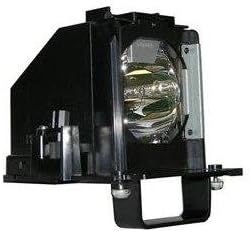
TV Lamp 915B441001 for MITSUBISHI TV Models: WD-60638, WD-60638CA, WD-60738, WD-60C10, WD-65638, WD-65638CA, WD-65738, WD-65838, WD-65C10, WD-73638, WD-73738, WD-73838, WD-73C10, WD-82738, WD-82838 INSTALLATION Using the lamp handle, carefully remove the new lamp cartridge from the bag. DON'T TOUCH the glass parts of the lamp. Do a final wipe with a clean, non-abrasive, lint-free cloth to remove any possible dust. Insert the new cartridge into the TV without tilting the lamp. The lamp cartridge should slide in easily. Gently the screw. AVOID OVER TIGHTENING as this will trigger a warning light and your TV will not turn on. Replace the lamp cover and tighten the two screws. Again, avoid over tightening. If you haven't used gloves while changing the cartridge: WASH YOUR HANDS immediately. If you did use gloves, dispose of them immediately. TROUBLESHOOTING 1) Unplug the TV from the wall socket 2) While the TV is unplugged, press and hold down the power button in the TV for approx 30 seconds. 3) Leave the TV unplugged for 2 hours. 4) After 2 hours, plug in the TV and turn ON the television.
Trustpilot
1 month ago
2 weeks ago
1 month ago
3 weeks ago