We remain fully operational. Our teams are working around the clock to ensure your deliveries continue safely.

DOWNLOAD THE APP


Customer Services
Copyright © 2025 Desertcart Holdings Limited
DOWNLOAD THE APP


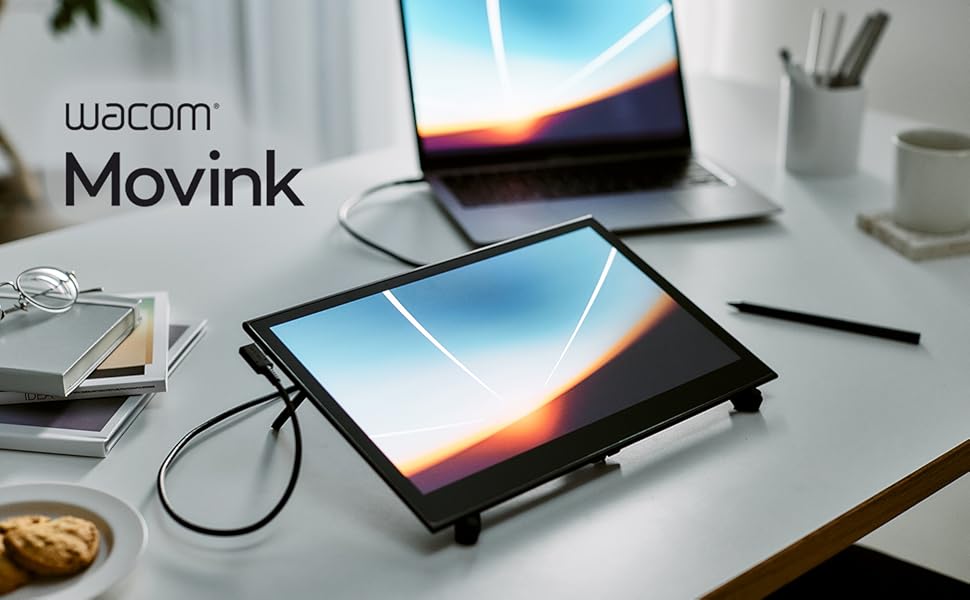
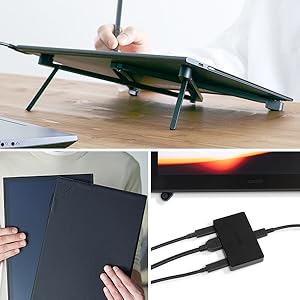
🎨 Elevate your art game with the Movink — where precision meets portability!
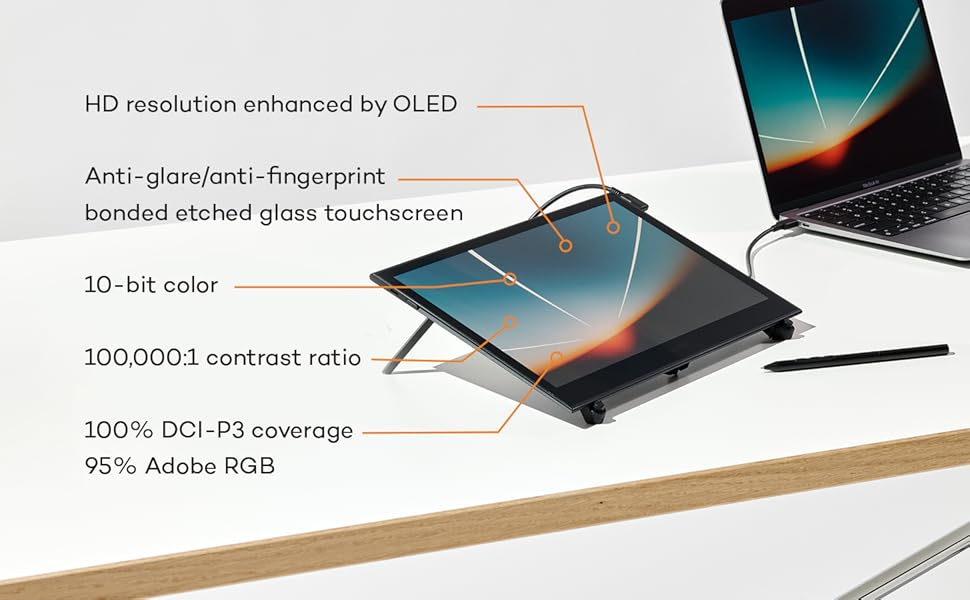
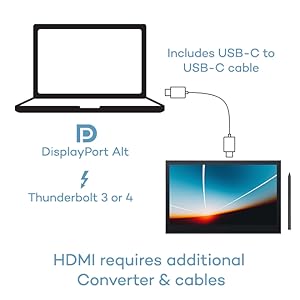
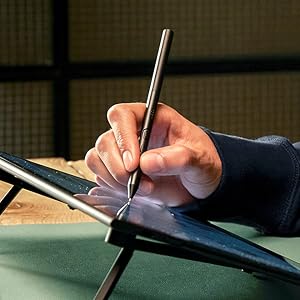
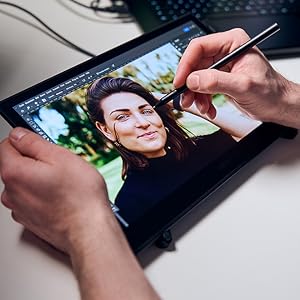
The Movink Drawing Tablet features a 13.3-inch OLED touchscreen with 10-bit color depth and a remarkable 8192-level pressure-sensitive Pro Pen 3. Ultra-lightweight and slim, it supports Mac, Windows, ChromeOS, and Android, offering customizable touch controls and shortcut keys to optimize your creative workflow. Perfect for professionals seeking vibrant color accuracy and portability in one sleek device.



| ASIN | B0CS135LT8 |
| Active Surface Area | 11.6 x 6.5 in |
| Additional Features | 2 ExpressKeys, Anti-Glare Glass, Extra-Slim, Multi-Touch Screen, Shortcut Key |
| Best Sellers Rank | #15 in Computer Graphics Tablets |
| Brand | Wacom |
| Built-In Media | Quick Start Guide, Regulation Sheet, Replacement Nib, USB-C Cable, Wacom Pro Pen 3 |
| Color | Black |
| Compatible Devices | Desktop, Laptop, Smartphone |
| Connectivity Technology | DisplayPortl Alt Mode, USB-C / Thunderbolt 3 or 4 |
| Customer Reviews | 4.4 4.4 out of 5 stars (204) |
| External Testing Certification | Não aplicável |
| Item Dimensions L x W | 12.6"L x 0.26"W |
| Item Weight | 14.8 Ounces |
| Manufacturer | Wacom Technology Corporation |
| Model Name | Movink 13 for Windows/Mac computers |
| Model Number | Movink 13 for Windows/Mac computers |
| Native Resolution | 1920x1080 |
| Operating System | macOS, Windows, ChromeOS, Android |
| Pressure Sensitivity | 8192 Levels |
| Screen Size | 13.3 Inches |
| Specific Uses For Product | 3D Modelling, Animation, Designing |
| Target Audience | Teacher |
| UPC | 753218984135 |
| Warranty Description | 2 year manufacturer |
L**.
Independent Artists, LET'S GO!
I needed a tablet I could solely dedicate to digital painting and illustration without all the distractions of a traditional tablet. Additionally, I wanted something versatile that could handle intense creative work, while also plugging into my laptop, if needed. I almost stuck with the Movink11 , then had a change of heart and sprang for the 14. I am very happy with it so far. Seamless, responsive with good color. Great resolution with a nice screen surface. Nice, big screen. Comes with a trial with CLIPStudio, which is a new environment for me. I downloaded infinite paint as well which works wonderfully. Android powered, so any Android drawing apps you are accustomed to, you can easily download and get to work. No freezing, even on large works. The wake up sketch environment is pretty cool, and you can turn it off if it gets in the way. Comfortable to hold, but I am paranoid of dropping it. I immediately purchased a case for it, which is a 3rd party case for complete coverage and a pen holder. Really has helped me reconnect with my creative endeavors. Now to just get past the artist's block... Overall, if you have the $$ to invest in your work, and need something to pull away from your computer that won't distract you from your muses, get it. Cost effective to most Apple products (which most articles direct you too) and rivals a traditional tablet in my opinion. Dedicsted to your creative whims. For all of you artists on here, Im expecting a portfolio of your beautiful work in 2 months. Get to work!
M**.
Where have you been all my life?
I use my Wacom Cintiq Pro 22, and I love it. But I always wanted a screen (from Wacom), to be totally portable. So I can draw anywhere at my home, and not be stuck at my desk, and also have the option to take it outside my home. All this without the use of a desktop or laptop. The Wacom MovinkPad Pro 14 is that miracle machine, it's bigger than the MovinkPad Pro 11. And now that I mentioned the 11, the Wacom MovinkPad Pro 14 has this feature called Instant Display Mode, where you can connect it to your desktop and display your desktop on its screen and use everything on your desktop. I find that sweet. I didn't notice any lag. This is a standalone drawing pad, that uses Wifi for connectivity, and integrates with Google. You can see your Gmail, get on YouTube, and browse the web. You can use the available stylus, and/or touch, which is flawless. I haven't noticed any smushes on the touchscreen. All in all, you can use this device as your standalone drawing pad. With memory capacity to 2 TB on an SD card, and the ability to use Clip Studio Paint. If you can't use Clip Studio Paint for whatever reason, you can use their built-in Wacom Canvas, it has limited features, though. It also has the Wacom Shelf, where all your drawing sketches and projects are saved. Lastly, I use the Wacom MovinkPad Pro 14 as a companion to my Wacom Cintiq Pro 22. Giving me the freedom and the comfort of drawing away from my desktop, but making my desk setup, my base of operations. Where all my work is finalized. It's a nice piece of tech, for what it's worth. It's mainly for sketching (with Wacom Canvas), and full-fletch drawing (Clip Studio Paint). The ability to browse the web like any tablet, is a plus.
J**E
An artist's dream with only minor issues.
This is probably the best alternative to the big names. It has all the functionality of a Samsung without being forcefed A.I. features. In fact outside of some Gemini nonsense (which can be turned off) it is delightfully A.I. free. Which is probably a key selling point if you're an artist who actually creates ART with your own hands and mind. Tablet works well. Screen has great color accuracy but may feel a bit smooth for really avid illustrators. Apps are pretty snappy and quick, but I've run into a few that are incompatible with Wacom's Android flavor. Most stuff from the big artist software developers work tho. Hardware is solid. No cameras on this device which I honestly don't miss. Pen works quite well although some apps struggle with the buttons. Light as a feather. Really just a great tablet hampered by some compatibility issues and a bit too high of a price tag.
S**8
Wow! The greatest piece of tech I have ever owned!
This tablet is absolutely incredible. It's a virtual art studio in your hands. I own the wacom one and it's a great product as well but having to connect to a computer and lean over a desk makes it feel more like work at times. The propad 14 allows you be creative from the comfort of your couch (or anywhere)! Clip studio paint is an amazing program and worth the subscription cost. The size of the tablet is fantastic and the set up and connection was simple. The quality of the tablet is fantastic, the screen looks amazing and the drawing experience is very organic...this really feels like a next gen device, it feels futuristic...I wish I could show this to my ten year old self...I absolutely love this product. It's the greatest gift I have ever given/received!
A**R
this should come with the weight rod to give extra weight for the pen but it was not there when i open the box, i contacted wacom they said me that rod should come with the movink 13 but its not there
E**A
item is the same and in perfect condition
S**M
The Wacom Movinkpad 11 is excellent in many ways. How does it compare to something like the Ipad air m2 or m3? Well that was my previous device so I'll explain. The Movinkpad 11 first off, of course feature and etched glass anti glare screen. This is one of the best parts about it in my opinion as it is far superior to glossy screen and screen protectors. Superior in that it provides a tactile feeling and some resistance while drawing. It feels very smooth, unlike the sticky feeling of the bare ipad screen due to the anti finger print coating. It of course does introduce some grain and the bare ipad screen will have more clarity. But the grain is much less than any screen protectors you can use on the ipad air. As for performance, for drawing and art, I've found it exceeded my expectations handling very large files with ease. 4000x5000 300 dpi 30ish layers no lag whatsoever. However if you need to use warp tools on large files or 3d programs this is where the ipad will be superior. But for creating 2d art it does excellent and with 99% srgb coverage, 400 nits of brightness it works perfectly. The p3 color range is mostly useless on the ipad as practically all artists will be creating art in srgb unless you are looking to print your work. & with 90hz adaptive refresh rate I found it I couldn't even spot any more noticeable pen lag than on my ipad air due to the air being locked at 60hz. The pen is very light which may not feel "premium" but it does help with any arm fatigue helping you to draw longer with no effort at all. The nibs included although they appear plastic are actually a new kind of felt nib mixed with plastic that wacom now uses. These nibs feel very interesting, I do like them alot but they will tend to wear down. There are many different types of nib materials you can use, I will be trying the rubber ones next and getting more of these. Outside of art is where you will notice more performance issues, such as with gaming or just general smoothness of transitioning windows and such, but if you are looking for something for purely art this tablet is so underrated. Why do I say it's underrated? Well it's because many reviewers complain of the processing power yet none show you a time other than 3d programs where it's even slightly challenged. And so the bottom line to me is this; The only Ipad that could truly compare is the nano glass textured ipad, because having this kind of finish is amazingly easy to clean and feels so smooth to draw on. The brightness is not as high as many ipads but unless you are literally in direct sunlight, you can always draw outside easily as I do daily. The processor is weaker yes, but not weak enough to stop me from making large illustrations start to finish with no lag. And finally the thing is, since only the nano texture can compare, sure the ipad would last longer and be more powerful. But the price is so high I could just buy 2 more movinkpad11s by the time this one dies on me for the same price as 1 ipad with nano texture. The one weakness however I will admit is the size. Though this is a much better size than the 11 inch ipad. I actually had the 13 inch model. And if you really need size than thats where the movinkpad 11 won't be able to compete over the 13 inch ipad. However the movinkpad 11 is basically the same size as a ipad air 11 but horizontally but its vertically much longer. So in portrait orientation it is as tall as my ipad air 13. But in landscape mode it is much shorter. It's also quite a bit heavier than an ipad 11 inch but I have noticed its right bordering the line to handlability. I am often moving jt all about like a smaller sketch book which I never did with my 13inch ipad air because it was just so unwieldy. I do occasionally miss the size of the 13 inch but I do love the aspect ratio much more than the 11 inch ipad. Its perfect to keep it very mobile while having that extra room to have all your art program of choices menus open in landscape orientation. And if we are lucky, Wacom will release more models. I'd love a pro model version or even a 13 inch model. So my conclusion is if you are specifically looking for something with the best drawing experience at a affordable price than nothing can beat this tablet. If you need to be able to do other heavy tasks like 3D or gaming, or video editing then thats where you may want to sacrifice some of the drawing expereince for the power or an Ipad or Samsung device. So if you are up in the air over something like an Ipad or this for primarily drawing or painting, making illustrations, then I would highly recommend this tablet, the second you feel the smoothness and ease of moving your hand on this etched glass surface I think your doubts will be gone. I haven't touched my ipad much since when I first got this, just to compare the two I switched back and forth. But this one always came out on top for me, it's biggest weakness as I said for me was not the performance but just the size of the 13 inch ipad feels so spacious and you will need to adapt to a smaller display.
C**A
Perfect for drawing. You will need to purchase drawing gloves to use it properly since it's touchpad, your skin will make marks and other stuff on your drawing. It is really easy to use and the app is full of features for different effect and different kinds of drawings.
C**O
Excellent tablet for graphics it is equivalent to an IPad on Android
Trustpilot
1 month ago
2 months ago