
DOWNLOAD THE APP


Customer Services
Copyright © 2025 Desertcart Holdings Limited
DOWNLOAD THE APP

🌟 Elevate your home server game with style and power — because your data deserves a throne.
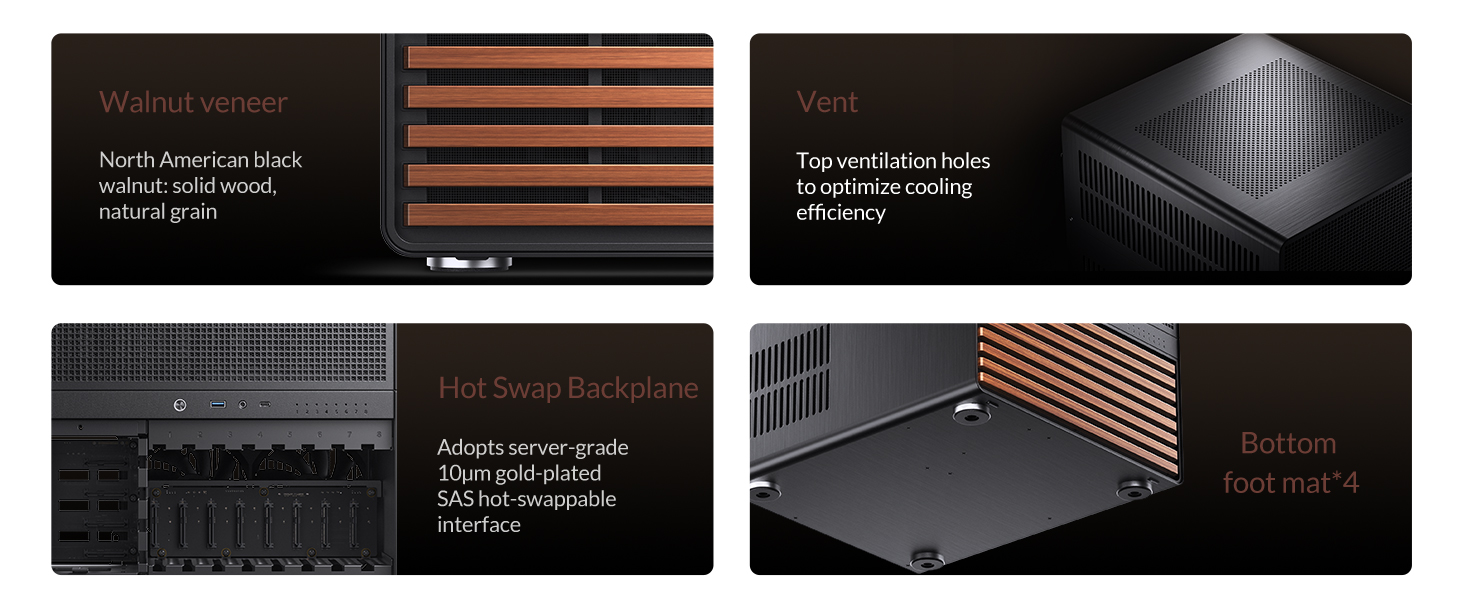
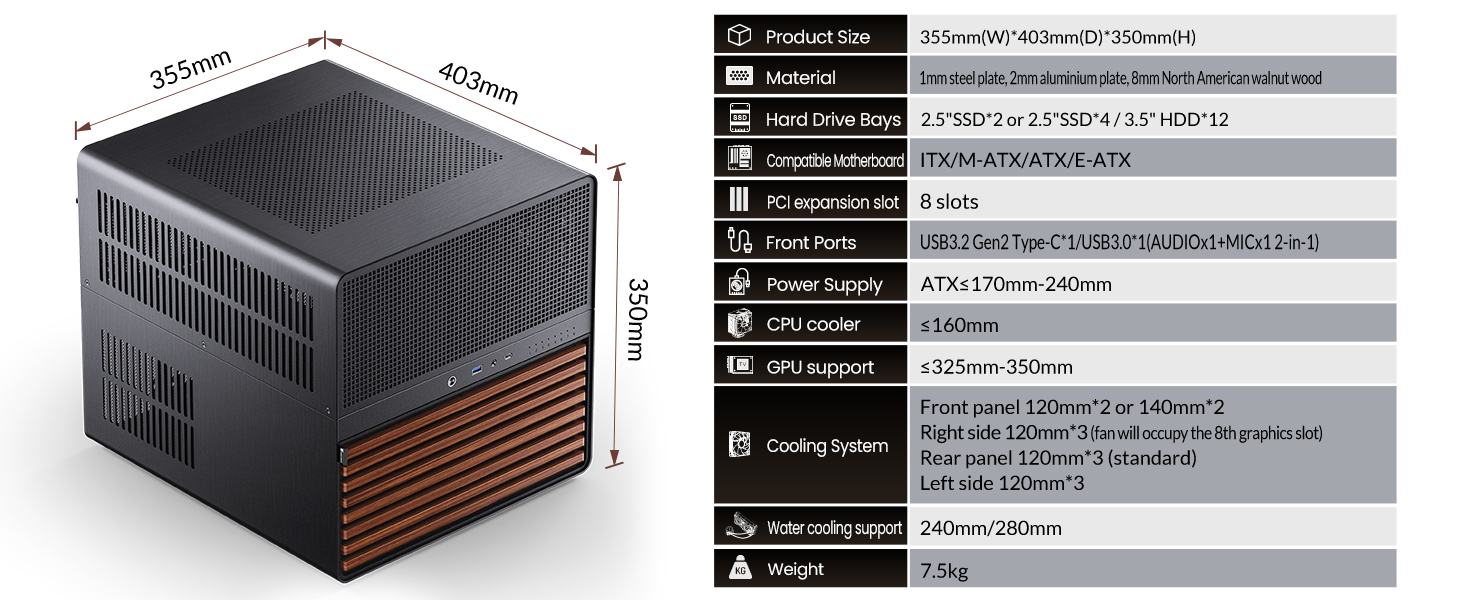
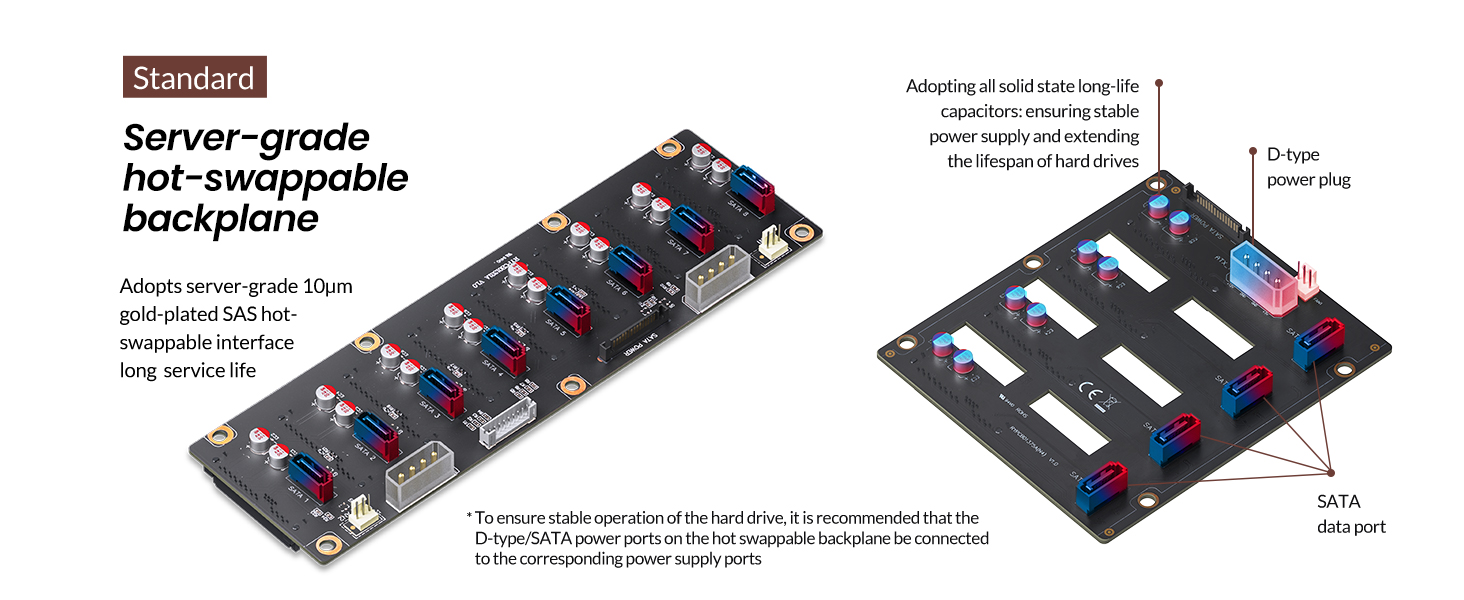
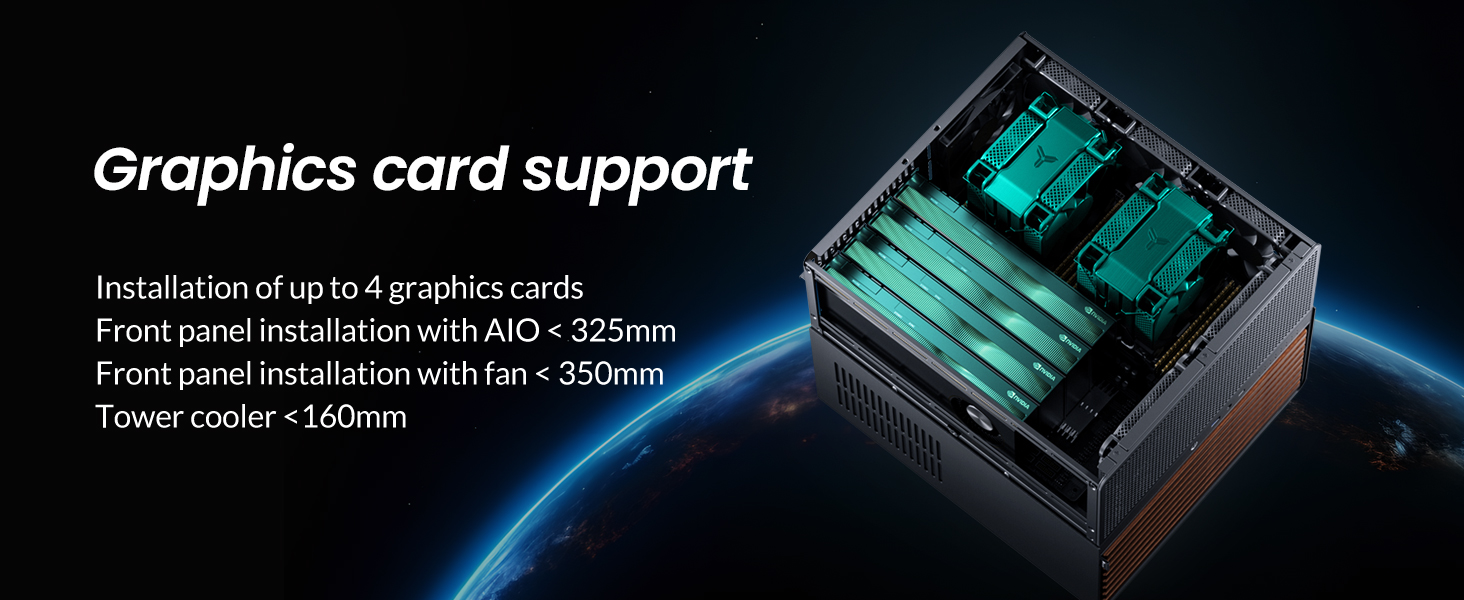
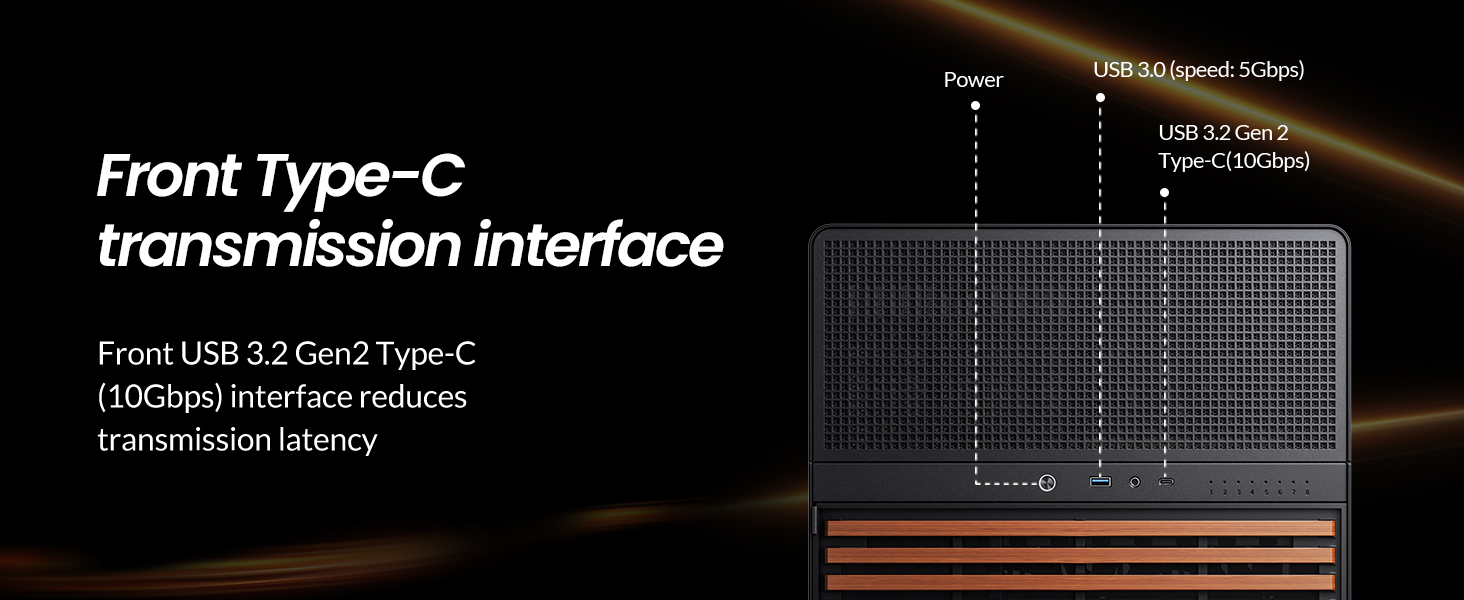
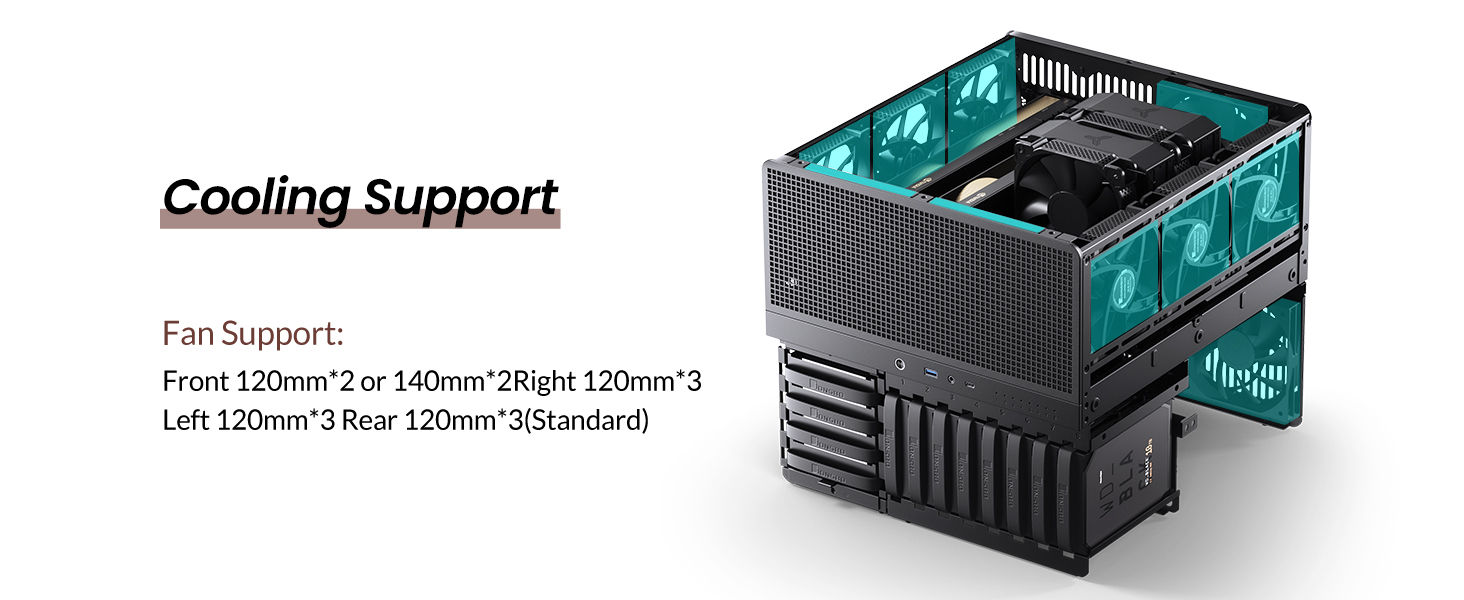
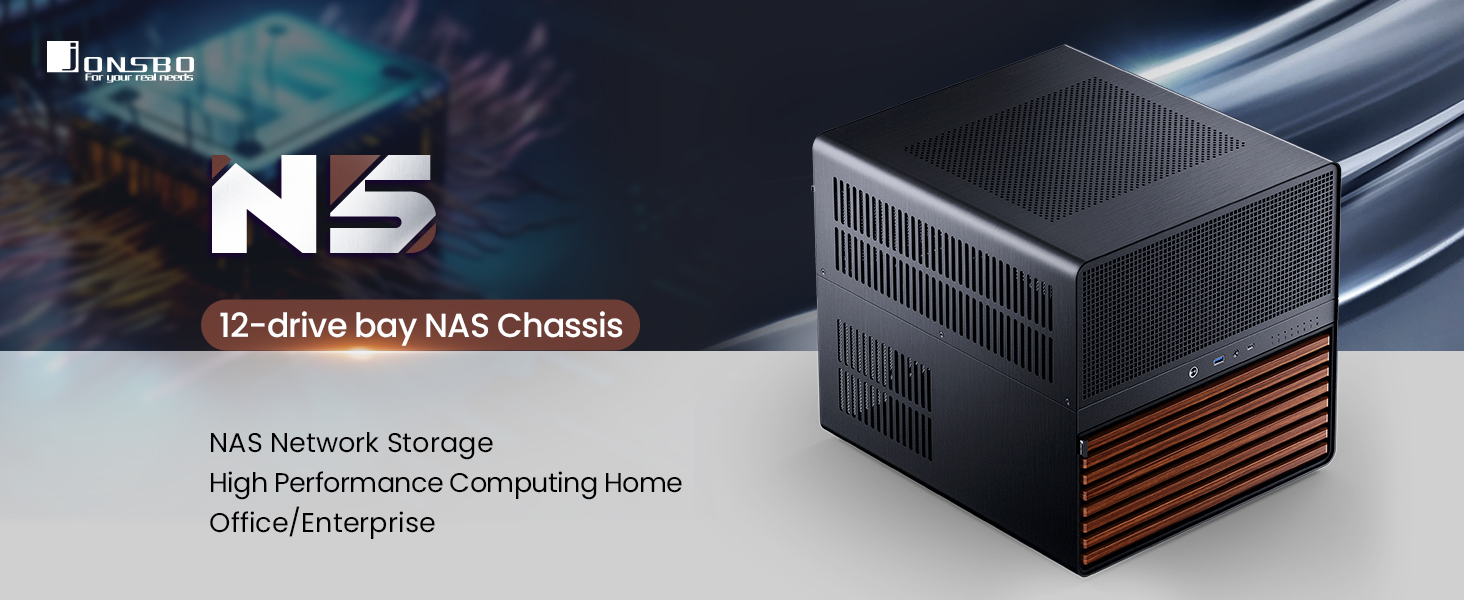
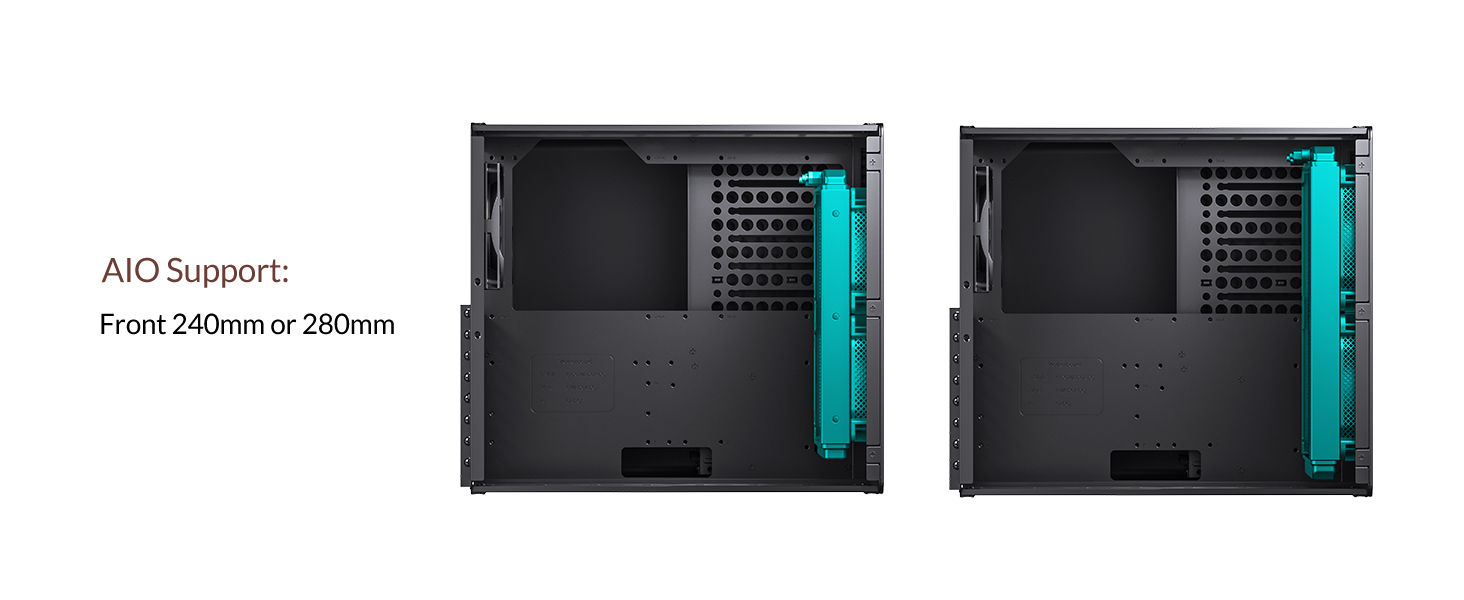
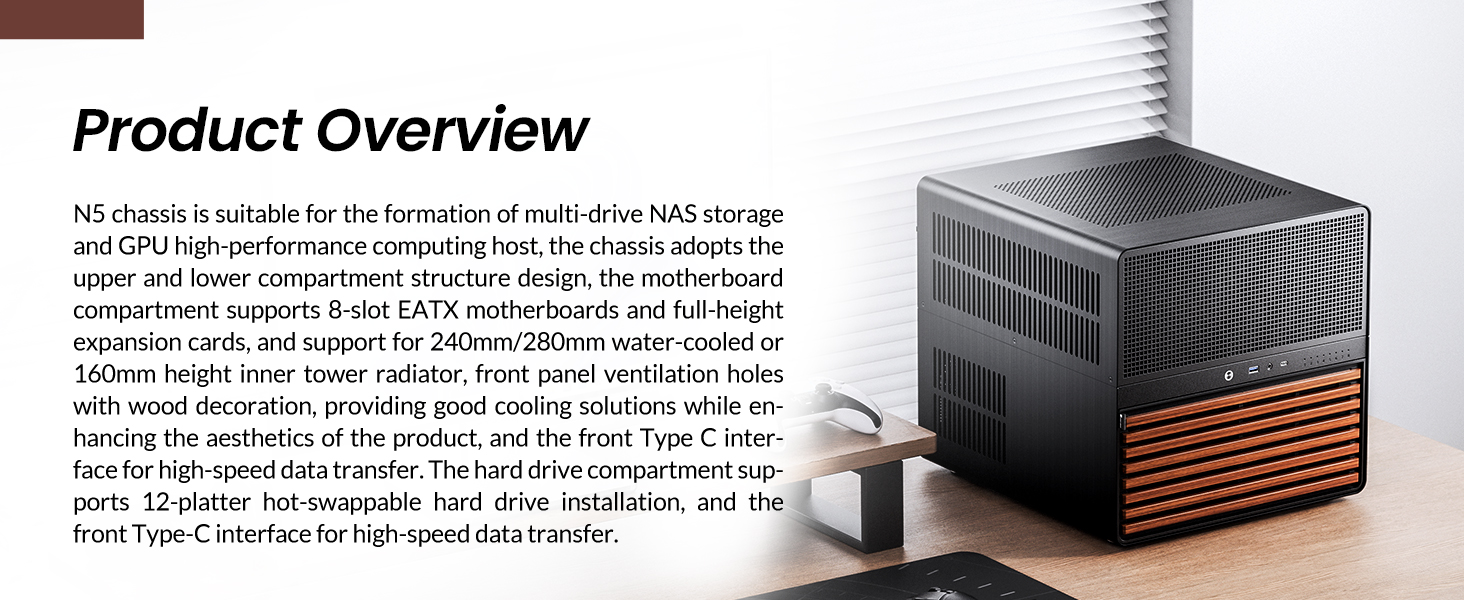
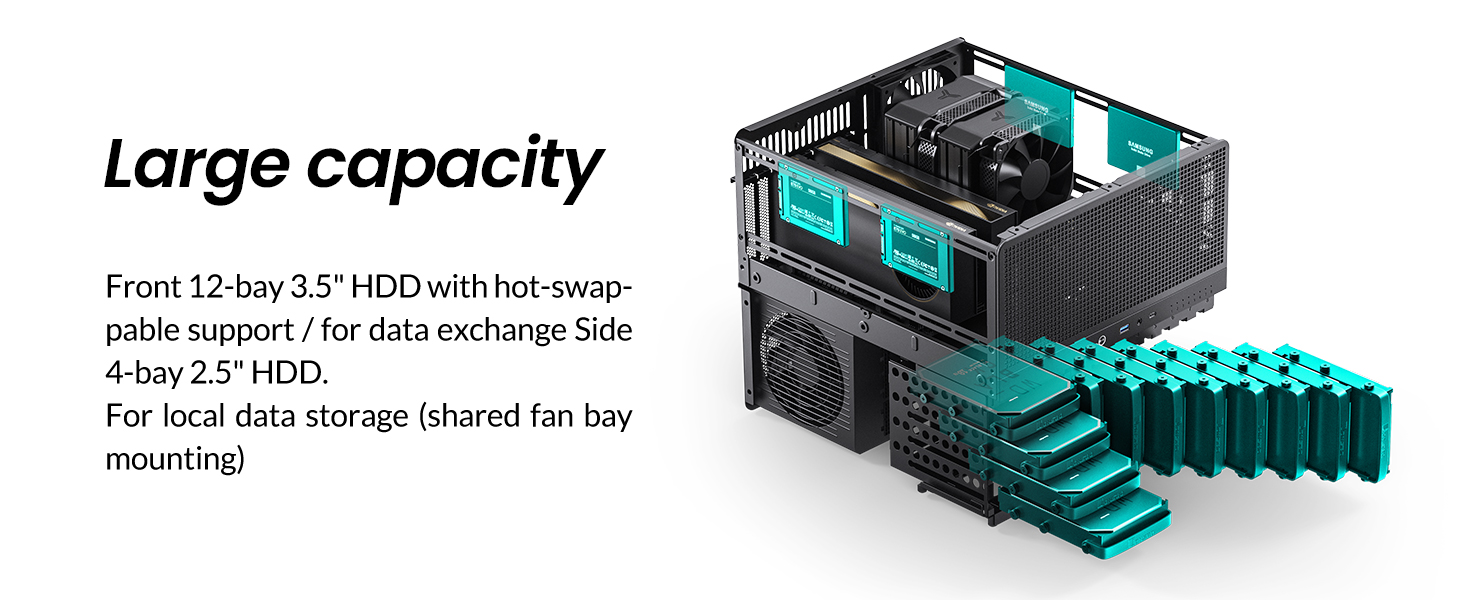
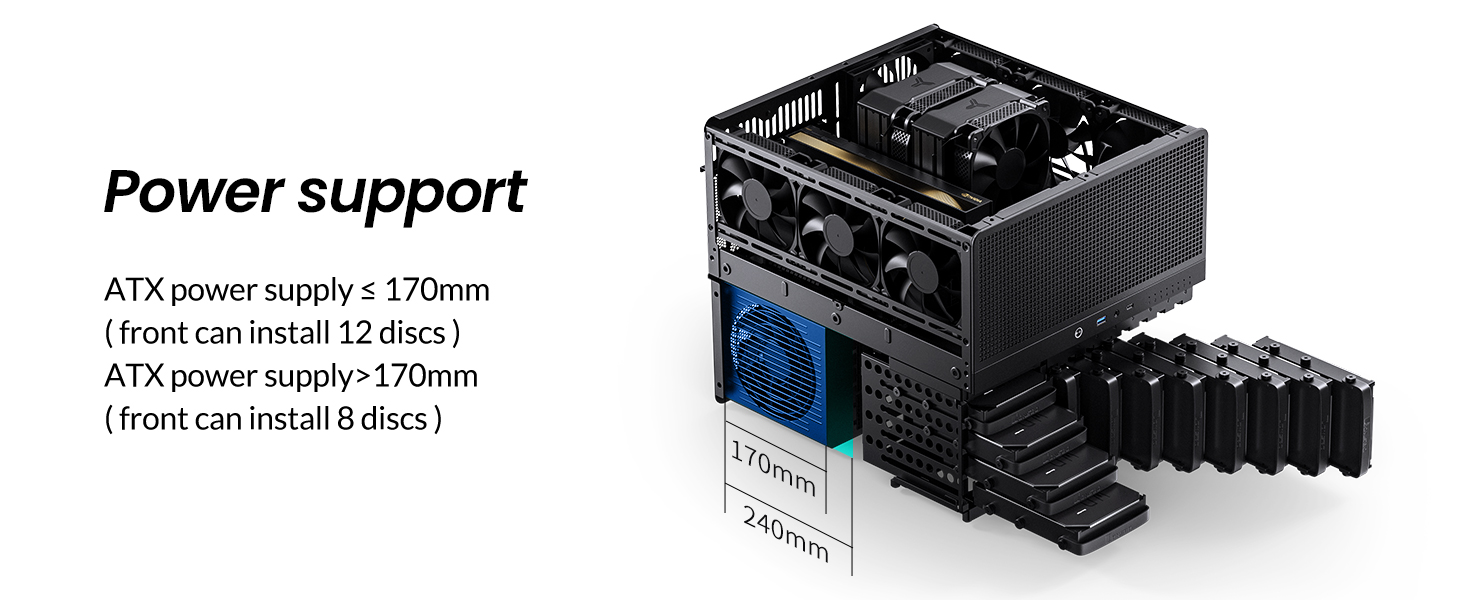
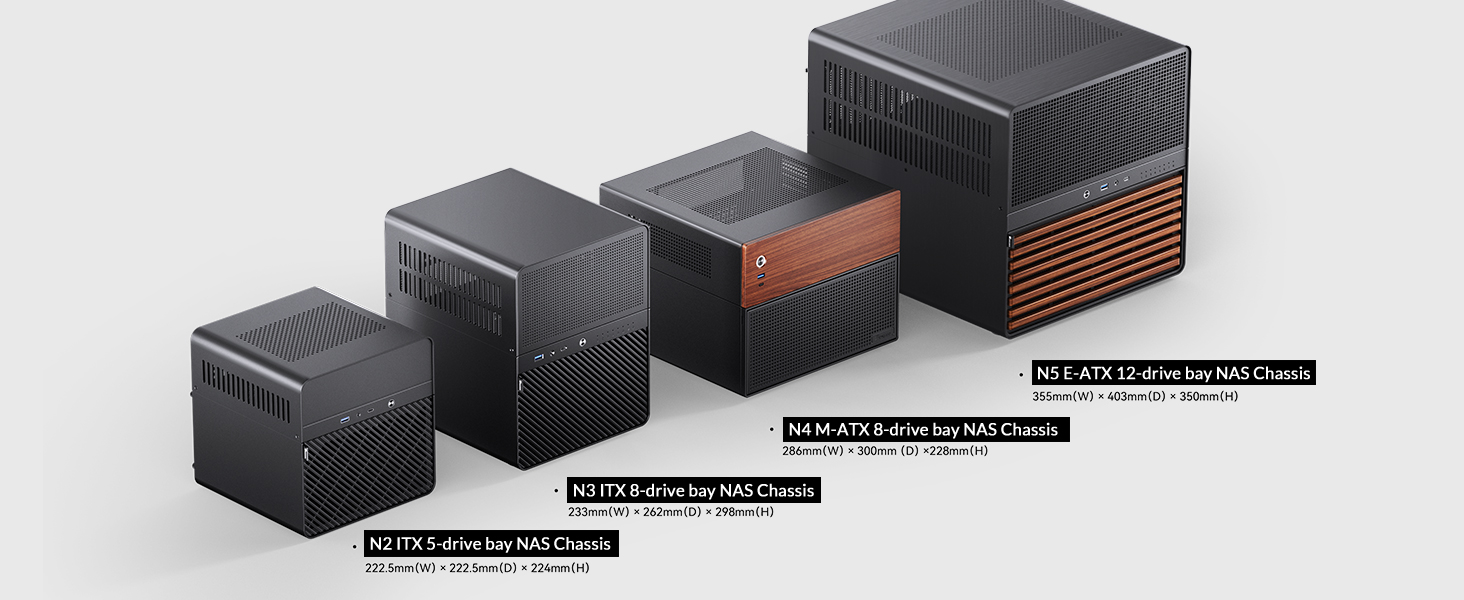
The JONSBO N5 NAS PC Case is a premium, solid wood veneer chassis designed for home servers and high-performance PCs. It supports up to 12 hot-swappable 3.5" HDDs and 4 SSDs, accommodates E-ATX motherboards, and can house up to 4 GPUs. With a robust cooling system including 3 built-in fans and multiple fan mounting options, it ensures optimal airflow. Its elegant North American black walnut finish and spacious interior make it ideal for professionals seeking a blend of aesthetics, expandability, and performance.

| ASIN | B0DG2N3PBB |
| Best Sellers Rank | #132 in Computer Cases |
| Brand | Jonsbo |
| Color | Black |
| Customer Reviews | 4.7 4.7 out of 5 stars (87) |
| Date First Available | September 4, 2024 |
| Item Dimensions LxWxH | 15.8 x 13.9 x 13.8 inches |
| Item Weight | 20.6 pounds |
| Manufacturer | JONSBO |
| Number of USB 2.0 Ports | 1 |
| Number of USB 3.0 Ports | 1 |
| Product Dimensions | 15.8 x 13.9 x 13.8 inches |
| Series | N5 |
A**G
Looks great and so much room for upgrades with some small gripes
Great sized case with so much room for upgrade. I currently have an ITX with 5 HDD for my NAS and plans to add a few more drives. The case itself is metallic and a bit noisy to work with but once completed, it's really not a problem at all. There's plenty of mesh throughout the case to allow for airflow and a variety of fan placements. I didn't fill up all of the fan spots as that would be too much, but low key wonder if that would leave some dead air space in the case. I did have a small issue with drive temps at the bottom bay since the only fans were towards the back acting as an exhaust and I don't want hot air to exhaust through the front. I was able to quickly 3D print a mod to the front of the case, just behind the wood veneer, to add 2 more 140 mm fans to intake air which worked perfectly, averaging 35 C on my 5 drives. Given that I was only installing an ITX, I had zero issues with accessibility in a large case like this and cable management was absolutely no problem. The hard drive compartment require grommets to be installed on the hard drive to "slide" into the case with just a rubber handle to pull it out, it works but not the most elegant solution. The backplane was a bit sketch at first but proved to be good and reliable as it accepted the my drives with little issues and felt quite solid when pushing the drives into it. All in all, great next step in a home NAS solution upgrading from my 3D printed NAS case with 2 drives and plenty of room for upgrades for performance and storage. Price was quite competitive with other NAS cases I was looking at but this looks much better in the living room than a tower. Worth it for an upgrade to a personal home server.
N**K
Great case if you need large Mobo/GPU support and lots of HDD bays (and it's beautiful)
Absolutely love this case, it was perfect for my server that had outgrown a more typical pc case. The hotswap drive bays are awesome and easy to access, and this was one of the only cases I could find for a server with a large raid array that could also fit a large GPU in it. The case is spacious, but doesn't have an overly large footprint. It's well designed, good materials, easy to work on and expand/grow into, has plenty of room for cable management, just about any hardware can fit in it. I can't say enough good things about it. For someone who needed full atx (or larger) compatibility, lots of HDD bays, to fit a large gpu in it, this case is seriously great. I can't say enough good things about it. If I could say ANYTHING negative about it, the case fans it comes with were on the louder side, though not terrible definitely audible, and I did replace them for quieter operation, but that didn't cost much and it didn't make me think less of the case itself. Only other negative I can think of is the price, but after owning it I do think it was worth the cost. Love this case and would buy again or recommend to a friend.
A**K
Flexible, spacious, easy to build.
Unexpectedly my drives from my old Synology NAS died which resulted in a bitter-sweet opportunity to finally move to TrueNAS. The issue I quickly ran into though was that the really nice Small Form Factor cases for NAS's were sold out at the time or going for $500 for no reason. I decided that I did not mind having a larger unit so long as I could make use of that extra space by putting in better and more modern components. Enter the Jonsbo N5, which allowed me to do exactly that. This thing is very spacious and will fit E-ATX and everything smaller (so just about every motherboard you can imagine) as well as a modular PSU and a fullsize GPU as well. (though that is not that case for me since I used my PCI slots for a Sata card). The instructions leave a bit to be desired but the setup really is quite intuitive. If you have ever built any kind of PC before then everything should make sense to you. The slots on the front are easy to access so you can hotswap in and out your drives. (there are after market adapters for SSD's too!) The case came with fans, but not enough so I had to buy some Noctua's. The dust grill in the front does it's job but it's behind a grate and irremovable so it's actually hard to clean (hence my attached picture). I just vacuum it once a month and it's fine. It's a bit heavy since it is all metal construction (a pro and a con). All in all I am really happy I got this because I will be able to add to it and rebuild it to my hearts content and am no longer locked into Synology's ecosystem. I think the value is there and if you are someone who wants a super-server (like me) with all the bells and whistles and power, then this is a solid, attractive, and flexible option that I don't think will disappoint.
S**N
Great case with a few shortcomings
I bought this case to build a high end TrueNAS system as I migrate away from Synology. The case is big and and well designed with cable management in mind. This is probably the first time I didn't struggle to build a system. Everything is accessible, well spaced, and I didn't need any special tools (or bloody knuckles) to get into the nooks and crannies. The case is reasonably modular as well, allowing decent access once it's set up. Air flow is excellent. I have a 24-core i9 CPU in it and even at load it runs around 45C. Shockingly my 160mm air cooler has room to spare. And I love the fact that it can fit multiple motherboard sizes from mATX to ATX to E-ATX with the standoff locations clearly marked. I took off one star for a few issues: First, instead of drive trays they included rubbers straps and grommets for installing drives. They work okay...but it's harder to tell when the drives are fully seated than a tray would be. Second, there's only eight external LEDs on the case to indicate drive status, while there are twelve drive bays. Not everyone will use those extra four bays, but if you do you can't see drive status easily. Third, the included fans are cheap 3 pin DC fans that are noisy. I pulled all three and installed five 120mm Noctua PWM fans (that cost almost as much as the case) but it's whisper quiet now.
T**S
Really good case. The instructions are appalling. Fortunately there is a video on Youtube by NASCompare that shows how to setup this case in a way that means you only have to open it once to get everything in right. TBH I would have accepted another 2cm in depth in return for the extra space that would create between Power supply and side drive bays.
W**?
Great case for my server.
S**N
Put Noctua fans in to replace the stock fans. Machine now runs silent! Now it's perfect.
N**E
*** I am in the process of speaking with Jonsbo*** So far they have been very responsive and straight forward. They'll be arranging shipment of a new board. I've bumped this up to 3 stars. will update once I receive and inspect the new part. ********** Very nice case, but, when I finally got around to building (well outside the return window, that's on me) I noticed a loose SATA connector of the control board. Hopefully they will resolve this small issue and can send me a new board, then I can update this review to 5 star. If I have to move my build into another case then so be it, but I really love the look of this N5
L**E
Initially this case was incredible, but further use has revealed issues. 2 of the drive slots dont work. Which has reduced my drive count from 12-10. I Cand send it back as I have everything in and set up.
Trustpilot
2 weeks ago
2 weeks ago