We remain fully operational. Our teams are working around the clock to ensure your deliveries continue safely.

DOWNLOAD THE APP


Copyright © 2025 Desertcart Holdings Limited
DOWNLOAD THE APP

Buy anything from 5,000+ international stores. One checkout price. No surprise fees. Join 2M+ shoppers on Desertcart.
Desertcart purchases this item on your behalf and handles shipping, customs, and support to South Korea.
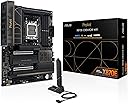
🔥 Power your creative empire with ASUS ProArt X870E-CREATOR — where future-proof tech meets unstoppable performance!
The ASUS ProArt X870E-CREATOR WiFi motherboard is a premium ATX platform designed for professional creators and power users. Featuring AMD AM5 socket compatibility with Ryzen 7000, 8000, and 9000 series processors, it delivers robust 16+2+2 power stages and supports DDR5 memory. Equipped with PCIe 5.0 x16 slots for next-gen GPUs, dual USB4 ports, WiFi 7, and dual multi-gigabit Ethernet (10 Gb & 2.5 Gb), it ensures ultra-fast connectivity. Four M.2 slots provide extensive NVMe storage options. Exclusive AI-driven overclocking, cooling, and networking technologies optimize performance dynamically. Its DIY-friendly design includes Q-Release mechanisms and BIOS FlashBack for easy upgrades, while advanced security features protect your system. Ideal for creators, developers, and enthusiasts seeking a future-proof, high-performance motherboard.





| ASIN | B0DF123GCV |
| Best Sellers Rank | #77,712 in Computers ( See Top 100 in Computers ) #660 in Motherboards |
| Brand | ASUS |
| CPU Model | Ryzen 7 |
| Chipset Type | AMD X870E |
| Compatible Devices | Keyboard, Monitor, Mouse, asus laptop, asus pc |
| Compatible Processors | AMD Ryzen 7000 series |
| Customer Reviews | 4.2 4.2 out of 5 stars (279) |
| Graphics Card Interface | PCI Express 4.0 |
| Item Dimensions L x W x H | 8.6L x 36.6W x 28.2H centimeters |
| Item Weight | 2.9 Pounds |
| Main Power Connector Type | 24-Pin |
| Manufacturer | ASUS |
| Memory Clock Speed | 320 MHz |
| Memory Slots Available | 6 |
| Memory Storage Capacity | 256 GB |
| Model Name | ProArt X870E-CREATOR WIFI |
| Model Number | ProArt X870E-CREATOR WIFI |
| Number of Ethernet Ports | 1 |
| Number of Ports | 26 |
| Platform | Windows 10, Windows 11 |
| Processor Socket | Socket AM5 |
| RAM Memory Technology | DDR5 |
| Ram Memory Maximum Size | 256 GB |
| System Bus Standard Supported | PCIe 5.0 |
| Total PCIe Ports | 16 |
| Total SATA Ports | 6 |
| Total Usb Ports | 20 |
| UPC | 197105730779 |
| Unit Count | 1.0 Count |
P**H
Very nice motherboard, but wi-fi and bluetooth do not work with Linux operating systems due to lack of drivers. Hopefully this will be addressed soon.
M**Y
Price paid: 405$ Version: Asus x670e proart creator Where do I start? I wanted to maximize my use case for this board so I had many expectations to fill. My use case --------------- I currently plan on using this board for linux gaming, steam in home game streaming, full stack development, experimenting with homelabbing, development vms (macos / windows / linux), etc. Future use cases include: a secondary truenas server running along side desktop use, a full blown server, a handbrake server, 3D game development, etc. etc. etc. Since I am going to be d!icking around a lot, I didn't want a motherboard that would limit my creativity (pun not intended) Motherboard goals: - VFIO for GPU passthrough to VMs - (development, steam streaming) - Server instances - Future homelab server - Longevity: Plan on using this thing for 10 years - Ego fullfillment The Market -------------- From all the research I could gather, my options were: Asus Proart Creator b650, this board, Asrock x670e taichi, MSI Carbon. Focusing on the x670e boards, they all have more or less the same features. Each brand used a small portion of the chipset bandwidth for something else. - Taichi (~490$): 8 sata ports, 8 usb, 2 thunderbolt, 1 nic (2.5), 2 pcie slots (x16/x0 or x8/x8), optical out, q-code led matrix - Carbon (~440$): 6 sata ports, 8 usb, NO thunderbolt, 1 nic (2.5), 3 pcie slots (x16/x0/x4 or x8/x8/x4), optical out, q-code led matrix - Proart (~405$): 4 sata ports, 8 usb, 2 thunderbolt, 2 nic (2.5/10), 3 pcie slots (x16/x0/x2* or x8/x8/x2*), NO optical out, NO q-code led matrix Of course, there are more nuances, but these were the feature differences that stuck out to me the most. If you want the cheapest VFIO board, get the b650 pro-art. If you want something balls to the walls, the MSI ACE could be a consideration for you. Personally, I did not see a future of emotional fulfillment in either of these boards. VFIO ------- IOMMU groupings can be found on the level1tech forums. Passthrough seems to work for some users. However, the groupings on any board aren't the most atomic. It is the desire of the community for AMD to release an AGESA update that allows for better IOMMU groupings via a bios option. My understanding is this has occurred on last gen (x570) boards. Please take this into account if you are going to do hardcore VFIO stuff. It is not guaranteed that Asus will even support the newer AGESA options, if it even comes out. Anyways, I originally bought this motherboard in order to allow for two GPUs to be used at the same time. One GPU would be for my linux host, while the other would be given to a windows vm for gaming, card work, development, etc. But I'll be honest, I haven't gotten around to setting this feature up. I mainly wanted a windows vm to allow steam game streaming to occur at the same time as I do development work. But, I found a different solution. I run steam in gamescope on a separate display (TV). This containerizes games so my usage of the desktop doesn't interfere with someone else streaming a game (if the person streaming uses a controller, not kbm). My experience with this board ----------------------------------- So far, everything has mostly run great. I love the quality of the board and aesthetics. The antenna is under-rated too! It looks cool magnetically attached off the back of my hyte y60 case. I haven't had any issues with drivers on linux (audio, bluetooth, thunderbolt, 2.5gb nic worked great). Also didn't have any ram issues. Running 6400mhz 2x32gb Teamgroup t-create ram. Issues I ran into: - I haven't actually tested the 10gb nic. Some people claim to have issues with it. - Couldn't find the eco mode for my 7900x in the bios. Don't know if I'm an idiot, or it doesn't exist. - No q-code is a joke on this board. I have issues where my gpu will hang the pc on boot. I have no idea why this is happening. My last asus board from 2013 gave a b6 code or something. Why would a mission critical feature like this be missing on a board like this? - Bios update was looping when I flashed using bios flashback. Kept getting hung updating the thunderbolt firmware. Fixed when I finally unplugged the thunderbolt plug when it did its millionth reboot. - having 2 more sata ports would have been nice, but the bandwidth is already maxed out. - Recent Asus controversy was not confidence inspiring. Conclusion -------------- Everything has been running rock-solid on Manjaro 22.1.3. Wayland is working fine with my 5700xt. Did notice my monitor struggles to sleep/dim. Also, sleep causes a shutdown sometimes when I have certain apps opening. But yeah, considering the software and hardware is cutting edge, I laid a brick with how smooth everything has been running. Ultimately it has been hard to not recommend this board. Literally everything works out of the box. Didn't really have any teething issue either. Absolutely ecstatic and hope that this board last 10+ years like my current, but old, Maximus vi gene. For the central core of my PC, I have great piece of mind that future upgrade-ability will not limit me. Are there other boards out there? Sure. But this seems to be the best bang for the buck on the market.
か**ー
実は2枚目 おなじPROARTの870Eより安定しているので もう一度買いなおしですね
N**E
For most cases most of the features will be overkill for any standard buyer. For the price it is its way better and cheaper than other motherboards with a similar feature set. There are a few incompatibilities and i suggest checking the ASUS website to see what will work with it before buying so you can ensure compatibility. Its also beautiful design is also great for themed builds its looking great with my black, copper and wood theme and I've been loving the new ASUS Pro Art line and i hope to see more products like this.
R**7
Good all round board with little or no LED crap. The 10G Ethernet is a huge advantage. AURA support for peripherals and memory is all there. Easy to install and get running for experienced builder. The CPU is fast, the I/O is faster, no twiddling of thumbs, medium size files are just there! I initially thought something was wrong, and they were not actually transferring (move/copy/paste), but they went perfectly with MS x-fer or Teracopy. Not as starkly bare-bones as the ASUS TUF boards.
Trustpilot
1 week ago
2 days ago