Some deliveries may take a little longer than usual due to regional shipping conditions.

DOWNLOAD THE APP


Customer Services
Copyright © 2025 Desertcart Holdings Limited
DOWNLOAD THE APP
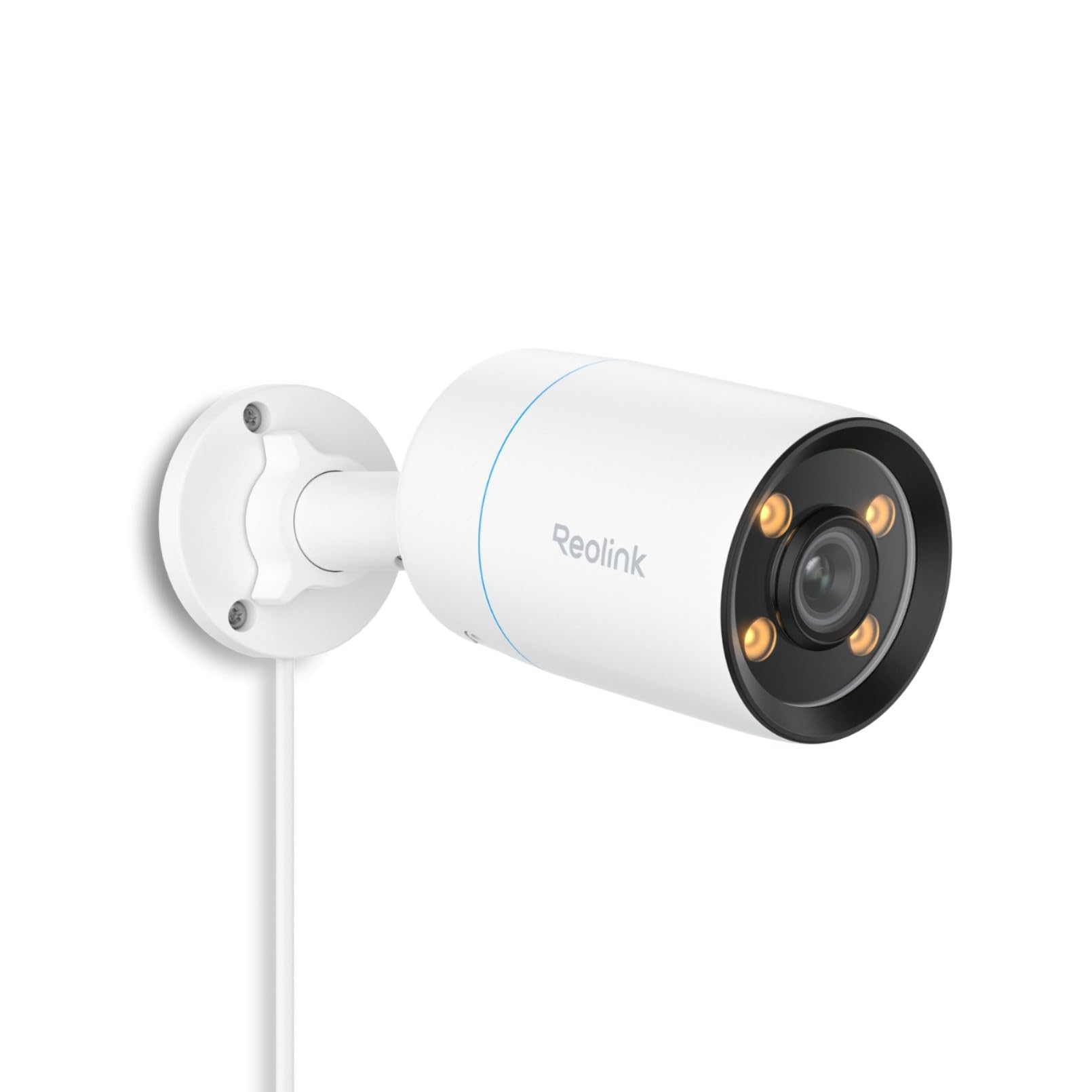
🌟 See More, Fear Less — Night Vision Reimagined
The CX810 ColorX Wired PoE Camera delivers professional-grade 4K UHD video with breakthrough true color night vision powered by an F1.0 super aperture and a large 1/1.8'' image sensor. Featuring HDR technology and a 3000K warm light, it ensures vibrant, natural images day and night without disturbing neighbors. Advanced AI detection minimizes false alarms by recognizing humans, animals, and vehicles, while customizable siren and spotlight alerts enhance security. Two-way audio and remote access keep you connected anytime, and Power over Ethernet technology enables a clean, plug-and-play setup with reliable 24/7 recording options.


| ASIN | B0CX1QCQNX |
| ASIN | B0CX1QCQNX |
| Batteries Included? | No |
| Batteries Required? | No |
| Best Sellers Rank | #9,114 in Electronics ( See Top 100 in Electronics ) #75 in Bullet Surveillance Cameras |
| Color | White |
| Colour | White |
| Compatible devices | Reolink NVR |
| Connectivity protocol | Ethernet |
| Controller type | Reolink App |
| Country of origin | China |
| Customer Reviews | 4.4 4.4 out of 5 stars (310) |
| Customer reviews | 4.4 4.4 out of 5 stars (310) |
| Date First Available | 10 September 2024 |
| Date First Available | 10 September 2024 |
| Form factor | Bullet |
| Frame rate | 25 fps |
| Included components | Comes as a Combo Set |
| Indoor/outdoor use | Outdoor |
| Installation type | Screw In |
| Item Package Quantity | 1 |
| Item Weight | 680 g |
| Item dimensions L x W x H | 6.7 x 18.7 x 6.7 centimeters |
| Item model number | CX810 |
| Item model number | CX810 |
| Manufacturer | Reolink Digital |
| Manufacturer | Reolink Digital |
| Mounting type | Ceiling Mount |
| Night vision range | 50 Feet |
| Number of Items | 1 |
| Number of channels | 1 |
| Power source | Corded Electric |
| Product Dimensions | 6.7 x 18.7 x 6.7 cm; 680 g |
| Product Dimensions | 6.7 x 18.7 x 6.7 cm; 680 g |
| Special Features | Night Vision |
| Specific uses | Surveillance |
| Style | 4k Full Color PoE Camera |
| Video capture resolution | 4k |
| Viewing angle | 93.2 Degrees |
| Water resistance level | Waterproof |
| Wattage | 6 watts |
| Wireless communication technologies | PoE |
| light-source-type | LED |
K**D
جوده بصوره الليليه .. ريولنك غنية عن التعريف من افضل كاميرات المراقبه حتى الأن .. اوصي بشده
M**E
La qualité d’image est correcte, elle fait bien le travail. Après un an d’utilisation régulière, je n’ai jamais eu de problème avec, elle est fiable. Son gros point fort, c’est clairement son grand capteur : la vision de nuit est vraiment meilleure que sur mes autres caméras. Elle capte beaucoup plus de lumière, donc on voit plus de détails quand il fait sombre. Très bon choix si la performance de nuit est importante pour vous.
C**S
Excellent night time colour camera which is my go-to camera for my reolink NVR because I can identify colours of clothes and cars easily at a 20m distance with minimal external light. Great build quality and easy to install over POE
M**I
ممتاز مرة, للتوضيح لا يوجد محول والخاص بتزويد الكهرباء اما يكون الجهاز الرئيسي وكيبل الشبكة يدعم توصيل الكهرباء, او تحتاج تشتريلها محول كهرباء
A**7
I have used many security different cameras including Reolink and non-Reolink. Of all the cameras I have used to date I would rate the Reolink CX810 as the best one. In this review I am going to explain why. In addition, I am also going to explain a couple things that you should know to understand exactly the performance you can expect. I am not going to discuss the technical specifications of this camera. Instead I am going to use a number of different usage scenarios to show you the images the camera will produce. The first point I want to discuss is that this camera has low light technology. What I mean by this is that it will deliver true color even at night IN VERY LOW LIGHT SITUATIONS (no IR or light). All of the pictures/video in this review have the CX810 set up for 3840x2160 resolution using the H.265 protocol (lower bandwidth). The CX810 has 3000K lights (not UV) that will turn on when it detects motion to illuminate the area. In all the the pictures/video in this review I have disabled these lights. Because my camera is part of a security system I don't want the people to know they are being filmed so I have disabled them. The point being that whatever you see is based on whatever light is coming from somewhere else (more on this later). I am using Synology Surveillance Station which has both the CX410 and CX810 cameras in its compatible list (otherwise you have to use generic ONVIF). PIC1 (I have labeled each picture in the upper right corner because they don't always appear in the order I add them to the review) shows a daytime picture of my driveway/yard during the day during the summer. I think the color and clarity of this image is good. PIC2 and PIC3 are pictures taken at night when it is getting dark (although not completely) and dark. Pic2 was taken in the summer and the grass is very green in color. Note that this picture was taken at 8:14pm and it was starting to get dark (although not as dark as it is going to get a bit later). The proof that it is somewhat dark is that my solar light turned on (next to driveway and garage) and the neighbors lights on their garage are on. Because the camera is very sensitive these lights will "wash out" the areas around them. Compare PIC2 to PIC1 looking specifically at the neighbors garage and you will see what I am talking about. PIC3 was taken at 12:09AM (midnight) and it is as dark as it is going to get. One thing you need to understand is that this picture was taken during the winter so the yard is not as green as it was in the summer pictures. As I have shown in PIC2 and PIC3 the camera does a real good job as long as there is some light. PIC4 is a second CX810 I have showing my back porch. Note that you cannot see anything on the porch. Note that the lights in my neighbors yard appear to be very bright resulting in my back deck showing no detail. I wanted to be able to see my back deck. What I ended up with after some experimentation was to add a dusk to dawn light for my back porch. Because a bright light will "wash out" details (like I showed in PIC2) I put a piece of aluminum foil in the side of the light facing the camera (so the camera would not see it). PIC5 shows the results of adding the dusk to dawn light (note you can see the silvery aluminum foil blocking the direct light toward the camera). The light bulb in this light is a 40W equivalent LED bulb (it was the lowest wattage I could find). The 40W bulb completely lights up my back porch which is about 45 feet long and some of my back yard . I consider the image quality in this picture as good. I have also attached a video to this review. Since you can only add a single video this is actually a compilation of 3 different videos. The video was taken by the driveway camera which uses the available light from my neighbors. The reason I have added this video is to illustrate what I will call "ghosting". The first part of the video shows a fox moving across an area of flowers (this is winter so they are dormant) and then moves onto the driveway and stops. Thile the fox is moving across the flower area it appears to be somewhat transparent. The second part of the video shows a fox moving up toward the camera then across the driveway into the flower area. The ghosting occurs as the fox moves more quickly across the driveway. The third part of the video shows a cat that starts out on my stepping stones and walks across the driveway. In this segment the ghosting occurs as the cat walks across the driveway. If I had a light on (like on my back porch) then this ghosting would not appear. The ghosting only seems to appear in very low light situations and you have movement (remember I have no lighting in these images except for what the neighbors generate). I was able to generate these videos because the CX810 recognized not only movement (like a light moving across the yard due to a car driving by) but as an animal. I have videos of deer, coyote, fox, cat, rabbit, squirrel and birds which were detected as animals by the camera. I doubt that it detects them all but it does the best job of any camera I have owned up to this point. I chose not to use the lights on the camera which would eliminate the ghosting and generate better image quality. All of the other cameras I own have IR lights (not visible by human vision). I don't like the IR lights because they attract bugs which fly around the lights (are attracted by the IR) and then generate false motion detection. The CX810 low light technology allows me to not need the IR lights and eliminates this problem and gives me true color even in low light. If you are looking for a camera that will generate true color images even in very low light situations you should consider the Reolink CX810 (there is also a CX410 lower resolution). It will get the job done!
T**G
I am a super nerd and long time system administrator. I'm not an expert in any one field but I know a little about a lot (in IT) so your mileage may vary. This camera is great right out of the box, plug in a PoE cable, use the Reolink app for pretty much everything else TO GET STARTED. You could definitely use this as is with just the Reolink app, however, the current firmware is lacking in some areas. The main issue is that if you want to use the spotlight/warm light - you have to keep it on the ENTIRE time. For example, if you say you want motion spotlight on between 6pm and 6am, the spotlight works as expected but the warm lights stay on the entire window. Kind of obnoxious. Other than that, it's great as is. Where this thing SHINES. Frigate + HomeAssistant (probably even with JUST HomeAssistant too, but that's not what I have experience with). In this configuration, you can get full AI assisted facial recognition and alerts to your mobile phone. You know who's at your door, or in a zone you specify and get a thumbnail image of them sent directly to your phone. And the shoddy spotlight system? You can setup a HomeAssistant automation to only blast the spotlight when it detects a person, or motion, or anything you choose.
Trustpilot
1 month ago
2 weeks ago