We remain fully operational. Our teams are working around the clock to ensure your deliveries continue safely.

DOWNLOAD THE APP


Copyright © 2025 Desertcart Holdings Limited
DOWNLOAD THE APP





Buy anything from 5,000+ international stores. One checkout price. No surprise fees. Join 2M+ shoppers on Desertcart.
Desertcart purchases this item on your behalf and handles shipping, customs, and support to South Korea.
🎮 Level up your retro game with wireless freedom!
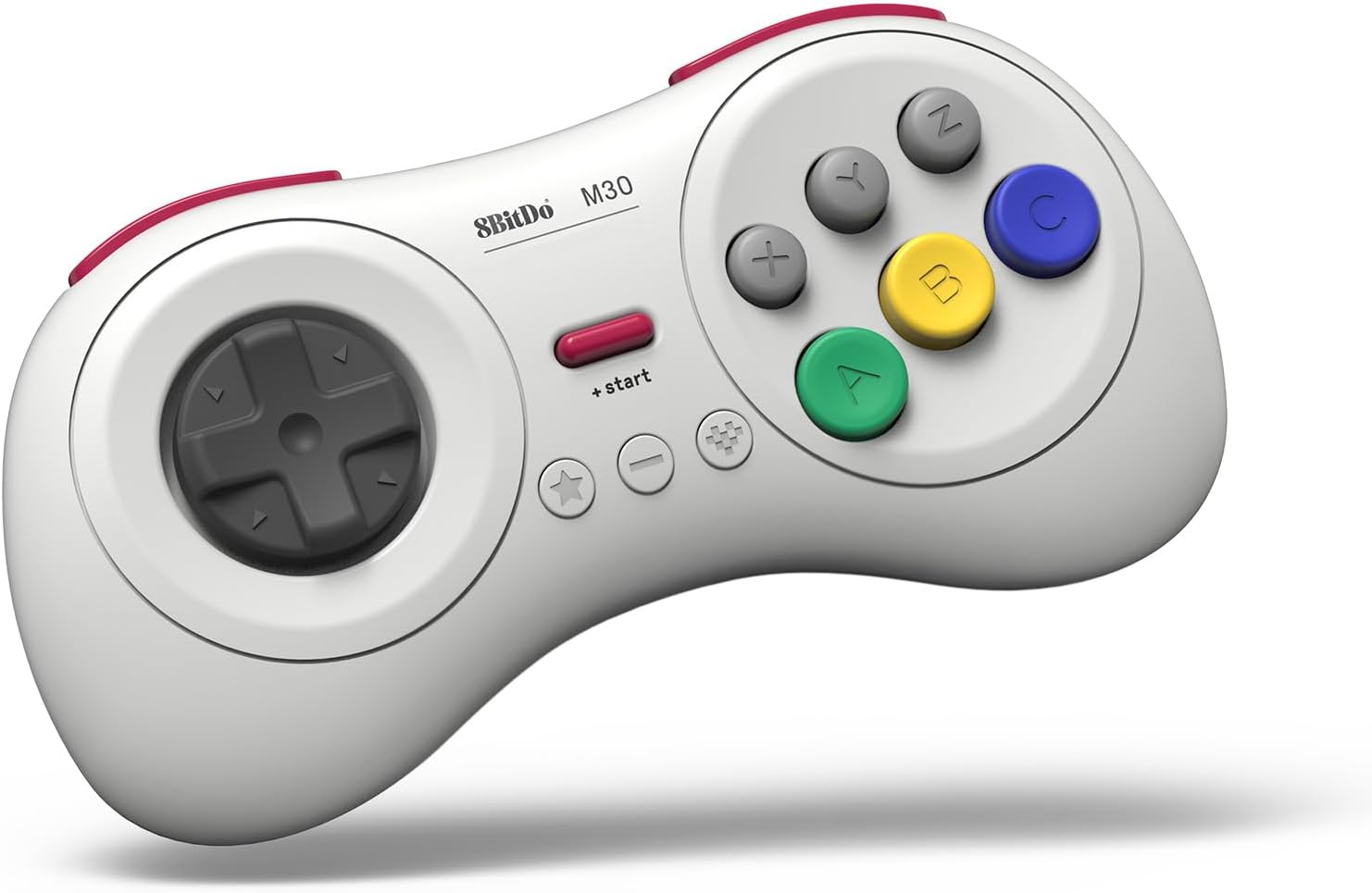
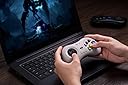
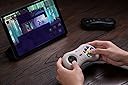
The 8Bitdo M30 Bluetooth Gaming Controller is a compact, 6-button gamepad designed for seamless wireless play across multiple platforms including Nintendo Switch, Windows, Android, macOS, Steam, and Raspberry Pi. Featuring a rechargeable battery, turbo function, and upgradable firmware, it delivers authentic SEGA-style gaming with modern convenience.


| ASIN | B0C6MW2748 |
| Amazon Bestseller | #434 in Video Games ( See Top 100 in Video Games ) #31 in Nintendo Switch 2 Controllers |
| Batteries | 1 Lithium Polymer batteries required. (included) |
| Country of Origin | China |
| Customer Reviews | 4.1 4.1 out of 5 stars (3,340) |
| Item model number | 6922621504023 |
| Language | English |
| Rated | Suitable for all ages |
A**ー
使ってみた所感: ・Switch2のSF6に利用するため、購入しました。使ってみた感覚はとても使いやすかったです。 ・SteamでFVREVOにも利用しましたが普通に使えて、うん満足 ・レトロアーチでセガサターンのソフトをプレイしたら、コントローラーの形状も相まって、なんだか懐かしい感じがしました。(うれしい誤算) ・現時点(2026年4月)のSwitch2での格ゲー&レトロゲー用途だったらコスパ最強じゃないかな?と思います。(3500円くらいだし) 良かった点: ・安価、軽い、Switch2他多種ハード対応、6ボタン配置、十字キーの操作感 もう一歩な点; ・マニュアル(1つのファイルだと少し読みにくい → 国別に分けてほしい、できれば) ・ファームの更新(私は簡単にできましたが、PCに詳しくない人にはファーム更新操作のハードルが高そう、PC持ってない人は更新できないの?) 要望: もう少し、カラーバリエーションがあるとうれしい&おもしろい ①薄いビンク:サ〇ラ対戦オマージュ ②黒スケルトン:セガサターン限定モデルのクールパッドのオマージュ
P**ー
使いやすいです! レトロゲーム、特にセガ系のエミュを遊ぶために購入しました。 PS用のコントローラーで遊んでたのですが、やはりセガにはこの形が使いやすいです! ただ、最初設定がわかりづらく、PC用に設定するのに時間がかかりました。 初期不良を疑ったのですが、説明書と格闘し、無事接続できてからは、普通に使えてます。 バッテリーの持ちも今のところ良好です!
に**亭
Switchでスト2とかにいいかと思って買いました。悪くないですが、ボタン配列がデフォルトだと合わないので設定が必要です。遅延とかを気にするほどの使い手ではないですが、個人的には気になったことないです。
棒**棒
Switch2で使用 この十字キーを使ったら純正のプロコンやjoyconが使えなくなるぐらいとても気持ちがいい その気持ちよさだけで買う価値があった ただ難点があってXボタンが押しにくい Xを押そうとするとAやらBに親指の腹が当たってしまうのでキーコンフィグで変えました Switch2本体にキーコンフィグ機能があるので問題なしですね
H**U
東方Project原作(紅魔郷)に使用しました。 PCには問題なく認識され、全てのボタンは正常に反応します。 上部ボタン(L,R)は少し固めでストロークも短い為、押しにくさを感じました。長押しには不向きです。 十字キーはとても良いと思います。 また、手の大きい人は持ちにくいと思います。
と**郎
ストリートファイター6用に購入しました。右側が6ボタン配置になっており、直感的に操作しやすいです。特に人差し指をパリィとインパクトにアサインしやすく、反応速度が求められるスト6のシステムとかなり相性が良いと感じました。 また、十字キーが大きめで入力抜けが起きにくく、コマンド入力も安定します。格ゲー用パッドとしてかなり使いやすくおすすめできます。 一点注意点として、右側の左上+左下の同時押し(投げ)を入力する際に、中央下のボタンも押してしまいやすいです。コマンド入力が成立している状態だとOD必殺技が出てしまうことがあります。コマンドが成立していなければ通常通り投げになりますが、この点だけ慣れが必要だと思います。
A**ー
NintendoSwitch2にスト6が来たから買ったけど、対応してなかった…
N**I
BluetoothでのSwitch Virtua Fighter 5βテストは、問題無く使用出来ました。コントローラー設定も大丈夫でした。ただ自分には、ちょっと小さいかな。
L**S
El control es de buena calidad. Los botones tienen buen tacto. A pesar de ser bluetooth no tiene lag.
D**O
This star rating is merely out of frustration. Why is this pad none responsive and not working with my Mortal Kombat 3 installed game on my Laptop?? I already purchased the other Nintendo type 8bit SN 30 and it is working well with games like "Gaurdian Legend" and Super Mario Bros 2.
W**L
The build quality is great, but I wouldn't recommend the Bluetooth version. I have been trying for hours to get the "Ultimate Software X" to even RECOGNISE my device so that I can customise my controller inputs. I have had it plugged in and still says "Please connect an Xbox licensed 8BitDo device" I managed to update the firmware, which seemed to recognise it was plugged in, but not the worthless software they supply? Sorry, but if I am spending money on a controller like this, I think I deserve it to function like all the other products. I found there is another app they have for their higher-end controllers, and that doesn't recognise my device either. I suggest combining the two software and removing the Ultimate Software X from the Microsoft App Store, as it often freezes and fails to launch. It's honestly such a shame. I really wanted to enjoy this controller, but in the current state of the program side of things, I'd say it's best to steer clear of this brand, as I doubt they will last much longer if this is how they handle things.
J**S
Dank 8BitDo kommt das Retrofeeling aus den Kinderzimmern zurück in die Wohnzimmer. Nicht jeder ist mit einem Sega Saturn aufgewachsen, aber hatte zumindest Berührungspunkte mit dem Sega Genesis (Megadrive) das Eine oder andere Mal. Daher gleich vorweg - der 8BitDo M30 liegt zwischen Genesis und Saturn, da er eine "ergonomischere" Form an den Tag legt und die vom Saturn bekannten Shoulderbuttons mitbringt, sowie das "6-Button-Layout", was man auf dem Genesis später kennenlernte, wenn nicht zumindest am Saturn. Das D-Pad ist der heimliche Star der Show, da es haptisch unangefochten ist am derzeitigen Konsolenmarkt und sich nicht nur für Sega-Enthusiasten hervorragend eignet, sondern auch für Freunde der Fighting Games eine durchaus attraktive Option darstellt am derzeitigen Fightpad-Markt. Der Controller weißt super Werte auf im Bluetooth/Wireless Betrieb, sowie er kabgelgebunden natürlich an der Speerspitze der ms-Werte liegt, wie man es von 8BitDo und Brook gewohnt ist! Die 8BitDo-typischen Menu-Buttons und extra Buttons finden sich unterhalb des Startknopfs, wodurch man das Pad für diverseste Systeme einsetzen kann, wie zum Beispiel TurboGrafX-16 (auch bekannt als PC Engine) aber auch auf Basis des sehr horizontalen Layouts für Sega Master System oder auch den klassischen NES. Der Controller funktioniert reibungslos auf PC, Switch, mit Wingman auch auf allen Xbox-Plattformen, sowie äußerst hervorragend auf dem MiSTer FPGA. Hier sollte nicht lang überlegt werden, klare Kaufempfehlung für den M30! Preislich unschlagbar und qualitativ, wie gewohnt, ein Top-Produkt!
G**R
Mando de muy buena calidad para emulación y juegos retro. El mando está inspirado en el mando de 6 botones de Mega Drive (inspirado, que no igual). Es bastante cómodo y trae dos botones superiores L y R aparte de los seis frontales (ABC XYZ), un botón Start y tres botones de función (de izquierda a derecha: turbo, back y home). La conexión bluetooth funciona muy bien y también se puede usar con cable USB-C. Muy importante si se usa por bluetooth: se apaga automáticamente si no está conectado por bluetooth tras 1 minuto de inactividad, o si está conectado, 15 minutos sin usarse. Bien pensado para ahorrar batería. La ergonomía es muy buena y la cruceta es cómoda para cualquier tipo de juego.
Trustpilot
1 week ago
2 weeks ago