We remain fully operational. Our teams are working around the clock to ensure your deliveries continue safely.

DOWNLOAD THE APP


Copyright © 2025 Desertcart Holdings Limited
DOWNLOAD THE APP


Buy anything from 5,000+ international stores. One checkout price. No surprise fees. Join 2M+ shoppers on Desertcart.
Desertcart purchases this item on your behalf and handles shipping, customs, and support to South Korea.
💼 Backup Like a Boss — Your Memories, Always Within Reach
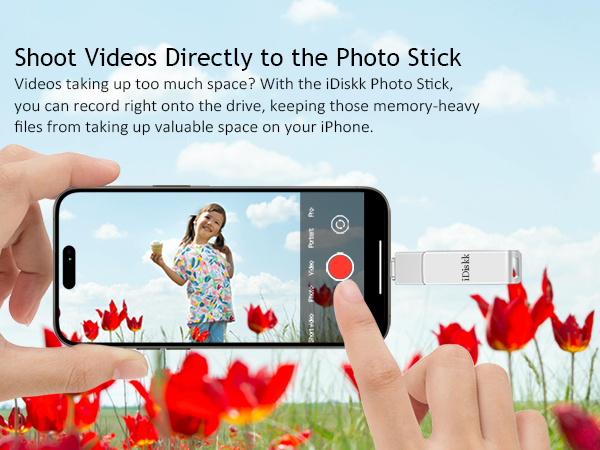
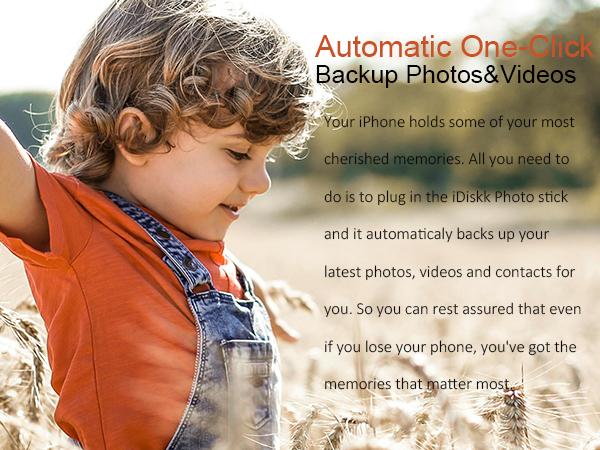
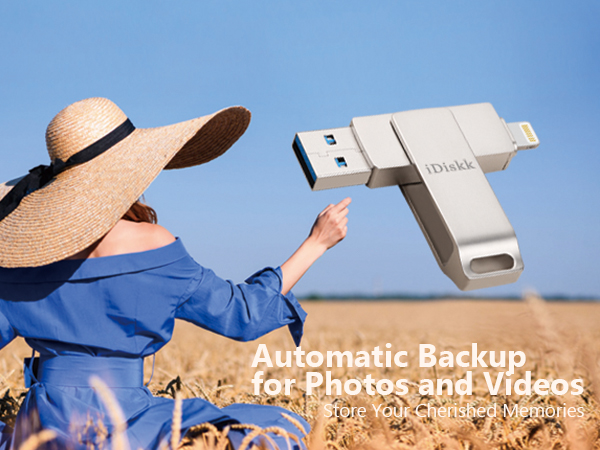
The iDiskk 256GB iPhone Photo Storage Stick is a sleek, MFi-certified flash drive designed for professionals who demand fast, secure, and cable-free backup of photos and videos. Compatible with a wide range of Apple devices and PCs, it offers USB 3.0 transfer speeds, one-click automatic backup, and direct media playback, making it the ultimate tool to declutter your device and safeguard your digital life on the go.


| ASIN | B07GPB7YF3 |
| Additional Features | Gifts for parents and iPhone users, Lightweight, MFi Certified lightning port, One-click backup flash drive, Portable photos videos flash drive for iphone ipad |
| Best Sellers Rank | #195 in USB Flash Drives |
| Brand | iDiskk |
| Compatible Devices | Laptop, Mobile, Tablet, Television |
| Compatible Phone Models | iPhone 5S, iPhone 6, iPhone 6 Plus, iPhone 6S, iPhone 6S Plus, iPhone 7, iPhone 7 Plus, iPhone 8, iPhone 8 Plus, iPhone SE (1st & 2nd generation), iPhone X, iPhone XR, iPhone XS, iPhone XS Max, iPhone 11, iPhone 11 Pro, iPhone 11 Pro Max, iPhone 12, iPhone 12 Mini, iPhone 12 Pro, iPhone 12 Pro Max, iPhone 13, iPhone 13 Mini, iPhone 13 Pro, iPhone 13 Pro Max, iPhone 14, iPhone 14 Plus, iPhone 14 Pr… |
| Connectivity Technology | USB |
| Customer Reviews | 4.3 out of 5 stars 11,079 Reviews |
| Flash Memory Type | USB |
| Global Trade Identification Number | 06939277090268 |
| Hardware Interface | Lightning , USB |
| Item Dimensions D x W x H | 2.36"D x 0.55"W x 0.35"H |
| Item Weight | 20 Grams |
| Manufacturer | iDiskk |
| Memory Storage Capacity | 256 GB |
| Model Name | iDiskk-U006 |
| Model Number | iDiskk-U006-256GB |
| Read Speed | 100 Megabytes Per Second |
| Special Feature | Gifts for parents and iPhone users, Lightweight, MFi Certified lightning port, One-click backup flash drive, Portable photos videos flash drive for iphone ipad Special Feature Gifts for parents and iPhone users, Lightweight, MFi Certified lightning port, One-click backup flash drive, Portable photos videos flash drive for iphone ipad See more |
| Unit Count | 1 Count |
| Write Speed | 48x |
J**D
Confident Memories Are Backed Up
AMAZING! Don't pass this up. Bought for my iPhone 13 Pro to backup pics and vids. It comes with an extremely intuitive app that makes backing up a breeze. Can't recommend enough. Pros: 22k pictures went fast and only drained the battery a little bit. App works wonderfully, even when stopping and starting again. Cons: Videos take a long time! Because you can't plug the phone in, you either have to pause to charge, or put phone on a mag charger and go without phone. It is taking about 1 hour per 100 videos to backup, and I have 3300. It eats the battery fast! It's going to be a while. Still, I feel confidence that my memories are backed up.
C**S
A life saver!
My wife carries so many pictures and videos on her phone that would barely work. This little device was the answer. I told her if she fills a Terabyte, she has a problem and needs help. Very easy to use, plug and play. Just follow the prompts
D**.
Cool little gadget
I'm not familiar with thumb drives but I wanted something to transfer my pictures from my phone and free up storage on my phone. I like that this is dual ended but I don't like that the end is unprotected. It stays in a pocket of my purse but it's still venerable to dirt and dust none the less. I found it easy to transfer pictures from my iPad to it and I was able to access all the items on the drive AND my iPad. I read a review on the iDiskk app that said the person's pictures were deleted and it was a mess - I haven't experienced that. My phone case is too thick to use the drive with the case so I have to take the phone out of the case but that's a small inconvenience. I like the ability to have pictures at my fingertips, pop in the drive and show or print them no matter where I am. I'm not limited anymore, I can transfer pictures anywhere. So far, so good!
J**Y
Free up space from “photo overload” on your cell !
This shiny silver device worked well once the user become familiar with the software. Photos load fast and transfer quickly to the drive; once transferred to the drive, they can be erased from one’s iPhone to free up space. The device is sleek and manipulates well after use, to protect the ports. The instructions are in English, are fairly understandable unlike others from overseas.
M**C
I would recommend this to anybody
I I put over 25,000 pictures on this and it only took a few hours very impressed and easy to use
L**N
worked well
complicated to start up , could use better instructions but once figure out good quality , fast delivery, well packaged, arrived in good condition best price
D**2
Easy to use.
I was going to give it a bad review because my phone wouldn't read it. Darn thing sat on my desk for over a month. I decided to investigate gain before review. As it turned out the cover on the phone was keeping the flash drive from plugging in completely. So close it fooled me at first but worked immediately after removing phone cover. It really seemed plugged in but alas it was not. works great!!
T**N
Ripped off in terms of wasted time and effort... being retuned at whole foods on sunday!!
this does not work... piece of junk... all idiskk apps are no good.. instructions are lame and amazon product posting is inadequate.. the apple ios is not comptable with ios 26.3.1... these people know the product is defective but they are still trying to sell this thing to unsuspecting consumers at an inflated price when they know there are problems!! this is junk and sandisk i-Xpand lightning was the first warning shot recently that millions of legacy iphone users are are being driven off a cliff in terms of support and compatibility as sandisk i-Xpand lightning went, so goes all the rest of these suppliers trying offload defective inventory... amazon needs to intervene and clean this up!! from ms copilot: Your iDiskk Lightning flash drive not being recognized by the iDiskk Pro / iDiskk Max app is almost always caused by one of three things: app deprecation, iOS compatibility changes, or hardware/firmware issues specific to Lightning accessories. The pattern matches exactly what’s happening with SanDisk iXpand and other Lightning-based drives right now. --- What’s actually happening 1) iDiskk changed apps — and older drives no longer work reliably iDiskk’s own support page states that their Lightning drives require the iDiskk Max app to function on iOS devices. citeturn0web_search_orchestrator0WebPages0 But many older iDiskk drives were originally paired with iDiskk Pro or iDiskk Player, and those apps have not been updated for modern iOS versions (16–18). When the app falls out of sync with Apple’s accessory security requirements, the drive simply won’t mount. This is the same failure mode you saw with SanDisk iXpand. --- 2) iOS 16–18 tightened Lightning accessory security Apple’s newer iOS builds require Lightning storage devices to respond to updated authentication checks. If the firmware inside the drive is older, the phone will: • Not show the “Accessory Connected” popup • Not hand off control to the app • Not mount the drive in Files This results in the exact symptom you’re seeing: the app opens but shows no drive detected. --- 3) Some iDiskk Lightning models are no longer supported iDiskk quietly retired several Lightning-only models around 2022–2023. Their support list now focuses on newer 4‑in‑1 MFi-certified drives that include USB‑C, USB‑A, and Lightning. citeturn0web_search_orchestrator0WebPages4 Older single‑Lightning models often fail on modern iPhones even though they still work on older iOS devices. --- How to confirm the cause These checks will tell you which failure you’re dealing with: • Does the drive work on a computer (USB‑A side)? If yes → the drive isn’t dead; it’s an iOS/app compatibility issue. • Does it work on an older iPhone/iPad (iOS 14–15)? If yes → your current iOS version dropped support. • Does the iDiskk Max app show any permission prompts? If not → iOS is blocking the accessory handshake. --- What you can realistically do Try these (they sometimes work): • Delete iDiskk Pro, install iDiskk Max (the only app iDiskk still documents). • Remove your case and reinsert the drive firmly. • Restart iPhone → plug in drive → open app immediately. • Test on another Lightning device if available. What will not work: • Using the Files app (Lightning drives never appear there). • Using adapters or extenders. • Expecting iDiskk Pro to be updated — it’s effectively abandoned. --- If you want a Lightning drive that still works in 2026 Here are the currently supported iDiskk models (from the shopping results you triggered): shoppingturn0shopping_assistant0products0 This is one of the few Lightning drives still MFi-certified and actively supported on iOS 12.1–17+. It uses the newer iDiskk Player app, not the old Pro app. --- What I need from you Which exact iDiskk model do you have? If you can tell me the model number or describe the connectors (Lightning-only vs 4‑in‑1), I can tell you definitively whether your unit is still supported or permanently incompatible with modern iOS.
Trustpilot
1 day ago
1 month ago