We remain fully operational. Our teams are working around the clock to ensure your deliveries continue safely.

DOWNLOAD THE APP


Copyright © 2025 Desertcart Holdings Limited
DOWNLOAD THE APP


Buy anything from 5,000+ international stores. One checkout price. No surprise fees. Join 2M+ shoppers on Desertcart.
Desertcart purchases this item on your behalf and handles shipping, customs, and support to South Korea.
🎮 Elevate your game with speed, style, and zero compromise!
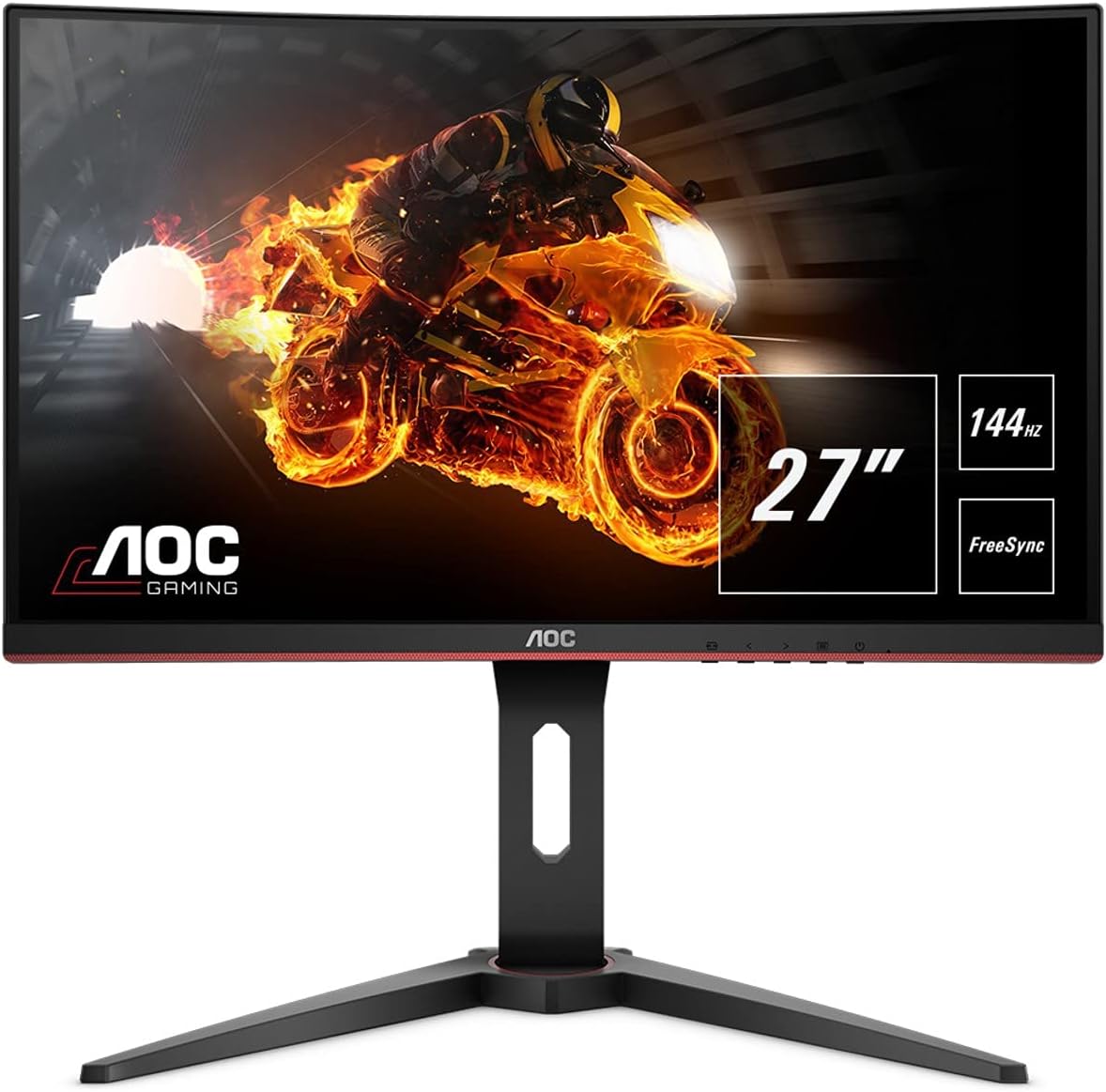
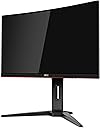
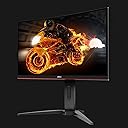
The AOC C27G1 is a 27-inch curved gaming monitor featuring a 1920x1080 Full HD VA panel with an immersive 1800R curve. It delivers ultra-smooth visuals with a 1ms response time and 144Hz refresh rate, enhanced by AMD FreeSync technology to eliminate screen tearing. Designed for comfort and versatility, it includes a height-adjustable stand and VESA mount compatibility. Eye-care features like low blue light and flicker-free backlighting ensure comfortable extended gaming sessions. Backed by a 3-year zero dead pixel warranty, this monitor offers a premium gaming experience at a competitive price.


| ASIN | B07GD5XG5G |
| Adaptive Sync | FreeSync |
| Additional Features | Blue Light Filter, Curved, Flicker-Free, Frameless, Height Adjustment, Tilt Adjustment, Wall Mountable |
| Aspect Ratio | 16:9 |
| Best Sellers Rank | #838,050 in Electronics ( See Top 100 in Electronics ) #15,782 in Computer Monitors |
| Brand | AOC |
| Brightness | 250 lux |
| Built-In Media | 27" Monitor, DP Cable, HDMI Cable, Power Cord, Quick Start Guide |
| Color | Black |
| Color Gamut | 97.00 |
| Connectivity Technology | hdmi vga |
| Contrast Ratio | 80,000,000:1 |
| Customer Reviews | 4.7 out of 5 stars 1,295 Reviews |
| Display Resolution Maximum | 1920 x 1080 Pixels |
| Display Technology | LED |
| Display Type | LED |
| Global Trade Identification Number | 00685417719884 |
| Hardware Connectivity | HDMI, VGA |
| Has Color Screen | Yes |
| Image Contrast Ratio | 80,000,000:1 |
| Item Type Name | curved gaming monitor |
| Item Weight | 13.7 Pounds |
| Manufacturer | Envision Peripherals |
| Model Name | C27G1 |
| Model Number | C27G1 |
| Mounting Type | pc |
| Native Resolution | 1920x1080 |
| Number of Component Outputs | 4 |
| Picture Quality Enhancement Technology | AMD FreeSync, AOC low Blue mode, flicker-free, 80,000,000:1 Smart contrast ratio |
| Pixel Pitch | 0.3114 |
| Refresh Rate | 144 Hz |
| Resolution | FHD 1080p |
| Response Time | 1 Milliseconds |
| Screen Finish | Matte |
| Screen Size | 27 Inches |
| Screen Surface Description | Matte |
| Specific Uses For Product | Business, Gaming, Personal |
| Total Number of HDMI Ports | 2 |
| UPC | 685417719884 |
| Unit Count | 1.0 Count |
| Voltage | 100240 Volts |
| Warranty Description | 1-Year (One-Time) Accidental Damage Warranty, 3 Year Advance Replacement Warranty, 3 Year Parts and Labor |
R**.
Nice 144hz gaming monitor once color/bright adjusted
This is my first 144hz curved screen gaming monitor. The main reasons that I purchased it were price, thin bezel, ADJUSTABLE height, curved screen, AOC quality, and 144hz panel. Be aware this monitor's screen is a VA panel. I found this monitor to be challenging to set up in order to make the screen look similarly as bright and colorful as an ISP panel. I spent a lot of time working with the NVIDA control panel to get the screen to look acceptable but I wasn't thrilled with it. I was about to settle for my adjustments when I saw another Amazon reviewer mention changing the GAMMA setting in the AOC monitor's settings to 3 and the panel color from warm to NORMAL. These 2 changes made a noticeable difference in picture color and brightness. Now I'm satisfied with the picture and it makes my games look great. The monitor housing and base feel very sturdy look very nice with red accents. The monitor's 144hz refresh rate make games looks sharp. The effect of the curved screen is not nearly as noticeable or immersive as I had hoped. It sort of stays out of the way while gaming but maybe that's what it's supposed to do. Overall, for the price this is a very nice Freesync equipped VA panel monitor. If you want to save some $$$ over a similar quality IPS monitor this is your monitor just be prepared to spend some time setting it up to enjoy its best picture. Also, the monitor's adjustable height feature was an important selling point for me. I'm back to add a star to my review. After switching out my HDMI cable for a DP cable the picture and color are awesome. Also with the latest NVIDIA drivers I can use G-sync on this monitor. Win-win!
C**A
Definitely 144hz, Exceptional Brightness Setings , and 0 Dead Pixels!
It arrived in a box that was a bit under the weather; nonetheless the monitor was not defective nor were there any dead pixels like most comments suggested. I've had this bad boy for about 2 months now and it still satisfies me, in fact I plan on getting another this year. 1 display port 2 HDMIs and an audio input port. The monitor has no built in speakers but who uses those anyways. I mainly play Modern Warfare and the frame rate is terrific on such a competitive game. Wonderful price for the specs. Only thing I dislike is the red lining surrounding the bottom of the screen however it can be covered up with the right materials.
A**R
Quality monitor at good price
Just put up yesterday as it was lost a while in USPS shipment and received yesterday. Love the swivel left to right, up and down for monitor and base also adjusts monitor high or low which was a nice surprise as we weren't sure it would fit under shelf at first. Found that feature accidentally. Only used a day, but loving so far. Only thing I would suggest is to not ship USPS as it's been having a lot of problems of lost packages and extremely late packages since pandemic began. Quality seems good and 144 htz perfect for gaming!
M**H
Unfortunately this seems to be the best VA monitor available
The people saying "pay more for something better" don't know what they're talking about. I looked through all the major monitor review sites I could find, and this seems to be the best 144hz 1080p VA monitor. I would happily pay more for a better VA monitor, but unfortunately that doesn't seem to exist yet. Yes it has a smearing problem for high contrast colors. This is due to the lower grey-to-grey time of VA monitors compared to IPS and TN. However, switching to IPS or TN is not "upgrading", but rather trading one issue for another. With TN, you get much worse image quality and viewing angles (to the point where even head-on it doesn't display accurately), but faster response. That faster response is quite overhyped. I'm a long time high-level competitive FPS player, and the faster response of TN only matters in that it doesn't have the obvious smearing that occurs in some high contrast areas (IE: white clock with black hands and numbers). The weaknesses of this VA monitor are most obvious in specific examples, such as: A chain link fence in a darkish area, a bookshelf with multicolored books. When panning the fence will get darker, and the bookshelf will kind of darken/flicker/smear. Turning up the gamma reduces the effect. The Overdrive setting doesn't seem to have a major impact on this. Using any of the preset profiles will make this much worse. I tested two $500 240hz IPS monitors and they had horrible IPS glow that ruined 1/3rd of the screen space. Making this cheaper monitor much better overall. The more accurate colors of IPS is only important to people doing color-critical work. IPS also has as bad contrast ratios as TNs. VA has the best image quality and blacks. And this VA has much better viewing angles than the expensive IPS I tested, and any TN monitor. Additionally, this VA monitor comes with Overdrive turned off. Setting it to Medium greatly reduces any high-contrast-smearing to the point where it's only noticeable in certain parts of certain dark games, or when scrolling a web page with high contrast sections/features. Also, I bought the 27" version, but reportedly, the 24" version is slightly better in this regard. - The first monitor I got had significant backlight bleed around the edges, especially the top right. This was very disappointing given that the benefits of VA monitors are their black levels. But that much black light bleed ruins black scenes. I returned it for a second monitor, and was relieved to see it had much less BLB. However, it did have a dead pixel in the bottom right, but it's not noticeable unless I turn the screen white and look for it. So I'll take the lower BLB with a dead pixel any day. Unfortunately it seems like the back light bleed gets worse over time. I did also notice that with the 2nd monitor, under certain circumstances (flux on at night with white background) the colors don't display evenly (three vertical bands of darker/lighter shades). But that's only under rare circumstances and not something I'd notice during gaming and most regular PC use. The motion blur is as low or lower than "better/faster" TN and IPS monitors I tried. And the MBR feature on this monitor seems to work fairly well. Not a fan of the curve, but I got used to it. Not a fan of this type of stand. The regular flat, square ones are much better and allow me to customize the positioning of the monitor much more. In one of the images you can see how I've had to position this. Image setup is greyed out. So no access to Sharpness setting. The OSD controls are the worst of any monitor so far. Can't tell what button is for what. The power button isn't even under the power light. Thankfully they have software (i-Menu and G-menu) that controls most (unfortunately not the MBR setting) of the OSD. It tilts up, but basically not down at all. It swivels side to side at a very good range. Nothing wrong with 27" at 1080p. Just not as sharp as 1440p would be. I prefer 27" due to the larger size being more immersive in games, and 1080p due to the significantly greater FPS cost of 1440p resulting in having to pay $500+ for a graphics card to get around 100 FPS in newer games. Has black borders on the sides where the bezels would normally be. Not sure what the point of that is. Has an OSD crosshair and a dedicated button for it. Has a "frame" counter, but it's actually a refresh rate counter. Gamer 1 is really blue. Gamer 2 and 3 are nice, and almost identical, but the software doesn't show you what their settings are. This is very unfortunate because they drastically change the image and I can't seem to get the custom setting to look similar no matter what I do. They look much better than my custom setting, but my custom setting has much less ghosting/smearing/trailing, thus I have to use Custom for games, and ironically, can only use "Gamer 2 and 3" on desktop. Oh, by looking at a specific image I'm able to deduce that what they change is a mixture of sharpness and saturation (called "game color" in OSD). I don't even see a sharpness setting anywhere though. Oh it's in the image setup menu, which for some reason is unavailable to all non-VGA connections. Works at 1440p downscaling in games at 144hz without having to create custom timings. - The images I included in my review are a comparison of the backlight bleed on my first and second monitors. And then the viewing angles of the first monitor.
R**N
A overpriced but worth it buy
Very Very Very good picture quality. Tons of options in the menu for color and picture modes. A custom reticle. Although there are no speakers there is a headphone jack so you can just connect speakers to it. The 144hz works for PC 100% but it only goes up to 120hz for Xbox. It has a nice stand and can run games really smooth and includes free sync which actually makes a huge difference in game smoothness and fps. It has two HDMI ports. one DP port. and one other one which i forget the name of. Definitely a good monitor. 5/5
H**D
Beautiful monitor
Pros: * Very affordable * Very easy to set up * Games look amazing * Beautiful, crisp, responsive when set to 144hz @ 1080p * Settings in the monitor itself were great out of the box just had to configure Nvidia control panel to clock at 144hz Neutral: * The curved design is take-it-or-leave-it Cons: * My only complaint is no integrated USB port. Would be nice to be able to plug USB LEDs into itself. Overall: * This monitor is an insane value. * I am very happy I bought this monitor. * I would buy this monitor again. * 1080p doesn't look perfect at 27 inches, but still looks really good. This is true for all monitors, not just this one. * I would buy more of them but my next monitor will be a 27 inch 1440p
S**E
Love the high quality
This thing is beautiful! for one of the lower priced nice screens i wouldnt go with anything else. of all the 27 curved 144h screens this one had the best reviews and the best stand. I was split between this and the acer which is the same price but the acer doesnt have the nice stand. The stand is one of the best parts of the package and is real nice and can adjust to sit real high or flat down. My box came all messed up so i was worried about dead pixels but it was in 100% perfect condition. the packaging is great so the screen was protected. make sure to change the refresh rate to 144 in your display settings in windows 10. BUY THIS!
B**J
Been using for a month and love it.
Ive been using it for about a month now. The most important aspect of this monitor so far is that it does what i want when i want. Meaning I never have to think about it. It turns on and off when my machine does and i never think about it otherwise. Thats a win in my book. I actually bought it for my sons gaming rig and its solid for a FHD monitor. I like the picture, it has great detail and color depth in game. I use his machine now any time hes not on it and i want to play. We'll see how it holds up over time but for now im happy.
Trustpilot
4 days ago
2 months ago