We remain fully operational. Our teams are working around the clock to ensure your deliveries continue safely.

DOWNLOAD THE APP


Customer Services
Copyright © 2025 Desertcart Holdings Limited
DOWNLOAD THE APP


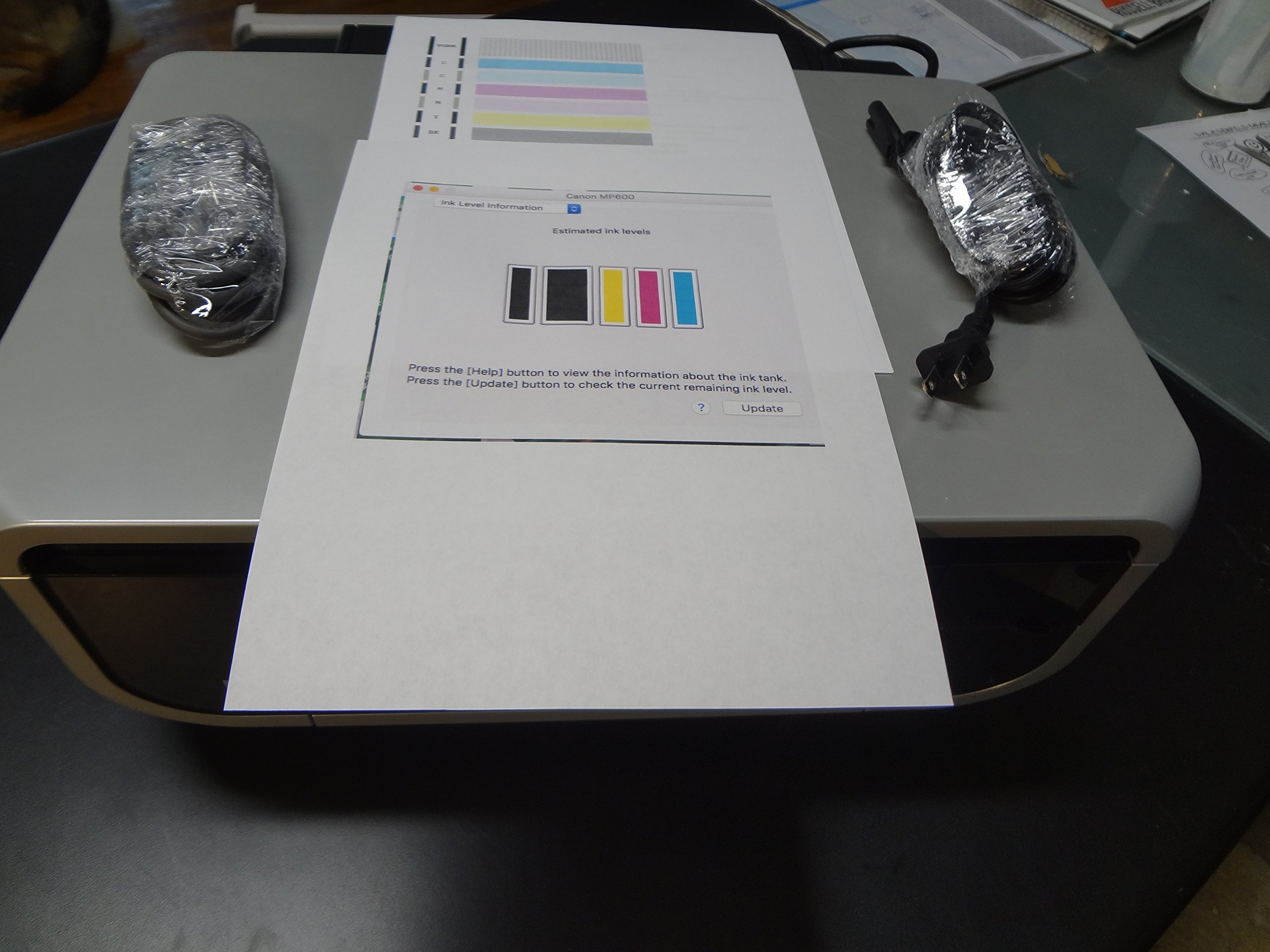
🖨️ Elevate your workspace with pro-level prints and effortless control—because your ideas deserve the best!
The Canon PIXMA MP600 is a versatile all-in-one photo printer featuring ultra-high 9600x4800 dpi resolution, a user-friendly Easy Scroll Wheel with a 2.5" wide-angle color TFT display, and dual paper trays with automatic duplex printing. It supports direct printing from cameras, memory cards, and Bluetooth devices, while its five-ink system optimizes ink usage and cost. Ideal for professionals seeking crisp photo-quality prints, efficient multitasking, and seamless connectivity.
| ASIN | B000I5LAFQ |
| Additional Printer functions | All In One |
| Best Sellers Rank | #1,438,141 in Office Products ( See Top 100 in Office Products ) #386 in Desktop Photo Printers |
| Color Depth | 24 bpp |
| Compatible Cartridge | [Canon color ink cartridge model] |
| Compatible Devices | Printer |
| Control Method | Remote, Touch |
| Customer Reviews | 3.2 3.2 out of 5 stars (296) |
| Date First Available | June 2, 2007 |
| Dual-sided printing | Yes |
| Duplex | Automatic |
| Global Trade Identification Number | 00013803066630 |
| Hardware Interface | PictBridge |
| Included Components | USB Cable, Printer Paper, Ink Cartridges |
| Ink Color | Color |
| Is Discontinued By Manufacturer | No |
| Item Weight | 31.6 pounds |
| Item model number | 1451B002 |
| Manufacturer | Canon |
| Max Copy Speed (Black & White) | 30 ppm |
| Max Input Sheet Capacity | 150 |
| Max copy resolution black-white | 9600 dpi |
| Max copy resolution color | 9600 dpi |
| Maximum Black and White Print Resolution | 9600x4800 dpi |
| Maximum Color Print Resolution | 9600x4800 dpi |
| Maximum Media Size | A4, Letter, Legal |
| Maximum copies per run | 300 |
| Model Series | PIXMA |
| Number of Trays | 2 |
| Print media | Envelopes, Paper (plain) |
| Printer Ink Type | color ink |
| Processor Count | 1 |
| Product Dimensions | 15.4 x 17.8 x 7.7 inches |
| Scanner Type | Photo |
| Sheet Size | 210 millimeters |
| Specific Uses For Product | Photo, Office |
| Supported Media Sizes | A4 |
| Total USB Ports | 1 |
| UPC | 013803066630 |
| Warranty Type | limited warranty |
G**O
Great printer - VERY unrelaible
I bought my Canon MP600 printer in January of 2007. In July 2007 while still under warranty it required service for the U051 'Ink cartridge not recognized' error. Now (May/June 2008) when out of warranty it has a U052 'incorrect printhead" error. The printhead is the original and I've always used canon ink cartridges. The Canon service person tells me that if I buy a new print head it will last 3 years. So why didn't the original printhead last 3 years?! The cost to repair the printer -$132- is amazingly the same cost to replace the printer with the MP610 printer. I'm torn - depite it's unreliability I have loved the print functions and quality of print with my MP600 AND I'm up to my eyeballs with expensive print cartridges that fit this printer! I could step up to a Canon printer with more functions (network and fax would be cool) but if you drill down in the reviews you'll see owners that have had the machine for a while reporting the U051 error. I wonder how soon it will be before they'll get the U052 error!? I just wish Canon would get their act together and put out a printer that keeps printing for more then 18 monthes - or maybe planned obsolesence is working Ok for them? I'm a bummed Canon printer owner....
G**M
The Cannon PIXMA MP600 is Easily the best printer I have ever used!
Ever noticed how most so-called Photo Printers either make everything so complicated you avoid using them, or the photo quality is so grainy and the color so off that you end-up going to Walgreens Photo Dept, anyway? Well, this Cannon PIXMA MP600 is the answer. The PIXMA MP600 is a jewel of a printer, manufactured with high quality, ease of use, and versitility in mind. I particularly enjoy the one-touch scanning, and the Easy Scroll Wheel, in tandem with the on-board LCD screen which makes selecting, adjusting, and managing your prints a breeze from the printer or from your computer. Another plus is the fact that Cannon seperates the ink colors into five different ink pots. This means you save a great deal of money by replacing only the ink pot that contains the color of ink that you need, when it is needed, instead of replacing one big, EXPENSIVE cartridge. Each pot costs around 10-12 bucks, as opposed to the all-in one cartride costing upwards of 80 dollars. I also noticed that since these ink pots are seperated, the ink lasts a lot longer (partly because each pot contains so much more ink than the all-in one cartridges). But on top of the savings and convenience, the ease of use is amazing! No complicated, confusing adjustments to make (unless you WANT to make them, then those controls are avilable to you) you literally press a button and you scan, copy, and print documents, as well as print photos. You can use the provided photo suite software, or you can make adjustments on the LCD screen and print directly from your Phone, Digital cam or even from your digital camera's memory card with the on-board memory reader. To sum-up, I give the Cannon PIXMA MP600 an 11 out of 10 for versatility, ease of use, quality manufacturing, and the high quality of the end product--the pictures that his printer creates are clear, crisp, and professional quality! The printouts are document quality, and the copies and scans are literally photo quality. Buy this printer and you will not regret the decision!! NOT FOR A SECOND!!!
W**N
It's not bad
I bought one that turned out had a defective print head, but the Canon customer service line was incredibly helpful and sent me a working one to replace it within 2 or 3 business days. Print quality is excellent, and print speeds are fast, but I miss the way my old HP 3310 showed previews of my scans/copies AS I adjusted settings (the 3310 was so top-heavy that it broke one day trying to change the expensive ink cartridges). There are certainly not as many adjustment options, but still a great printer. Also, a full round of Canon inks may be comparable to the HP 3310, but they seem to last longer. It is HUGE though...but at least it's shorter than the hp 3300+ series printers.
A**Y
Excellent printer, stupid scanning issue with it.
I bought my MP600 a year ago to help me declutter my desk. It prints really beautiful quality photographs. I've printed them at 4x6 inches and at 8x11 inches. They're good enough to hang up. It prints fast when I have a lot of pages to do. It has never jammed on me and the ink has actually lasted me for about a year -- I don't print color images and documents everyday. The scanner is decent although the scanning surface is smaller than I would like. I do some drawing, which I'd like to scan in, and sometimes I need to scan it in parts and re-merge it in Photoshop. If you're planning to do something similar just keep in mind that the scanning surface is going to be high off the table surface and may make scanning pages of a really large sketchbook more cumbersome than using a flatbed scanner. But, here's the really, really stupid thing I just learned about this all-in-one printer. Maybe I've missed something in how all-in-one machines work. I've run out of all my ink. So I understand that I can't print or copy anymore, which is fine. I'll buy more ink. But you can't scan anything either. Who would have thought that not having a drop of ink in the cartridge would nerf the scanning ability of the MP600? The U163 maintenance error message (the one that says I'm out of black ink) that comes up everytime I turn the printer on doesn't allow me to scan at all. I don't think Canon's new drivers fix this issue, because I updated them two weeks ago.
Trustpilot
3 weeks ago
2 days ago