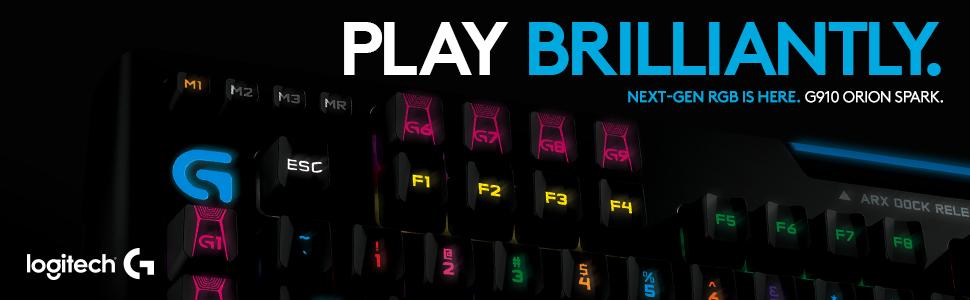
⚡ Dominate your game with speed, style, and smart control!
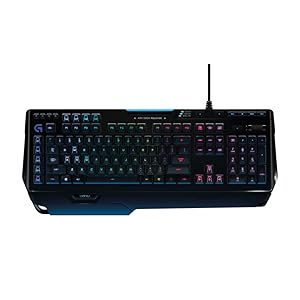
The Logitech G910 Orion Spark is the world's fastest RGB mechanical gaming keyboard featuring exclusive Romer-G switches with 25% faster actuation, 9 programmable G-keys for custom macros, and fully customizable RGB lighting with 16 million colors. It includes dedicated media controls and integrates with the Arx Control app for real-time in-game data on your smartphone, making it the ultimate tool for professional and passionate gamers.


| ASIN | B00N3OELPU |
| Additional Features | Lighting |
| Best Sellers Rank | #50,450 in Video Games ( See Top 100 in Video Games ) #995 in Mac Accessories #2,394 in PC Gaming Keyboards |
| Brand | Logitech G |
| Built-In Media | USB Cable |
| Button Quantity | 104 |
| Color | G910 |
| Compatible Devices | Devices with USB port and compatible operating system |
| Compatible Operating System Family | Windows |
| Connectivity Technology | USB-A |
| Customer Reviews | 4.4 out of 5 stars 3,193 Reviews |
| Enclosure Material | Plastic |
| Generation | 1 |
| Hand Orientation | Ambidextrous |
| Item Dimensions L x W x H | 19.8"L x 8.2"W x 1.4"H |
| Item Weight | 3.31 Pounds |
| Keyboard Backlighting Color Support | RGB |
| Keyboard Description | Full-sized mechanical gaming keyboard with Romer-G switches and customizable RGB backlighting, designed for enhanced gaming performance Keyboard Description Full-sized mechanical gaming keyboard with Romer-G switches and customizable RGB backlighting, designed for enhanced gaming performance See more |
| Keyboard Layout | QWERTY |
| Manufacturer | Logitech |
| Mechanical Keyboard Switch Model | Romer-G |
| Mfr Part Number | 920-006385 |
| Minimum Required Operating System Version | Windows 7 |
| Model Number | 920-006385 |
| Number of Keys | 113 |
| Number of Sections | 5 |
| Power Source | USB |
| Series Number | 910 |
| Special Feature | Lighting |
| Style Name | keyboard |
| Switch Type | Romer-G |
| Theme | Gaming |
| UPC | 097855107671 |
| Unit Count | 1.0 Count |
| Warranty Description | 920-006385 |
C**Y
Very impressive keyboard
Very impressed with this keyboard, build quality is great (even though it's plastic) and it feels very solid. Not much flex when force is applied and it has a wonderful soft touch rubber coating which looks to be impossible to leave fingerprints on. There are some glossy black plastic parts that seem to attract fingerprints, but it's only the frame underneath the keyboard that actually holds both the included wrist rests. I did a lot of research on what type of keyboard I wanted to get and I found the g910 had everything I needed. I liked the idea of the new Romer G switches and the amazing led back lighting just seem to top of the whole package. While I wasn't personally in love with the gamer themed design, I do have to say it looks better in person. It looks a lot more under stated than I though, and I actually have really grown to love it. I do have some ideas on modding it to give it a more personal touch and to mach my rig's color scheme. Now onto the actual performance of this awesome device. There seems to be a lot of controversy over the key caps and whether or not they are hard to type on and if you catch your fingers on the edge of the raised edges. Personally, I love them and I think they help me to type more accurately and faster than I ever have. I adjusted to them almost instantly and really can't see how anyone would have an issue with them if they just spend a day or two with it. I have not had my fingers catch on the edges of any keys yet, and found them to really center my fingers on the keys. I have been using a rubber dome membrane keyboard up until now and while I really have no issues with those, I can say that a mechanical keyboard is in every single way possible, better, especially this one. The shape of the caps and the short actuation of the switches really help give me an edge that I didn't have before. I also don't have any issues with either of the wrist rests. They both work great and in my particular caseand the asymmetric design doesn't hinder typing performance. The new Romer G switches are absolutely wonderful. They actually seem to be quieter than my rubber dome keyboard and you can really feel how quick these register a key. I find myself not having to smash the keys to type fast and accurate and it helps put less strain on my fingers and joints. I think they are onto something here. I also love how easy it is to take off and put on the key caps. There is no need for a puller, you just pull them off and push them on. They actually work very well and I personally think the design will help with durability and longevity. I play a lot of Battlefield 4 and while I am not very good, I found myself to have more kills and less deaths while using this keyboard. I bought this g910 along with the Logitech g402 mouse and the combo has really upped my game. I'm still not that good but I'm definitely better with these and my hardware is now no longer hindering anything. Logitech claims the g910 is the world's fastest mechanical rgb keyboard and they claim the g402 is the world's fastest mouse. I think they might be right! Now onto the lighting and software, a big part of this keyboard and something I didn't really have any interest in at all. I game a lot at night and had problems with seeing keys at night on my old keyboard. An issue no longer as these are wonderfully bright and precise in the way they light each key with the perfect amount of illumination. You can change every key to a different color and brightness, besides the macro profile keys (top left, always orange although it's not very bright and the key has a really small font), caps num and scroll lock lights, and the media keys (top right, always blue but again not very bright and easily overlooked in a dark room). The software is very intuitive and works really well. At first glance it may seem kinda basic, but once you get in there and work your way through everything it is well rounded and covers a lot. It might seem like it won't do what you want it to, but if you just look around through everything, it's all there. You can set specific lighting to each game with different profiles and the possibilities seem endless. If you are looking for information on this keyboard and are deciding if this is going to be better than a k70 rgb, or a razer chroma, or another popular mechanical keyboard, I can't honestly tell you. I have no experience with any of the other competitors and can't tell you how this one compares, although I have used cherry's and I did like them. I can tell you though that I am extremely happy with my purchase, and I won't ever look back. I think the romer g switches and the software are what sealed the deal for me. Corsair's software for the k70 rgb isn't the best and razer uses kaliah switches instead of the industry standard cherry mx. These romer g's are queit, feel wonderful, and are lightning fast. I would definitely recommend this product to someone looking for a good mechanical rgb gaming keyboard.
R**K
Keyboard: Great! Seller: Trash
Five stars because this is a PRODUCT review. The SELLER, FDBV Corporate Group, gets a one-star from me. This model of keyboard is great - obviously, I loved my old one so much that when it broke, I had to come here and buy another one secondhand, because Logitech doesn't make these anymore. I like the way the keys cup my fingers. I like the per-app hyper-customizable lighting profiles you can set up in LGHUB. I like the extra G-keys and the various functionality (macros, program launch, map to other keys including F13-F24) you can attach to them. Wonderful keyboard. HOWEVER. This seller is a joke. Do not buy refurbs from FDBV Corporate Group unless you are willing to put in the time and effort to clean the item up yourself. I expect this kind of quality from something I pick up off someone's porch after finding it on Craigslist, NOT from someone who sells through Amazon. I received a sad-looking crumpled box entirely covered in packing tape, inside which was this keyboard wrapped very, ahem, thoroughly let's call it, in scraps of bubble wrap and shipping paper - which is fine, I don't really care about the unboxing process, though it did rather set the tone for what I was about to clap eyes on. What I care about is how dirty the keyboard was, and the fact that even AFTER I hit it with a damp paper towel, an entire can of compressed air, and a keyboard-cleaning brush between the keys, it STILL was awful horrible no-good bad-times filthy underneath. Thank goodness I had a nice lil key puller on hand - see attached photo for the horror that still had to be extricated AFTER the above cleaning efforts once I pulled all the keys off. Apparently, this thing was some cat's favorite bed - and I think I might be allergic to whatever kind of cat this was, so thanks very much for THAT, FDBV. So little attention was paid to the actual "refurbishment" part of this resale - disgusting, disgraceful, and downright unprofessional. As the meme goes, my disappointment is immeasurable and my day is ruined. The one saving grace? Once I cleaned it up and put it back together, all the keys actually work without sticking, ghosting, or requiring extra-firm presses or repetitions, which is more than I can say for the TWO keyboards bought from and returned to "thegadgetdeals". Edit: spoke too soon - less than a week, and I'm getting nonresponsive-without-pressing-hard F2, P, Numpad7, and Numpad* keys, and occasional double-fires on Z, Y, and Spacebar. So disappointing after the effort I went to to clean it up like the seller was supposed to. Either the G910 Spark model is just baseline not as reliable as the G910 Spectrum I had for 6 years, or all the functional ones have found happy homes and it's just the defective ones that are circulating, being "refurbished" and sent out and returned and "refurbished" and sent out and returned...
C**E
A huge THUMBS UP for this keyboard's new Romer-G switches!!!
I've tried both the Corsair K95 (with Cherry MX Reds) and the Razer Black Widow Chroma (with "clicky" keys). This review is based on a direct side-by-side comparison between the Logitech G910 and these two competitors' keyboards. In my opinion, the Logitech G910 beats them both. First and most importantly, the Romer-G switches on the Logitech G910 are simply excellent. They have a very nice feel. They don't require a lot of pressure to activate and they are utterly silent. They provide a slight tactile bump when being pressed. And the keys feel solid with little to no wobble. The spacebar feels great as well. It's very easy to activate with no noticeable "friction" or torsion when pressing the spacebar from one of its edges. I'd go as far as saying this keyboard has the best spacebar for gaming that I've ever used. What I'd say about the Romer-G switches is... don't get hung up on the fact that they are not Cherrys. The truth is, they are better. Logitech has done its homework here and the results are quite excellent. The Logitech switches are also designed with RGB lighting in mind. The light passes up through the middle of the switch as opposed to the top most edge of the Cherry switches on the Corsair K95. The G910 keys are evenly lit and the brightness is excellent. the Corsair K95 is dim in comparison. The Razer BlackWidow Chroma is also a very brightly lit RGB keyboard but it suffers from light spillover. In fact, the Razer is actually designed with a white plate beneath the keys to enhance and brighten the lights. But on the Logitech G910 there is no light spillover. Only the key faces themselves are illuminated. The result is a very clean, crisp and bright set of keys. The comma and period keys are easily readable. By comparison, you can't even see the comma and period on the Corsair K95 due to the way the light comes through at the top of the key rather thahhhhhhn at the center. I read some complaints about the G910's angular sculpted key caps. Maybe this comes down to a matter of preference, or maybe some people just don't like the change from standard keys. But I have to say I really like these key caps. They do what they are designed to do... they give your fingers a solid sense of place on the keys. They are by no means uncomfortable and they serve the purpose of centering your fingers on the key. To me it just feels good. I really don't have any complaints about these keycaps. My suggestion is... don't be put off by their funky appearance. They work. Period. The G910 has a complete set of media keys including a rubber coated volume wheel as well as a dedicated mute button. There is also a key for toggling the lighting feature on and off. And there is a "gaming mode" button which disables the Windows key (and perhaps a few other things as well... I am not exactly sure). The g910 comes with an extended palm rest but it was not to my liking. I intend to use this keyboard only for gaming, so the asymetric palm rest is not a problem or an issue for me. It serves as a palm rest for my left hand while using the WASD keys. But it doesn't really detract from my right hand when using the keyboard for typing. But I suppose this might be an issue for some. But for me, it didn't really cause any problems. I was initially hesitant when I saw this odd looking palm rest. But after using it a few days it is not a problem. Now on to some negatives... 1) The USB cable is not braided. It's just a plain ol rubber coated cable. Nothing special. 2) There is no external USB port on the keyboard. The ARX "dock" is mostly useless. I can stick my Android tablet in it as simply a holder for it. But it doesn't provide any charging or serve any other purpose. In fact, I would have preferred if they simply ommited this dock since it is mostly useless. Finally, I was disappointed in the limited feature set with the Logitech Gaming Software (LGS) for handling advanced lighting profiles. The software supports the following modes... - Freestyle (pick each key and color it independantly) - Zone (WASD, G keys, num keys etc) - Commands (Show active game keys while playing a game) - Effects The Effects section provides the following "fancy" color modes... - Key press (each key changes color momentariliy when activated) - Breathing (all keys cycle between two color states as if breathing in and out) - Star Effect (random pattern of "twinkling" keys) - Color Cycle (all keys cycle through a range of colors) - Color Wave (a wave of color travelling across the keyboard. There are options for setting the starting point and dirtection of the wave) But that is it. There is no way (yet?) to create your own color profiles or to import third party profiles. There is no way to build advanced color profiles. This is a major oversight in my opinion. Both the Corsair and Razer RGB keyboards provide tools for creating advanced lighting profiles that can be exported and shared with other users. Some of the lighting effects for the Razer and Corsair RGB keyboards are amazing to behold. Yes, these fancy color profiles are just a gimmick, but they are cool nonetheless. It's a real shame that the Logitech software doesn't come with a lighting profile creation kit that lets you create advanced lighting effects and share them with a community of users like you can with the Razer and Corsair keyboards. Hopefully this is something that Logitech is working on. There's no reason it can't be done. The competition does it already, so Logitech is noticably behind in this area. Apart from that, I have nothing but praise for this keyboard (well, except for the price I suppose ;-). The G910 is a very nice piece of kit. I love the new Romer G switches and I really like the way these keys feel. The chiseled key caps are a nice touch that I also really like a lot.
S**E
Great and beautiful keyboard, very easy to get used to and feels very high quality.
Had a tough time deciding between this or the newly released G810 which sport a simplistic look vs big and gamer look. The main concern which was highlighted numerous times by reviewers was the oddly shaped keycaps and many complained that it is hard to type with it. I am currently typing with it and can safely comment that it is not an issue to me at all. Took just an hour to get used to it. The keys feel fast and have a high quality texture to it. If you are really concerned and do not want to use the oddly shaped keys, Logitech US actually released the normal keycaps for the G910 sometime in late 2015 and can be acquired at about $39.99 which isn't cheap, but gives us an option to try out their supposedly gaming optimized keys instead of using the normal concave keys that we are already so used to. I view this as an added bonus albeit the higher cost if I ever buy the replacement keycaps. The keys are fast and quiet as compared to its "equivalent" Cherry MX Brown switch. It is faster to actuate and bottom out as advertised, it only takes a light tap to actuate and I would dare say will increase your WPM if you're not hindered or bothered by the keycaps. On top of that, the keyboard has two actuation point as fail-safe and longer durability I guess. Stay away from it if you are looking for a noisy or clicky keyboard. Keys are well lit but not the brightest I've seen, it definitely look beautiful at night. One complain here though, the white (255,255,255) Is actually pale blue on my keyboard and there are numerous other users having the same issue, with some saying it is light pink at the same RBG setting. Might be a deal-breaker for some but I am willing to give it a chance and spend more time in the future to find that perfect white by tweaking the RBG in its software. The software is easy to use but not perfect. Anyone will be able to customize the color profile easily. I just wished that there is an option to switch color profile for default profile and brightness level on the fly without having to get into the LGS every time. It is not without bug though. I found it that my Num Lock, Caps Lock and Scroll Lock status indicator doesn't work properly when I am using the Key Press color scheme. (One way to overcome it is to long hold the respective keys until the status indicator lights up or off.) In conclusion, the tough decision between G810 and G910 to me was really because they are both priced very similarly. If the G810 were to be at the $129 price point, I would definitely go for it without second thought. At very similar price point (in fact the shop I got it sold both at exactly the same price), I chose to go with the G910 as it felt that it has more bang for the buck. The palm rest which some reviewers complain is great for my hands too. (Using the large palm rest, having somewhat medium to small hands I guess). I would definitely recommend anyone who wants to buy either of these keyboards to try it out in a store or something, don't base your opinion solely on reviews published as the way you like your keyboard is very personalized and differs very much especially compared to those who are very accustomed to their favorite type of switches and normal kind of keycaps. Update: Took some time to find the RGB value for the white on my keyboard. Might not match every keyboards but generally find the color it is has a tint to and reduce the number. The RGB value for my white is 255, 190, 240 while the blue to match the media keys is 15, 123, 255. The default yellow given by the software appear too greenish as well, 255, 180, 0 works better for me. Hope this helps anyone having the same "color temperature" with my keyboard!
J**W
I love this keyboard.
I was extremely skeptical about buying this keyboard. It has been a while since I've upgraded my gaming peripherals for my computer, but last time I went all Logitech and didn't regret it. So of course I turn to Logitech yet again for computer gaming peripherals because they treated me well the first time around. I'm the type of shopper though that does research and compares products for probably too much time, and there was controversy all over the internet about this keyboard. Some love it, most hate it. I watched so many video reviews on this keyboard and read even more. There are complaints all over the web about the key caps inconsistencies, and the indentations. Complaints about its futuristic almost "Tron" like appearance that makes it less sleek or conventional that other mechanical keyboards in its price range. Complaints that it's difficult to type accurately on the keyboard. Complaints about the software, complaints about the wrist rest, complaints about the lack of customization since the Romer G keys are brand new and only on this keyboard at the moment. The complaints about this keyboard far outweighed the positive things I read. I was always directed towards the two other extremely popular mechanical keyboards that compare heavily to the Orion Spark. The Razer BlackWidow Chroma, and the Corsair Vengeance with Cherry MX keys. These for all I know are fantastic keyboards, but I can't comment from a personal use perspective. I went with the Orion Spark despite all the complaints and controversy over its many aspects because it was actually trying to do something new, while the two previously mentioned keyboards go with a more tried and true design. So far, I have zero regrets. The Orion Spark may not be for everyone, but for a select few, including myself, it feels like a keyboard personally designed for me. The biggest controversy this keyboard has is its key caps. The indented keys and the way they're angled differently across different keys, making them inconsistent is a huge issue that comes up in many of the reviews. There had to be a reason Logitech did this though the way I saw it, and so far the keys have been amazing. Gaming with them is amazing, as the indentations guide your finger directly to the center of the key, and make it less likely you'll hit the wrong key. Typing on it though, something I thought I'd end up disliking due to its design, has been more than good. I feel more accurate when I type on it despite all the complaints, and I'm looking forward to the first paper I have to write this semester for college just to use this keyboard for typing. The lighting is amazing, and the software is easy to use. I've read complaints about the software, but it has been updated since release and some of the complaints have been addressed. Other complaints about not being able to combine color effects, have not been addressed, but they don't need to be. This keyboard as far as lighting goes does plenty, more than I may ever use. The most important thing to me was being able to color each key separately to create zones on the keyboard for games I play. It allows me to do that and way more, so I'm more than happy. Logitech decided to do something different with the lights on this keyboard as well. Other RGB keyboards, like the Razer BlackWidow Chroma, allow light to leak out between the keys. While this can actually look pretty cool, Logitech designed their lights to leak zero light between the keys, and instead only light the key cap up. This results in the keys themselves being the focus of your eyes attention. Exactly how it should be. The mesmerizing lights between the keys may look cool but its still a gaming keyboard, and keeping you focused on the keys is how it should be. Secondly, with zero light leaking between the keys, and all the light being brightly focused on the keycaps, something that Logitech designed the keys specifically to do, results in a super high tech awesome look to the keyboard, especially when you zone the keys with different colors. I feel a control panel for a sci fi space craft is sitting on my desk, not just a keyboard. Some might not like this, but I absolutely love it. It all comes down to personal preference. This keyboard is not for everyone, so if one is on display next to the more popular mechanical keyboards at your local Best Buy, give them each a feel first. I took the chance on this one and have been happy thus far.
I**N
An extended review
This is my first mechanical keyboard so I'll start by saying that I can't really compare the feel to other types of mechanical keyboards. What I can do is talk about it's features. First of all I'm already a big Logitech fan and this keyboard did not fail my expectations. The lighting can be customized which is awesome but then they also have preset colours and or animations if you want something basic. Personally I set each key/area to its own distinct colours. Besides that the programmable keys can be pretty handy, the ones along the left side are the ones I use the most often because the top ones are above the function keys and just slightly too high for me to be able to use them quickly in a game or program. But binding the ones to the left to keys on the right side of my keyboard is really great and there's actually a lot of commands that you can put into them besides just keybinding to an existing key... Essentially it's a very good and versatile feature. Next lets talk about the shape of the keys. I saw mixed feelings about them but honestly, I hardly noticed anything when i got it and started using it. If anything it just looks different. If it really matters I think i saw the same keyboard at Best Buy without the special keys and I also have heard that Logitech will sell the normal key-caps separately if it really bothers you that much. That you guys can look into yourself. One thing I looked at briefly and then forgot about forever was the spot for your phone. Honestly, it's cheap and plastic and isn't really useful at all. If you lay your phone sideways you can charge your phone while its sitting there but using it with their monitoring software really isn't gonna happen. there's better software that you can just have running on your computer that wont kill the phone and provides the same functionality. Now I'll talk about the software that you must use with the keyboard if you want all the cool lighting features and programmable keys. One benefit is that it will control all the Logitech G series hardware you have (such as headphones mice and keyboards). Once plugged in they will show up in the software and can be managed with colour and keys. It's really handy but unfortunately has to be running in the background for the lighting to work. There's no on-board memory for these settings so the software has to start up at windows login or be manually run later on(otherwise the default blue lights is what the keyboard goes to). While not a huge negative it was kind of annoying to me as it just adds another item to my startup programs. But maybe hat won't bother some people. Other than that I've been using this for a year now and all the keys work fine still, the colours are still going and i couldn't be happier with it. I use the media keys constantly, the programmable G keys too and have had no issues with the functionality of the keyboard. Another solid product from Logitech.
W**E
LEDS prone to failure. Worst Support Ever! Will Not Work With Win 7 or 8
Edit: The LEDs fail with such consistency it must be called a feature. The are soldered onto the board and so are impossible to repair or replace. I personally have several keys dead within 6 months and personally have seen 6 other keyboards fail as well. This takes cheap Chinese manufacturing to another level. At point in my life, I do not think I have ever had a worse support experience than with Logitech. This includes: Comcast: Missing TWO 8 hour window appointments when all IU had to do was plug the cable in. And THEN sending a guy out with bolt cutters ( he was on time btw) to cut the cable at the house so they could charge me an installation. Sprint: Suggesting I move (residences!), to where the signal was better. If you are running Windows 7 sp1 or any version of 8, these drivers are not signed, and so cannot work, and not only will the G keys not work, it will break any existing Logitech devices you may be running. Here is what I told Logitech: Operating System / Device Platform: Win 7 sp 1 Previously Had G19 and G13. Everything worked great. Then got G910. and did clean install. Win 7 x64 system. Everything seems to work. Lights, profiles. But G Keys on both g13 and G910 and g700 will not work. The Quick macro respond to G key touch so I know they physically work. Troubleshooting steps so far: Removed G13. Deleted all files in APPDATA and started fresh. Used single persistent profile. Confirmed using 64 bit LGS_8.74.80_x64_Logitech.exe Uninstalled and reinstalled several times. Still No G keys work. I have tried simple and complex macros. Even in notepad. Nothing! Followed all troubleshooting steps from Logitech site. Now am at a loss. One thing I noticed, in my device manager. There is nothing like a virtual keyboard driver that I have seen on some forums. its just 3 "HID Keyboard device" under Keyboard and Human Interface Devices. HERE IS THE REPLY Dear MSC, My name is Jiselle B., I understand that you would like assistance with your G910 Orion Spark RGB Mechanical Gaming Keyboard. For the HID Keyboard Device that you are seeing in the device manager is normal. You can uninstall the software then re-install it again. For future reference your case reference number is 01171629. This will allow us to quickly find the contact history when you need additional help. If we do not receive a reply, your support request will eventually be closed and set to "solved". A survey will be sent to you to gather your feedback. To contact us by phone or obtain additional information (FAQ's, Forum, Manuals, etc.) please visit support.logitech.com Best regards, Jiselle B. Logitech Customer Care ___________________________________________________________________________________________________________ After a few more meaningless replies, they have stooped answering my support ticket altogether. Leave it to Logitech to release ad evice in 2015 that only works for XP. I suspect the people that like the keyboard just enjoy the flashy lights and are not trying to use the macros and programmable keys.
D**L
Very good keyboard from Logitech
It's worth noting I have two different versions of this keyboard as I also have the Orion Spectrum. The main differences between the two are the keycaps and the palm rest, otherwise they are identical in terms of lighting and features. The Orion Spark has been a polarizing keyboard partly because of the Romer-G switches they use in their recent keyboards, as well as the keycaps not being a smoothly curving shape. Rather, they have sharp angles to them, which I can see being a problem for some. For me, they help guide my fingers into the center of the key cap, but it isn't really necessary and if this is a hindrance to you, the Orion Spectrum has more conventional keycaps, although that model is harder to find these days. The keys themselves are responsive and just clicky enough, although I'm not an expert on mechanical switches by any stretch. Hardware Canucks has an excellent video on their YouTube channel going through the different switch types if you really need to know where Romer-G fits in. I personally have no experience with any other type of switch, so I can't provide any comparison to other switches myself. I personally love how the lighting looks on this keyboard. It just looks cleaner, particularly at night, and isn't as overwhelming as other keyboard lighting schemes. The main difference there is Logitech doesn't allow for the lighting to go around the keycaps, so the only light you see is the light coming through the keycaps themselves. The Logitech G Software isn't the most expansive when it comes to lighting effects, but the basic effects are there and the color looks very good on the keyboard. It is worth noting that the profile and media keys do not change color, so that could be a concern for people looking for specific schemes across all areas. Overall, the keyboard is very solid, although the palm rest is too short and is particularly cheap on the Orion Spark. It also lacks a USB pass-through, which is something that I know a lot of people like. Those points aside though, it's a good keyboard, especially if you can find it on sale.
A**Z
Excelente Producto y Servicio
Primero quiero hacer énfasis en el servicio por parte de Amazon, el teclado fue enviado por Amazon USA y estaba previsto para llegar en una semana aproximadamente, me lleve una sorpresa cuando al darle seguimiento al paquete me notificaron que llegaría en 3 días pero al final la entrega fue en 2. Todo estuvo perfecto y el paquete estaba en perfectas condiciones. Es una maravilla el servicio y la logística por parte de Amazon, 5 estrellas. En cuanto al teclado, no sé que pueda decir que no se haya dicho ya. Está en la élite de teclados mecánicos y cuenta con algunas características que son exclusivas de Logitech. PROS Como por ejemplo los switches Romer-G, no suenan tanto lo cual te permite jugar a altas horas de la noche sin molestar tanto a las personas que están durmiendo, tienen una sensación suave pero a la vez firme cada que presionas una tecla y esto hace que tengas una experiencia de juego completamente distinta, además de que la misma arquitectura te permite una rapidez de respuesta superior a los switches tradicionales (cherry). Cuenta con software para poder configurar el teclado y las muchas teclas que te permiten realizar macros, las posibilidades son infinitas. En cuanto a la iluminación, me parece algo bastante delicado y bien cuidado, no es una luminosidad invasiva y por ende no te distrae. Puedes instalar una App en tu smartphone (en mi caso iOS) que te permite monitorear tu computadora y sus componentes, además de que incluye una interfaz para los contenidos multimedia (subir volumen, cambiar de canción, pausa/play, etc). El teclado cuenta con teclas multimedia lo cual facilita el poder mutear el sonido de forma rápida, por ejemplo cuando tienes que tomar una llamada o diversas situaciones donde se necesita. También cuenta con una tecla que deshabilita las teclas de windows para evitar algún tipo de accidente en los momentos importantes durante las jornadas de juego. Otra cosa que me gusto mucho, es que puedes fácilmente usar este teclado para trabajar, soy desarrollador y se siente realmente bien escribir código con estilo :P CONTRAS Al inicio las teclas se sienten algo altas y tus dedos tienen que acostumbrarse, tarde unos cuantos días en dejar de errar habilidades en los juegos a causa de este pequeño inconveniente, no es algo grave ya que con el tiempo tus manos y dedos se acostumbran sin problemas. El teclado está configurado en inglés, esto quiere decir que no tiene la tecla ñ, esto te llegará a confundir en unas cuantas ocasiones. Es demasiado grande y aunque sé que no tiene el propósito de ser transportado, hubiese sido excelente poder llevarlo de vez en cuando a la oficina para trabajar más a gusto, esto es un punto particular, si no tienes pensado transportarlo y tenerlo estático en tu estación no tendrás ningún inconveniente. Tal vez el precio no está al alcance de todos, pero la verdad es que vale la pena cada peso. CONCLUSIÓN Jamas había tenido un teclado mecánico y me decante por este ya que había escuchado muy buenas reseñas e impresiones, además de que uso un mouse G502 y hacen una excelente dupla. Si tienes ganas de un teclado mecánico y no tienes problema en gastar una cantidad un poco elevada, es un producto realmente recomendado, te aseguro que no te vas a arrepentir. Estoy bastante contento y satisfecho con está compra. Felicidades a Amazon por su excelente servicio. :D
F**E
Excelente
O mais completo do mercado, ARX dock otimo para jogos, teclado confortavel para jogos e com muitos detalhes que facilitam a vida tambem, no dia a dia
H**N
Great Keyboard. Not sure what the ARX dock is for.
Been using this for about a month now. Upgraded from a normal keyboard (not a mechanical or all out membrane). The Romer G switches feel good. Will take some getting used to for everyday typing, but that's to be expected for upgrading to a mechanical keyboard. One thing I have to mention about the ARX Dock(this is mainly my fault for not doing enough research, before buying this) is that I barely use it. Don't get me wrong, I use the Logitech app, it is very good, but you do not need to plug your phone into the dock for the app to work, but I have a wireless network at home (even though I use LAN on my desktop) and it detects the components via the wireless network. So what I really want to say is... Why is there an ARX Dock in the first place? Just to hold your phone? Hmm. Other than that, it is still a 5/5.
V**E
Good Keyboard, but don't spill your drink inside
All the features work as advertised and will sync up if you have any RBG product from logitech G. I used to have an old g11 keyboard and this was the ultimate replacement. Syncs up with my g600 mouse and g560 speakers for immersive gameplay or great visuals along with music. As i'm typing this, the keys feel quick and responsive, almost too much. The key have a very nice clicky feel to them that is remarkably quiet. ARX dock feature is neat but underwhelming, the app is useless and no games are compatible almost. Still useful as a stand for your phone, even with a big case it should fit. No charger is included you have to use the regular plus still. A missed opportunity. The RGB lighting is the best on the market by far. There is zero spillout from the LED keys unlike most where the entire bottom of the keypad is lit up. Makes it look very clean. I'm using the orion spark version so the key are shaped strangely, like no keyboard I've ever seen. I would say it slows down typing by some margin, but you can get used to it. It offers decent grip and tactile feel to type without looking or reaching for a keybind in game. Overall a good adition. I like the media keys, I wish more keyboards had them. They are not RGB though and are always blue. Maybe next generation? The volume knob it #1 best in class, but a bit too sensitive. Also the keys are very large but the keyboard itself is smaller then I thought, a good design. The G hub new software lets you set everything up plug and play and has a good variety of effects, including a screen sampler and audio visualizer. All synced to any other Logitech G peripherals you own.( I have mouse and speakers for a great effect) Not liquid resistant, so be careful, it's also surprisingly deep and can hold a good amount of liquid. The bottom has very little drainage as well so expect having to buy a new one if you spill your beer. (the keys themselves are made of some plastic that will melt at a fairly low temperature, don't ask but be careful)
S**N
WORKING EXTREMELY AWESOME FOR ANY TYPES OF FIRST PERSON SHOOTING OR RACING ...
ORIGINAL PRODUCT OF LOGITECH.....WORKING EXTREMELY AWESOME FOR ANY TYPES OF FIRST PERSON SHOOTING OR RACING GAMES.......BUT THE PALM REST SHOWN IN THE IMAGE IS LARGER ONE BUT I RECEIVED ONLY THE SMALLER ONE...BUT AFTER SURVEYING IT WAS KNOWN THAT THE PACKETS COMES WITH SMALLER PALM REST .....THE LARGER PALM REST IS ONE OF THE ACCESSORIES OF G 910 AVAILABLE ON AMAZON..
Trustpilot
1 month ago
3 days ago