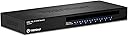
🎯 Master your multi-PC domain with TRENDnet’s 8-port KVM switch — control, connect, conquer!
The TRENDnet TK-803R is a professional-grade 8-port USB/PS2 rackmount KVM switch designed to streamline management of multiple computers or servers. Delivering crisp VGA video up to 2048x1536 resolution, it supports hotkey and push-button switching across Windows, Linux, Unix, and Mac OS platforms. NDAA and TAA compliance make it ideal for government and enterprise use. Its compact 1U rackmount form factor, combined with reliable tech support and a 2-year warranty, ensures seamless, secure, and efficient multi-device control for modern IT professionals.


| ASIN | B000P05FAA |
| Actuator Type | Push Button |
| Batteries | 1 Lithium Ion batteries required. |
| Best Sellers Rank | #241 in KVM Switches #41,280 in Computer Accessories & Peripherals |
| Brand | TRENDnet |
| Card Description | This is the description of the PC Graphics |
| Circuit Type | parallel |
| Color | Black |
| Compatible Devices | Computers or servers running Windows, Linux, Unix, and Mac OS |
| Computer Memory Type | DRAM |
| Connectivity Protocol | Usb |
| Connector Type | Usb |
| Contact Material | Metal |
| Contact Type | Electrical (Usb Type A) |
| Control Method | App |
| Control Type | Multi-device management |
| Controller Type | Push Button |
| Current Rating | 1 Amps |
| Customer Reviews | 3.9 3.9 out of 5 stars (254) |
| Date First Available | March 30, 2007 |
| Global Trade Identification Number | 00132018279540, 00710931304305, 00710931980547 |
| Graphics Card Ram Size | 256 MB |
| Hard Drive | 1 GB |
| Hard Drive Interface | IDE |
| Hardware Platform | PC |
| International Protection Rating | IP00 |
| Is Discontinued By Manufacturer | No |
| Item Dimensions LxWxH | 17.9 x 11.8 x 3.1 inches |
| Item Weight | 5.95 pounds |
| Item dimensions L x W x H | 17.9 x 11.8 x 3.1 inches |
| Item model number | TK-803R |
| Language | English |
| Lower Temperature Rating | 32 Degrees Fahrenheit |
| Manufacturer | TRENDnet |
| Number of Items | 1 |
| Number of Positions | 1 |
| Number of Processors | 1 |
| Number of USB 2.0 Ports | 1 |
| Number of USB 3.0 Ports | 1 |
| Operating System | linux |
| Operating Voltage | 9 Volts |
| Operation Mode | Push Button |
| Processor | 1 GHz athlon |
| Processor Brand | Intel |
| Product Dimensions | 17.9 x 11.8 x 3.1 inches |
| RAM | 128000 MB |
| Screen Resolution | 640x480 |
| Series | TK-803R 19074309 |
| Standing screen display size | 669.29 Inches |
| Terminal | Physical |
| UPC | 807030489122 271552649287 617407489477 031112685014 851905139766 078667272085 100177285313 803982834881 132018279540 763615999892 052799343592 990040551610 316546767117 014444454817 021111958318 809186264530 014444845271 809385659533 041114900688 045556014767 163120572458 710931304305 370272120738 014444731017 042132692807 809185807929 021111179676 777786346201 012302006864 088021275034 0311136121… |
| Unit Count | 1.0 Count |
| Upper Temperature Rating | 104 Degrees Fahrenheit |
| Voltage | 220 |
| Wattage | 3600 |
| Wireless Type | 802.11a, 802.11b, 802.11g |
A**Q
Simply Divine!
I rarely have time to review Amazon purchases. But I am absolutely stunned with the performance of this TRENDnet KVM switch. It took me less than 30 minutes to open up the shipping box, connect up five of my linux (Fedora 20) workstations (each with 64 cores!) and start testing all at a turtle's steady-and-slow pace. To switch the monitor between different workstations, I did the following: 1) Hit the "Scroll Lock" twice on the keyboard (top right hand corner) => beeped (meaning enter the workstation numbers 1-8 to go to) 2) Entered "4" on the numeric keypad (the numbered keys in rows/cols to the right of keyboard not on the typing pad) => beeped again (meaning the monitor has been switched to the desired workstation) 3) Voila! Instead of "4" in Step 2) above, you could also hit the vertical up arrow on the numeric keypad and go to next available workstation. Do not do it unless you have all eight computers hooked up. Simply type the number of the computer that you wish to go to after hitting the "Scroll Lock" twice. Buy it! Think twice not! Do not forget to purchase KVM cables to hook it up. No cables are provided with this box. It is of course possible that it may not work for your set up but there is nothing universal in this world. The great thing about Amazon purchase is that you can return it with full refund should it not work for you. That is why we all love Amazon. This switch ranks among one of the top purchases I have ever made in my life. It is simply divine, particularly bearing in mind the price. Thank you Amazon for providing this great product. Thank you TRENDnet for inventing an awesome gadget. I am indeed following the trend. So should every other Amazon customer. Please follow the trend. Do not be left behind all alone.
D**R
Initial impression excellent, time will tell
This review is just an initial impression write up. I make NO CLAIM to durability or long term use. Mine arrived today. Having said that. I felt that this needed a write up. This is NOT the first KVM I have used. This replaces an about 10 year old Belkin Omniview E Series 4 port PS/2 KVM. I am a working IT professional that works in an environment that requires I keep up with software and technology trends for the data center, and provides diddly squat in training to keep up. So I have to do it on my own. So I built a home training network that simulates an enterprise network infrastructure on a small scale utilizing COTS hardware. Now I am not made of money, space, or power to setup and run this whole shebang. This is where the KVM comes in. My system density went beyond the 4 ports of the old Belkin, and even though the Belkin was working, sort of, with ps2 to usb adapters, the keyboard and mouse would frequently drop when switching between machines, and wouldn't come back without a reboot. (Thankfully rdp and ssh access is frequently still up!). This KVM came out of the box, looking every bit like a unit 4 times the price. The buttons are secure and solid, the LEDs are bright and clear. Yes it lacks an OSD, but in this application, if I can't keep what is attached where on the 8 ports I need to find a different career! I knew ahead of time this KVM would be picky about cables. Most KVMs are. Just order the cables that TrendNET recommends. Using the right cables for starters eliminates any excuses that their support people might drum up if you do have trouble. Likewise these cables are slim, and far less clunky to route than the old 1990s vintage cabling I was using with the Belkin. Likewise with the cables, KVM switches are known to be picky about keyboards and mice. I opted to use an older PS2 Microsoft Natural Elite keyboard, and a more recent HP optical mouse with scroll wheel that was in prior use with the Belkin. These are both fairly standard items without much chance for KVM incompatibilities. Once cabled up, and powered up, everything worked EXACTLY as expected. Scroll Lock - Scroll Lock - number of port to activate. Or push the button you need, and you are there, then move the mouse or hit the spacebar and you are good to go... So far, the only complaint I can come up with, and the reason I gave this 4 stars is this thing uses a wall wart type transformer instead of integrating the power supply into the casing. It's not like the casing doesn't have the room. On the plus side, this ships with rack mountable ears. Not that I have a switch rack (yet), but for those environments that DO have a need to rack it. The parts are there! Operating System compatibility isn't a problem. I presently have 6 systems hooked up to it, 3 Linux systems, a Windows XP box, a Windows 7 box, and a Mac. Keybinding for the Mac took some reading of the manual to get straight, but no big deal. None of the hosts dropped anything, keys, video, or mouse. Long story short, this is so far, a great KVM for a home office setup like mine, or even a staging / development type environment. However production server racks might want to opt for the OSD of the TK-804R instead. Then again, if your organization is good at keeping track of what machines are connected to what ports where, like mine is, then the OSD really isn't that big of a deal. Ease of installation so far has been a dream, as has compatibility with standard gear. I see some negative reviews here where folks are fussing about wireless or otherwise non standard / high latency keyboards and mice, and I have a hard time being sympathetic to them. KVMs are not intended to be used with high latency HID devices. Go old school and keep the cord and a basic board / mouse setup and you are far less likely to have trouble. Buy the correct cables with this KVM. Other KVMs come with cables already, but at a much higher cost, and with less flexibility on which cables you chose. I got a mix of 10 and 15 footers. At least I know my cables won't be too short! Lastly, this model has been out for a LONG time now, there was a Firmware update in July or so 2012. Check your mfg date, and if yours was built before say August 2012, (go to the MFG product page and click on Downloads, you will see it listed there) which fixes a lot of the issues folks may have with usb keyboards / mice. Oh and FYI, for TrendNET, if you'd like to update this model with an internal power supply (HUGE want that feature) and OSD (would be nice, but no big deal), keeping the same cables, I would be more than happy to beta test that thing for you! ########## UPDATE 2/22/2013 ########## It's been over a month of fairly consistent, hard use, and this hasn't skipped a beat yet. I have also mulled over a lot of the reviews I have seen. One thing that concerns me about this KVM, which is the reported dying ports, I see a lot of reviews stating that 1 to 2 ports on these KVMs die off after say 3 months or so, with the longest term out was someone saying their ports died at about a year. While that hasn't happened to me (yet), I understand this is a problem. But TrendNET covers this product with a 2 year manufacturers warranty, and the reported customer service is excellent. I looked at competing products from iOgear, Linkskey, and others, I am confident this KVM not only does not suffer from unusually high failure rates, but from the reviews I am seeing here, and on various tech review sites, this KVM seems to be a bit more reliable than its competitors. My experience so far switching between hosts has been seamless. I have taken to using the keyboard shortcut because, well because it is fast and easy. Like I mentioned initially, I still don't like the wall wart transformer type power. I know it costs a little bit extra to build in the power supply, but I would be willing to shell out a few extra bucks for that. Simply put, the transformers are VERY inconvenient, and get in the way. Especially when trying to connect power up to an older UPS... ########## UPDATE 7/5/2013 ########## So I guess it has been 7 months so far in use. I have been using it fairly frequently, not to the level we use our KVMs at work, but still fairly heavily used. Not a single drop yet. I presently have 5 servers, 4 cluster nodes, and 1 NAS filer head attached, as well as 2 workstations, a Windows XP, and a CentOS workstation. All is well so far. I do not see any reason for concern at of yet.
H**E
Solid no-nonsense KVM switch
I installed this KVM switch last night and used 13 of the 16 ports. The sever group is a large mix of machines - 1 Linux, 3 win2k, 6 server 2k3, and 2 sever 2k8 boxes. Some are dell boxes, some supermicro, some custom. All worked flawlessly. This KVM does NOT come with cables, you will need to purchase them separately. I purchased 16x of the 6' foot cables (TK-CU06) also on Amazon at the same time. They come in 6', 10' and 15'. The mouse and keyboard part of each port are carried on one USB plug that piggybacks on the VGA cable. The power cable is an AC adapter, it would be nice if it was a straight power cable with the unit having an internal power supply, but that's not a huge deal. What I did was I bought male to female VGA extension cables for each server that was more than 6' away from the switch and it worked perfectly. This was cheaper than buying the longer KVM cables. The standard VGA extension cables carried the USB signals just fine so I was able to plug them directly into the switch, and then plug in the 6' VGA/USB KVM cables at the server end, which also helped keep things very clean. (if I used the KVM cables direct into the switch, I would also need USB extension cables) I really like how this KVM has a separate button for all 16 ports and a red LED for something being live/connected. So far I consider it to be MUCH better than the Belkin PS2 unit that it replaced. To be fair though, the Belkin is 7+ years old. Overall, I am extremely happy with the purchase, setup and function of this switch. I highly recommend it, granted one plans ahead of time with the proper purchase and install of cables.
A**D
A well priced functional unit, I only wish that it came with a set of cables to get you going.
J**N
Utilisé dans une armoire rack 19" pour faire des contrôles sur mes différents serveurs. Fonctionne parfaitement avec les câbles KVM de la marque. Produit ne chauffe pas
N**A
Nice Product
J**S
Un KVM genial, y a muy buen precio. Su uso va a ser para un rack de servidores, tampoco se le puede pedir mucho más, porque en calidad de vídeo ( a no ser que se vaya a KVMs mucho más caros ) siempre pierden un poco. Tiene conectado todas las salidas y funciona perfectamente. Me ha gustado que al estar conectado el usb se pueda prescindir del adaptador de corriente que viene en la caja. Y por cierto, viene sin cables, sólo el adaptador de corriente y el KVM en sí.
Y**N
Ce KVM 16 ports est livré bien protégé par de la mousse dans une boite adaptée. Cette boite contient : - le KVM - 2 oreilles ainsi que 8 vis pour fixer ces dernières sur le KVM et pouvoir ainsi le loger dans un rack - une documentation en français - une alimentation On note que les vis servant à fixer le KVM dans le rack ne sont pas fournies (seules celles servant à attacher les oreilles le sont). Faites attention, il n'y a pas non plus de câble vidéo/usb pour relier vos appareils (ordinateur, serveur, etc.) au KVM. Ces câbles sont à acheter séparément. Ils existent en différentes tailles dont notamment 1,80m ( https://www.amazon.fr/TRENDnet-C%C3%A2ble-KVM-USB-TK-CU06/dp/B000P24YBY/ref=sr_1_2?s=computers&ie=UTF8&qid=1519575991&sr=1-2&keywords=TRENDnet+-+C%C3%A2ble+KVM ) et 3,10m ( https://www.amazon.fr/TRENDnet-C%C3%A2ble-KVM-USB-TK-CU10/dp/B000P6BSL4/ref=sr_1_1?s=computers&ie=UTF8&qid=1519575991&sr=1-1&keywords=TRENDnet+-+C%C3%A2ble+KVM ). Le câble VGA pour relier le KVM à votre écran est lui aussi à acheter séparément... Malgré ces articles indispensables à acheter en plus, je suis très satisfait du produit. Il permet en effet de piloter plusieurs ordinateurs à partir d'un seul ensemble clavier/souris/écran. On passe d'une machine à l'autre en sélectionnant simplement l'entrée correspondante. Les entrées sur lesquelles sont branchées des appareils affichent une LED rouge en façade, l'entrée en cours d'utilisation a de plus une LED verte. Un bip se fait entendre lorsque l'on bascule d'une entrée à une autre. Il convient de noter qu'il n'est pas forcément nécessaire de brancher l'alimentation. En effet, le KVM est déjà alimenté via les ports USB des machines qui y sont connectées. Enfin, la documentation fournie précise qu'il est possible de mettre à jour le firmware du TK-1603R et explicite la marche à suivre. Je ne mets "que" 4 étoiles au produit compte tenu du fait qu'il n'est livré avec aucun des câbles pourtant indispensables à son fonctionnement. L'achat de ces câbles vient augmenter la facture de façon non négligeable...
Trustpilot
1 day ago
1 week ago