Buy anything from 5,000+ international stores. One checkout price. No surprise fees. Join 2M+ shoppers on Desertcart.
Desertcart purchases this item on your behalf and handles shipping, customs, and support to South Korea.
🚀 Mesh Your Home, Master Your Network!
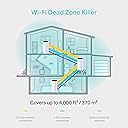
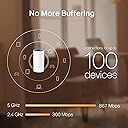
The TP-Link Deco M4 Whole Home Mesh Wi-Fi System delivers ultra-fast AC1200 dual-band speeds up to 1167 Mbps, covering up to 4,000 sq.ft with seamless roaming under a single network name. Designed for busy households, it supports up to 100 devices simultaneously and features robust parental controls. Easy to set up and compatible with Amazon Alexa, this 3-pack mesh system eradicates dead zones and keeps your smart home connected effortlessly.


| ASIN | B07L45LZP5 |
| Antenna Location | Home |
| Antenna Type | Internal |
| Best Sellers Rank | #394 in Computers & Accessories ( See Top 100 in Computers & Accessories ) #1 in Whole Home & Mesh Wi-Fi Systems |
| Box Contents | 3 Deco units, 3 Power Adapters, 1 RJ45 Ethernet Cable |
| Brand | TP-Link |
| Brand Name | TP-Link |
| Colour | White |
| Compatible Devices | Gaming Console, Personal Computer, Smartphone, Tablet |
| Connectivity Protocol | Wi-Fi, Ethernet |
| Connectivity Range | 4000 Square Feet |
| Connectivity Technology | Ethernet, Wi-Fi |
| Control Method | Voice |
| Controller Type | Amazon Echo, Alexa |
| Country of Origin | India |
| Coverage | 4,000 square feet |
| Customer Reviews | 4.3 out of 5 stars 19,784 Reviews |
| Data Transfer Rate | 1167 Megabits Per Second |
| EU Spare Part Availability Duration | 2 Years |
| Frequency | 5 GHz |
| Frequency Band Class | Dual-Band |
| Global Trade Identification Number | 06935364085179 |
| Importer Contact Information | TP-Link India Private Limited Office No.1, Tower 2, Level 2, Raiaskaran Tech Park, Andheri Kurla Road, M.V Road, Andheri East-400072 Contact: Toll Free 1800-209-4168, [email protected] |
| Is Electric | Yes |
| Is Modem Compatible | Yes |
| Item Dimensions L x W x H | 10L x 10W x 9.1H Centimeters |
| Item Type Name | Router |
| Item Weight Unit of Measure | 2 Kilograms |
| LAN Port Bandwidth | 1000 Mbps |
| Manufacturer | TP-Link, TP-Link Systems Inc. 10 Mauchly, Irvine, CA 92618, USA or TP-Link India Private Limited Office No.1, Tower 2, Level 2, Raiaskaran Tech Park, Andheri Kurla Road, M.V Road, Andheri East-400072 |
| Manufacturer Contact Information | TP-Link Systems Inc. 10 Mauchly, Irvine, CA 92618, USA or TP-Link India Private Limited Office No.1, Tower 2, Level 2, Raiaskaran Tech Park, Andheri Kurla Road, M.V Road, Andheri East-400072 |
| Manufacturer Part Number | DECO M4(3-PACK) |
| Maximum Upstream Data Transfer Rate | 1167 Megabits Per Second |
| Model Name | Deco |
| Model Number | 6935364085179 |
| Number of Antennas | 2 |
| Number of Ports | 2 |
| Operating System | Windows |
| Other Special Features of the Product | Parental Controls |
| Packer Contact Information | Pacific Technology Private Limited Survey No, 57/3/55, 57/2/56, 57/1/57, Silver Industrial Estate, village Bhimpore, Nani Daman, daman Dadra and Nagar Haveli and Damn and Diu, India 396210 |
| Security Protocol | WPA3 |
| Special Feature | Parental Controls |
| Unit Count | 3 Count |
| Voltage | 1 Volts |
| Warranty Description | 3 Years Warranty |
| Wireless Communication Standard | 802.11ac |
| Wireless Compability | 802.11ac |
T**R
Zero Dead Zones
Simply a perfect product. Trust me, I have been working on converting old routers into access points for years and I have done everything that is possible to improve the range in my house. I have used custom firmwares like dd-wrt, tomato, etc. and have re-configured my old routers (Netgear, D-Link, Linksys) to use them as Access points. Each one I used to extend the range only gave me a max speed of 8 Mbps, and I have a 100 Mbps Airtel Fibre Optics connection. Infact even the Master router connected directly to my broadband modem gave me a speed of 85 Mbps.. This was because I was forced to keep only a 2.4 Ghz connection and disable the 5 Ghz connection as I wanted to connect to one WiFi network SSID across my house with easy swapping between each Access point. Reason I had to use 2.4 Ghz is because some of my devices were old and did not support the 5 Ghz network. Post taking the Deco M4 Mesh (Pack of 2), I don't have to worry abt the 2.4 Ghz and 5Ghz networks. The Deco automatically identifies which device supports which network and accordingly provides the connection for 2.4 or 5 Ghz network to that device. The 2.4 and 5 Ghz networks work on the same WiFi name so you only have one SSID broadcasted around the house. Btw, my flat has an area of 1080 sq.ft and with just the two nodes of Deco M4 (one connected to the main Airtel broadband modem and another one placed in my Guest bedroom) I get a full WiFi network across the whole house with zero dead zones. When connected to the Decon node that is connected directly to my broadband modem in the Living Room, I ran a test on speedtest by Ookla and I got a speed of 112 Mbps (Upload and Download).. Yes, even I was shocked because my connection is supposed to be only 100 Mbps, but probably Airtel is giving a little more bandwidth than expected because I have a 1:1 ratio connection (Lucky Me 😉) Then I ran a speedtest from my Master Bedroom which is at the far end of my flat, adjacent to the Guest bedroom where I have placed the second Deco M4 node. In the speedtest I got a speed of 102 Mbps Download and 110 Mbps Upload. I was just blown away by the performance. Just a drop of 10 Mbps at the far end corner of my flat compared to the main connection. There are 4 walls in between. This product is absolutely worth the price. Also it has the most easiest setup, took just 10 mins.
M**A
Excellent product. Require more guidelines for users.
Excellent product. Good coverage and signal strength. Couldn’t find way how to use both 2.5GHz & 5GHz band’s simultaneously, which is a simple and common feature for almost all WiFi routers. A guiding help will be highly appreciated. However, there is one non-user friendly feature that the status indicator light system is given at topside. Now, if the unit is installed at a height (which is preferable) then status light can only be viewed by climbing upon a ladder 🪜 or something like that. This is cumbersome. The status light ought to have been at easily visible place.
S**H
DECO M4 HOME MESH WIFI
As someone who has experienced their fair share of Wi-Fi frustrations, I was eager to try out the TP-Link Deco M4 Whole Home Mesh Wi-Fi System. With promises of seamless coverage, speedy connections, and convenient features, here's my honest review after testing the system over several months. Pros: Whole Home Coverage: The TP-Link Deco M4 delivers on its promise of whole-home coverage. The three units in the pack work together to create a mesh network that blankets your home in Wi-Fi, eliminating dead zones and providing a strong, consistent signal throughout. Seamless Roaming: Moving around the house while streaming, gaming, or working is a breeze. The system offers seamless roaming, so your device automatically connects to the Deco unit with the strongest signal, ensuring a smooth online experience. Easy Setup: Setting up the Deco M4 is incredibly straightforward. The mobile app guides you through the installation process, and you can have your network up and running in a matter of minutes. It's user-friendly and doesn't require advanced technical knowledge. Parental Controls: The parental control features are a valuable addition for families. You can manage internet access for specific devices, set time limits, and even filter content. It's a useful tool for maintaining a safe online environment for kids. Compatibility: The Deco M4 works well with Amazon Echo and Alexa, allowing for voice control of your network. This is a nice touch for those who already have smart home devices integrated with Alexa. Cons: Speed and Bandwidth: While the Deco M4 offers decent speeds with its AC1200 rating, it might not be suitable for those with ultra-high-speed internet connections or users who demand top-tier gaming or streaming performance. It's more geared toward the average household's needs. Limited Ethernet Ports: Each Deco unit provides only two Ethernet ports. For those who require a significant number of wired connections, this could be a limitation. Pricey for Some: The Deco M4 is not the cheapest mesh Wi-Fi system on the market. While it offers excellent coverage and features, it might be on the pricey side for budget-conscious consumers. In summary, the TP-Link Deco M4 Whole Home Mesh Wi-Fi System excels in providing reliable whole-home coverage, seamless roaming, and user-friendly controls. It's an excellent choice for most households looking to eliminate Wi-Fi dead spots and improve their connectivity. However, if you're a power user requiring extremely high-speed internet or numerous wired connections, you might want to explore higher-end models. Nonetheless, the Deco M4 offers great value and convenience for the average user, making it a worthy investment in home networking.
P**Y
Absolutely Fantastic!
Absolutely fabulous device! Deco app is fantastic and setup was done in 5 minutes. I am using it as mesh pod in my bedroom which is connected wirelessly to main deco unit and despite of wireless connection it’s giving more than full speed on wireless. I am using 500 mbps plan and I am getting close to 600 mbps wireless speed. Worth every single penny spend!!!
K**U
My Router is better than this Booster.
My original Wifi router performs better than this booster. We will have to connect this booster to the router. So practically I am not finding any use. Where Router is not reaching this Booster is also not reachable. I am not sure if its worth to add more to the Mesh. Sitting next to Router and Booster, I see network drops when connected to the Booster, but Router is working fine. I wonder why I have to pay more to get worst experience.
N**K
Reliable Whole Home Coverage with Easy Setup!!
I’ve been using the TP-Link Deco M4 for a while now, and it has completely transformed my home Wi-Fi experience. The setup was quick and straightforward using the Deco app, and the step-by-step guidance made it effortless, even for someone not highly technical. The coverage is excellent — I get strong, stable signals in every corner of my home, with no more dead zones. Seamless roaming works perfectly; I can move between rooms without experiencing drops or buffering, whether I’m on a video call, streaming, or gaming. Performance-wise, the AC1200 speed is more than enough for my needs, and it handles multiple devices without slowing down. The Qualcomm CPU ensures smooth performance even when several people are connected. I also appreciate the parental controls, which make it easy to manage and monitor internet access for the kids. It works perfectly with my Amazon Echo, and Alexa integration makes basic Wi-Fi management hands-free. Overall, the TP-Link Deco M4 is a reliable, high-performing mesh system at a very reasonable price. If you want whole-home coverage, easy setup, and useful smart features, this is an excellent choice. Rating: ⭐⭐⭐⭐⭐ (5/5)
G**H
Superb Mesh Wi-Fi – Fast & table
The speed is consistently strong, and the coverage is seamless across every corner of the home. It has made a noticeable difference in connectivity and performance. Very satisfied with the purchase.
M**Q
Does what it says
Got it delivered overnight, its easy to setup via the Deco app that lays out the steps for the setup. The signal strength has improved quite a lot for me and also the speeds (The dead areas which used to get 25 mbps now clock 165 mbps). Adding the Decos is more easier than setting up the first Deco. So far its working perfectly, will wait and see how the product works in the long run as some users have complained that the product stopped working after 3 months for them.
Trustpilot
2 weeks ago
2 weeks ago