⚡ Power through your print jobs with HP LaserJet P3015dn – the office workhorse you can’t afford to miss!
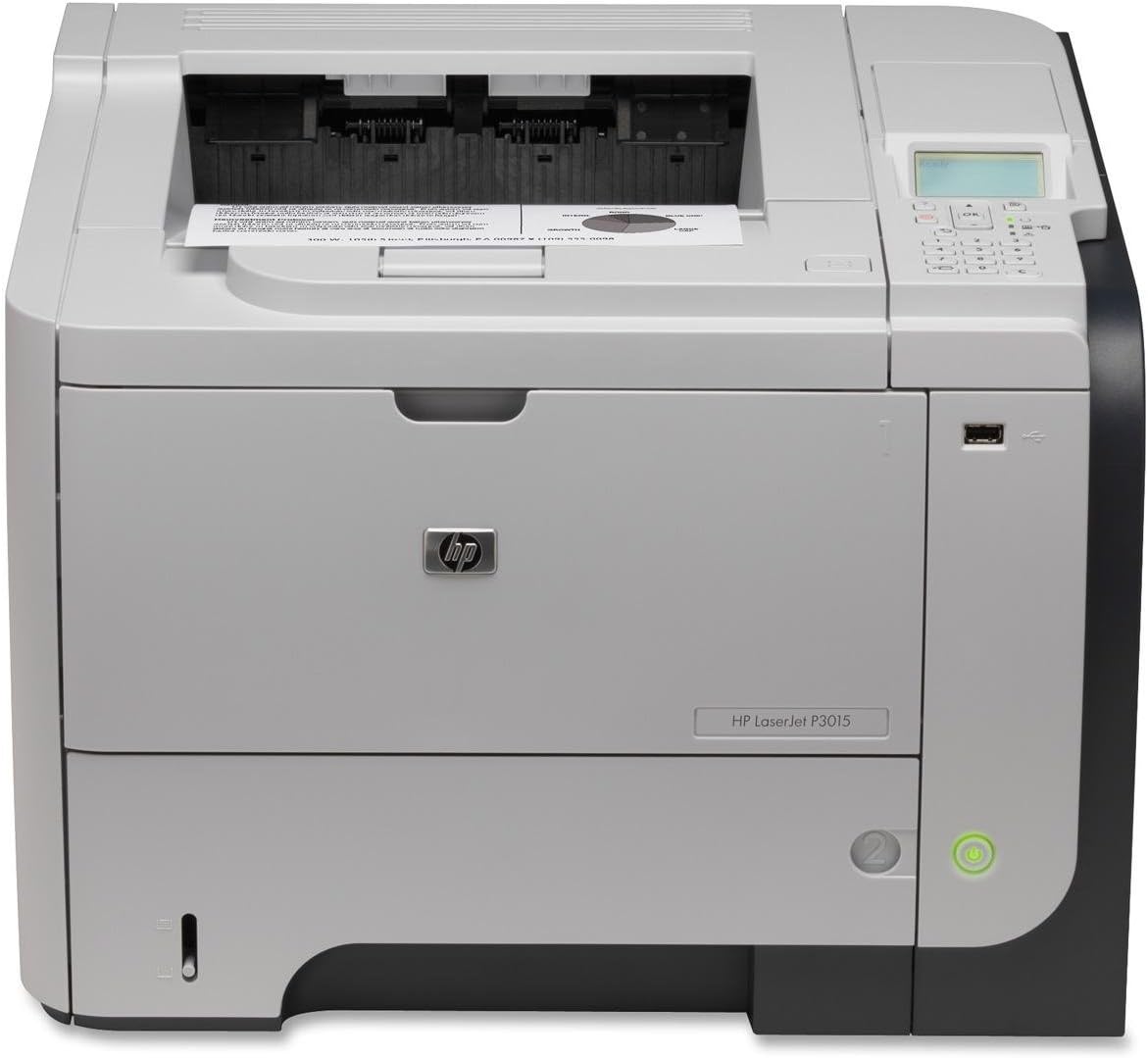
The HP LaserJet P3015dn is a commercial-grade monochrome laser printer designed for high-volume office environments. Featuring a 540 MHz processor, expandable memory up to 640 MB, and a maximum print speed of 42 pages per minute, it handles large workloads effortlessly. With a total input capacity of up to 1600 sheets across multiple trays and automatic duplex printing, it maximizes efficiency while minimizing downtime. Built for durability and easy maintenance, this printer delivers professional-quality text output and long-term reliability, making it a smart investment for busy managerial professionals.
| ASIN | B002JE7FBW |
| Additional Printer Functions | Print Only |
| B&W Pages per Minute | 42 ppm |
| Brand | HP |
| Built-In Media | Printer |
| Color | black |
| Color Depth | 1 bits_per_pixel |
| Control Method | Touch |
| Customer Reviews | 4.2 4.2 out of 5 stars (180) |
| Display Type | LCD |
| Dual-sided printing | Yes |
| Duplex | Automatic |
| Global Trade Identification Number | 00884420455479, 05053460945423 |
| Hardware Interface | USB 2.0 |
| Ink Color | Black |
| Item Weight | 35 Pounds |
| Manufacturer | HP |
| Maximum Copy Resolution Black and White | 600 dpi |
| Maximum Copy Speed Black and White | 42 ppm |
| Maximum Media Size | 3 x 5 inch |
| Maximum Print Resolution Black and White | 600 dpi |
| Maximum Sheet Capacity | 1600 |
| Model Name | CE528A |
| Model Number | CE528A |
| Model Series | Laserjet |
| Number of Trays | 3 |
| Other Special Features of the Product | Monochrome |
| Output sheet capacity | 250 |
| Paper Size | 3 inches |
| Power Consumption | 780 Watts |
| Print media | Envelopes, Labels, Paper (plain), Transparencies |
| Printer Connectivity Type | Wireless;USB |
| Printer Output Type | Monochrome |
| Printer Type | Laser |
| Processor Count | 1 |
| Resolution | 600 x 600 |
| Scanner Type | Sheetfed |
| Specific Uses For Product | Office |
| Total USB 2.0 Ports | 1 |
| Total Usb Ports | 1 |
| UPC | 884962101803 884420455417 807027553331 884420455479 884962229446 884420455431 |
| Unit Count | 1.0 Count |
| Warranty Type | limited warranty |
| Wattage | 780 watts |
S**W
This is a commercial-grade printer, not homeowner
I think HP's printers can be divided into "home" printers and "commercial" printers. The home printers are built for occasional use and are expected to fail and be thrown away after printing maybe 10,000 pages. The commercial printers are built to work forever and be repaired when they have a problem. A commercial printer's lifetime page count is measured in the hundreds of thousands. This is a commercial printer. It works. It can be repaired -- you can find a service manual for it online. You can order parts for it. One toner cartridge costs around $200, but it can printer something like 12,000 pages. Given that a full set of ink cartridges for my previous inkjet printer cost in excess of $75 and always seemed to be running out, the toner cartridge at $200 is a bargain. I particularly like the manual-feed option for printing envelopes. The front flips open, you slide in an envelope (or sheet of special paper, or whatever), the printer senses the envelope or paper, and chooses it instead of the main paper tray, which incidentally holds a full package (500 sheets) of paper. My only complaint was with the seller. I bought a used printer from one of the sellers listed. The seller advertised the printer as "like new." If you check, Amazon has very specific requirements for an item described as "like new." When the printer arrived, it did not meet Amazon's "like new" criteria. I got into the printer's service mode, which had preserved the printer's operating statistics, and discovered that the lifetime page count for the printer was over 90,000 pages. Hardly "like new." I wrote to Amazon, and Amazon immediately offered to replace the printer or give a partial refund. Since the printer did in fact look "like new" and worked flawlessly, I opted for the partial refund. The printer continues to perform perfectly, and my experience confirms, I think, the quality of these printers. After over 90,000 pages, it shows no sign of its age. (Presumably the seller did some amount of refurbishing prior to sale.) Amazon support was great, and the printer --- even though it was more used than the description indicated --- was a great value for the price. [Edit: three years later] It Just Works. I'm still totally satisfied with it. In three years I've printed (it says) 16,442 pages. There have been virtually zero problems. The only (minor) problem I've had was some streaking that showed up a few weeks ago. I wiped out the paper path as much as I could and ran a couple of cleaning cycles, and it's fine. [Edit: Feb 2024] After eight years, it's still going strong. Works great.
J**R
Hardware Is Fine But Experiencing Driver Issues
I ordered this printer to replace my HP 2420d printer that has served me reliably for many years. This printer is faster, smaller, and has better text output quality than my previous printer. Also, the price and features list for this printer new is better than HP's current M601DN that costs over $700. I did consider the M601DN, but PC Mag stated that the text output of the newer more expensive printer was not as good as this cheaper one. Also, this printer includes the duplex unit and is roughly the same speed. When I received my printer, I downloaded HP's firmware update and also their latest universal drivers. I updated the firmware first followed by installing the latest drivers. I have zero issues with printing, and the text output looks fantastic (much better than my previous 2420d printer). Note that I only use HP's Premium Choice heavy weight laser printer paper (the 32lb pack of 500 sheets). I ordered the 512 memory upgrade DIMM for this printer that I will install as soon as I get it (this was under $50 that will upgrade the memory to 640MB). My only observation with this printer is that the plastic used on my previous 2420d was sturdier and more durable. This plastic body feels weaker and cheaper. As long as the printer does not get knocked over, it should be fine. Additional notes: After using this printer for a couple weeks and adding two upgrades to it (more memory and the added 500 sheet tray slot), I have found what appears to be an issue with HP's latest universal print drivers. I have reproduced the issue using both the PS and PCL6 drivers. The problem is that text in a MS Word document appears consistently incorrect for the same page(s) printed. I have reproduced this issue with two different versions of HP's universal printer drives: upd-ps-x64-5.8.0.17508.exe and upd-ps-x64-5.7.0.16448.exe. I have an older version of the universal print drivers that do not share this issue: upd-ps-x64-5.3.1.10527.exe. Additionally, the consistently distorted fonts for the same Word document do not appear using the latest drivers if I first print to a PDF file followed by printing the PDF to the printer. This was what led me to believe this is a driver issue. My work-around for the distorted text is to use the older drivers I stated above setting the print quality to printer default. I then configure the printer to print at its highest quality on the front panel. The text printing issue is resolved when I do this. However, all recent HP universal printer drivers that allow a setting of 1200 prores will share this consistent distorted text output. Unfortunately, HP does not make older versions of their universal print drivers available for download. I just happen to have saved older copies on my network storage.
J**Z
The Printernator
This printer is a real badass. The feeder drawer holds an entire ream of paper which is really cool and convenient. And you will need it, I timed the pages and it gets something pretty close to the rated 42 ppm. It is a bit noisy but if you are prepared to give up a little speed you can switch to quiet mode. I had to put in a couple calls to tech support to get some things configured properly and they were prompt, courteous, efficient and effective. I was on hold for less than a minute both times once I got the correct 800 number. And they even followed up by phone and email to be sure my issues were resolved (when's the last time that happened to you). The specs tell you this unit is not wireless ready but my network administrator buddy was able to get on the phone and walk me through the steps to "hack" the thing into printing wirelessly by simply connecting it to my wireless router with an Ethernet cable. How cool is that? With this cool new undocumented feature engaged anyone at our tax office (--[...]) who is on our wireless internet and has the proper print driver installed can print wirelesly. It was pretty simple to do if you know what you are doing but I don't recommend you try this at home kids unless you have adult supervision. Update: As an added bonus, because the printer is connected to the wireless network I can use the HP app that came with my Galaxy 4 phone to print directly from my phone as long as the phone is on the same wireless network. Sweet! Update to the Update: Samsung put out a software "Upgrade" and screwed up several things on my phone, including the ability to print wirelessly to this printer from my smartphone. Thank you Samsung, thank you very much.
B**N
Great printer
D**Z
L'imprimante ne fonctionne pas en mode paysage, elle tronque la gauche de la feuille sur 2 cm. Je présume que c'est pour cela quelle a été reconditionnée.
D**E
Stampa ta non funzionante
V**H
Good printer, Duplex is not enabled by default, Also P3015 is the label and DN is not printed. this will make people feel it is a wrong printer. fter checking the product code and going over this procedure, Duplex printing is working. [...]
H**M
parts don't match original
Trustpilot
2 months ago
1 month ago