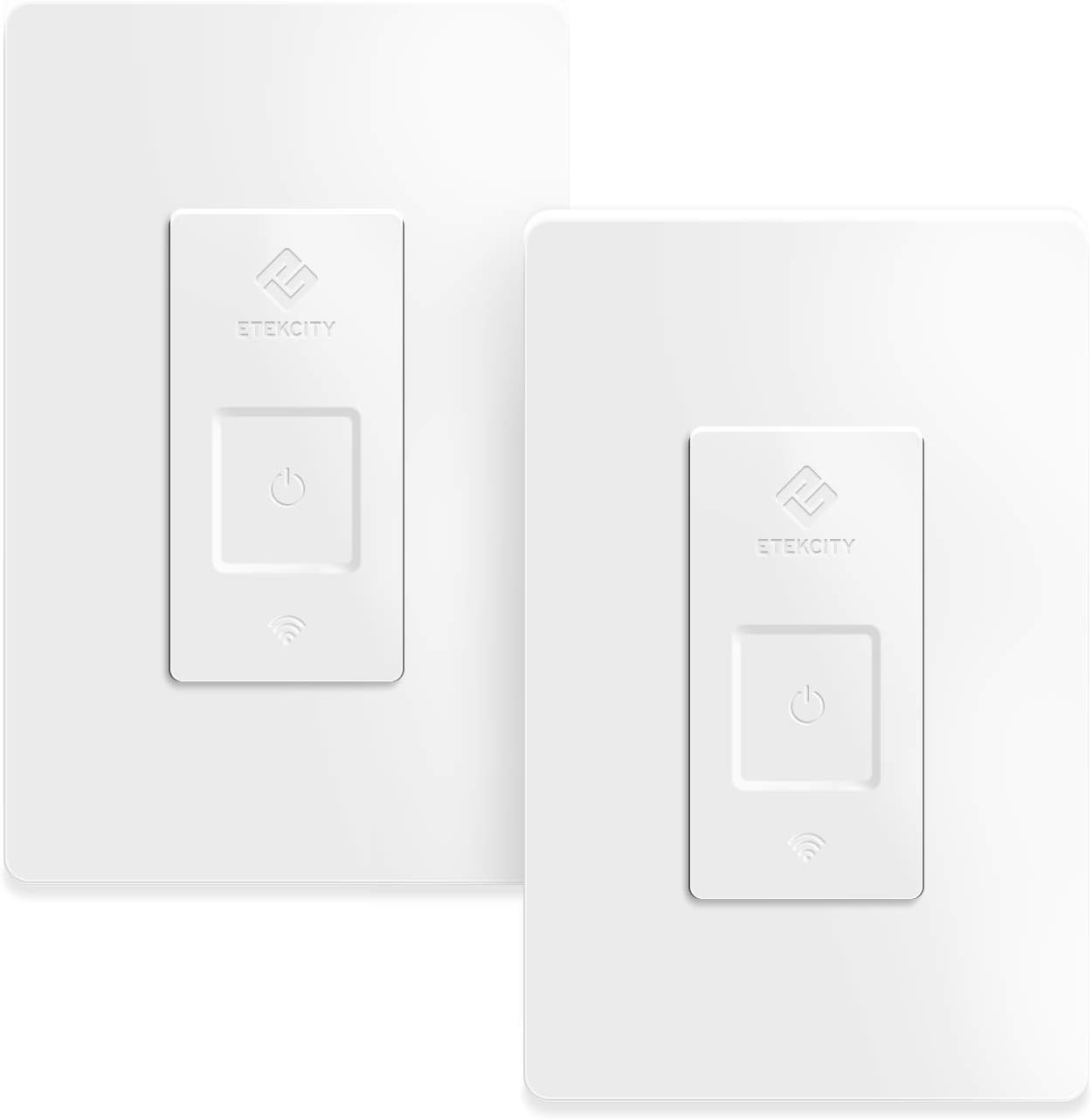





Etekcity ESWL03 Compatible with Alexa, Google Home and IFTTT 15A/1800W, Neutral Wire Required, ETL and FCC Listed-2 Units (2 Pack)
Product ID: 121080384
⏰Schedule & timer features
📱Control from anywhere
🗣️Voice command compatible
💡 Illuminate Your Life with Smart Control!
The Etekcity ESWL03 is a versatile 3-way light switch that integrates seamlessly with Alexa, Google Home, and IFTTT. Designed for easy control from anywhere via the VeSync app, it offers voice command functionality, scheduling, and group control features. With a neutral wire requirement and a 2-pack option, this smart switch is perfect for modern homes looking to enhance convenience and security.


| ASIN | B07MBX6NGQ |
| Actuator Type | Push Button |
| Best Sellers Rank | #1,662,191 in Tools & Home Improvement ( See Top 100 in Tools & Home Improvement ) #3,227 in Electrical Light Switches |
| Brand | Etekcity |
| Brand Name | Etekcity |
| Circuit Type | 3-way |
| Color | ETL and FCC listed - 2 units (2 PACK) |
| Connectivity Protocol | Wi-Fi |
| Connector Type | Idc |
| Contact Material | Phosphor Bronze |
| Contact Type | Normally Open |
| Control Method | Voice |
| Controller Type | Amazon Alexa, Google Assistant, IFTTT, vera |
| Current Rating | 15 Amps |
| Customer Reviews | 4.4 out of 5 stars 711 Reviews |
| Global Trade Identification Number | 00817915025383 |
| Included Components | QSG * 1 |
| International Protection Rating | only indoor use |
| Item Dimensions | 4.92 x 3.15 x 1.3 inches |
| Item Type Name | 15A/1800W, Neutral Wire Required |
| Lower Temperature Rating | 32 Degrees Fahrenheit |
| Manufacturer | Etekcity |
| Model | ESWL03 |
| Mounting Type | Wall Mount |
| Number of Items | 2 |
| Operating Voltage | 120 Volts |
| Operation Mode | Automatically,Off |
| Part Number | 817915025383 |
| Smart Home Compatibility | Smart Home Compatible |
| Switch Type | Toggle |
| Terminal | Screw |
| UPC | 817915025383 |
| Upper Temperature Rating | 104 Degrees Fahrenheit |
| Warranty Description | 2-year warranty and lifetime support |
| Wattage | 1800 watts |
T**U
Best Home Automation device and best Customer service Ever
I had pretty much everything Home Automated except for wall switches. I had been researching the best option and value as there are so many switches in my house. I already had 10 Etekcity Smart plugs that were on the Vesync app and integrated with Alexa so I decided to go with Etekcity switches too so they are all in one app. I needed several 1 pole and several 3 way switches. I ordered them and I am so glad I did. Here are the pros and tips for someone considering or installing them. This review is for 1 pole but I will repeat the same in the 3 way too. 1) Even before ordering, open the switch plate and make sure you have a neutral wire there. Most homes (even relatively newer) have them but do check. Without the neutral you cant have smart switches as there will be no way to power the switch itself. The neutral wire pigtail is usually tucked back in so look carefully. Make sure to turn breaker off before opening the switch. 2) If you are not comfortable with doing this, you must get an electrician. If you get all the switches and plates ready and an electrician can install them all in no time at all. I had an electrician coming anyway for some work so he did it in minutes. 3) For 1 pole, the planning is easy as you don't have to decide where you will put the Smart Switch. However, if you have a multi gang switch plate, you may have to get an appropriate switch plate if you have the other switches on the gang that are toggle and not decora style. The Etekcity switches come with a one gang decora plate only so if you are doing anything other than 1 gang and your plate is not decora, you have to get it. The hybrid switch plates come in all sorts of combinations. I had to get some that are 2 gang - one toggle-one decora and some with even 3 gang combinations. 4) Install the Vesync app and create an account. The app is very user friendly. You just add the type of switch you are installing and it walks you through the process. Once you have the switch installed and breaker powered back on, do a manual test to ensure the switch is working manually. Then during the install, you will be asked to look for the Etekcity wifi which is a temporary connection for your smart phone for installation like any wifi device. Once connected you will be able to choose your home wifi connection. When you are in the settings and looking for Etekcity wifi, give it a moment. Sometimes it will take a moment to show up. After that its a breeze. you may be asked to run a firmware update during the process which is very quick. As you install each, keep changing the names to something meaningful. 5) Repeat this process for all switches. If doing Alexa integration, it makes sense to do it after you have installed and named all switches in vesync. that way when you ask Alexa app to look for new devices it will find all of them in one shot and you can then organize them in groups. 6) For 3 way switches (2 switches that toggle the same light), you should install the smart switch on any one of the 2 options (not both). Sometimes the switches come in a 2 pack and people get confused thinking the other switch is for the other toggle for the same light. It is not. The 2 pack is just a package deal to get more for cheaper. Use them for 2 separate circuits. Unlike the 1 pole you now have the choice where you install the 3 way. Initially I thought that since the smart switches are bulkier, I should spread them out. In other words mix and match the gangs such that there are no adjacent smart switches so space is not an issue. That was not true. Since I started with 1 pole, I have a 3 gang with all 1 pole so I had to put them all in one gang and it was not a problem. One approach is to prefer the gang that is one gang. that way no extra plate will be needed (in case you don't have decora) and you will simply use the 1 gang plate that comes with it. Be extra careful with 3 way installation as there are additional traveler wires so take your time and again if you are not comfortable get an electrician. 7) One thing I figured out was that currently you cant use a 3 way switch in a 4 way setup properly. A 4 way switch is when you have 3 switches controlling the same light. I thought that I could just replace one of the 3 switches with a 3 way and it will work. Manually it works fine. And with the App or Alexa it works too but not correctly. After a few toggles, it loses track of whether it is on or off and then will fail to respond to a command correctly. Etekcity tech support told me by mistake that it will work. So after the install when I reached back to them, they confirmed that currently it is not working correctly. The customer service by the way was absolutely awesome. They are extremely responsive and because of that 4 way issue, they refunded me promptly. Luckily I have only one 4 way so not a big deal. May be a future firmware update will resolve the issue. Th switches look so nice that I feel it is worth it just for the manual use. 8) I have a Smarthome manager app to monitor and control all my wifi devices so it was important for me to know which device is what. The customer service also gave me the mac addresses of all connected Etekcity devices (plugs and switches) based on my vesync email address. That was absolutely awesome. I was able to rename all my wifi connections in the ATT Smarthome app. Bottom line - Etekcity products and customer Service is amazing. if you are in the market for smart switches, it is a no brainer. Best product, way cheaper than competition and the best customer service i have ever soon. Enough said.
R**7
Helpful Install, VeSync & Alexa setup
I love the Etekcity brand and have flashlights, LED laterns, Smart Plugs, Single Pole and now Three-way switches. Their Veysync app works great and plays extremely well with Alexa for the past two years. Helpful hints for the three-way switch: You only need one smart switch per light. Install: the wire that is connected to the black screw (or inserted into the back by the black screw) on the current light switch is the one you need to connect the black "load" wire to on the nre three way switch. Then the red travellers go to the other black and red wires (they'll be connected to brass screws or inserted on the back) and you'll need to pull the white neutral wires out from the back of the wall box to connect the neutral wire from the switch. The switch needs the power to run and be programmable is why it needs a neutral wire when the normal switch doesn't. You may need bigger wire nuts than whats already on the neutral bundle in the wall box, I did. I had a three gang box with six neutrals already wrapped so I bundled my three smart switches together with a pig tail and just ran one wire to the bundle vs three more (I do have extra electrical wire around the house which made this easier). And of course the green wire from the switch goes to the bare copper ground wire. Yes you are going to have to fold your wires neatly and shove them into the wall box to get the switches to fit right without torquing a bit. I found leaving the switch just a bit loose off the wall vs tightening all the way down made it look better when I put my old plates back on. One NEGATIVE, why don't they make Almond colored switches, all my house switches are Almond decora already so the white sticks out a bit but not a deal breaker. The first three way switch took me the longest and it wasn't the product's fault, I accidentally chose the 4 way switch and then figured it out and moved to the beginning of the run and it works great now. The other three went quickly after that. Yes this three way switch turns off my hall lights which actually has three switches not two hence it's a four way (three switches and the light). Set-up: Download the Vesync app and log in. After turning the power back on, press the on button on the new switch until the little wi-fi signal light starts blinking. IMPORTANT! Make sure your phone is on the same wi-fi network that you are adding the switch to and that your bluetooth is on so your phone can connect directly to the switch during setup, this is were a lot of folks run into set-up issues. Then on the Vesync app hit the "+" sign to add a device and pick your switch type out of the list and follow the onscreen instructions. It usually does a software update right after set up gets done. Then you name your switch and I like to turn off the indicator lights which will turn of the signal and power light on the switch. I finish setting up any other of my switches and then go to my Alexa app. Alexa: if you haven't done so yet you need to add and activate the Vesync Skill with Alexa. After that, in your Alexa app click on "Devices" (bottom right), next page click the "+" sign (upper right corner) choose "Add Device", next page click "Switches" then next page the brand to choose is "Other" on the bottom, then next page click "Discover Devices". Alexa will take you through activating the switches and letting you add them to a group if you want to be able to control multiple switches at once. After that you are done and you can now ask Alexa to turn on/off your switches. At this point I also go in and set up any schedules for my lights like my porch lights etc. You can now control your switches in the Vesync app, Alexa app or verbally with Alexa as well. Hope this helps those having issues or scared to do the electrical stuff, it's not bad at all lots of YouTube videos on installs.
P**E
Great little switches. *Wait for the rapid blink when configuring*
I installed two of these in both my bathrooms to operate the fan switch. We leave the fans on and they end up running all night wasting a lot of electricity so it's good to be able to turn these off from anywhere in the house using Google Home. like the other reviewers say these are pretty easy to install. The instructions are pretty good. The only thing that I think needs to be noted is: **** I couldn't get my switch to produce a Wi-Fi network so that I could connect to the switch via my phone. I read through dozens and dozens of reviews and then came across one that said I needed to hold my finger over the power button longer ...for about 15 seconds... Until the Wi-Fi light on the switch started to blink faster. Once the rapid blinking was happening then my phone could see the switch and connect to it and configure the switch. I had reached out to tech support to ask for help before I found my fix in the Amazon reviews and tech support got right back to me and provided a ton of detail to help! I haven't really played with the away feature or the schedule feature yet but so far these are working great. One disconnected from wifi the other day when my router had gone down. One switch came right back up, re-connected to wi-fi, no issues. The other switch stayed disconnected from wi-fi. Simple long hold on the switch till the wifi light blinks rapidly, then use the veSync app to re-add it back. No problem. **Also - These respond ridiculously fast when triggered from the app or Google home. Other smart devices have a slight delay. I like these Etekcity devices. I'll probably buy more! ....but not as much as I like my wife. Her smarts dwarf these little switches. She's as sharp as a wip and gorgeous to boot! She's not really into smart home technology but she's extremely gracious with me as I enjoy some of this tech for our home. She's just so sweet.
M**G
Easy install, easy setup, smart switch...
I have 6 of these smart switches from Etekcity (I also have 4 of their smart outlets). I am very happy with them. The pros: Simple to install. Easy to connect. Cool features that are easy too configure. App is user friendly. Can share Switch with other App users. The Cons: The switch is fat, may not fit in a low profile wall box. APN Mode didn't always work for me, but Spare Config Mode worked fine and I think is actually faster to connect. I had no issues installing all of the smart switches. I installed 4 in my house and 2 in an older house. The wires on the switch are more than long enough to connect to existing wiring. It would be nice if it came with different size wire nuts (2 the size it comes with and maybe 2 larger ones). I installed 2 switches into a a 3 gang box. Both the neutral and ground had 4 total wires to connect and the supplied wire nuts were too small. Other than that, no issues at all. On the first switch I installed, APN mode would not work for me. The ESP-XXXX network never showed up in my list of available networks. I tried turning the WiFi on my phone off and then on again, but it still did not show up. From then on, I just used the Spare Config Mode which worked just fine. APN mode did work on my Smart Outlets, so maybe it was just a fluke with this one switch. I didn't bother trying it on the other switches since I think Spare Config Mode is quicker to connect. For some switches, they connected immediately to my network and others took longer (2 took over 1 minute). Proximity to the router didn't seem to make any difference as my router is upstairs in the center of the house while all of the switches are on outside walls of the house (one is in the garage). The App is very easy to use. It groups switches and outlets together and shows when the switch/outlet is powered from the list of switches. There is no need to go into the switch's details to find out if it is powered. I have used the Schedule, Timer and Away mode. The Away mode is cool as it varies the time the switch will turn on. If I set the schedule for say 10 pm, it will randomly turn on between 9:30 pm and 10:30 pm. Same with when it turns off. If someone is indeed checking to see if lights are on a timer/schedule, the Away mode may help to through them off a little. One issue I have run into is for certain times in a schedule just will not turn on. I ran into this with one of my smart outlets. The outlet was set to turn on at 8 pm and turn off at 1 pm. Several times, the lights connected to the outlet were off after 8 pm. I manually turned them on and then they turned off on schedule. After a few days, I decided to change the time to 8:01 pm and the outlet came on as scheduled. I have had the same issue with the switches, just different hours. I also noticed after Day Light Savings Time began last earlier this week, some of the schedules that were working before did not work anymore. Again, I'd have to turn them on manually and they'd turn off on schedule. Oddly enough, after I turned them on manually 1 time, the schedule began working again without me having to change the time. Weird, but no biggie. One nice thing about the App is that smart switches and outlets can be shared with other users. I installed 2 switches for my in-laws. They were using those timers that screw into a light socket. They worked ok if no one accidentally turned the switch off. The smart switches are much more reliable, plus they can be on for as long as I need them on. The screw in timers had a 6 hour limit. I setup the app on my father's-in-law smartphone and setup his own account. Then I shared his switches with my account so I could make sure they worked properly since we live 800 miles apart. Very cool feature. I am very happy with my switches and I am glad to see Etekcity is coming out with three-way switches and dimmers, although I haven't been able to find them on Amazon yet.
D**E
Easy to install, looks great, works great!
This was a perfect solution to my outdoor lighting plan. I wanted my backyard deck and side garage door lights to automatically turn on at sunset and turn off at sunrise. I already am using Etekcity smart switches to control my Outdoor Christmas lights (garage plug), front window Christmas lights and Christmas Tree, and four bedroom window Christmas Candles. So adding two more Etekcity smart light switches made perfect sense. To make installing easy, I preconfigured each light switch using an old computer power cord to power up the light switches from my easy chair. The included wirenuts made it easy to temporarily hook up the light switch matching up the black line, white, and green wires. I used the last wirenut to cover the black load lead for safety. Once powered up, I switched my smartphone wifi to use the 2.4Ghz only and proceeded to setup and test the Etekcity smart light switches. I used a marker and wrote #1 or #2 on the switch body that goes in the wall later. This made it easy to know what switch controlled which light. Once each switch was properly configured and tested, I was ready to proceed with installation. Next, with the help of a family member, I determined what circuit breakers controlled the two outdoor lights. Cell phones makes this real easy. I added to the breaker labels which light it controlled to make future electrical work easier. With the power off, I removed and discarded the old light switch and plate. In one electrical box it was easy to determine what wires were the line and what wire was the load. The line had three black leads connected to a single wirenut whereas the load only had a single black lead. Fortunately both electrical boxes were deep boxes so there was plenty of room to stuff all the wires into. The second light switch electrical box was more challenging as there was no indication of which black lead was line verses load. After disconnecting the old switch and separating the white and black wires, I temporarily powered up that circuit and used a volt meter to determine which set of wires were the line. After turning off the breaker, I finished hooking up the second smart light switch. Its nice that the leads from the switch are long and that each wire is labeled on the back of the switch. Its real easy to get the wall plates off of the new switches if you start at a corner and slightly bend the plate to pop off the wall plate from the switch. I used a small level to make sure each switch was properly leveled up before tightening the screws and snapping the wall plate on. Electrical work is not for everyone so if your not comfortable working with electrical wiring, asked someone to help or hire a professional. Take your time and be safe and in the end you can show off your work to friends and family! I love the look and I love these smart switches. The only negative is that unlike the Etekcity smart plugs, these Etekcity light switches do not have energy monitoring.
E**N
Useful and Totally Worth the Money
I needed an effective but inexpensive way to control and schedule light switches throughout my house, especially for when I'm not at home for an extended period of time. I already have several Etekcity smart plugs, and those have worked very well for me, so I was willing to give these a shot. First off, the switch comes with everything you need to install it in an existing fixture containing a neutral wire. How easy the switch is to install depends mostly on the condition of the existing fixture and your level of expertise. If your existing fixture has all of the necessary wiring and sufficient space, then it's a pretty easy installation. Actually connecting to the switch via the VeSync app takes about 2 minutes per switch. Once you have it installed and sync'd up, you can use the VeSync app to turn the switch off and on, and set it on a variable schedule, multiple schedules, or timer. You can also manually turn it on and off by pushing the button on the switch. The little power button lights up when it's on, which is cool. I have the VeSync app to turn on all of my outside lights at 10 PM, and turn them off at 5 AM. Every time the clock hits 10PM, I hear all of the switches click throughout the house simultaneously. It's pretty cool. No more forgetting to turn the lights on at night and turn them off in the morning, and it makes it impossible to know whether or not I'm home since the schedule is always the same. Etekcity sent some follow-up e-mails automatically with some advice/support as to installing the product, which I didn't need, but it's nice that they follow up with you after the sale. I found their Youtube video to be sufficient to guide installation. I liked Etekcity smart plugs, and I like their switches just as much. I ended up buying four switches. They make good products.
S**A
Nice looking hardware, just can't stay connected
3 years later - I'm pulling these out. The WiFi just won't stay connected for more than a few days at this point. They're not consistent and I'm sick of resetting them. It's really weird that they could push an update that fixed it at one point but now they can't. I'd recommend against getting these because of the terrible software. Also - the 3 way switch version seems to be working fine. Last update: What a ride! So I installed a few of these around the house, and had difficulty with them dropping WiFi all the time - to the point where they were basically just regular switches. I left a bad review on Amazon and the etekcity folks reached out to me to let me know there was a new software update. I was skeptical but I installed it and my WiFi dropout problem STOPPED! These are now great switches since they have addressed my only issue. I'll probably pick up a few more now. This switch was pretty easy to install. The lead wires on the back just get pigtailed into your existing wiring (remove the wire caps, add the new wires, then put the caps back on. It didn't take very long at all. The box I installed this in has a lot of wiring in it and when you add in the big thick switch, it is really hard to get this thing to fit flush. The setup process was pretty easy, but I did have to do it twice. It was kind of funny when it failed the first time because it told me to move the device closer to the router. The button seems to work fine and I set it up with my Google Home in a few seconds. I am able to ask Google to turn this light off and on no problem. Update: I bought a few of the 3 way switches and installed them. Everything is working great. I had 1 WiFi dropout since my above original review, I reset it and it's worked like a charm since. The 3 way switches don't need to be installed together, so I have a traditional switch and one of these working together. I'm going to continue purchasing and installing these around the house.
J**T
Great Product!
This product works great! It was a little difficult to install, as you need to have some basic knowledge of working with electricity and not be afraid to open up and work installing this in an outlet box. If you follow all the instructions and use the correct tools, it's not too difficult. After the installation, the provisioning process was seamless. I had absolutely no problems. I have Google WiFi in my house, which uses both 2.4GHz and 5GHz AT THE SAME TIME. Google WiFi does not allow you to switch off one or the other, but runs both signals at all times. The directions for this outlet switch state that you can only have the 2.4 signal on, but I found that my Google WiFi automatically connected the outlet to the correct signal. I installed 2 of these outlets and they both were provisioned on the first try. Super easy!! Finally, I see alot of reviews stating that people are having trouble programming these. I had absolutely no issues and have one outlet scheduled to turn on at a specific time and then off at another time. The other outlet is set to automatically turn off at a specific time (regardless if it was turned on or not). Both these programs work seamlessly every day with no hiccups. I also have Google Home throughout my house and can voice control these switches from basically anywhere. Super easy to use!
S**O
Good product
Good product, works as described
F**N
Excellent!!
Fonctionne très bien, l’application est facile d’utilisation
S**B
Good product, could be improved by adding power monitoring.
Excellent product! You need to know what you are doing in order to install them (4 wires). Easy to set up with the application. It would be nice if these switches could monitor the power, like the WiFi outlets from the same company.
E**R
I order 3way switch. I got single pole !
Evetime a I order 3way switches, I got single pole !!
M**K
As advertised
Pretty much a straight forward install. Looks nice and works well. A little bit high on the price.
Trustpilot
1 month ago
1 week ago