

Buy anything from 5,000+ international stores. One checkout price. No surprise fees. Join 2M+ shoppers on Desertcart.
Desertcart purchases this item on your behalf and handles shipping, customs, and support to South Korea.
🚀 Elevate Your Ham Radio Experience!
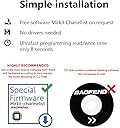
The MIRKITFTDI USB Programming Cable Model 3 in striking red is designed for enthusiasts of analogue ham radios like Baofeng and Wouxun. With a robust 5-year warranty and cross-platform compatibility, this cable ensures a seamless programming experience. It includes free software for flashing radios and expert support for any technical issues, making it a must-have for serious ham radio operators.


| ASIN | B07M85L551 |
| Best Sellers Rank | #1,703 in USB Cables |
| Brand Name | MIRKIT |
| Cable Type | USB |
| Color | Model 3 Red |
| Compatible Devices | Laptop |
| Compatible Phone Models | Baofeng BF-F8hp , Baofeng UV-5R , Baofeng UV-5R+ Plus , Baofeng UV-5RE , BTECH UV-5X3, Baofeng BF-F8hp , Baofeng UV-5R , Baofeng UV-5R+ Plus , Baofeng UV-5RE , BTECH UV-5X20 |
| Connector Gender | Male-to-Female |
| Connector Type | K2pin, USB Type A |
| Customer Reviews | 4.5 4.5 out of 5 stars (689) |
| Global Trade Identification Number | 00663701228199 |
| Included Components | cable |
| Indoor Outdoor Usage | Indoor, Outdoor |
| Item Shape | Round |
| Manufacturer | Mirkit |
| Maximum Voltage | 9 Volts |
| Model | MK_PRG_FTDI |
| Number of Items | 1 |
| Number of Pins | 2 |
| Other Special Features of the Product | Braided, Data transfer Diod Indicator, Compatible with MAC OS, FTDI Chip, Read/Write data in less than 10 seconds |
| Outer Material | Braided |
| Part Number | MK_PRG_FTDI |
| Recommended Uses For Product | Programming ham radios |
| Specification Met | USB-IF |
| UPC | 663701228199 |
| Unit Count | 1.0 Count |
| Warranty Description | No warranty |
S**N
Worked Perfectly Right Out of the Box
I used this cable to program my Baofeng radio and it connected to the software without any issues. The drivers installed quickly and everything synced up on the first try. The build quality feels good, and the red color makes it easy to find in my pile of gear. It’s saved me a ton of time setting frequencies compared to doing it by hand. If you have one of the compatible radios, this cable is a must-have.
A**N
Works.
This cable works and works with Chirp. I have a handful of Baofang radios and with their included cable I always had to hold my breath to see if I could successfully download from the radio and upload to the radio. I had had enough of that, so I bit the bullet and bought this cable. Finally, I don't have muck around with that any longer. I use Linux, but this would likely run no problem under Windows and Mac too. One thing I will note, however is that with my UV-5R Mini's I do have to press and hold the cable into the radio while I upload/download which leads me to believe that the prongs are a hair too short of hitting where they need to. It's really not a big deal, so I push and hold while I do data transfers. Those are the only models I have to do the push and hold with. I also have a Quensheng(sp?) and it works with that radio as well. I hope this review helps.
L**H
Best Programming Cable
Works great... Nice heavy built cord, have used on several Baofeng Radios without any issues....If needed would order again
S**S
Plug-n-Play on Windows 11 (Tested with Baofeng)
Plug-n-Play on Windows 11 (Tested with Baofeng) After hours of installing drivers and tweaking settings I was not able to connect with radio because I was using the old baofeng USB cable. So I remove all previously drivers that I had install and remove baofeng app also. Just 3 things you need to do back up/ write freq or just change settings. 1.) Download CHIRP / Open the App 2.) Turn on Radio 3) plug MIRKIT cable from radio to PC (to any USB) 4.) in CHIRP > click “Radio”/“Download from radio” and choose Serial Port (Not Bluetooth link)/ choose brand of radio “Vendor” / “model” of radio.. press ok and save file as default backup. Now you are ready to mess around with app/radio.
K**K
Save your sanity and buy it!
Programming a baofeng by hand can be tough. Why hand jam frequencies when you can buy this simple cable, save your time, endless scouring the internet, entering the wrong setting, and SAVE YOUR SANITY! Great quality cable, FTDI chip, can't get any better. It will work on a variety of radios that use this Kenwood style plug.
G**Y
No More Interface Games with Windows
I was trying to program my Baofeng and Wouxun radios using a serial cable that apparently had counterfeit serial interface chips, so the OEM's Windows drivers wouldn't work. And even with the workaround of using older drivers, the Windows updates would then override. Enough! I quit that game by getting this cable. I like the red color because it stands out in my mystery box of interface cables and devices. Perfect without having to install any new drivers. Phew.
S**H
Does NOT Work With Windows 11……
I never heard back from support about this cable not working. It’s supposed to work on Windows 11 just plug and play. It never happened. My bag had a sticker over the original sticker and may have been an old cable made to look newer, (see photo) I don’t know. I wasted 2 hours trying to get this to work and it always came up as unrecognized and Windows said the driver was correct. What a waste of time. Avoid this cable.
G**B
Work as expected
Works well and the cord is and feels high quality
P**Y
Worked on Windows 11 fine. Worked straight away. It has the TFDI chip set which in my opinion is the one to look for. No need to mess with drivers. The cable is of good quality
Trustpilot
5 days ago
2 weeks ago