


🚀 Elevate Your Office Game with the HP LaserJet Pro!
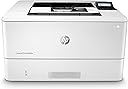
The HP LaserJet Pro M404dw is a high-performance monochrome laser printer designed for businesses, featuring fast print speeds of up to 40 pages per minute, automatic 2-sided printing, and robust security measures. With easy mobile printing options and energy-efficient technology, this printer is built to enhance productivity while minimizing environmental impact.


| ASIN | B009UYYH8I |
| Additional Printer Functions | Print Only |
| B&W Pages per Minute | 40 ppm |
| Best Sellers Rank | #181,633 in Office Products ( See Top 100 in Office Products ) #233 in Laser Computer Printers |
| Brand | HP |
| Built-In Media | Getting Started Guide, HP LaserJet Pro M404dw, Power Cord, Preinstalled HP Black LaserJet Toner Cartridge (59A for EMEA, 58A for AMS, 76A for AP, yield ~3,000 pages), Regulatory Flyer, Support Flyer, USB Cable, Warranty guide |
| Color | Black/White |
| Compatible Devices | Smartphones |
| Connectivity Technology | Bluetooth, Ethernet, USB, Wi-Fi |
| Control Method | App |
| Controller Type | Amazon Alexa |
| Customer Reviews | 4.4 out of 5 stars 1,065 Reviews |
| Display Type | LCD |
| Dual-sided printing | Yes |
| Duplex | Automatic |
| Global Trade Identification Number | 00192018902954, 00192545283175 |
| Hardware Interface | Ethernet, USB 2.0 |
| Ink Color | Black |
| Item Dimensions D x W x H | 8.5"D x 14.06"W x 15"H |
| Item Type Name | Monochrome Wireless Laser Printer |
| Item Weight | 18.9 Pounds |
| Manufacturer | HP |
| Maximum Copies Per Run | 40 copies |
| Maximum Copy Resolution Black and White | 600 dpi |
| Maximum Copy Speed Black and White | 40 ppm |
| Maximum Media Size | 8.5 x 14 inch |
| Maximum Print Resolution Black and White | 600 x 600 dpi |
| Maximum Sheet Capacity | 350 |
| Model Name | Old version |
| Model Number | M404dw |
| Model Series | M404 |
| Number of Trays | 1 |
| Other Special Features of the Product | 550-Sheet Optional Paper Tray, Auto-Duplex, Compact Design, Display Screen, Easy Cartridge Replacement, Fast First Page Out, HP Auto-On/Auto-Off Technology, HP EcoSmart Black Toner, Network-Ready, Simple Out-of-Box Setup |
| Output sheet capacity | 150 |
| Paper Size | 4 x 6, 5 x 8, 3 x 5, 8.5 x 14, 8.5 x 11 |
| Power Consumption | 495 Watts |
| Print media | Card stock, Envelopes, Glossy photo paper, High-resolution paper, Labels, Paper (plain), Transparencies |
| Printer Connectivity Type | Bluetooth, Ethernet, USB, Wi-Fi |
| Printer Output Type | Monochrome |
| Printer Type | Laser |
| Printing Technology | Laser |
| Processor Count | 1 |
| Resolution | 600 x 600 |
| Scanner Type | Sheetfed |
| Special Feature | 550-Sheet Optional Paper Tray, Auto-Duplex, Compact Design, Display Screen, Easy Cartridge Replacement, Fast First Page Out, HP Auto-On/Auto-Off Technology, HP EcoSmart Black Toner, Network-Ready, Simple Out-of-Box Setup Special Feature 550-Sheet Optional Paper Tray, Auto-Duplex, Compact Design, Display Screen, Easy Cartridge Replacement, Fast First Page Out, HP Auto-On/Auto-Off Technology, HP EcoSmart Black Toner, Network-Ready, Simple Out-of-Box Setup See more |
| Total USB 2.0 Ports | 1 |
| Total Usb Ports | 1 |
| UPC | 192018902930 192545283182 192018902954 193808294242 192018902961 193808294235 192018902923 193808294228 192018902978 192545283175 192018902947 |
| Unit Count | 1.0 Count |
| Warranty Description | One-year Bench/Depot Repair warranty. |
| Warranty Type | Limited Warranty |
| Wattage | 495 watts |
D**R
Mostly great
Summary: mostly, a terrific printer. Three minor issues encountered. I'll get the issues out of the way first. Complaint #1: the WiFi set up was awful. I tried three times to get my password in. I finally got the printer on my home network, after a lot of annoyance. I was not able to get the printer registered into the "HP Smart" software system. I carefully deleted every bit of the "HP Smart" software. Complaint #2: the LED display panel on top of the printer has a small visible flaw, a black line that will not go away. The display is quite small and hard to read already, and this flaw is not helping. Complaint #3: it appears that the toner cartridge has an electronic chip in it. This prevents third parties from selling replacements, you have to buy the HP cartridge. Around $105 at this writing. Otherwise, a fabulous printer. After enduring two defective printers (Brother and Lexmark) I am very pleased. The print quality is terrific. In a week of use, I have not experienced any paper jams. I have printed lots of double-sided and legal size. No issues. The printer if fast. Unlike every other printer I have used, this one has a 5 GHz WiFI radio. In my home, the 5 GHz network is very much faster than the 2.4 GHz network. This is not a cheap printer, so I have to hope that it will last a few years at least. Looking at and squeezing the various plastic parts of the printer, it all seems like average quality consumer electronics to me. Thin, cheap plastic for the most part, but certainly not out of the ordinary. I am cautiously optimistic.
D**E
Solid workhorse printer for a small office or small workgroup.
M404dw is a superior single or small workgroup printer. Print output is excellent. It's fast and efficient, especially duplex printing, which is automatic as opposed to earlier models that only duplex manually. It is also a much quieter printing LaserJet as compared to our other larger P3005d. As this is the wireless model it came in handy printing from my iPhone and avoided the usual process of emailing photos from my phone to my computer and then printing. Also the set up was essentially plug and play. One down side is the paper tray that only holds about half a ream. This would tend to make this less of a work group printer if your workgroup has several large print jobs. However, it also has a smaller footprint than the P3005d so that would be a plus if space is an issue.
W**S
Wonderful little personal office B&W Laser Printer
Terrific little personal office B&W laser printer. Fast printing, excellent print quality and fast auto duplexer with nice "automatic duplexing". Only two drawbacks, as others have noted: (1) Expensive toner replacement and security chip forces you to use HP cartridges in the guise of "preventing toner cartridge theft", which is beyond unbelievable. (2) The HP support site is one of the worst I have ever encountered. I consider myself lucky to have downloaded and installed the correct printer drivers/software on first try, just by chance clicked on the right buttons. Perhaps this is an offshore support site? I would never expect such a confusing support site from such a large company and flagship products with the good reputation of HP. God help us if we need support from the site. Otherwise, a great little printer for routine office print jobs and check printing, if you do not have high volume demands that would make the expensive toner replacement an issue. P.S. Generic toner replacement is available, but involves removing a chip from the old cartridge and gluing it to the new one (the printer cartridge will no longer display the amount of toner remaining) and HP states that the security chips may change over time (obviously, to discourage the competition on toner cartridge replacement). Someone should file an unfair trade practices case on this.
Y**X
Sharp, fast, two-sided printing with business-class & security features. Pricey replacement toners
I have worked in the IT industry for over 17 years (and even longer as the "family computer guy") and have come across a multitude of printers: Canon, Lexmark, Epson, Brother, Konica, HP, Ricoh, and all have their Pros and Cons. One thing is common, however: HP is the most widely used in the business world and for good reasons! So, how does this monochrome (black and white-only printing) HP LJ Pro M404dw fare? Pretty well! IN A NUTSHELL The latest addition to the LaserJet Pro line of printers produces sharp, fast, two-sided printing with business-class features and security. The cost of replacement toners is high but has the capacity to output a large number of pages. It is a well-made, compact, professional-looking printer that I have no hesitations to recommend for the home or small office. PROS - Crisp, sharp print quality for text and graphics - Fast print speed (up to 40 ppm) - Compact, sturdy, and professional looking - Printing options: WiFi, WiFi Direct (device directly connected to printer), Ethernet wired network, USB cable printing, or email --- M404dn model lacks the WiFi/WiFi Direct options --- An email address is provided through the HP Smart app to which you can forward emails to for printing - Can print directly from mobile devices (both Android and Apple iOS) either through the HP Smart app or from other apps that support mobile printing - Easy WiFi configuration by downloading the HP Smart app (Apple iOS/Android/Windows 10) --- HP Smart app effortlessly detected the printer, guiding you through configuration, usage, and provides statistical data --- Windows 10 app through the Microsoft App Store works very well - Email notification of events, such as out-of-paper or hack attempts - Duplex printing (prints on both sides) for supported sizes (letter, legal, executive, etc) - Advanced network and security configuration available (through the HP Smart app and a web browser interface) --- See "Security" section below for more details - Tray 1 opens on the front for checks/envelopes/manual feeding - Tray 2 holds paper for 250-sheet feeding, and a Tray 3 can be purchased - Works with HP 550-sheet feeder tray D9P29A - Came with USB cable - AirPrint: Apple Mac compatible - Google Cloud Print compatible --- To set up, the printer will waste 2 sheets: one with instructions and another to confirm setup was completed - Extended replacement toner available for VERY high capacity printing --- Included starter toner can print about 2,000 pages - Quiet mode (prints more quietly at the expense of speed), though I did not find the normal mode to be noisy - Configurable, automatic power on/off/sleep modes --- Defaults: Sleep Mode of 1 minute, Shutdown of 4 hours - Fairly light weight at 19 lbs - Additional, advanced, business-class features include --- SNMP, WINS, SLP, LPD, LLMNR, Syslog, NTP time sync --- Usage and Job reports --- Backup/Restore of settings and Firmware updates CONS - Replacement toners are EXPENSIVE (HP 58A 3,000-pg capacity and HP 58X 10,000-pg capacity) - Did not include a network/Ethernet cable TIPS - The software to download for Windows and Mac OS is "HP Easy Start" which you can grab from HP's website - The software to use on mobile devices (Apple iOS/Android) is "HP Smart" - You can access the full, complete printer configuration by finding the IP address on the printer (or through the HP apps) and typing it into your web browser - The HP Smart app includes a free trial to Mobile Fax --- Allows you to fax print jobs from the app --- Requires you to have a valid fax number (per regulation), but does not need a phone landline --- I did not check what the service's cost is after the 1 month trial SECURITY In today's environment, information security has become more important than ever. I thoroughly appreciate HP's inclusion of features and settings to help protect one's network. Here are some of them. - Removal of Web Services --- Although the printer conveniently allows you to print from the web or via email, any route a hacker can enter from presents a vulnerability. --- The HP Smart app allows you to turn off those web services to minimize the attack footprint --- The default admin password should be changed for additional security - Network Connectivity Options --- The printer allows you to turn on/off any unused printing options, including: wired ethernet, Wi-Fi, Wi-Fi Direct, Bluetooth, AirPrint, Google Cloud Print, and the Internet Printing Protocol (IPP, IPPS) ------ The IPP/ IPPS methods allow you to assign user access for printing from mobile devices - Certificates --- This topic is a BIG one on its own, and to many, a very confusing one ------ In short, Certificates are like passports issued by an authority both parties trust. They help secure communication between the printer and the sender --- The HP M404dw uses a self-signed, pre-installed certificate and supports CA-signed ones that are PEM/Base64 encoded - Email Alerts --- You can be notified when a specific threshold is met (default: 1 minute) ------ Cartridge missing, empty, or low ------ Door open, media mismatch, paper jam, out of paper ------ Job storage memory problems, such as USB device disconnected and out of memory - Firewall Rules --- Built-in firewall, complete with configuration of rule priority, address and service templates, service list --- Failsafe option where HTTPS remains accessible even if it is blocked by a firewall policy (so an admin doesn't accidentally get locked out) - Secure Communication --- Cipher suites, SSL/TLS protocols, and HTTPS redirection can be enabled/disabled - SNMP options include v1/v2 and v3 - ACL: An IPv4-only access control list is available to control access to the printer - 802.1x Authentication: PEAP, EAP-TLS protocols are supported - Cartridge Protection to lock a toner to a specific printer to prevent theft --- Using a protected cartridge on another printer will not work --- The lock cannot be undone on that cartridge. It is permanent Overall, as with most HP printers, this is a quality, business-class product with the speed and sharpness the LaserJet Pro series is known for. The security features are a welcome sight! I do prefer the HP M404dw (WiFi) model (which costs $50 - $100 more) over the HP M404dn (USB/wired network) for its versatility of not having to be wired to the network, but the HP M404dn (USB/wired network) model is still a good purchase, especially at the current $219 price. If you found this review helpful, please click the "Helpful" button below to encourage me to write more. Thank you!
R**D
Fine printer
I had to look around at what was available because the printer had to fit into a spot in my cabinet, so dimensions were very important and helped me eliminate a lot of printers hat were out there with more options and features. After selecting my options, I zoomed in on this model because its ratings were high and reliability a plus. Yes, it works fine and is really fast with duplex printing. The printout is crisp with good details in black and white photos. Yep, thumps up for this one. Setting it up was not so difficult, but the WiFi setup was a bit of a problem because of my internet connection not being optimal at that moment. It's OK now.
S**.
Great printer
Just installed this printer and connected it to four computers. If you're trying to install this on a work computer without admin rights, find and install the program "HP Smart" from the Microsoft Store. It's super seamless after that. The wifi works great and the printer also comes with a cord that you can physically connect to a computer's USB slot also. The print quality is good and I love the automatic duplex printing. It's fast and quiet. I just installed this so can't comment on how many pages a toner cartridge gives, but it does come pre-installed with one already.
P**S
One of the biggest JUNK PRINTER in busienss industry
MAJOR WIFI ISSUES IN BUSINESS ENVIRONMENT: Having a hard time connecting it to Wi-Fi network? Dont worry its made by HP and that's a normal behavior. Wi-Fi keep dropping and printer goes offline, support have no idea what's the problem and is asking me to shut down all the devises on network and restart the modem every 5 minutes to see if problem is resolved. In a office where 50+ people are working and there are about 15 canon and brother printer already connected, it doesn't make sense to say my wifi has problem. Anyway, after 48 hours, finally connected tow wifi but it keeps going off every 5 mins and I'm very sure this printer is going to be returned , otherwise I will shatter it into pieces and send it to HP headquarter. POOR SETTINGS: Beside the Wi-Fi issue, every time I print, printer asks me to confirm the tray size and it keep defaulting TRAY 1 as default tray, and I have made tray 2 my default and I even tried the Automatics detection. Np luck, every time I print, printer says push a button on me to make sure you have the right tray and paper size. Seriously? why you make a $400 printer stupidly complex, its a simple word document print job, why do I have to keep pushing your OK buttons to confirm my action? HP SMART APP IS A JOKE: I also installed the HP SMART app to hopefully be able to manage the printer. Funny part is, that the app says printer offline and it keep losing the connection to the app, but I can print via usb cable. Every time I make any adjustment in the setting inside HP SMART app, it says opps connection lost, try again and it takes me back to supply re order page. That's pretty much the only purpose of the app, just to show you HP toners and products. I had bought HP553 color printer last year and had the same issue, but I thought maybe im doing something wrong, BUT NO, you are doing it wrong. This piece of crap its not worth hours of tech support. ITs $400 printer and it should be plug and play. And btw, Im the IT guy here and I am very confident that this crap is not worth the money and time. NOT GOOD FOR LABEL PRINTING: This printer prints very fast, I actually wanted to make it slower becasue it messes up my prints when I print Amazon FBA labels and etc. I don't have this problem with my canon and brother printer because I can actually adjust the speed of the printer and print slowly to make sure inks stick to labels. But this printer prints too fast and there is absolutely no setting to change it. You can only select fine print/photo print which makes the ink bolder but printing speed doesn't change.
L**A
LOVE the Wi-Fi *direct* printing option
We bought this laser printer for our RV so that kids can do school from the road, be able to print wirelessly, but without having to connect to a wireless network. This printer is awesome! Initially I tried to set it up to connect to a mobile hotspot as our wireless network but that didn't work for some reason. So after some digging around, I discovered wifi direct, printed the instruction page which had the default wifi direct SSID and password, as well as instructions on how to change the SSID and password. Works like a charm!
W**9
Item is used before
Item is used before and the attached power cables is used before
M**S
Excellent home or office printer
Connected straight away to smartphones and home laptop. Much more easier to use then the 5 month old Brother printer that kept disconnecting and at times, couldn't even find on my network. This Canon has no issues.
L**E
Rapida e excelente qualidade
A impressira é facil de instalar, conecta-la na rede wi-fi fica mais facil ainda usando o aplicativo da HP, com poucos cliques e a impressora ja esta conectada e pronta para uso. Permite impressão direta pelo iphone, qualidade de impressão muito boa e bem rapida, considerando sua categoria.
B**E
Good Workhorse small office and home printer.
Well built, typical solid HP quality. The cartridges are pricey (and non-HP ones will brick it - normal for modern HP stuff) but the print quality and speed meet the expectations I had. So far it's digested every type of paper I've put through it.
T**V
funciona perfectamente
magnífica.
Trustpilot
3 weeks ago
2 weeks ago