Desertcart purchases this item on your behalf and handles shipping, customs, and support to South Korea.
🎮 Elevate your game with every nod and glance — be the pilot, racer, or commander you were born to be!
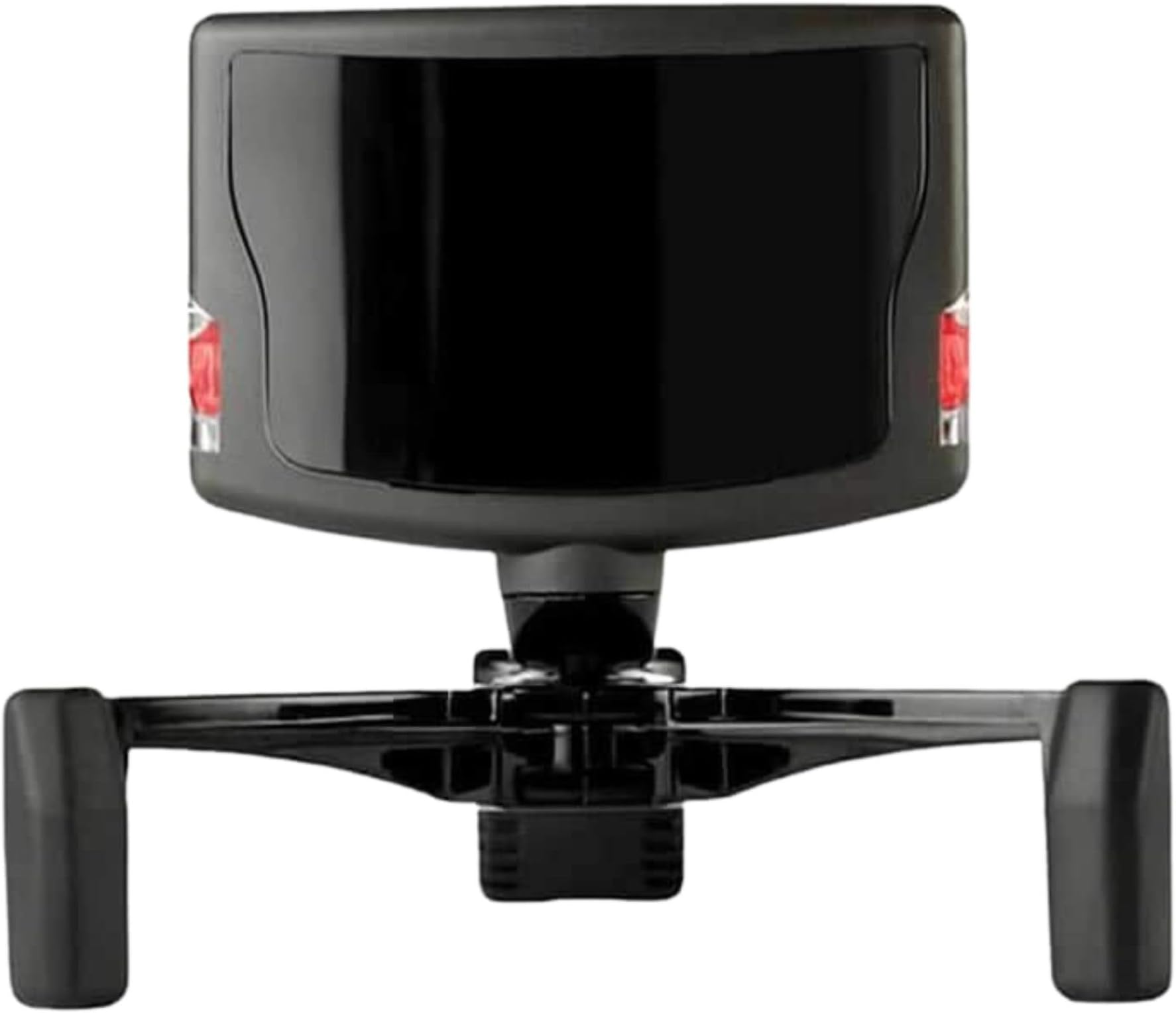
The TrackIR 5 is a USB optical motion tracker delivering 6 degrees of freedom head tracking with ultra-low 9 ms latency. Designed for PC gaming, it enhances immersion in flight, racing, and combat simulators by capturing natural head movements across yaw, pitch, roll, and spatial axes. Featuring customizable software profiles and a magnetic mount for quick setup, it ensures seamless, precise control even in low-light conditions.
| ASIN | B0029M6VKA |
| Additional Features | Accelerometer |
| Best Sellers Rank | #5,362 in Video Games ( See Top 100 in Video Games ) #313 in PC Game Controllers |
| Brand | TrackIR |
| Built-In Media | TrackIR 5 hardware, TrackClip, quick start guide (English language not guaranteed). Not in English) |
| Compatible Devices | Personal Computer |
| Connectivity Technology | USB |
| Customer Reviews | 4.3 4.3 out of 5 stars (1,944) |
| Enclosure Material | Plastic |
| Global Trade Identification Number | 00895542000317 |
| Item Dimensions | 8.82 x 7.4 x 2.13 inches |
| Item Weight | 2.4 ounces |
| Manufacturer | Natural Point |
| Mfr Part Number | 10969 |
| Model Number | 92994 |
| Number of Packs | 1 |
| Specific Uses For Product | gaming |
| Supported Application | Windows Applications, TrackIR Tracking Software |
| UPC | 895542000317 795971978570 |
| Unit Count | 1 Count |
| Warranty Description | 1 year |
M**O
Definetly a must have gaming accessory
This is a pretty neat gaming device once you get used to using it and spend time tuning it for your games. Boxing and hooking it up is easy. The USB cable is long enough that it can run from the sensor atop my monitor to the tower on my floor when I have my standing desk all the way up. The hat clip is fine too. I keep an old hat on my desk. First use is just getting used to using the software and seeing the results on screen. I watched some Youtube videos to understand the configuration options. I play mostly racing games, so I fired up Grid Autosport and went for a drive. The first thing to notice is that the default setting may be way too sensitive. A slight movement of your head translates into really big movements in game. I looked down to the wheel and I'm no longer looking out the window. I look slightly left on the monitor and I'm looking over my shoulder in the game. I messed with the settings and tuned them way down which made it far better in a racing game. The more radical movements are better when having a 360 degree view is useful such as in X-Plane or Microsoft Flight Simulator. You can set it up so that the in-game movement is amplified the more you turn your head in real life. You should be able to turn your had 1/8th of a turn IRL and look behind you in the game. It's all about tuning the curves so that it's not twitchy with little movements but helps with bigger ones. Once you get it, it's fun being able to look around easily. I can't wait to try it in a flight combat sim. Using it takes some retraining and I got the hang of it after maybe 10 hours in. While driving in real life, I naturally look to where I want to go. The view usually isn't far enough out that I can't see from my peripheral vision. In the game, I wanted to same effect so that I can see the corners and other cars while driving. Without the sense of motion, keeping the car in the right motion while turning the view is tricky at first. I continually turned the wheel less because I the view was turned more. I had to learn to pay attention to the visual clues of the direction of travel in the view compared to where I wanted to go. If the scenery was sliding by, I was either turning or looking sideways and I'd want to align the motion front to back. If the scenery was passing straight back, I was going and looking straight. 3 things to be aware of: I find I have to calibrate it often. This isn't a big deal in game but I have to remember to pick my moments such as not during a tricky corner, when passing, or other cases where I am occupied. When racing, I find I need to calibrate once a lap. The view becomes "off" and I seem to be looking askew. I mapped a button on my wheel to recalibrate so when I get a chance, I center my head and calibrate which takes affect either immediately or within a second. You can't have a bright window or light source behind you. It's winter here and the snow is on the ground. The reflections makes if very bright on my office and if I don't darken the office, the sensor is useless. I supposed the Pro attachment might help but I'm not that bothered by it. Not all games are supported and that's a drag. I did review the list of games on Natural Point's site and most of my games are supported, but not all. Don't be surprised check the list before you buy.
H**)
Most important flight sim add-on!
I fly Microsoft Flight Sim X as a way to keep my head in flying while I cannot afford to exersize my real life certificate. I've been wanting one of these for a while and during the wait, Natural Point put out the new version 5. I finally bought it and, all I can say is "WOW!" Okay, that's not all I can say. When the package arrived, quickly I might add, from GoGamer, I was surprised at the size of the box. It was well over-packed and protected from the rigors of shipping. The actual unit is quite small. Unpacking from the bubble package is easier than the normal bubble packaging, too. I was going to wait for Christmas, put it under the tree, etc. but the kids will just have to understand! Setup is a snap. Installed the software from the website first, then plugged it all up. It just works. I picked one of the default profiles and went flying. It was wonderful to look around the airplane, although I habitually use the hat switch which is now largely useless. I haven't even explored all the settings, profiles, or adjusted anything but the flying is 100% better. I turned my head to look where the runway is! Simple thing, but so, so important for realism. Imagine leaning in forward to see and set the radio, or turn the OBS knob to a precise setting, or craning your neck up to see over the dash better. I'm hoping today to explore the settings some more. I picked a profile that moves actually too well. I need to expand the "dead zone" just a bit so my head movements don't make flying into what my wife calls a puke ride. It isn't of course. The only difficulty I've had so far is trying to assign buttons for "Center" and "Pause" to my Saitek yoke. I haven't figured out how to make it work. But this is due to my not having explored the software yet. The buttons assign in the Track IR software, but when I start the sim, they aren't functioning. I need to RTM. Bottom line: This Track IR should win the Nobel Peace Prize. It is an OUTSTANDING product. Even at the default settings I'm still using, it is a HUGE improvement over using the hatswitch for panning, the + and - buttons for zooming, the shift+enter to raise my head, etc. It's only going to get better for me as I improve my personal profile settings. If you are not sold on it yet, read flight sim forums for reviews. There are YouTube videos you can watch it in action. No one ever says they don't like it. If you're reading this review, you want it anyway. Buy it. You will NOT regret your purchase.
D**.
Game Changer but Only 95% Accurate
Works great with Arma 3 for piloting. Since it is basically a camera combined with an AI algorithm, it does not 100% accurately measure my head’s position, but it does come close and definitely adds a valuable new method of view control to the game. The smoothing feature in the TrackIr software adds some latency but increases accuracy. The software has all of the configuration options I would expect, including full editing control over the amplification curves for all 6 axes. I use the basic metal track clip (not the pro) and easily attached it to the top of my headphones with some zip ties — works fine and software can’t tell the difference. My wife thinks I look like an alien when wearing it, and it makes a satisfying “boing” sound when you flick it with your finger. The metal clip is of a strong and durable material. Only reason for 4 stars is because it is only 95% or so accurate. This is really a limitation of the technology, not the quality of the product. I wouldn’t expect a competing product to be any better. The product is great quality. I think in a few years this will be obsoleted by something better thought. But it IS a game changer and it IS worth the money. Also worth mentioning that I have some weird lights in my kitchen with like xenon or some weird space plasma. Apparently they emit infrared light which screws up the TrackIr (it thinks the light is one of the reflective points on the head clip, causing the output values to go wacky). In the software, you can view the IR camera view and the offending light is in close proximity to my head from the camera’s perspective. If I move such that the light is sufficiently far enough away from the line of sight to my head, then the AI in the software is smart enough to ignore the light and properly track my head. Normal light bulbs don’t get picked up by the camera so shouldn’t be an issue, just these weird xenon bulbs I have, anyways I just turn them off. The camera view in the software makes it easy to debug how well the camera can see you (the 3 points it is tracking show up green and other candidate IR readings that are being ignored show up red). And again, the AI that powers this software is pretty amazing and very 21st century.
J**N
Game changer
Back in the late 90's and early 00's I flew flight sims heavily. At the time I spent a lot of time and money on HOTAS flight control systems, graphics cards, and other PC hardware. I took several years off, but early this year decided to get back into flight sims. A look at the currently available HOTAS systems shows they haven't changed much at all. Even the Sim of choice amongst many is based on the 1998 Falcon 4.0, so that hadn't changed. What had changed was the introduction of TrackIR. And what a change it is! This small device completely changes the game. This device, when used in a full 6-degrees-of-freedom (6DOF) 3D cockpit, makes it a snap to just look around the cockpit and find what you need. Instead of having to use a hat switch on the hotas to pan my view around (which is tricky, especially when maneuvering in a dogfight) I can simply turn my head and have my view pan with it. These movements are natural, so I intuitively know where I'm looking (when not directly at the front of the cockpit). A friend had told me it would change everything for me, and that after I used it I wouldn't be able to imagine flying without one. That obviously set high expectations for me, and I'm happy to report that those expectations were met... and then some. Simply put, this is the greatest piece of hardware - and single greatest advancement - for flight sims (and any sims, for that matter) that I've ever seen. My experience has been that I had to make very few changes to the defaults. That said - you can spend as much time as you want dialing it in to be exactly where you want it. It's got lots of customizable options - none of which I've needed to use. Your experience may vary. A note on it's use: Avoid direct sunlight, and surfaces behind you that reflect IR light. These will interfere with it's operation if you're not using the pro clip. By default, the TrackIR will beam IR at you which are reflected off a metal clip that attaches to the bill of a baseball cap. Three reflectors on the hat clip allow the TrackIR to detect movement which it translates into input for the game. The Pro clip has active IR emitters, and clips onto a headset. This means you don't have to wear a hat, and you don't have to worry about IR reflective surfaces behind you. I've been told it's a better experience, but can't comment as I don't have one.
B**R
I should have gotten this years ago! :)
I have debated getting a Track IR since they first started making them. I was never sure I would like such a device, and have sometimes, though not often, experienced some nausea when gaming across multiple monitors, playing first-person shooter games like Half-Life 2. I fly helicopters in MS Flight Simulator X quite a bit, and decided it might make landing easier. Trying to maintain controlled flight in a helicopter and simultaneously use a hat switch to look around and down at the ground when landing has always proven to be quite a challenge. I would usually end up making a mistake on the stick just before touchdown and either speed up and miss the helipad or end up flying backwards before touching down. So, I finally decided to try one, and bought the TrackIR 5 Pro. I really like it! The unit itself is very small. Currently the picture displayed is accurate. So I'll say that the width of the square black IR camera with the rounded front, sitting atop the 3 legged mount, is just over 2". The instructions, as the picture here shows, tell you to put the 2 legs on the front edge and one leg on the back edge of the upper bezel on your LCD display. However, on my AOC center display, there really isn't much of an "edge" along the top. The case slopes back away from the top edge. It would not sit that way, and wanted to fall. But by simply reversing the legs so the single leg is on the front, and spreading the 2 legs along the back (they pivot inward and outward) I was able to make it sit there very nicely. The single leg has a notch intended to secure the USB cable. I can't use that with the legs reversed, but the cable drapes nicely down over the back of my Triplehead displays and around to its USB port. Although the instructions advise avoiding ANY type of USB hub, even if powered, I find that my powered ULTRA USB Hub (switches 7 ports between 2 PCs) works quite well with it. Otherwise I would have needed to use an extension cable since my PC is just a little too far away for the included cable, which I think is 6 feet long. Setup is very easy. There is no software included, just a URL to the TrackIR site to download the software. I use Windows 7 x 64 bit, so checked to verify that is supported by the latest version 5.1 software. Once the software was installed, I encountered the first minor issue. When the TrackIR software icon is clicked to open it, there is a rather unnerving delay of nearly 20 seconds while it loads, during which NO INDICATION AT ALL is provided to tell you it is loading. I have an up to date PC running a Core I7-860 CPU with 8GB RAM and a GTX 460 video card, so normally things happen fast enough. So my first thought is "why isn't it loading". It does load, and runs very well. It just takes this delay EVERY time I load it. They should have included at least a progress bar or something. Minor, but worth mentioning to keep others from wondering why it 'isn't working' during those first seconds. The Track IR program window is very attractively designed, and impressed me. Until I wanted to "SAVE" the changes I made to the default profile. The menu for the SAVE action is not across the top of the window as one expects in pretty much every Windows OS app. The button is only a floppy disc icon, very light gray, and virtually "hidden" from view down in the lower portion of the window under Advanced Settings. It can be very hard to find, and will actually scroll out of sight if you have a wide-screen display! Poor planning on their their interface design. I also later found out that apparently it is not possible to save changes to the "default" profile. They do not stay changed. I had to create a new profile, make the changes, and then save that. But those are the only 2 minor complaints I have. Aside from those, this thing is AWESOME. All I had left to do setup-wise was install the Tracking Clip to the visor of a ball cap. I have read some reviews saying the early versions of this clip were cheaply made plastic. The one they included is actually stamped out of metal sheet, and nicely painted with black wrinkle-finish paint. It has 3 rounded tabs on which they applied highly reflective silver tape, much like that used on a reflective road sign for night visibility. It seems very sturdy. The actual interface on the TrackIR window is fun to play with, as it graphically maps where you are looking in a 3D globe coordinate system. Having already started the Track IR program, it instantly pickup up and displayed data from the hat as soon as I oriented it anywhere near the camera. My first impression at that moment was that the sensitivity might be too intense, while playing with the TrackIR window. But I suggest you actually try it in a game before thinking of adjusting any settings, because it seemed just right once I used it in FSX. I was up and running in FSX in no time. The only change I had to make at all was that by default they chose to use the F9 key to "Pause" the Track IR. I use the F9 key in FSX to switch from external to internal cockpit view, so I re-assigned their Pause key to CTRL+P, since FSX uses the "P" key. I feel this device adds a lot of realism when using a flight simulator, and it has no problem at all re-centering my view simply by moving my head back to the middle of my displays. There is a centering button defined as F12, which does allow a certain amount of customization. For example, if you look around and when you come back to front center you decide your view is a bit high or low for what you want, you can move your head in the opposing direction (say upward a bit), press F12, and then move your head back down, and it will then give you a slightly lower view from what it considers the 'center' position. There are further adjustments which can be made, and in fact you can create several different profiles if you like, but I have yet to explore that area. The default settings work really well in FSX. including the default "dead zone" for center, which is narrow, but seems just right. I presume you can adjust the percentage of how far you turn your head vs. how far the on-screen view changes, but they seem to have also made that just right from the very start, at least for someone with wide-screen displays. I recommend this to anyone who would like more visual realism in PC gaming!
D**A
MUST for flight sim users
This is an absolute requirement for modern flight sim users. You will find that its a whole new experience with the TrackIR functionality. Setup: The setup of the TrackIR can be challenging if you are picky. While its completely possible to use it right out of the box, its best to review the profiles and set them up properly. You have the ability to setup a profile for each sim or game and the TrackIR software can usually automatically detect and load the right profile. There are a lot of videos on YouTube that will show you the various ways of setting up the profiles. This with just some good old fashion playing around will go very far to tweak your experience. Gameplay: Overall the TrackIR 5 is very good, its highly accurate and as noted give you a whole new perspective on flight sims. You must be careful with things in front of the TrackIR. If you have "shinys" on your body, face or hat, it can disrupt the camera. For example, drinking a can of pop while int he cockpit will cause your "view" to scramble all over. Hardware: I was initially worried about how the mound would work. It appear to be relativity limited based on the look of the tripod base. However these three legs will tilt, spread, and bed to meet the form of almost any monitor. Its also very reasonable to sit it on a shelf right above your monitor. Overall it has a very good viewing range and in my case was not impacted by the shelf above my monitor. Just ensure proper line of sight. Have a question?, post a comment
B**N
Good addition to simulation hardware!
Upon its delivery, I have been using this devise only while playing Euro Truck Simulator 2. This is because I do not care much for flight sims, and I currently do not have many FPSs, and the FPSs I do have are not on the NaturalPoint’s list of enhanced game. Also, I have not had the chance to try this devise on other games. Although I think this is a great product, I can see how others will call it counter-intuitive. In my opinion, using the TrackIr does have a learning curve, especially if you only have one monitor. This is because that you have to turn your head and keep your eyes straight, or in some cases, turn your eyes in the opposite direction (i.e. turn your head to the left while turning your eyes to the right). If you play games with a multi-monitor setup, I would think that this problem would become nonexistent since you can use your whole peripheral view. Another hypothesis I have as to why this devise has a decent learning curve is that the game character’s POV pivots on the Y axis of the character’s head. So, instead of the environment rotating around the players head, it is still rotating around the character’s head; which is around two feet in front of the player. I am not sure if this is true phenomenon or not because I am only going off of what I feel, and I have not been able to find proof of this concept. I think I should also point out that I have three identical monitors. However, I do not have a graphics card powerful enough to display my native resolution of 5760 x 1080p.
W**N
I'm Trackin'. You Trackin'?
Looking up TrackIR year back, and having used FreeCamNoIR for a while with just a webcam, it was exciting to try out an official TrackIR product. After getting it setup and using it for a while now, here's my takeaway! What You Get: In the package is the TrackIR Camera, a plastic bar made to fit on a baseball cap with the three reflective 'trackers' affixed to it, a small adjustable magnetic mount that you place the TrackIR Camera on and can then place on top of your TV or whatnot, and the usual promotional/instructions paper stuff. Programming: After downloading the drivers and software from TrackIR's website and getting everything plugged in, I gave the software a go. It's a handy tool that lets you preview movement in a 3D sphere and adjust some settings to your liking (turning range/sensitivity). There's profiles you can use or create for more settings, but I haven't done that yet. You might want to look into that first thing, as there's an 'auto-center snap' feature that means when you're looking close to dead-on wherever your center point is, the TrackIR feature won't turn your view until you move far enough outside of the deadzone. The size of the deadzone, for me at least, is small enough that I am at least aware of where my 'center' is at all times, but big enough where it's always a distraction to have my in-game-view suddenly snap whe I don't want it to--or where I have to turn my head further than I normally would, just to 'escape' the deadzone. Take this paragraph for what it's worth in my opinion: software good, but be prepared to look into changing deadzones if that's going to be a distraction for you. However, the head tracking itself is pretty darn good. There's no, or at least, very little latency--your head movement will move your view in real-time, and being able to look around in ARMA or Elite Dangerous is a pretty sweet experience! It is well implemented and functional, and that's definitely a good thing! When it comes to what games are supported, it depends. Obviously, simuation games like ARMA, Flight Simulator X, XPlane, Elite Dangerous etcetera, are going to have built-in support. Getting TrackIR working in those games was as simple as checking a box labeled "Enable TrackIR", and in Elite Dangerous' case TrackIR was working as soon as I started the game. And in ARMA 3, at least, TrackIR movement was interpreted as joystic movement--if that holds true for other games, you could probably use TrackIR inputs for other games as well--but that's just me speculating. All in all, I'm pretty satisfied with this. Fun stuff!
J**E
El Trackir 5, perfecto; DHL, no tanto...
El track ir perfecto. No trae el track clip pro, sino el cacharrito metálico para montar en una gorra o los cascos (lo digo por si alguien no lo tiene claro). El funcionamiento, perfecto. Es el segundo que tengo, ya que antes tenía el track ir 4, que vendí hace algún tiempo. En cuanto a la entrega por parte de DHL, la hicieron dentro del plazo previsto, pero podría haber llegado mucho antes, ya que cometieron varios errores de clasificación del envío. Recogieron el paquete en Alemania el 29 de diciembre, y tenía que venir a España por transporte terrestre. El recorrido que hizo fue: Alemania, Lyon (Francia), Bruselas (Bélgica) (?!), Oslo (Noruega) (???!!!), de nuevo Bruselas, Barcelona, Coruña, y finalmente mi casa el 9 de enero. No ha llegado a tiempo para reyes (debido al viaje turístico que se hizo el paquete por el norte de Europa), pero al menos ya lo tengo...
C**N
Bon produit
Fonctionnel et simple à configurer. Seul inconvénient port obligatoire de la casquette avec les reflecteurs
S**N
Just Can't Sim Without It
I tried FacetrackNoIR for a few hours, thought it was really cool and gave me a taste of what headtracking would be like. But it was jittery and just not anywhere close to the level of precision I wanted. Ordered TrackIR5 a few days later after debating whether it would be worth the price and I'm happy to say I have absoloutly no regrets. I'm just using the basic trackclip that came with the product on a hat. Curves were solid out of the box and only needed like 10 seconds of tweeking on the Y-axis for me to work as I wanted. You're paying for the solid plug-and-play software just as much as you are the hardware itself. I've been using it with FSX;SE and the Chaseplane camera addon. Practicing GA patternwork has become a million times better now and just tracking your turn out on to final with your head feels amazing. In additon, I can look down to quickly access buttons and switches that before required me to hit buttons on my keyboard to swap to pre-set camera angles. If anything I just wish the mount was better suited for my laptop's thin screen. It works fine but is a tiny bit loose as it was designed for thicker bulkier monitors. It's sits okay but only at its most extreme position. Luckily the mount is magnetized and independent of the actual IR sensor / blaster meaning I can likely 3D print a new mount for my laptop or something. Otherwise tracks great, easy setup. Solid precision and absoloutly 0 un-wanted jitter or head movement out of the box. I suggest you try FacetrackNoIR to get a sense of what head tracking is and then purchase TrackIR after. It'll totally change the way you sim. Here are hopes we get TIR5 support for Flight Simulator 2020. For me its a far better solution than VR as I still get to run the sim at 1080p without it looking blurry like in VR (for me that also means less motion sickness). And overall significantly less money. I'd 100% recommend this product if you take sims even remotely seriously.
G**G
Bewegungsfreiheit
Der TrackIR 5 (in der passiven Ausstattung ohne aktive LEDs) ist bei mir seit ca. 6 Monaten im Einsatz für FSX und vor allem X-Plane (Flugsimulation). Die Treibersoftware ist einfach zu bedienen, läuft stabil (hier: Win7 64 bit) und es ist möglich, die Einstellungen durch einfachen Wechsel (Alt-Tab) oder mit frei definierbaren Hotkeys interaktiv anzupassen, ohne die Programme jedes mal neu starten zu müssen. Die Integration in die Programme ist gut, das Tracking auch bei normaler Raumbeleuchtung präzise und es wird trotz Echtzeitverarbeitung keine nennenswerte CPU-Leistung vom Rechner abgefordert (in diesem Fall ein Core i7 3770). Ich habe mich früher beruflich u. a. mit sehr hochwertigen Trackingsystemen beschäftigt und bin beeindruckt, was hier ganz leicht aussieht und verlässlich funktioniert. Handling: bisher musste der Blickwinkel immer von Hand eingestellt werden, mit dem TrackIR geht das alles nach kurzer Zeit intuitiv und man akzeptiert ihn wie selbstverständlich. Kleiner Nachteil: nach dem ersten Einsatz war mir erstmal etwas übel, die Diskrepanz zwischen leichter Kopfbewegung, großem Drehwinkel im Bild verbunden mit einem schwankenden Helikopter brachte mein visuelles System gründlich durcheinander. :-) Ich würde deshalb langsam anfangen und mit nur einigen Minuten Betrieb beginnen. Nach kurzer Eingewöhnung war aber alles problemlos und ich möchte nicht mehr darauf verzichten. Die Verarbeitung ist eher leichtgewichtig und sauber, EUR 140 empfinde ich durchaus als angemessen. Wer sich für "echtes" VFR-Feeling interessiert, bekommt die Möglichkeit, sich einmal von den Instrumenten zu lösen und virtuell nach draußen zu schauen. Klare Kaufempfehlung,
K**N
Essential purchase - if you are a serious gamer/simmer.
Excellent product. Bought it for using with Elite:Dangerous and it has transformed the game. Coupled with a hotas controller setup, this is the only way to get the best from Elite in my mind. I've heard people saying the Track Clip Pro is flimsy and doesn't work very well compared to the Track Clip used on a cap. I've tried both and can safely say that the Pro is superb and I have had no issues with it, nor does it feel like I could break it easily unless I grabbed at it aggressively. The only downside is that the Pro needs to fit to your headset, so there isn't the option to not used headphones when gaming. To be honest, I always wear a headset so it's no big issue for me. Can take a bit of getting used to, but after a week or so it becomes second nature. The added bonus is that it supports so many other games I have too. I also use Flight Sim and have done for years, but haven't yet tried TIR with it yet, so can't comment - but I have only ever heard good things about it. I just can't stop playing Elite, so haven't had the time! I expect using it with FSX addons like the PMDG NGX must be great though and hope to try it out soon. A few tips: Make sure you have enough room above your monitor for the camera to sit on. I had to remove a shelf that sat above my monitor to make room for it. Give yourself about 10cm and you should be fine. If using it for Elite, download a good Elite profile to use with it. Search the net and you will find them. Also try combining this with Voice Attack (http://www.voiceattack.com) and ED Voice Pack (http://www.elitedangerousvoicepack.com) and you will have the ultimate setup for Elite. Controlling your ship with voice commands is superb!
Trustpilot
1 week ago
4 days ago